DevCheck Device & System Info
flar2In-app purchases
- EveryoneAge rating
- ToolsCategory
- Nov 21, 2026Updated
- FreePrice
Links to the official Google Play listing of flar2.devcheck. Last checked on Nov 21, 2026.

Screenshots


About this app
Detailed device info, live hardware monitoring and performance benchmarks
Monitor your hardware in real time and get complete information about your device, including CPU, GPU, memory, battery, camera, storage, network, sensors and operating system. Run free benchmarks to see how your phone compares with other devices. DevCheck presents detailed hardware information, performance testing and live monitoring in one clear, accurate and easy-to-use app.
DevCheck provides some of the most detailed CPU and System-on-a-Chip (SoC) information available on Android. View specifications for Bluetooth, GPU, RAM, storage, and other hardware in your phone or tablet. See detailed Wi-Fi and mobile network information, including dual-SIM support. Monitor sensors in real time and learn about your device’s operating system and architecture. Rooted devices and Shizuku are supported for accessing more information on compatible devices.
Dashboard:
An overview of device information, with real-time CPU frequencies, memory usage, battery statistics, deep sleep, uptime, and shortcuts to system settings.
Hardware:
Detailed specifications for your SoC, CPU, GPU, memory, storage, Bluetooth, and other hardware, including chip names and manufacturers, architecture, processor cores and configuration, manufacturing process, frequencies, storage capacity, input devices, and display specifications.
System:
Complete system and software information, including device codename, brand, manufacturer, bootloader, radio, Android version, security patch level, and kernel. DevCheck can also check root, KNOX status, and other operating system details.
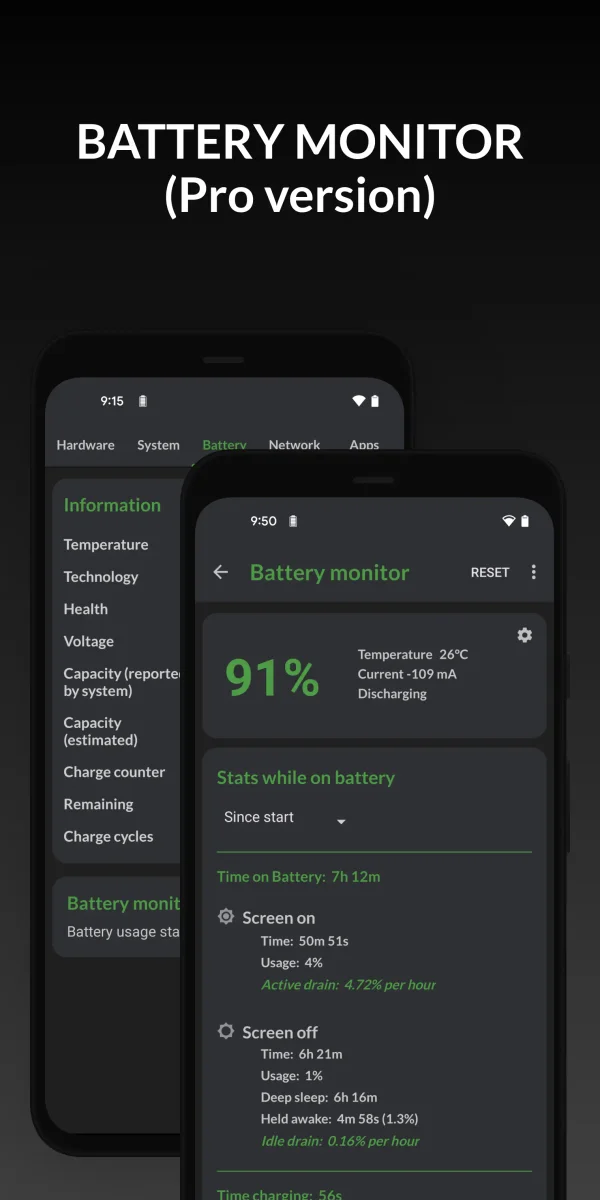
Battery:
Real-time battery information including status, temperature, level, technology, health, voltage, current, power, and capacity. The Pro version adds detailed battery usage tracking with screen-on and screen-off statistics using the Battery Monitor.
Network:
Detailed information about Wi-Fi and mobile/cellular connections, including IPv4 and IPv6 addresses, connection details, operator, phone and network type, public IP address, and dual-SIM.
Apps:
Detailed information and management for all installed apps.
Camera:
Camera specifications including aperture, focal length, ISO range, RAW capability, 35mm equivalents, megapixels, crop factor, field of view, focus and flash modes, JPEG quality, image formats and face detection.
Sensors:
A complete list of all sensors on the device, including type, manufacturer, power usage, and resolution, with real-time graphical data for accelerometer, step detector, gyroscope, proximity, light, and more.
Benchmarks:
Run comprehensive CPU, memory, storage and GPU benchmarks for free. Compare your scores against other devices in the DevCheck rankings and see how your phone performs. DevCheck Pro includes Benchmark Labs for running individual tests.
Tests:
Flashlight, vibrator, buttons, multitouch, display, backlight, charging, speakers, headset, earpiece, microphone, and biometric scanners (the last six tests require the Pro version).
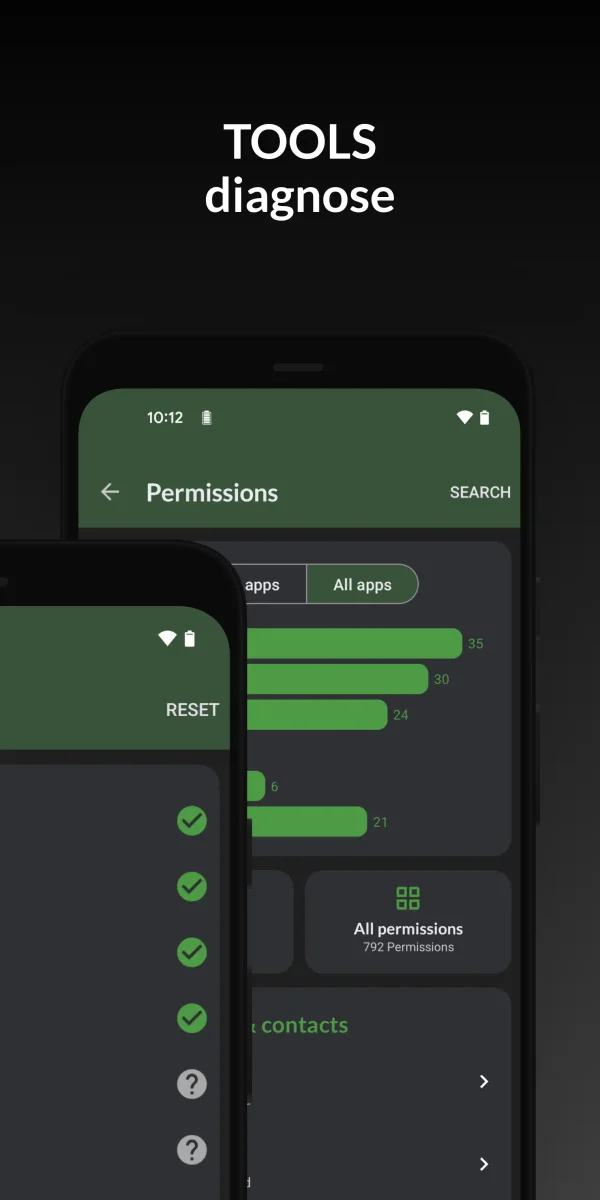
Tools:
Root Check, Bluetooth Scan, CPU Analysis, Integrity Check (Pro), Permissions Explorer (Pro), Task Manager (Pro), Wi-Fi Scan (Pro), Network Mapper (Pro), Usage Stats (Pro), GPS tools (Pro), and USB Check (Pro).
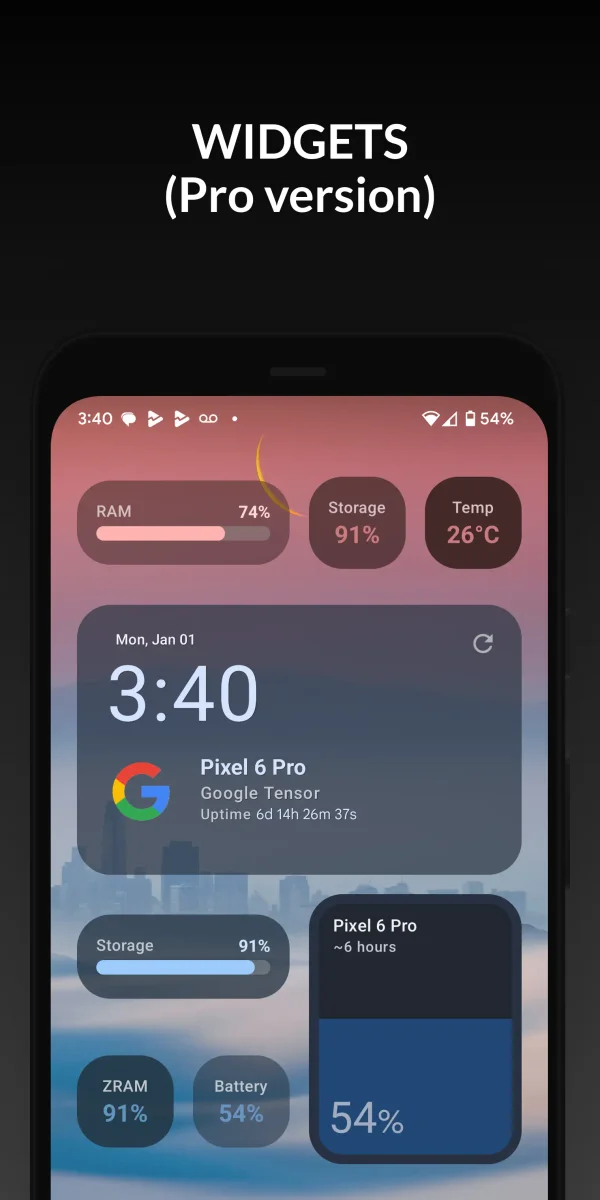
Widgets (Pro):
Customizable widgets for your home screen. Monitor battery, RAM, storage, and other stats at a glance.
Floating Monitors (Pro):
Customizable, movable, always-on-top overlays showing live CPU frequencies, temperatures, battery status, network activity and more over other apps.
Pro Version
Available via in-app purchase.
Pro unlocks additional tests and tools, Benchmark Labs, Battery Monitor, widgets, floating monitors and custom color schemes.
Permissions & Privacy
DevCheck requires various permissions to display detailed device information.
No personal data is collected or shared.
Your privacy is always respected.
DevCheck is ad-free.
Data safety
What flar2 declares on Google Play about the data this app collects and shares.
- No data shared with third partiesLearn more about how developers declare sharing
- This app may collect these data typesFinancial info and App info and performance
- Data is encrypted in transit
What’s new
Nov 21, 2026
6.62:
-improve benchmark browsing
-improve foldable support
-security chip
-bug fixes
6.61:
-Dashboard updates
-System Monitor improvements
-3D FPS floating monitor (Shizuku/root only)
-improve root detection
-Benchmark improvements
-Announcements
-darker dark theme
-support new hardware
6.60:
-Benchmarks free (Labs is PRO)
-Floating Monitors update
6.56/6.57:
-improve CPU info (NPU, arch, core revisions)
6.55:
-add Benchmark Labs, individual tests & config
-add Logcat Reader (Shizuku)
Developer contact
- Websitedevcheck.app
- Emailelementalxcontact@gmail.com
- Privacy policyelementalx.org
- Address9093 West Ridge Line Blenheim, ON N0P 1A0 Canada
Information
- Offered by
- flar2
- Category
- Tools
- Updated
- Nov 21, 2026
- Released
- Aug 2, 2015
- Age rating
- Everyone
- Price
- Free
- In-app purchases
- $1.99 - $24.99 per item
- Package name
- flar2.devcheck
Similar apps
-
 Device Care
Tools
-
 HiOS Launcher - Fast
Personalization
-
 XOS Launcher -Cool Stylish
Personalization
-
 Magazine Lockscreen XOS
News & Magazines
-
 Quick Settings app
Productivity
-
 Speedtest Internet & WiFi Test
Tools
-
 Ajax PRO: Tool For Engineers
Tools
-
 CPU Monitor - temperature
Tools
-
 Hik-Partner Pro (Formerly HPC)
Tools
-
 My Data Manager - Data Usage
Tools
-
 Xiaomi Home
Lifestyle
-
 Fing - Network Tools
Tools