DigitX - Granite
DigitX Watchfaces- EveryoneAge rating
- PersonalizationCategory
- Sep 7, 2026Updated
- $1.49Price
Links to the official Google Play listing of watch.digitx.granite. Last checked on Nov 25, 2026.

About this app
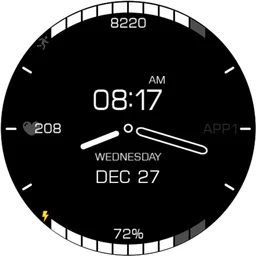
Bold and remarkable design. Granite - try premium hybrid on your wrist!
Only for Wear OS devices – API 30+
// Not suitable for rectangular watches
⌚ Supported by watch face format
https://digitx.watch/
⏩ HOW TO INSTALL?
Before leaving a negative review (1 star) on Google Play, please read the installation instructions and the list of frequently asked questions (FAQ).
https://digitx.watch/home/about-digitx/help-faq/
⏩ FUNCTIONS
• minimalist look
• very legible font
• high resolution
• 7x backgrounds to choose from
• AOD mode with low OPR
• Multilingual
• 12/24 hours
• 3x complications
⏩ NOTE: Complications shown in the app description are for promotional purposes only. The custom complications you can set depend on the apps and software you have installed on your watch.
⏩ ADJUSTMENT
• press and hold the center of your watch > open customization settings
• Backgrounds (7x)
• Application complications/shortcuts
The companion app on your phone is only a placeholder to make it easier to install and find the watch face on your Wear OS watch. Watch faces are not automatically installed on the watch screen after installation. Therefore, you need to set this option on your watch screen.
Please contact support@digitx.watch for assistance.
---DigitX---
Data safety
What DigitX Watchfaces declares on Google Play about the data this app collects and shares.
- No data shared with third partiesLearn more about how developers declare sharing
- No data collectedLearn more about how developers declare collection
Developer contact
- Websitedigitx.watch
- Emailsupport@digitx.watch
- Privacy policydigitx.watch
- Address35 Ul. Nowa Wieś 42-160 Zajączki Drugie Poland
Information
- Offered by
- DigitX Watchfaces
- Category
- Personalization
- Updated
- Sep 7, 2026
- Released
- Jun 23, 2024
- Age rating
- Everyone
- Price
- $1.49
- Package name
- watch.digitx.granite
Similar apps
-
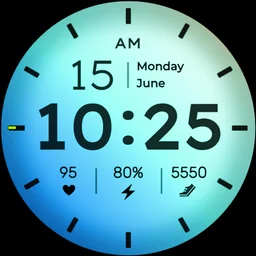 OT | Neon Ultra Minimalist 2
Personalization
-
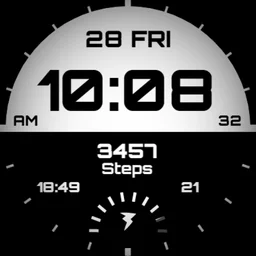 Simple Horizon Watch Face
Personalization
-
 Analog watchface A5
Personalization
-
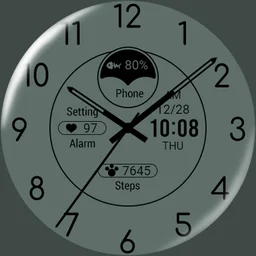 Multicolor ZKin Watch
Personalization
-
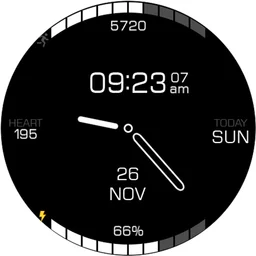 Key102 Classic Watch Face
Personalization
-
 Fresh Blue Watch Face
Personalization
-
 Minimal Time WF2 Watch face
Personalization
-
 WFP 232 Stylish watch face
Personalization
-
 Chrome Ring Watch Face
Personalization
-
 SO850
Personalization
-
 Watch24
Lifestyle
-
 Key116 Analogue Watch Face
Personalization