DigitX - Granite
DigitX Watchfaces- PEGI 3Classification d’âge
- PersonnalisationCatégorie
- 07/09/2026Mis à jour
- 1,59 €Prix
Renvoie vers la fiche Google Play officielle de watch.digitx.granite. Dernière vérification le 25/11/2026.
À propos de cette application
Traduction automatique par Google. Langue d’origine : Anglais (États-Unis).
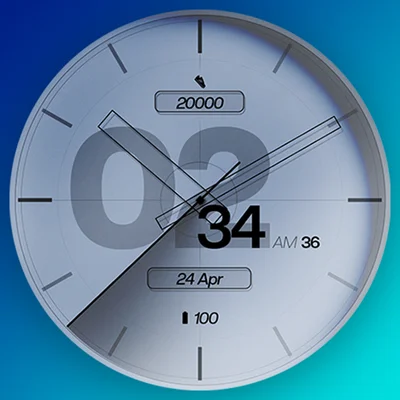
Un design audacieux et remarquable. Granite - essayez l'hybride premium à votre poignet !
Uniquement pour les appareils Wear OS – API 30+
// Ne convient pas aux montres rectangulaires
⌚ Pris en charge par le format du cadran de la montre
https://digitx.watch/
⏩ COMMENT INSTALLER ?
Avant de laisser un avis négatif (1 étoile) sur Google Play, veuillez lire les instructions d'installation et la liste des questions fréquemment posées (FAQ).
https://digitx.watch/home/about-digitx/help-faq/
⏩ FONCTIONS
• look minimaliste
• police très lisible
• haute résolution
• 7 arrière-plans parmi lesquels choisir
• Mode AOD avec faible OPR
• Multilingue
• 12/24 heures
• 3 complications
⏩ REMARQUE : les complications affichées dans la description de l'application sont uniquement à des fins promotionnelles. Les complications personnalisées que vous pouvez définir dépendent des applications et des logiciels que vous avez installés sur votre montre.
⏩ AJUSTEMENT
• appuyez et maintenez le centre de votre montre > ouvrez les paramètres de personnalisation
• Arrière-plans (7 x)
• Complications/raccourcis d'application
L'application compagnon sur votre téléphone n'est qu'un espace réservé pour faciliter l'installation et la recherche du cadran sur votre montre Wear OS. Les cadrans de montre ne sont pas automatiquement installés sur l'écran de la montre après l'installation. Par conséquent, vous devez définir cette option sur l’écran de votre montre.
Veuillez contacter support@digitx.watch pour obtenir de l'aide.
---ChiffreX---
Afficher le texte d’origine
Only for Wear OS devices – API 30+
// Not suitable for rectangular watches
⌚ Supported by watch face format
https://digitx.watch/
⏩ HOW TO INSTALL?
Before leaving a negative review (1 star) on Google Play, please read the installation instructions and the list of frequently asked questions (FAQ).
https://digitx.watch/home/about-digitx/help-faq/
⏩ FUNCTIONS
• minimalist look
• very legible font
• high resolution
• 7x backgrounds to choose from
• AOD mode with low OPR
• Multilingual
• 12/24 hours
• 3x complications
⏩ NOTE: Complications shown in the app description are for promotional purposes only. The custom complications you can set depend on the apps and software you have installed on your watch.
⏩ ADJUSTMENT
• press and hold the center of your watch > open customization settings
• Backgrounds (7x)
• Application complications/shortcuts
The companion app on your phone is only a placeholder to make it easier to install and find the watch face on your Wear OS watch. Watch faces are not automatically installed on the watch screen after installation. Therefore, you need to set this option on your watch screen.
Please contact support@digitx.watch for assistance.
---DigitX---
Sécurité des données
Ce que DigitX Watchfaces déclare sur Google Play au sujet des données que cette application collecte et partage.
- Aucune donnée partagée avec des tiersEn savoir plus sur la manière dont les développeurs déclarent le partage
- Aucune donnée collectéeEn savoir plus sur la manière dont les développeurs déclarent la collecte
Coordonnées du développeur
- Site webdigitx.watch
- E-mailsupport@digitx.watch
- Politique de confidentialitédigitx.watch
- Adresse35 Ul. Nowa Wieś 42-160 Zajączki Drugie Poland
Informations
- Proposée par
- DigitX Watchfaces
- Catégorie
- Personnalisation
- Mis à jour
- 07/09/2026
- Publié
- 23/06/2024
- Classification d’âge
- PEGI 3
- Prix
- 1,59 €
- Nom du package
- watch.digitx.granite
Applications similaires
-
 OT | Neon Ultra Minimalist 2
Personnalisation
-
 Simple Horizon Watch Face
Personnalisation
-
 Analog watchface A5
Personnalisation
-
 Multicolore
Personnalisation
-
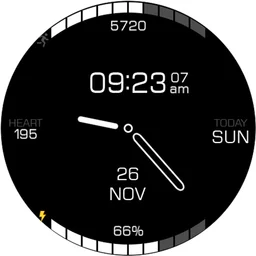 Key102 Classic Watch Face
Personnalisation
-
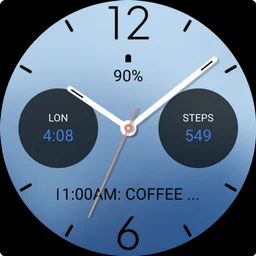 Fresh Blue Watch Face
Personnalisation
-
 Minimal Time WF2 Watch face
Personnalisation
-
 WFP 232 Stylish watch face
Personnalisation
-
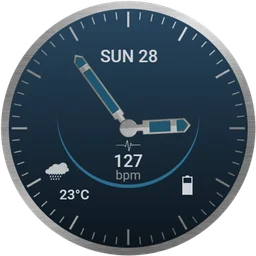 Chrome Ring Cadran
Personnalisation
-
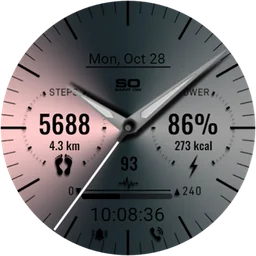 SO850
Personnalisation
-
 Watch24
Style de vie
-
 Key116 Analogue Watch Face
Personnalisation