Epson Smart Panel
Seiko Epson Corporation- EveryoneAge rating
- ToolsCategory
- Oct 1, 2026Updated
- FreePrice
Links to the official Google Play listing of com.epson.epsonsmart. Last checked on Nov 27, 2026.
Screenshots
About this app
This app allows you to control a printer or a scanner from your smartphone.
Visit the website below to find products which are supported by this app. When using a printer or scanner that’s not listed on the website, please use instead Epson iPrint for printers or Document Scan for scanners. Epson Smart Panel will not be able to find or connect to your product unless it’s on the website’s list of supported products.
https://support.epson.net/appinfo/smartpanel/guide/en/
High performance, easy-to-use mobile command center for your Epson wireless printer or scanner1. Easily set up, monitor and operate your Epson product from the convenience of your mobile device with this powerful new tool.
- Easily set up your Epson product on your Wi-Fi
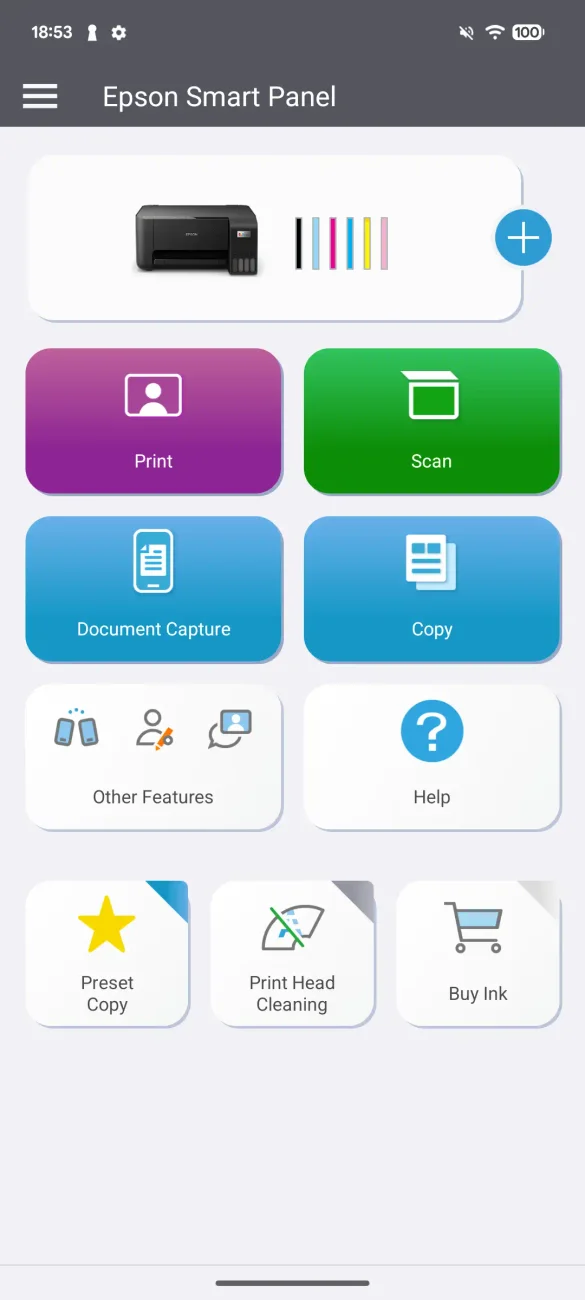
- Innovative action tiles make your Epson Product simple and quick to use
- Fits like a glove -- auto configuration and customization tailors the experience
- Receive the support you need - register, get supplies, or find help all in one convenient place
- One interface for your Epson Printers and Scanners -- auto configuration tailors the app's functions to your device.
1. Requires Epson Smart Panel app download and a compatible smart device. Data usage fees may apply. For more information please visit www.epson.com for support.
Data safety
What Seiko Epson Corporation declares on Google Play about the data this app collects and shares.
- No data shared with third partiesLearn more about how developers declare sharing
- This app may collect these data typesApp activity, App info and performance, and Device or other IDs
- Data isn’t encrypted
- You can request that data be deleted
- Committed to follow the Play Families Policy
What’s new
Version 5.5.0 · Oct 1, 2026
- Fixed minor bugs
Developer contact
- EmailFeedback-AndroidAppsPrn@exc.epson.co.jp
- Privacy policysupport.epson.net
- Address日本 〒160-0022 東京都SHINJUKU-KU 4-1-6, SHINJUKU JR SHINJUKU MIRAI TOWER 29F
Information
- Offered by
- Seiko Epson Corporation
- Category
- Tools
- Version
- 5.5.0
- Updated
- Oct 1, 2026
- Released
- Mar 25, 2020
- Requires
- Android 9 or later
- Age rating
- Everyone
- Price
- Free
- Package name
- com.epson.epsonsmart
Similar apps
-
 Samsung Print Service Plugin
Productivity
-
 Zepp Life
Health & Fitness
-
 DMSS
Lifestyle
-
 PDF Scanner App: Document Scan
Tools
-
 Mi Fitness (Xiaomi Wear)
Health & Fitness
-
 Document Reader - PDF Editor
Productivity
-
 HP
Productivity
-
 Wearfit Pro
Health & Fitness
-
 Lotus Lantern
Tools
-
 Clear Scan - PDF Scanner App
Business
-
 ConnectLife
Lifestyle
-
 Image to PDF - PDF Maker
Productivity