Expressive Clock
Sam Beckman- EveryoneAge rating
- ToolsCategory
- Nov 24, 2026Updated
- FreePrice
Links to the official Google Play listing of app.expressiveclock. Last checked on Nov 25, 2026.
Screenshots



About this app
A beautiful clock with alarms, timers, stopwatch and Dynamic Island controls.
Meet Expressive Clock, a modern Android clock app that combines the everyday essentials with a fresh, expressive design.
**A clock that feels alive**
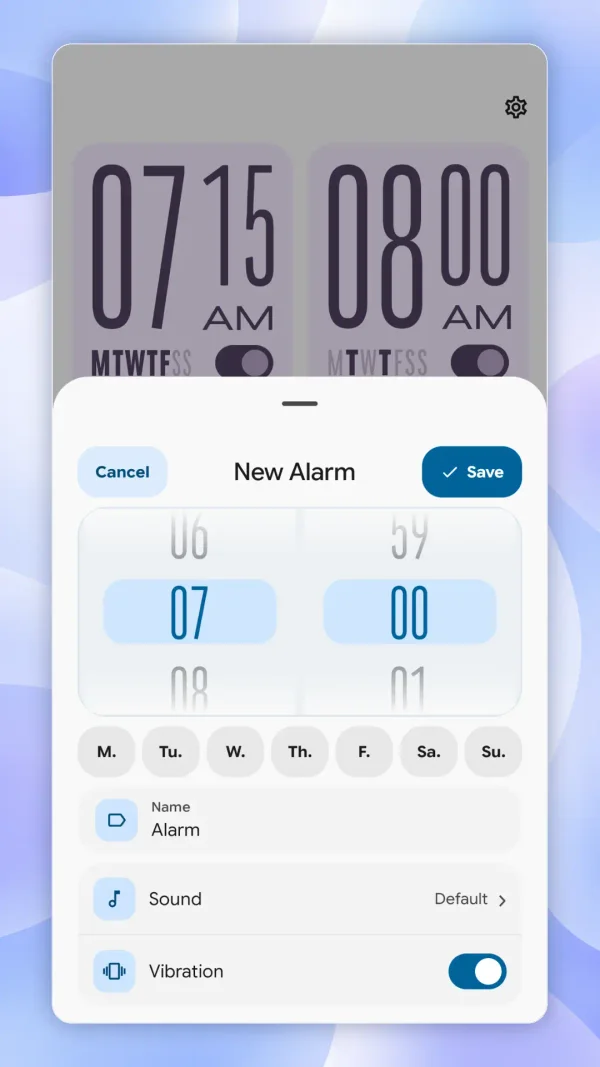
Enjoy a refined Material 3 Expressive interface with fluid animations, playful interactions and beautifully animated numbers. Every detail is designed to make everyday timekeeping feel a little more delightful.
**Everything you need to keep track of time**
• Alarms: Set and manage alarms to help you stay on schedule.
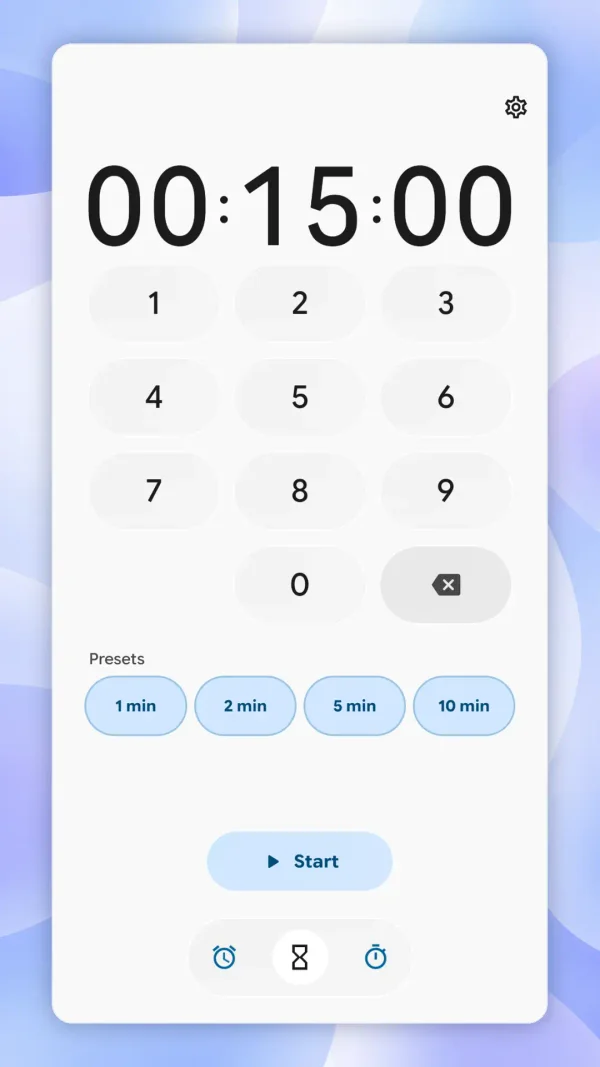
• Timers: Create countdowns for cooking, workouts, breaks and everything in between.
• Stopwatch: Track elapsed time with a dedicated stopwatch.
**Your timer, always within reach**
With the Dynamic Island-style overlay, active timers and stopwatch controls can stay accessible while you use other apps. Keep track of your countdown without constantly switching back to the clock.
### Dynamic Island-Style Overlay and Accessibility Service
Expressive Clock offers an optional Dynamic Island-style overlay that lets you view active timer countdowns and access stopwatch controls while using other apps. To display this overlay over other apps and system bars, Expressive Clock uses Android's AccessibilityService API.
The Accessibility Service is used solely to support this overlay functionality. It does not read on-screen content, capture key presses or gestures, or collect or share personal or sensitive user data. The service is optional and must be enabled by you in Android's Accessibility settings. You can choose not to enable it, or disable it at any time, if you do not wish to use the overlay feature.
The Accessibility Service is not used to automate actions on your behalf or to monitor your activity in other apps.
**Thoughtful personalisation**
Make the experience work for you with timer presets, custom timer sounds and other useful settings. Choose the app's startup screen and tailor supported preferences to suit the way you use your clock.
Expressive Clock brings together the features you rely on every day with a modern Android design that feels right at home on your device.
Data safety
What Sam Beckman declares on Google Play about the data this app collects and shares.
- No data shared with third partiesLearn more about how developers declare sharing
- No data collectedLearn more about how developers declare collection
What’s new
Version 0.1.16 · Nov 24, 2026
What's new:
• Schedule alarms for specific future dates, with easy switching to repeating weekdays.
• Enjoy clearer date labels, smoother alarm-card animations, consistent alarm editing on phones and foldables, and improved selection feedback.
Developer contact
- Emailsupport@samuelbeckman.com
- Privacy policysamuelbeckman.github.io
- AddressSe 10 273 Fowler Rd Illawong NSW 2234 Australia
Information
- Offered by
- Sam Beckman
- Category
- Tools
- Version
- 0.1.16
- Updated
- Nov 24, 2026
- Released
- Oct 13, 2026
- Requires
- Android 8.0 or later
- Age rating
- Everyone
- Price
- Free
- Package name
- app.expressiveclock