Gamers GLTool Pro
Trilokia Inc.- EveryoneAge rating
- ToolsCategory
- Nov 22, 2026Updated
- $0.39Price
Links to the official Google Play listing of inc.trilokia.gfxtool. Last checked on Nov 23, 2026.
Screenshots


About this app
Game Mode, FPS overlay, match reports and Game Tuner for the games you play
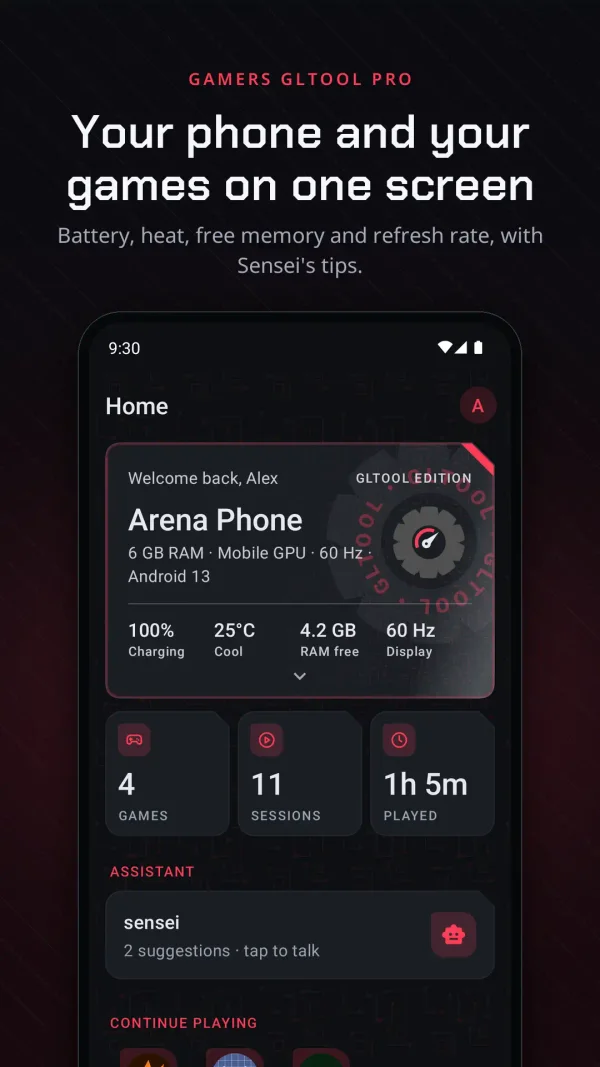
Gamers GLTool Pro is a toolkit for the games you play. Game Mode sets your phone up for each game and puts everything back when you leave. The FPS overlay counts the frames your screen really showed. Every match ends with a report that tells you why it lagged.
No magic buttons: every number in the app is measured on your phone, and nothing in it promises more frames or a lower ping than your phone and your connection can give.
GAME MODE
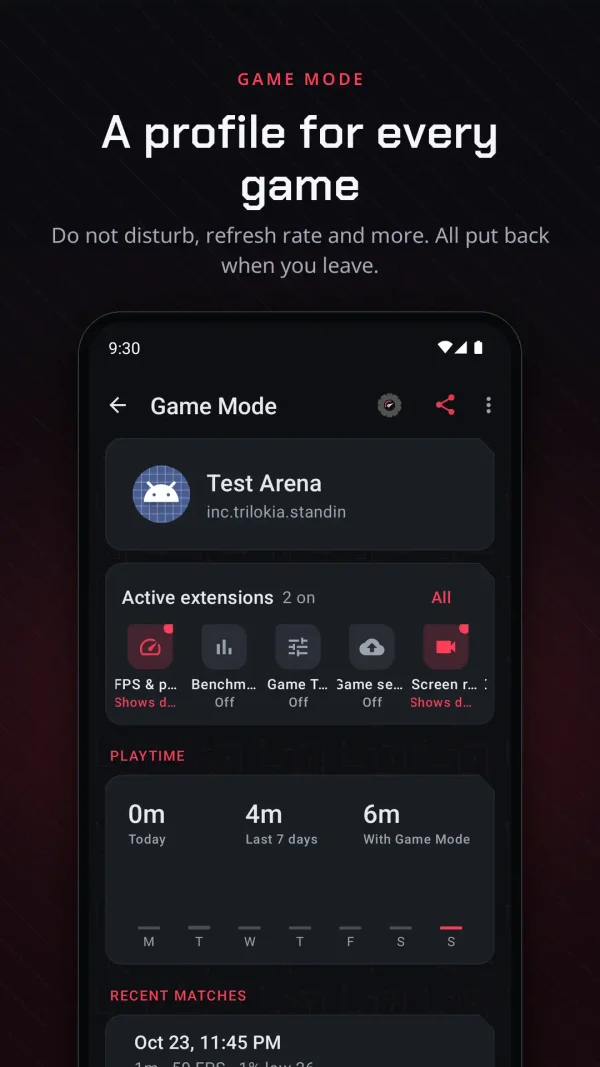
• A profile per game: do not disturb, the refresh rate held at its highest, a brightness lock, Private DNS and more, switched on when the game starts.
• Everything goes back when you leave, even if the app was closed mid-match. "Revert everything" undoes every change the app ever made.
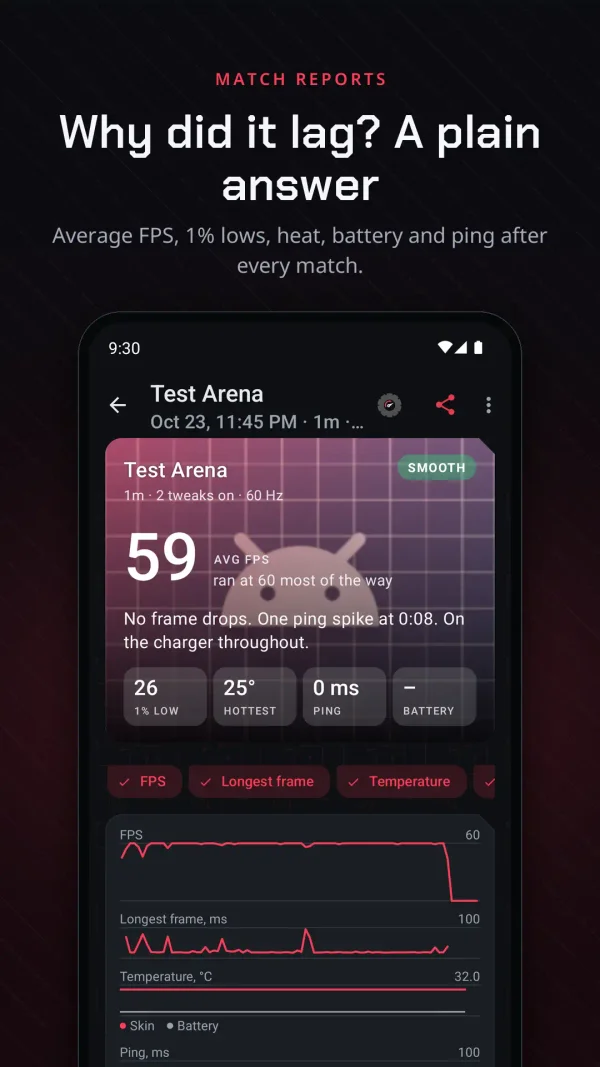
• A match report after every session: average FPS, 1% lows, a frame time graph, how warm the phone got, battery used and ping, and a plain answer to "why did it lag?".
• Playtime per game over the last seven days.
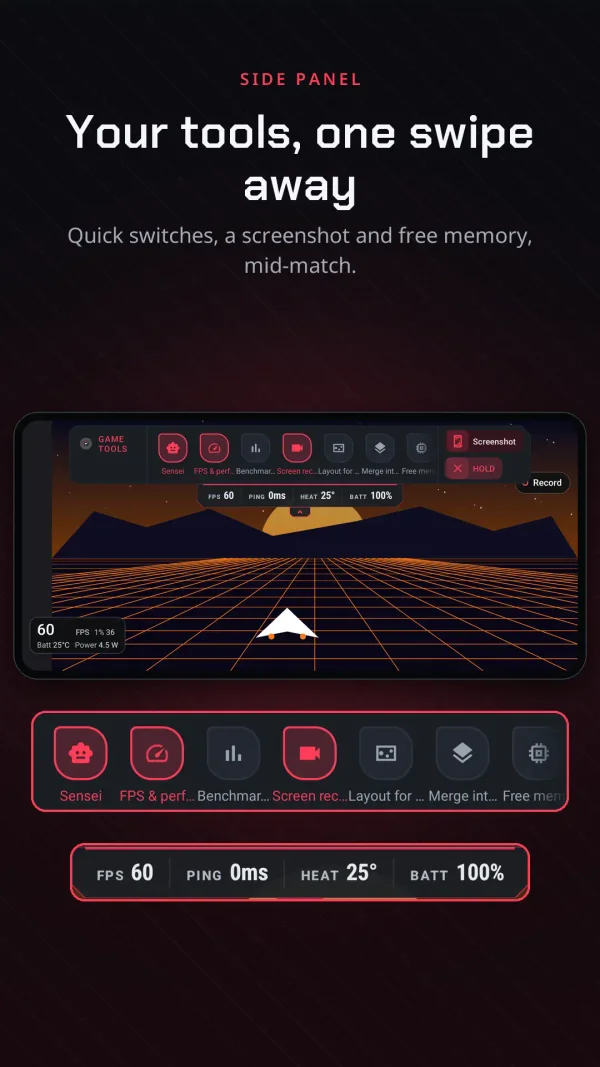
• A side panel during the game: swipe in from the edge for quick switches, a screenshot, and a memory bar that closes apps running in the background. A Quick Settings tile starts a session without opening the app.
GAME TUNER (BUILT IN)
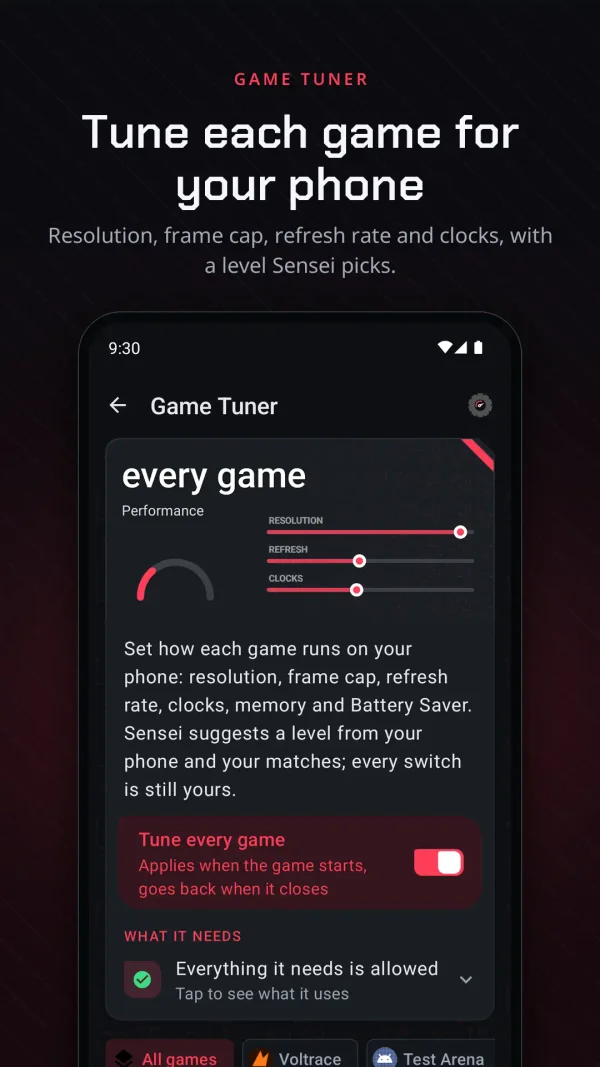
Resolution, frame cap, refresh rate, clocks, memory and Battery Saver for each game. Sensei, the app's assistant, suggests a level from your phone and your matches; every switch stays yours.
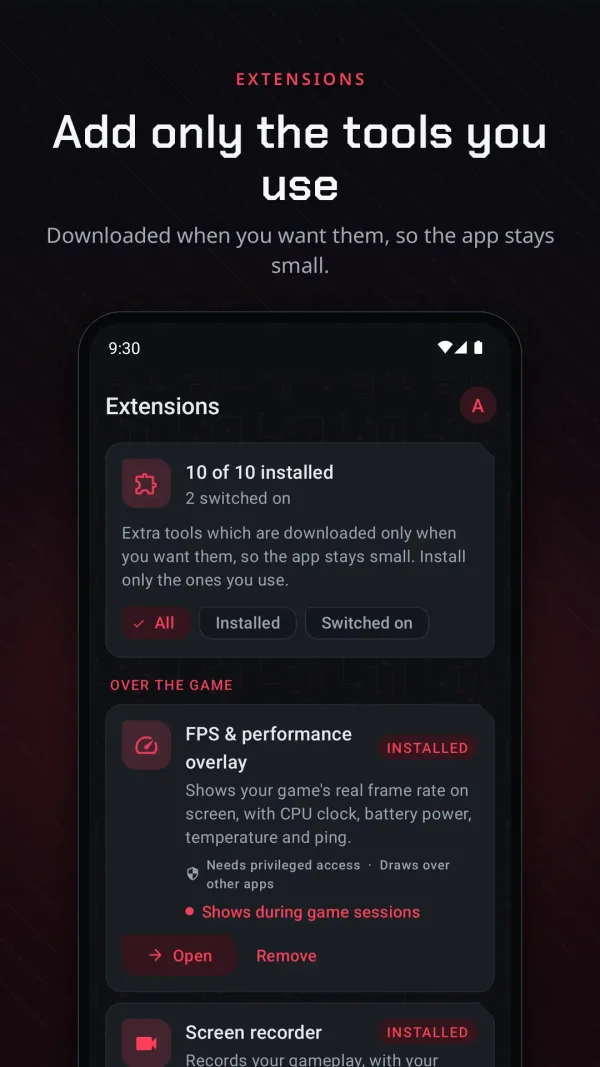
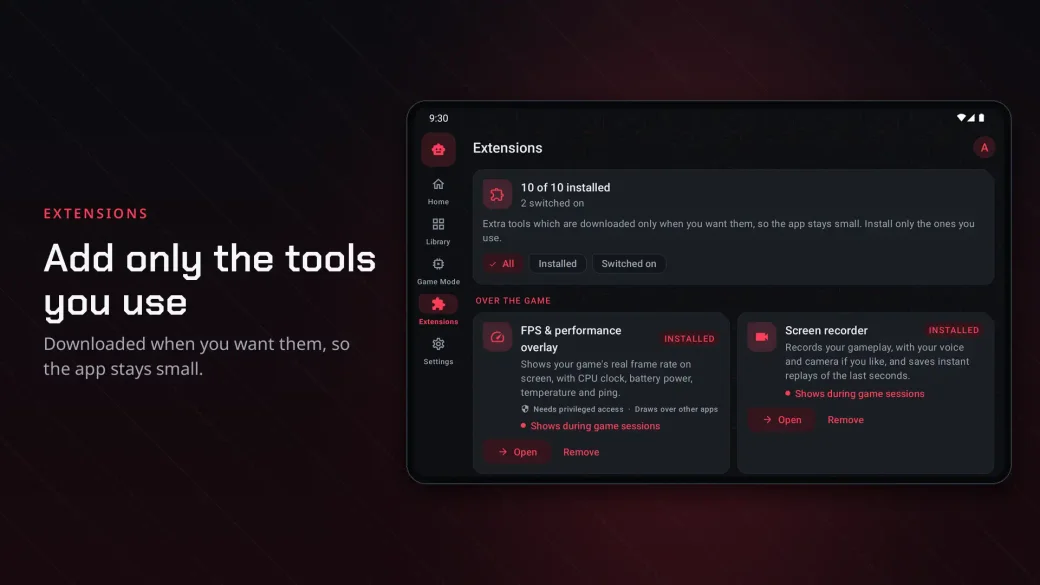
EXTENSIONS (downloaded only when you want them, so the app stays small)
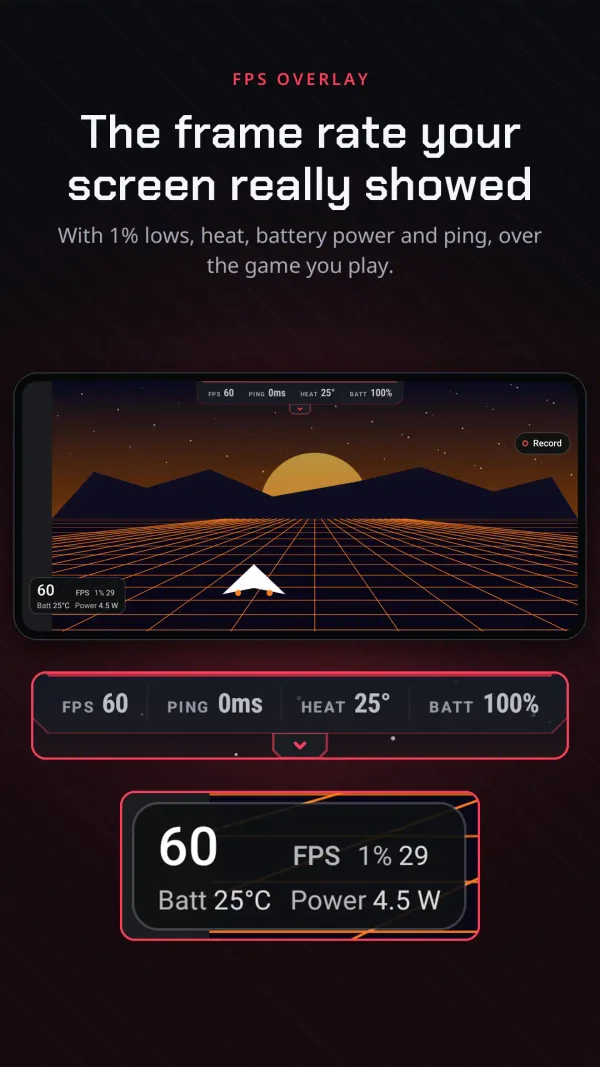
• FPS & performance overlay: the real frame rate, with CPU clock, battery power, temperature and ping. Pick the shape, colour, size and corner.
• Benchmark: capture a match and compare it with an earlier one: average FPS, 1% and 0.1% lows, stutters, heat and battery. A load test shows how much your phone slows down as it warms up.
• Screen recorder: up to 120 FPS where your phone can encode it, with the game's sound, and your voice and a facecam if you want them. Instant replay saves the last 15, 30 or 60 seconds after the moment happened.
• Best settings: find setups shared from the same phone or chip, with real match numbers behind the Verified ones, and share yours to the cloud, as a file or as a code.
• Controls and sensitivity: sensitivity and layout codes for games that share them as codes, with your own kept alongside. The hand check measures your grip, reach and swipe, and suggests a button layout and a camera sensitivity.
• Game sound: a five-band equaliser on the game's sound while you play, with Footsteps, Voices and Less boom presets. It changes what you hear, nothing in the game.
• Network and ping: ping, jitter and loss to game regions and DNS providers, and what your Wi-Fi band and signal are doing.
• Game settings backup: keeps your setup and your games' settings, and puts them back after a reinstall or on a new phone.
• Color boost: your display's most vivid colour mode during games, put back afterwards.
EDITIONS
17 themes for the whole app, each with its own colour, artwork and start-up sound. Make your own and pass it on as a file. And a card of your phone to share.
ADVANCED ACCESS (OPTIONAL)
Reading a game's frame rate and changing settings like the refresh rate need more access than an app has. Give it through wireless debugging (built into the app, Android 11 and newer), Shizuku, or root, or don't: everything else works without it.
PRIVACY
No accounts, no ads, no analytics. Profiles, match reports and recordings stay on your phone until you share them yourself. Best settings is the one part that talks to our server: a setup goes up only when you share it, with the nickname you typed and your phone model. The microphone opens only while a recording you started runs with your voice switched on, and the camera only for the facecam.
Gamers GLTool Pro is not affiliated with any game or game publisher.
Data safety
What Trilokia Inc. declares on Google Play about the data this app collects and shares.
- No data shared with third partiesLearn more about how developers declare sharing
- No data collectedLearn more about how developers declare collection
What’s new
Version 2.1 · Nov 22, 2026
🎮 Gamers GLTool 2.1
• Faster game start when Wireless debugging can't connect
• Access keeps working without Wi-Fi until you restart the phone
• The side panel says why FPS shows "—" and how to fix it
• New extension: Crosshair, in your style, colour and size
• Game Tuner: the in-game settings to pick, for 26 games
• Best settings shares your whole setup, with chip, RAM and refresh rate on every card
• Arrange your extensions; a short tour on every tab
• Crash fixes
Developer contact
- Websitetrilokiainc.com
- Emailapps.trilokia.inc@gmail.com
- Privacy policygltool.trilokiainc.com
- AddressH.NO.291 SEC.9 NEAR DOGRA SCHOOL NANAK NAGAR GANDHINAGAR Nanak Nagar Jammu, Jammu and Kashmir 180004 India
Information
- Offered by
- Trilokia Inc.
- Category
- Tools
- Version
- 2.1
- Updated
- Nov 22, 2026
- Released
- May 17, 2019
- Requires
- Android 7.0 or later
- Age rating
- Everyone
- Price
- $0.39
- Package name
- inc.trilokia.gfxtool
Similar apps
-
 3DMark — The Gamer's Benchmark
Tools
-
 GGDROP – Top CS2 Items!
Entertainment
-
 Castro Premium - system info
Tools
-
 Freedom Street Garage
Shopping
-
 Razer Cortex Games: Rewards
Entertainment
-
 Phi - Gold Wallet
Finance
-
 RegEx - Learning
Education
-
 Game Mode Pro: Launcher & HUD
Tools
-
 Probuilds for LoL & Wild Rift
Entertainment
-
 Reveri: Relief in Minutes
Health & Fitness
-
 Ares Light: Pastel Icon Pack
Personalization