Gamers GLTool Pro
Trilokia Inc.- 3 歳以上対象年齢
- ツールカテゴリ
- 2026/11/22更新日
- ¥80価格
inc.trilokia.gfxtoolのGoogle Play公式ページにリンクしています。最終確認:2026/11/23。
スクリーンショット


このアプリについて
Googleによる英語 (アメリカ合衆国)からの自動翻訳です。
ゲームモード、FPSオーバーレイ、マッチレポート、そしてプレイするゲーム用のゲームチューナー
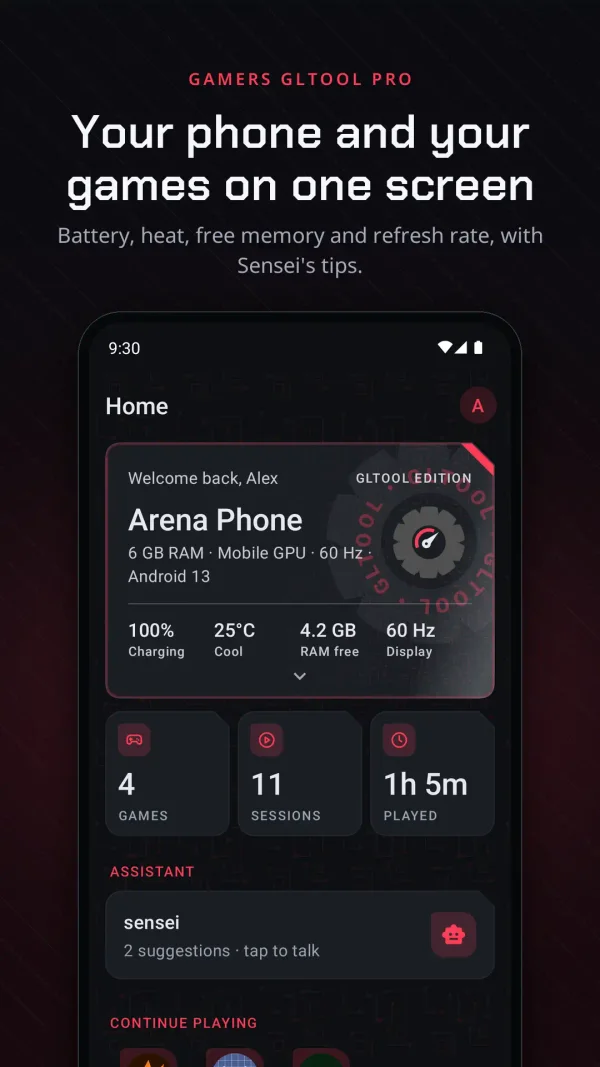
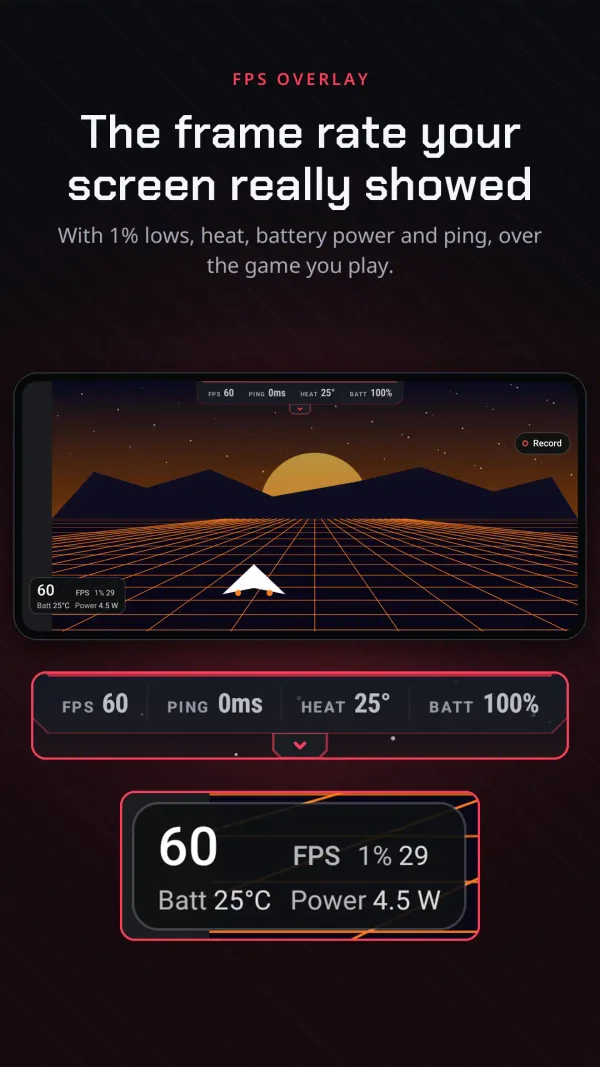
Gamers GLTool Proは、ゲームを楽しむためのツールキットです。ゲームモードでは、ゲームごとにスマートフォンの設定が自動的に調整され、ゲームを終了すると設定が元に戻ります。FPSオーバーレイは、画面に実際に表示されたフレーム数をカウントします。試合終了後には、ラグの原因を分析するレポートが表示されます。
魔法のボタンはありません。アプリに表示される数値はすべてスマートフォン上で計測されており、スマートフォンの性能やインターネット接続環境が提供できる以上のフレームレートやping値の向上を保証するものではありません。
ゲームモード
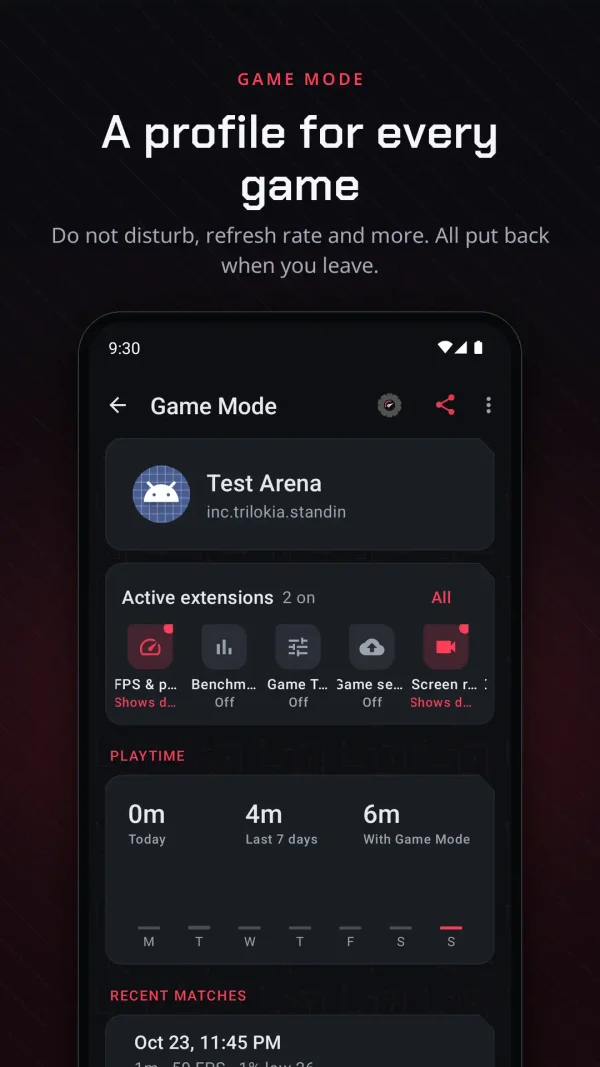
• ゲームごとにプロファイルを設定できます。ゲーム開始時に、おやすみモード、リフレッシュレートの最高設定、画面輝度のロック、プライベートDNSなどが有効になります。
• アプリを終了すれば、たとえ試合中にアプリを閉じても、設定は元に戻ります。「すべて元に戻す」機能を使えば、アプリが行ったすべての変更を元に戻せます。
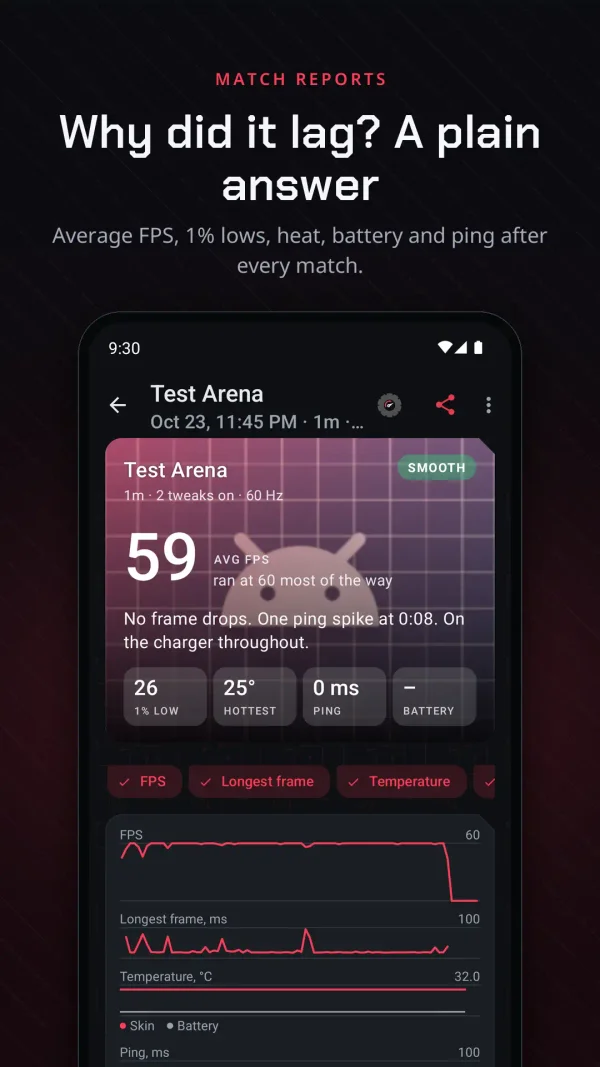
• 試合終了後には、平均FPS、1%ロー、フレームタイムグラフ、スマートフォンの温度、バッテリー消費量、ping値、そして「なぜラグが発生したのか?」という疑問に対する明確な回答を含む試合レポートが表示されます。
• 過去7日間のゲームごとのプレイ時間。
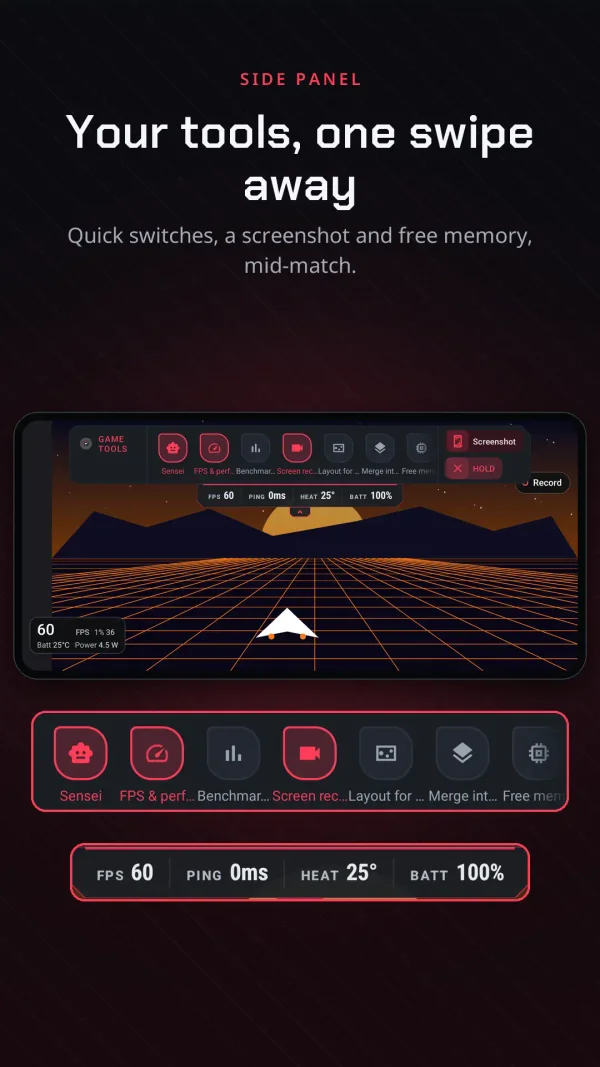
• ゲーム中のサイドパネル:画面端からスワイプすると、クイック切り替え、スクリーンショット、バックグラウンドで実行中のアプリを閉じるメモリバーが表示されます。クイック設定タイルからアプリを開かずにセッションを開始できます。
ゲームチューナー(内蔵)
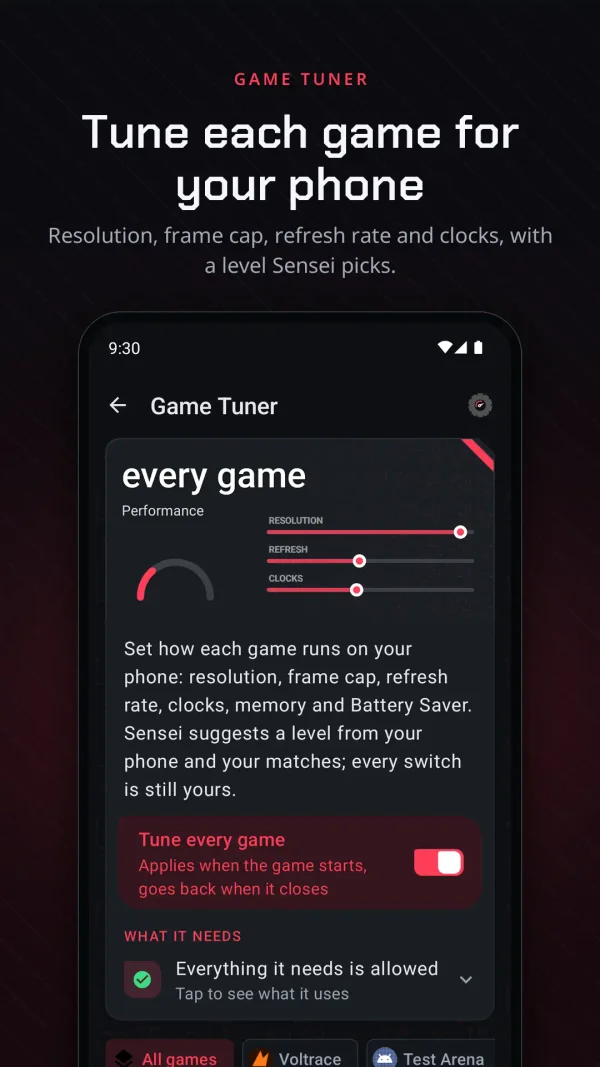
各ゲームの解像度、フレームレート制限、リフレッシュレート、クロック周波数、メモリ使用量、バッテリーセーバーを表示します。アプリのアシスタントであるSenseiが、お使いのスマートフォンと対戦履歴に基づいてレベルを提案します。すべての設定変更はユーザーが行います。
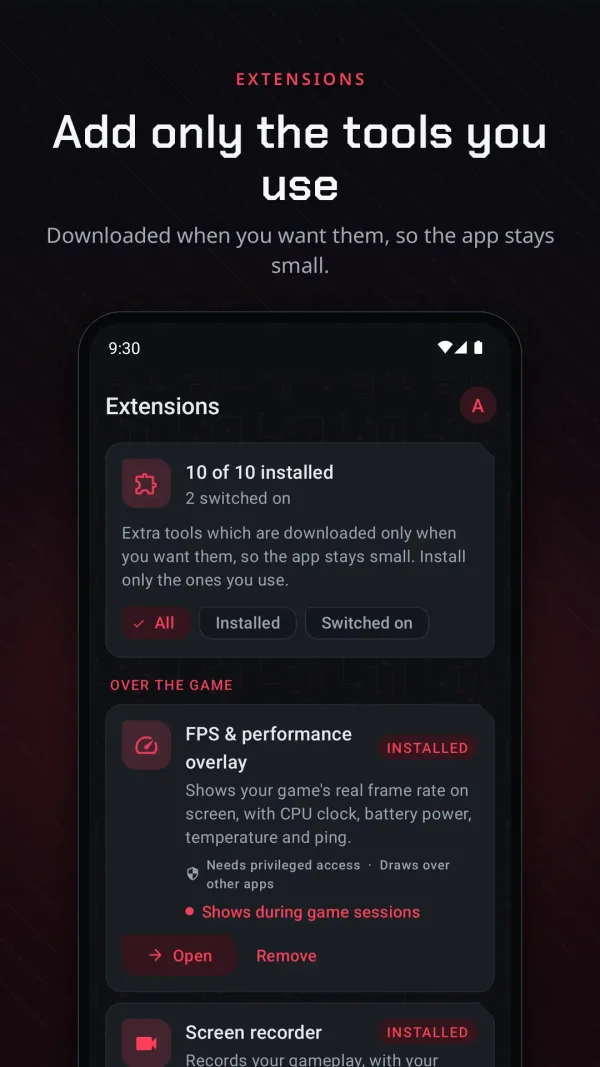
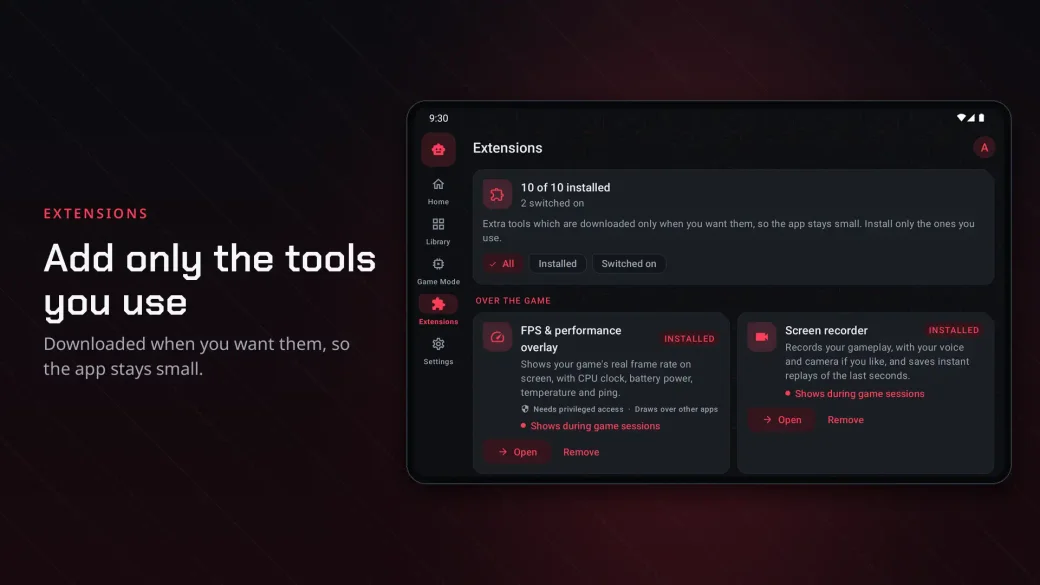
拡張機能(必要な時だけダウンロードされるため、アプリのサイズは小さく保たれます)
• FPSとパフォーマンスオーバーレイ:実際のフレームレート、CPUクロック周波数、バッテリー残量、温度、ping値を表示します。形状、色、サイズ、表示位置を選択できます。
• ベンチマーク:試合を録画し、以前の試合と比較します。平均FPS、1%および0.1%ロー、カクつき、発熱、バッテリー消費量を測定します。負荷テストでは、端末が温まるにつれて動作がどれだけ遅くなるかを確認できます。
• スクリーンレコーダー:端末がエンコードできる範囲で最大120FPSまで録画できます。ゲームのサウンド、必要に応じてあなたの声と顔カメラも録画可能です。インスタントリプレイでは、決定的な瞬間から15秒、30秒、または60秒間の映像が保存されます。
• 最適な設定:同じ端末またはチップで共有されている設定を検索できます。検証済みの設定には実際の試合データ番号が付与されています。また、自分の設定をファイルまたはコードとしてクラウドに共有することもできます。
• 操作と感度:感度とレイアウトのコードが共有されているゲーム用のコードと、自分の設定を並べて表示します。ハンドチェックでは、持ち方、指の届く範囲、スワイプ動作を測定し、最適なボタンレイアウトとカメラ感度を提案します。
• ゲームサウンド:ゲームプレイ中にサウンドを調整できる5バンドイコライザー。足音、声、低音強調のプリセットが用意されています。ゲーム内の音は変化しますが、ゲームの内容は変わりません。
• ネットワークとping:ゲーム地域とDNSプロバイダへのping、ジッター、データ損失、そしてWi-Fiの周波数帯と信号強度を表示します。
• ゲーム設定のバックアップ:設定とゲームの設定を保存し、再インストール後や新しい端末に移行した後も復元します。
• カラーブースト:ゲームプレイ中にディスプレイの最も鮮やかな色モードを有効にし、ゲーム終了後は元の色に戻します。
エディション
アプリ全体で使用できる17種類のテーマ。それぞれ独自のカラー、アートワーク、起動音を備えています。オリジナルのテーマを作成してファイルとして共有することもできます。また、スマートフォンのカードを共有することも可能です。
高度なアクセス(オプション)
ゲームのフレームレートの読み取りやリフレッシュレートなどの設定変更には、アプリが持つ以上のアクセス権限が必要です。ワイヤレスデバッグ(アプリに内蔵、Android 11以降)、Shizuku、またはroot権限でアクセス権限を付与するか、付与しないかを選択できます。その他の機能はすべてアクセス権限なしで動作します。
プライバシー
アカウント、広告、分析データは一切ありません。プロフィール、試合レポート、録画データは、ユーザーが共有するまでスマートフォンに保存されます。サーバーと通信するのは設定ファイルのみです。設定は、ユーザーが入力したニックネームとスマートフォンの機種名とともに、ユーザーが共有した場合にのみアップロードされます。マイクは、ユーザーが開始した録画が音声オンで実行されている間のみ有効になり、カメラは顔出し録画時のみ有効になります。
Gamers GLTool Proは、いかなるゲームまたはゲームパブリッシャーとも提携していません。
原文を表示
Gamers GLTool Pro is a toolkit for the games you play. Game Mode sets your phone up for each game and puts everything back when you leave. The FPS overlay counts the frames your screen really showed. Every match ends with a report that tells you why it lagged.
No magic buttons: every number in the app is measured on your phone, and nothing in it promises more frames or a lower ping than your phone and your connection can give.
GAME MODE
• A profile per game: do not disturb, the refresh rate held at its highest, a brightness lock, Private DNS and more, switched on when the game starts.
• Everything goes back when you leave, even if the app was closed mid-match. "Revert everything" undoes every change the app ever made.
• A match report after every session: average FPS, 1% lows, a frame time graph, how warm the phone got, battery used and ping, and a plain answer to "why did it lag?".
• Playtime per game over the last seven days.
• A side panel during the game: swipe in from the edge for quick switches, a screenshot, and a memory bar that closes apps running in the background. A Quick Settings tile starts a session without opening the app.
GAME TUNER (BUILT IN)
Resolution, frame cap, refresh rate, clocks, memory and Battery Saver for each game. Sensei, the app's assistant, suggests a level from your phone and your matches; every switch stays yours.
EXTENSIONS (downloaded only when you want them, so the app stays small)
• FPS & performance overlay: the real frame rate, with CPU clock, battery power, temperature and ping. Pick the shape, colour, size and corner.
• Benchmark: capture a match and compare it with an earlier one: average FPS, 1% and 0.1% lows, stutters, heat and battery. A load test shows how much your phone slows down as it warms up.
• Screen recorder: up to 120 FPS where your phone can encode it, with the game's sound, and your voice and a facecam if you want them. Instant replay saves the last 15, 30 or 60 seconds after the moment happened.
• Best settings: find setups shared from the same phone or chip, with real match numbers behind the Verified ones, and share yours to the cloud, as a file or as a code.
• Controls and sensitivity: sensitivity and layout codes for games that share them as codes, with your own kept alongside. The hand check measures your grip, reach and swipe, and suggests a button layout and a camera sensitivity.
• Game sound: a five-band equaliser on the game's sound while you play, with Footsteps, Voices and Less boom presets. It changes what you hear, nothing in the game.
• Network and ping: ping, jitter and loss to game regions and DNS providers, and what your Wi-Fi band and signal are doing.
• Game settings backup: keeps your setup and your games' settings, and puts them back after a reinstall or on a new phone.
• Color boost: your display's most vivid colour mode during games, put back afterwards.
EDITIONS
17 themes for the whole app, each with its own colour, artwork and start-up sound. Make your own and pass it on as a file. And a card of your phone to share.
ADVANCED ACCESS (OPTIONAL)
Reading a game's frame rate and changing settings like the refresh rate need more access than an app has. Give it through wireless debugging (built into the app, Android 11 and newer), Shizuku, or root, or don't: everything else works without it.
PRIVACY
No accounts, no ads, no analytics. Profiles, match reports and recordings stay on your phone until you share them yourself. Best settings is the one part that talks to our server: a setup goes up only when you share it, with the nickname you typed and your phone model. The microphone opens only while a recording you started runs with your voice switched on, and the camera only for the facecam.
Gamers GLTool Pro is not affiliated with any game or game publisher.
データ セーフティ
このアプリが収集・共有するデータについて、Trilokia Inc.がGoogle Playで申告している内容です。
- 第三者と共有されるデータはありません詳しくは、デベロッパーが共有を申告する方法についての説明をご覧ください
- データは収集されません詳しくは、デベロッパーが収集を申告する方法についての説明をご覧ください
新機能
バージョン 2.1 · 2026/11/22
🎮 Gamers GLTool 2.1
• Faster game start when Wireless debugging can't connect
• Access keeps working without Wi-Fi until you restart the phone
• The side panel says why FPS shows "—" and how to fix it
• New extension: Crosshair, in your style, colour and size
• Game Tuner: the in-game settings to pick, for 26 games
• Best settings shares your whole setup, with chip, RAM and refresh rate on every card
• Arrange your extensions; a short tour on every tab
• Crash fixes
開発元の連絡先
- ウェブサイトtrilokiainc.com
- メールapps.trilokia.inc@gmail.com
- プライバシーポリシーgltool.trilokiainc.com
- 住所H.NO.291 SEC.9 NEAR DOGRA SCHOOL NANAK NAGAR GANDHINAGAR Nanak Nagar Jammu, Jammu and Kashmir 180004 India
情報
- 提供元
- Trilokia Inc.
- カテゴリ
- ツール
- バージョン
- 2.1
- 更新日
- 2026/11/22
- リリース
- 2019/5/17
- 必要条件
- Android 7.0以降
- 対象年齢
- 3 歳以上
- 価格
- ¥80
- パッケージ名
- inc.trilokia.gfxtool
類似のアプリ
-
 3DMark — The Gamer's Benchmark
ツール
-
 GGDROP – Top CS2 Items!
エンタメ
-
 Castro Premium - システム情報
ツール
-
 Freedom Street Garage
ショッピング
-
 Razer Cortex ゲーム: リワード
エンタメ
-
 Phi - Gold Wallet
ファイナンス
-
 RegEx - Learning
教育
-
 Game Mode Pro: Launcher & HUD
ツール
-
 Probuilds for LoL & Wild Rift
エンタメ
-
 Reveri: Relief in Minutes
健康&フィットネス
-
 Ares Light: Pastel Icon Pack
カスタマイズ