GPS Emulator
Digitools UYContains ads · In-app purchases
- TeenAge rating
- Maps & NavigationCategory
- Nov 19, 2026Updated
- FreePrice
Links to the official Google Play listing of com.rosteam.gpsemulator. Last checked on Nov 22, 2026.

Screenshots

About this app
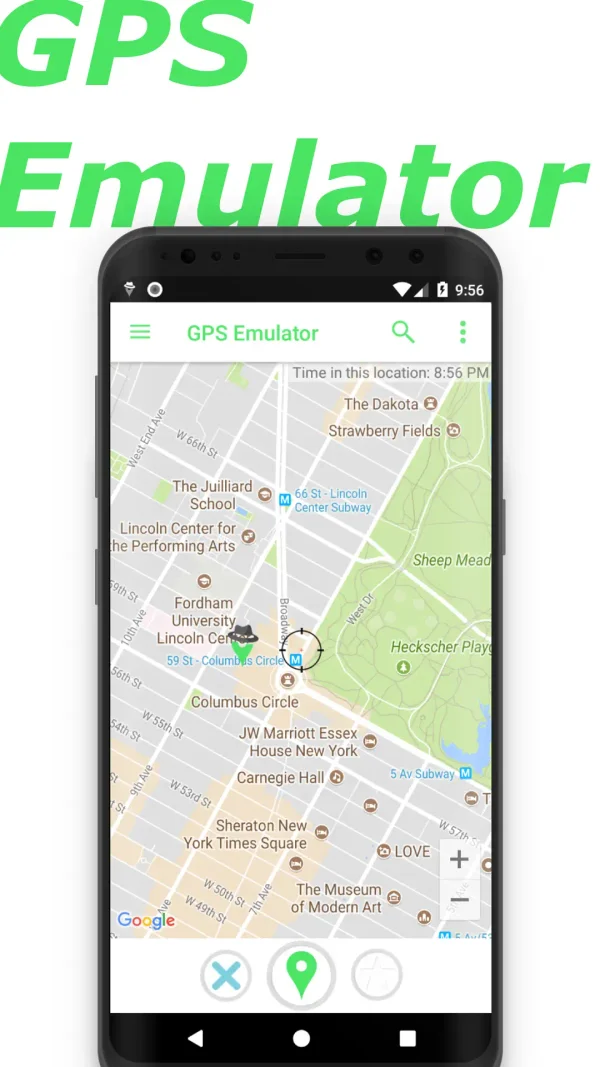
Fake GPS location & route simulator. Mock coordinates, history & favorites.
GPS Emulator is the ultimate tool for mocking your phone’s location and teleporting anywhere in the world. More than just a simple Fake GPS app, it includes an advanced GPS route simulator that makes your device appear to move naturally along real roads and paths.
Designed for developers, software testing, and location-based app verification, GPS Emulator lets you set mock GPS coordinates so other apps and services recognize your device as being at the selected location.
🚀 Key Features
📍 One-Tap Fake GPS Location
Instantly change your current GPS location. Simply tap anywhere on the map to spoof your device’s location anywhere in the world within seconds.
🛣️ GPS Route Simulation
Simulate realistic movement with advanced route generation features.
• Manual Route Creation
Add multiple waypoints on the map to create fully customizable movement paths.
• Road-Based Route Simulation
Automatically generate routes that follow real streets and roads. Supports both walking and driving simulation modes.
⭐ Favorites & Saved Routes
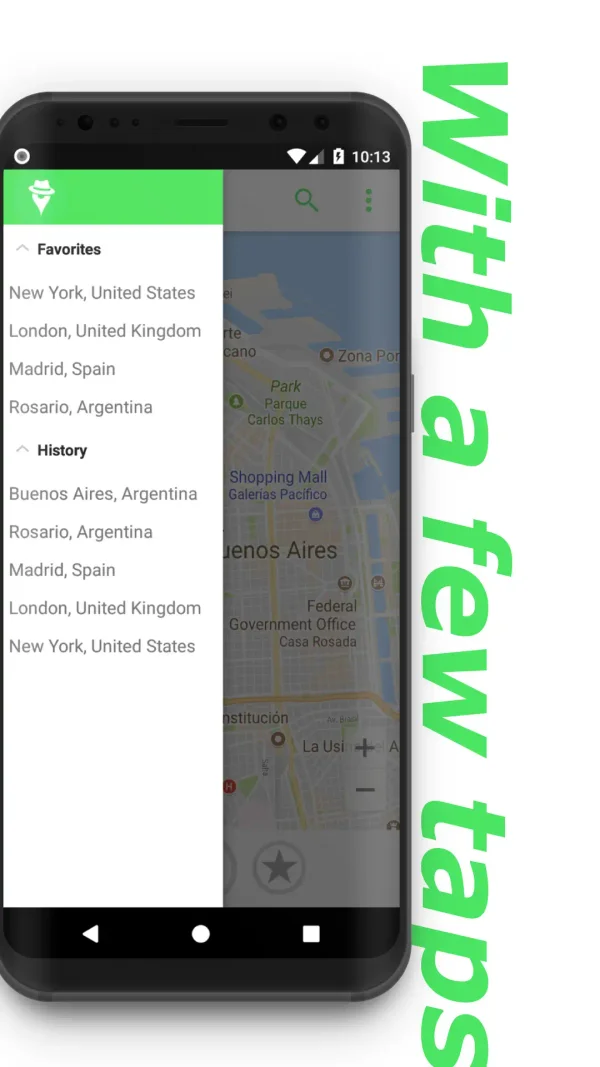
Save your most-used fake GPS locations and custom simulated routes. Reuse them anytime with a single tap.
📜 Smart History Log
Previously used mock locations and simulated routes are automatically saved, making it easy to revisit and reuse past setups.
⚙️ Advanced GPS Mocking Settings
• Adjust GPS Accuracy and Altitude
• Configure the simulated location time
• Enable or disable Fake GPS coordinate injection for Google Play Location Services
🗺️ Multiple Map Modes
Choose between Normal, Satellite, and Terrain map views to accurately select and simulate locations.
⚠️ Important Notes
This app is intended for developer testing, debugging, and GPS-related feature validation purposes only. The use of this app for cheating in games is not supported or encouraged. The developer is not responsible for account suspensions, bans, or other consequences resulting from misuse.
To ensure proper functionality, enable Developer Options on your Android device and set this app as your default “Mock Location App.”
Data safety
What Digitools UY declares on Google Play about the data this app collects and shares.
- This app may share these data types with third partiesLocation, App activity and 2 others
- This app may collect these data typesApp activity, App info and performance, and Device or other IDs
- Data is encrypted in transit
- You can request that data be deleted
Developer contact
- Websitedigitools.uy
- Emailsupport@digitools.uy
- Privacy policysites.google.com
- AddressEjido 1275 11100 Montevideo Uruguay
Information
- Offered by
- Digitools UY
- Category
- Maps & Navigation
- Version
- 3.40
- Updated
- Nov 19, 2026
- Released
- Oct 19, 2016
- Requires
- Android 8.0 or later
- Age rating
- Teen
- Price
- Free
- In-app purchases
- $1.99 - $199.99 per item
- Package name
- com.rosteam.gpsemulator
Similar apps
-
 My Location - Track GPS & Maps
Maps & Navigation
-
 HERE WeGo: Maps & Navigation
Maps & Navigation
-
 Interpals: Penpals & Languages
Social
-
 Lark - Team Collaboration
Business
-
 MixerBox BFF: Location Tracker
Social
-
 TextNow: Call + Text Unlimited
Communication
-
 National Park Service
Travel & Local
-
 Google Voice
Communication
-
 VPN by Private Internet Access
Tools
-
 Send Anywhere (File Transfer)
Productivity
-
 TunnelBear VPN
Tools
-
 Rogervoice Phone Subtitles
Communication