GPS Map Camera
JK.FantasyContains ads · In-app purchases
- EveryoneAge rating
- Travel & LocalCategory
- May 23, 2020Updated
- FreePrice
Links to the official Google Play listing of com.jkfantasy.gpsmapcamera. Last checked on Nov 20, 2026.
Screenshots


About this app
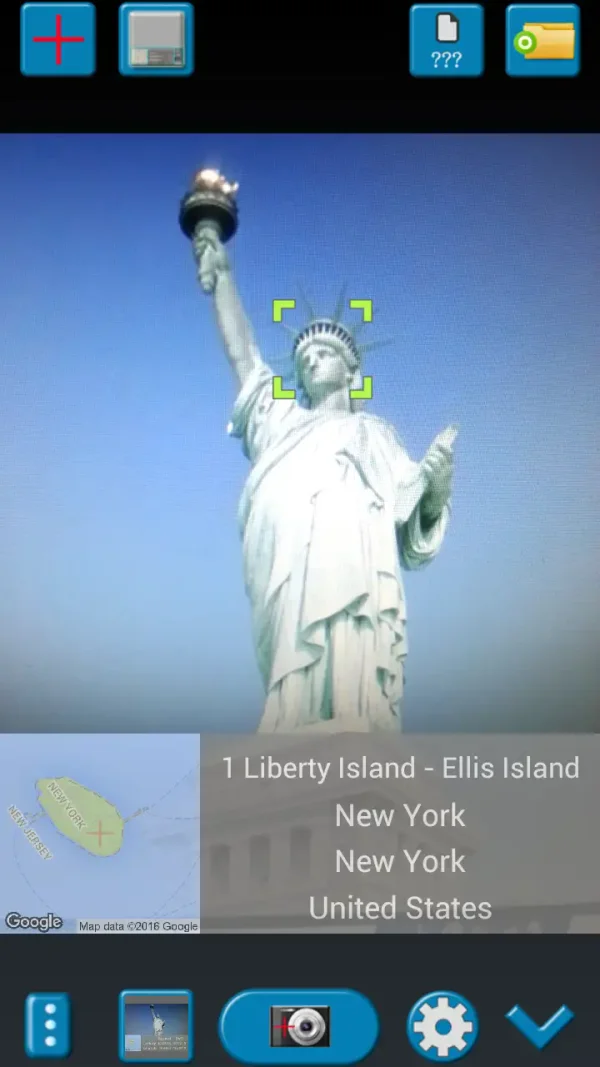
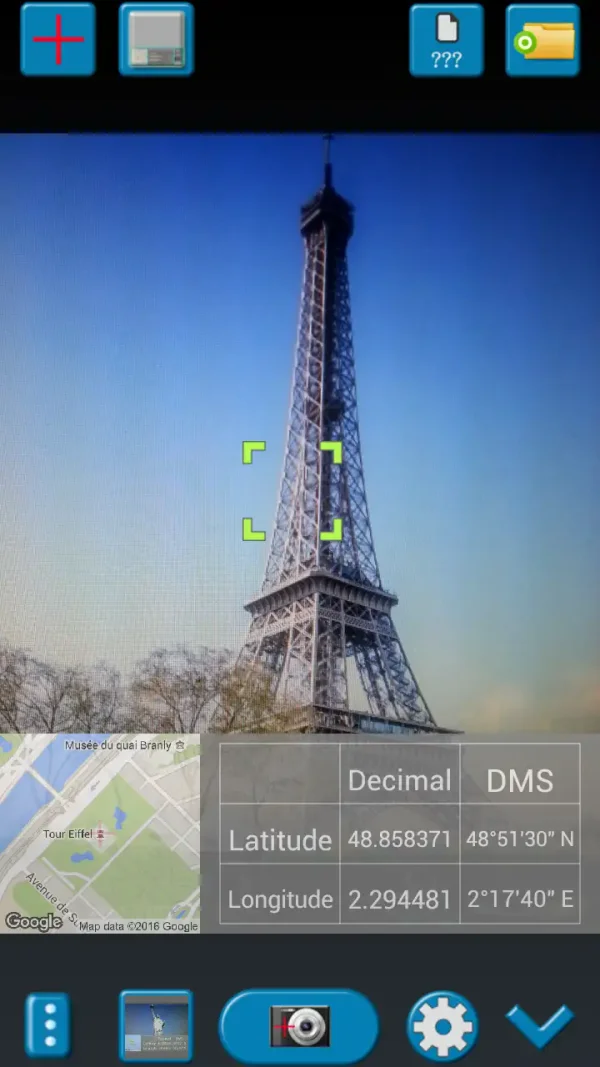
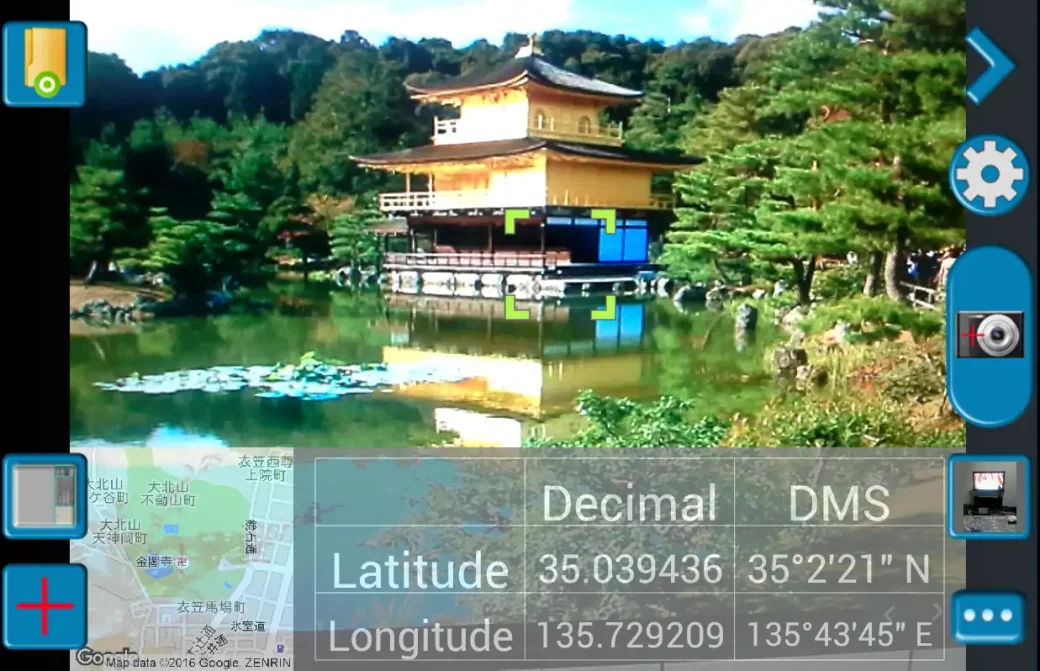
Add Map/Address/LatLng/Weather/Date to your photo when camera capture.
Please watch the teach video to know how to use it.
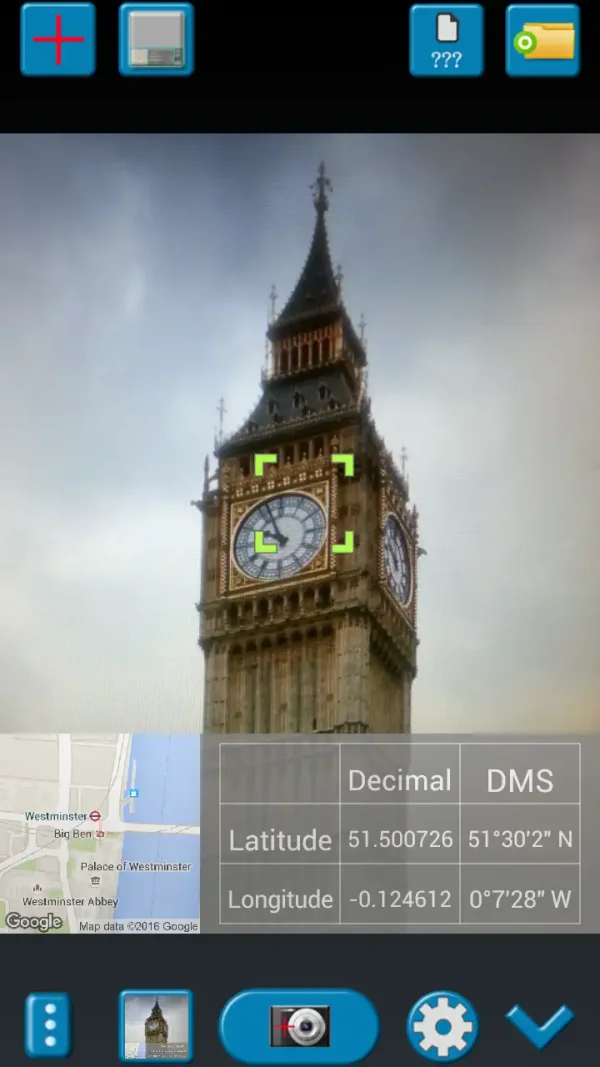
When you take a picture, this application will paste the map, address, weather and date to picture. (GPS latitude/longitude information also could be included)
This application is easy to get/set GPS location and GPS coordination for GPS Tag request.
[Quick GPS Map Camera Guideline]
When GPS Map Camera start, map/address/weather will be displayed on the camera preview. You can check the location/coordination before camera capture.
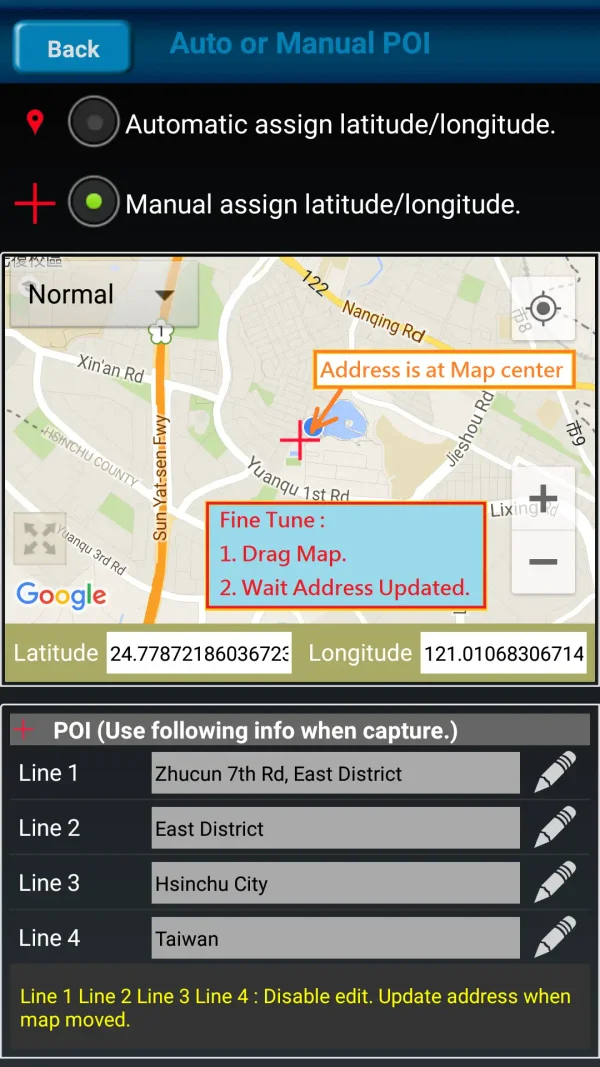
If you want to fine tune the location, manually setup the latitude and longitude also supported. (left-top button)
Support some drawing styles for map/address/weather/date. (left-top second button)
Support a variety of file-name formats to help you arrange your photos. (right-top second button)
You can change the picture save folder for help arrange photos. (right-top button)
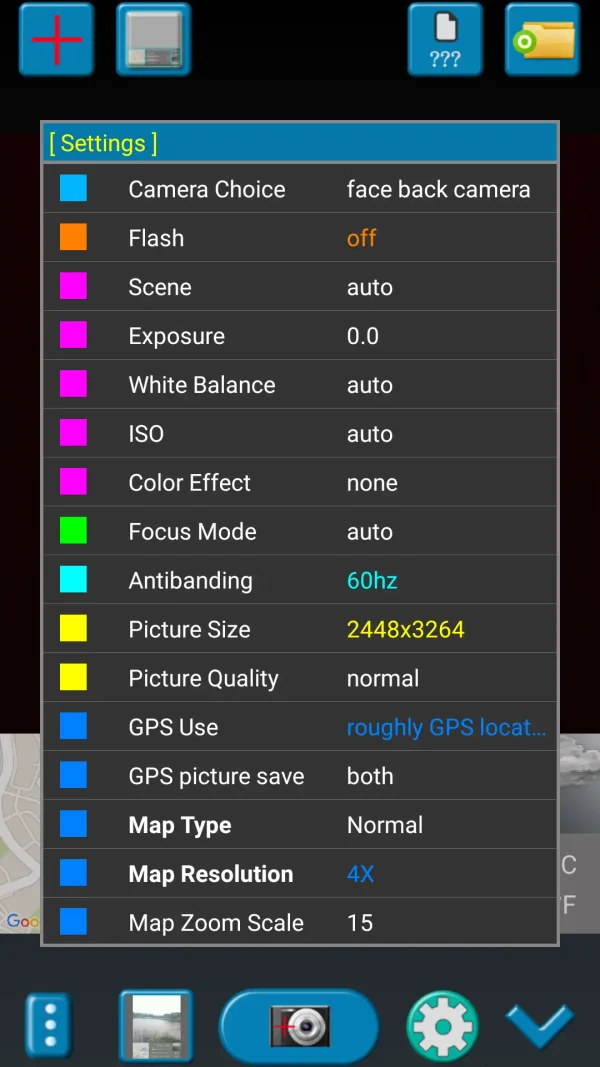
In the camera setting page, the similar functions will be grouped with the same color.
- Camera Choice
- Flash
- Scene/Exposure/White Balance/ISO/Color Effect
- Focus Mode
- Anti-banding
- Picture Size/Picture Quality
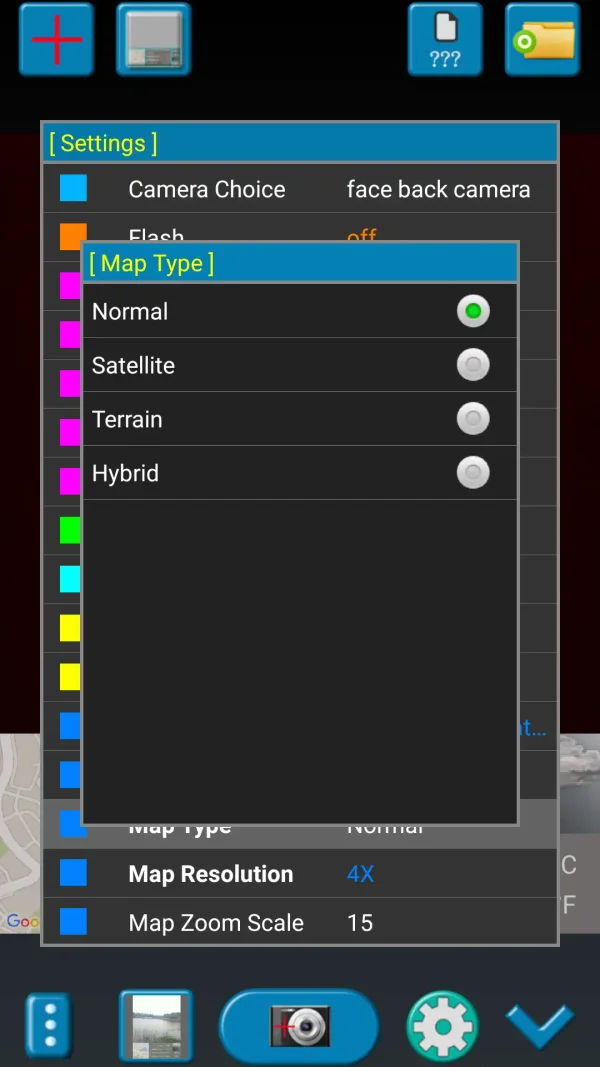
- GPS Use/GPS picture save/Mp Type/Map Resolution/Map Zoom Scale/Map Size
- Photo Viewer
- Sound
- Prompt Dialog
The color of function string is white as default. If change to another function, the color will change to grouped color. It's better to recognize what you set.
[Others]
- Camera focus and zoom operation when preview:
Focus: use one finger to touch the screen.
Zoom: use two fingers to zoom in/out.
[Tips]
- Don't want to get MAP:
Settings -> GPS picture save -> one (original)
- Don't want to save GPS position:
Settings -> GPS Use -> disable GPS
- Don't want to popup prompt dialog:
Settings -> Prompt Dialog -> disable
【Final】
Thank you for use and watch! Hope this app is helpful for you.
Data safety
What JK.Fantasy declares on Google Play about the data this app collects and shares.
- This app may share these data types with third partiesDevice or other IDs
- This app may collect these data typesLocation, App activity and 2 others
- Data isn’t encrypted
- Data can’t be deleted
What’s new
Version 1.8.2 · May 23, 2020
V1.8.2:
1. Minor bugs fixed.
Developer contact
- Websitejkfantasy.com
- Emailjacky.finalfantasy@gmail.com
- Privacy policyjkfantasy.com
- Address光復路一段285巷6號 東區 新竹市, Taiwan 30074
Information
- Offered by
- JK.Fantasy
- Category
- Travel & Local
- Version
- 1.8.2
- Updated
- May 23, 2020
- Released
- Apr 26, 2013
- Requires
- Android 4.0 or later
- Age rating
- Everyone
- Price
- Free
- In-app purchases
- $1.99 per item
- Package name
- com.jkfantasy.gpsmapcamera
Similar apps
-
 Timemark: Photo Proof for Work
Photography
-
 Easy Area: Land Area Measure
Maps & Navigation
-
 AGC ToolKit - Watermark LUT
Tools
-
 Google Maps Go
Travel & Local
-
 NoteCam Lite - GPS memo camera
Travel & Local
-
 My Track
Travel & Local
-
 Lark - Team Collaboration
Business
-
 Digital Compass
Tools
-
 ShipAtlas - Vessel Tracker
Productivity
-
 GPS Photo: With Location & Map
Travel & Local
-
 Compass & Altimeter
Tools
-
 Timestamp Camera Pro
Video Players & Editors