GPS Map Camera
JK.Fantasy広告を含む · アプリ内課金
- 3 歳以上対象年齢
- 旅行&地域カテゴリ
- 2020/5/23更新日
- 無料価格
com.jkfantasy.gpsmapcameraのGoogle Play公式ページにリンクしています。最終確認:2026/11/20。
スクリーンショット


このアプリについて
Googleによる英語 (アメリカ合衆国)からの自動翻訳です。
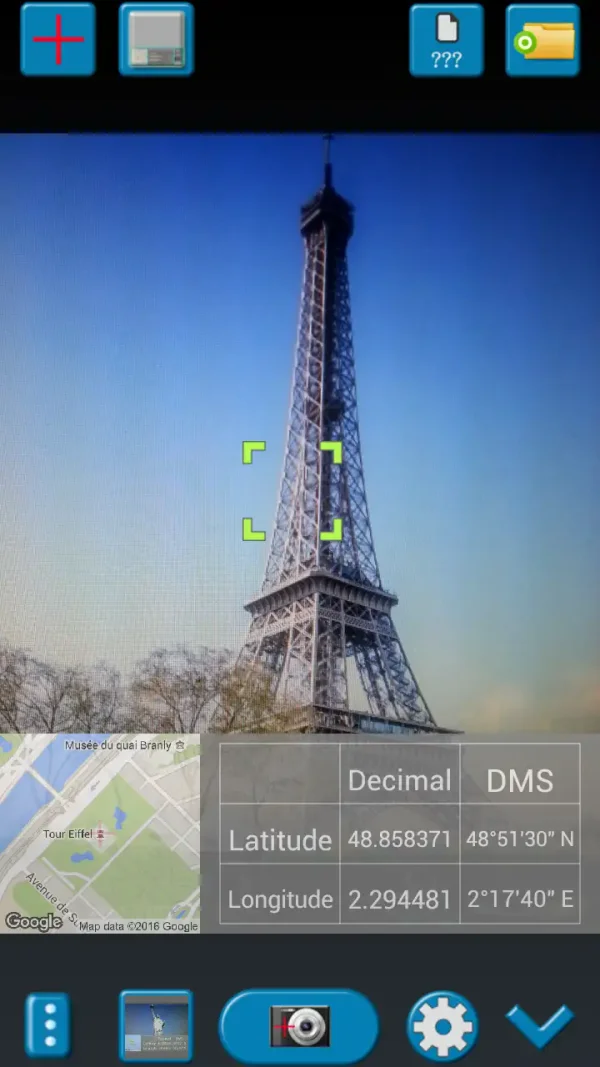
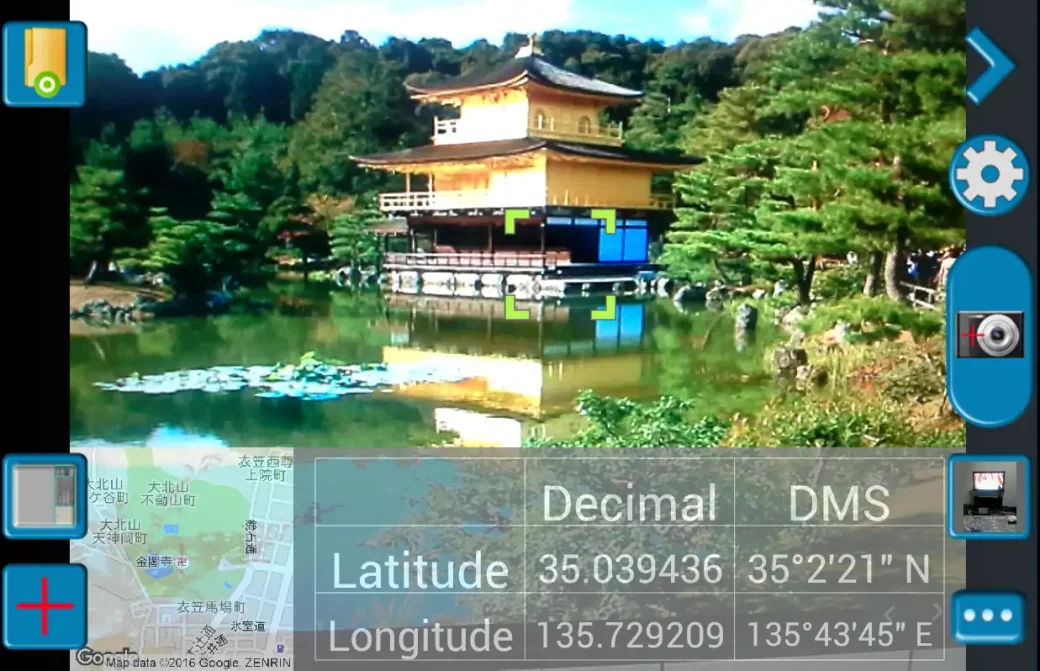
カメラキャプチャ時に写真に地図/住所/ LatLng /天気/日付を追加します。
使用方法については、ティーチビデオをご覧ください。
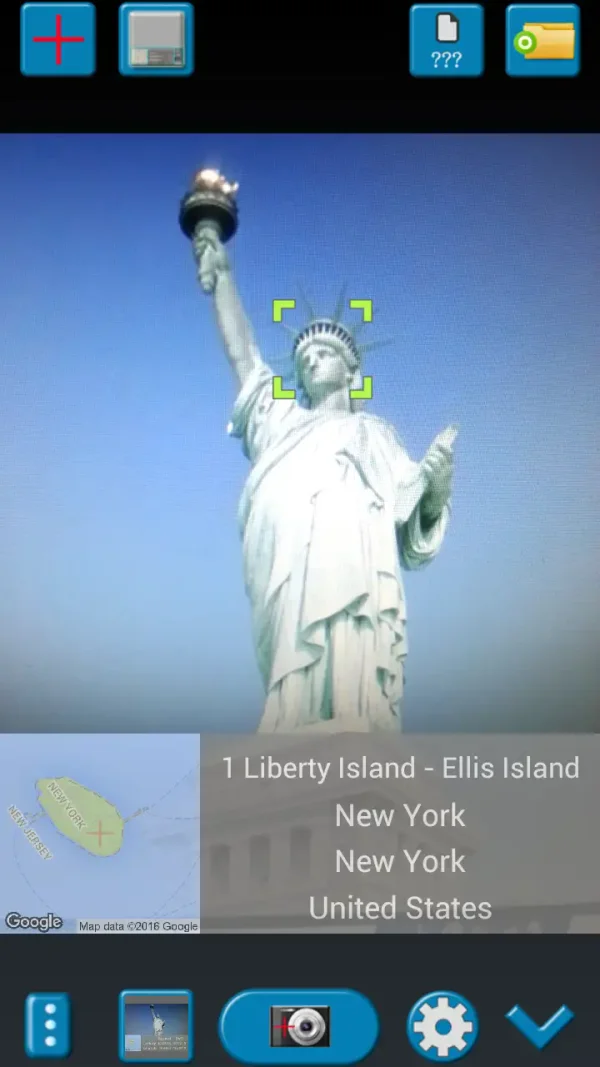
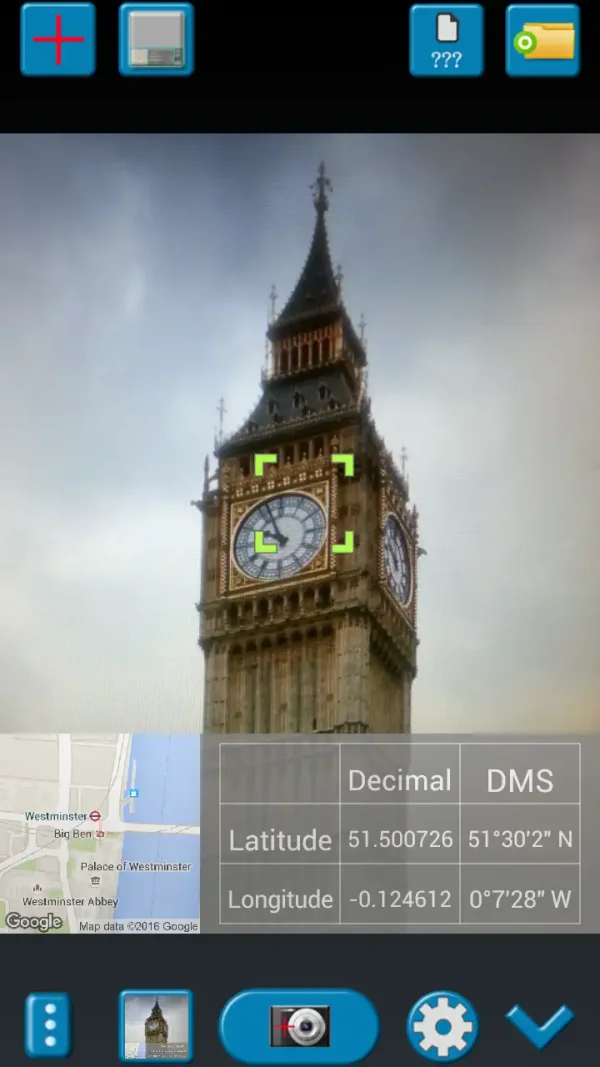
写真を撮ると、このアプリケーションは地図、住所、天気、日付を写真に貼り付けます。 (GPS 緯度/経度情報も含めることができます)
このアプリケーションは、GPSタグ要求のGPS位置とGPS調整を簡単に取得/設定できます。
[クイックGPSマップカメラガイドライン]
GPS Map Cameraが起動すると、地図/住所/天気がカメラプレビューに表示されます。 カメラを撮影する前に場所/調整を確認できます。
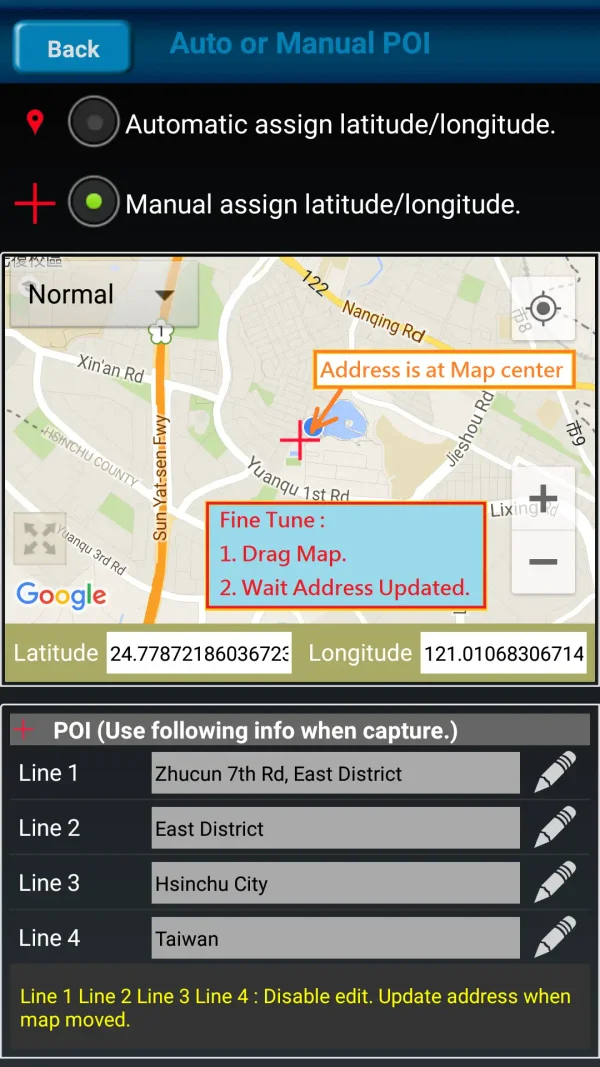
場所を微調整する場合は、緯度と経度も手動で設定できます。 (左上のボタン)
地図/住所/天気/日付の描画スタイルをサポートします。 (左上の2番目のボタン)
さまざまなファイル名形式をサポートして、写真の配置に役立ててください。 (右上の2番目のボタン)
画像保存フォルダを変更して、写真の整理に役立てることができます。 (右上のボタン)
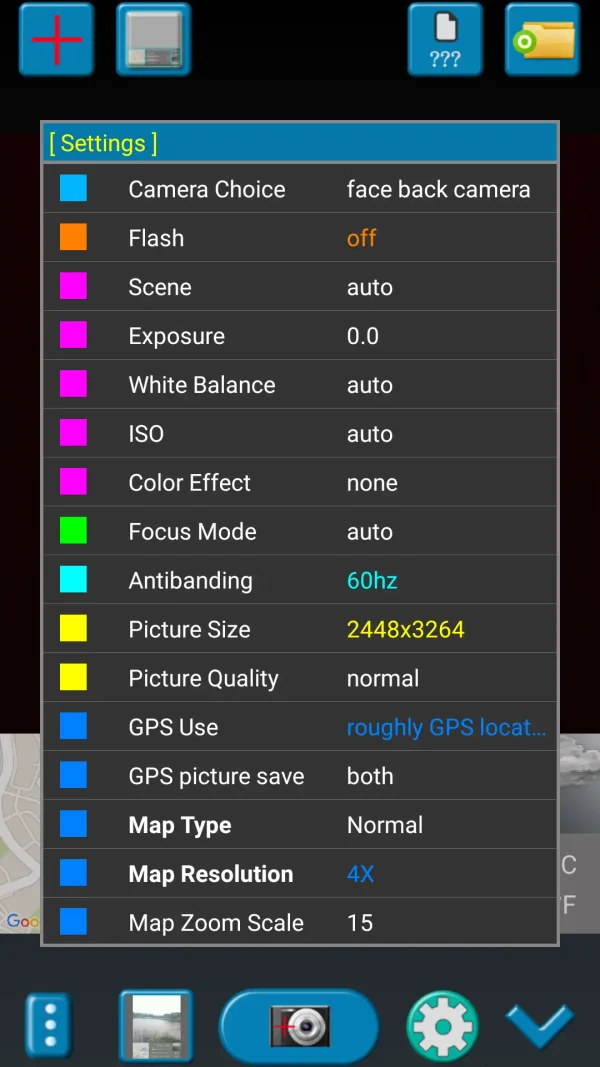
カメラ設定ページでは、同様の機能が同じ色でグループ化されます。
-カメラの選択
- 閃光
-シーン/露出/ホワイトバランス/ ISO /カラー効果
-フォーカスモード
-アンチバンディング
-画像サイズ/画質
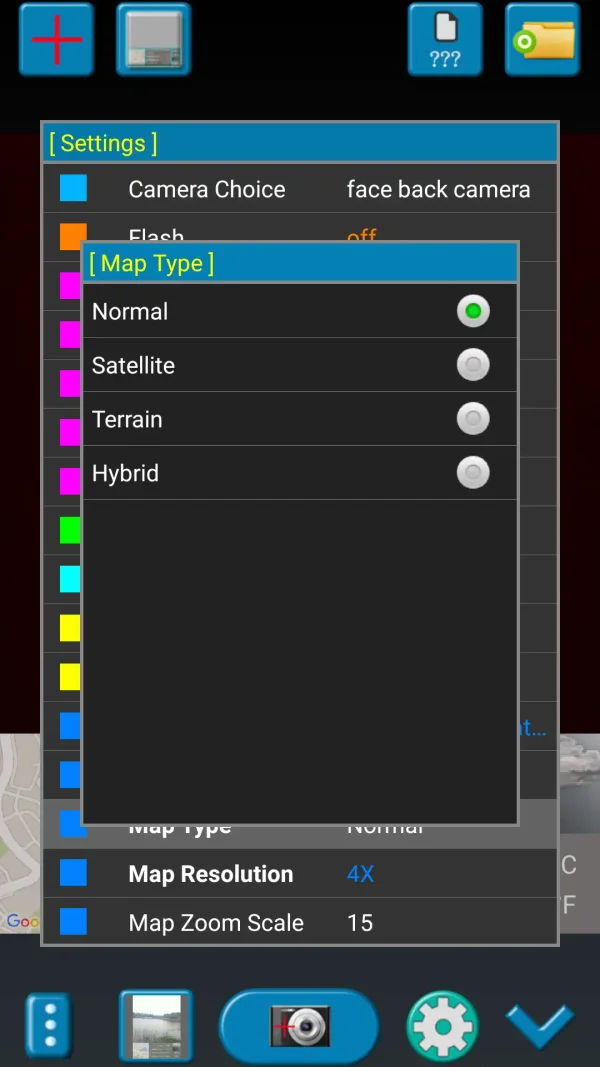
-GPS使用/ GPS画像保存/ Mpタイプ/マップ解像度/マップズームスケール/マップサイズ
-フォトビューアー
- 音
-プロンプトダイアログ
関数文字列の色はデフォルトで白です。別の機能に変更すると、グループ化された色に変わります。設定した内容を認識することをお勧めします。
[その他]
-プレビュー時のカメラフォーカスとズーム操作:
フォーカス:1本の指で画面に触れます。
ズーム:2本の指でズームイン/ズームアウトします。
[ヒント]
-MAPを取得したくない:
設定-> GPS画像保存-> 1つ(オリジナル)
-GPS位置を保存したくない:
設定-> GPS使用-> GPSを無効にする
-プロンプトダイアログをポップアップしたくない:
[設定]-> [プロンプトダイアログ]-> [無効にする]
【最終】
ご利用いただきありがとうございます!このアプリがお役に立てば幸いです。
原文を表示
Please watch the teach video to know how to use it.
When you take a picture, this application will paste the map, address, weather and date to picture. (GPS latitude/longitude information also could be included)
This application is easy to get/set GPS location and GPS coordination for GPS Tag request.
[Quick GPS Map Camera Guideline]
When GPS Map Camera start, map/address/weather will be displayed on the camera preview. You can check the location/coordination before camera capture.
If you want to fine tune the location, manually setup the latitude and longitude also supported. (left-top button)
Support some drawing styles for map/address/weather/date. (left-top second button)
Support a variety of file-name formats to help you arrange your photos. (right-top second button)
You can change the picture save folder for help arrange photos. (right-top button)
In the camera setting page, the similar functions will be grouped with the same color.
- Camera Choice
- Flash
- Scene/Exposure/White Balance/ISO/Color Effect
- Focus Mode
- Anti-banding
- Picture Size/Picture Quality
- GPS Use/GPS picture save/Mp Type/Map Resolution/Map Zoom Scale/Map Size
- Photo Viewer
- Sound
- Prompt Dialog
The color of function string is white as default. If change to another function, the color will change to grouped color. It's better to recognize what you set.
[Others]
- Camera focus and zoom operation when preview:
Focus: use one finger to touch the screen.
Zoom: use two fingers to zoom in/out.
[Tips]
- Don't want to get MAP:
Settings -> GPS picture save -> one (original)
- Don't want to save GPS position:
Settings -> GPS Use -> disable GPS
- Don't want to popup prompt dialog:
Settings -> Prompt Dialog -> disable
【Final】
Thank you for use and watch! Hope this app is helpful for you.
データ セーフティ
このアプリが収集・共有するデータについて、JK.FantasyがGoogle Playで申告している内容です。
- このアプリはサードパーティと以下の種類のデータを共有することがありますファイル、ドキュメント
- このアプリは以下の種類のデータを収集することがあります位置情報、アプリのアクティビティ、他 2 件
- データは暗号化されません
- データを削除できません
新機能
バージョン 1.8.2 · 2020/5/23
V1.8.2:
1. Minor bugs fixed.
開発元の連絡先
- ウェブサイトjkfantasy.com
- メールjacky.finalfantasy@gmail.com
- プライバシーポリシーjkfantasy.com
- 住所光復路一段285巷6號 東區 新竹市, Taiwan 30074
情報
- 提供元
- JK.Fantasy
- カテゴリ
- 旅行&地域
- バージョン
- 1.8.2
- 更新日
- 2020/5/23
- リリース
- 2013/4/26
- 必要条件
- Android 4.0以降
- 対象年齢
- 3 歳以上
- 価格
- 無料
- アプリ内課金
- ¥201/アイテム
- パッケージ名
- com.jkfantasy.gpsmapcamera
類似のアプリ
-
 Timemark:マップカメラ,タイムスタンプ,日付 カメラ
写真
-
 Easy Area: Land Area Measure
地図&ナビ
-
 AGC ToolKit - Watermark LUT
ツール
-
 Google Maps Go
旅行&地域
-
 NoteCam GPSメモカメラ (簡易版) メモ付きの写真
旅行&地域
-
 私の路線
旅行&地域
-
 Lark(ラーク)- 繋がる。未来の働き方
ビジネス
-
 デジタルコンパス
ツール
-
 ShipAtlas - Vessel Tracker
仕事効率化
-
 GPS 写真 : 位置情報と地図付き
旅行&地域
-
 コンパス(高度計、日の出、日の入り)
ツール
-
 Timestamp Camera Pro
動画プレーヤー&エディタ