image.canon
Canon Inc.- EveryoneAge rating
- PhotographyCategory
- Oct 16, 2026Updated
- FreePrice
Links to the official Google Play listing of image.canon. Last checked on Nov 20, 2026.

Screenshots

About this app
Capturing your photo or movie is just the beginning!
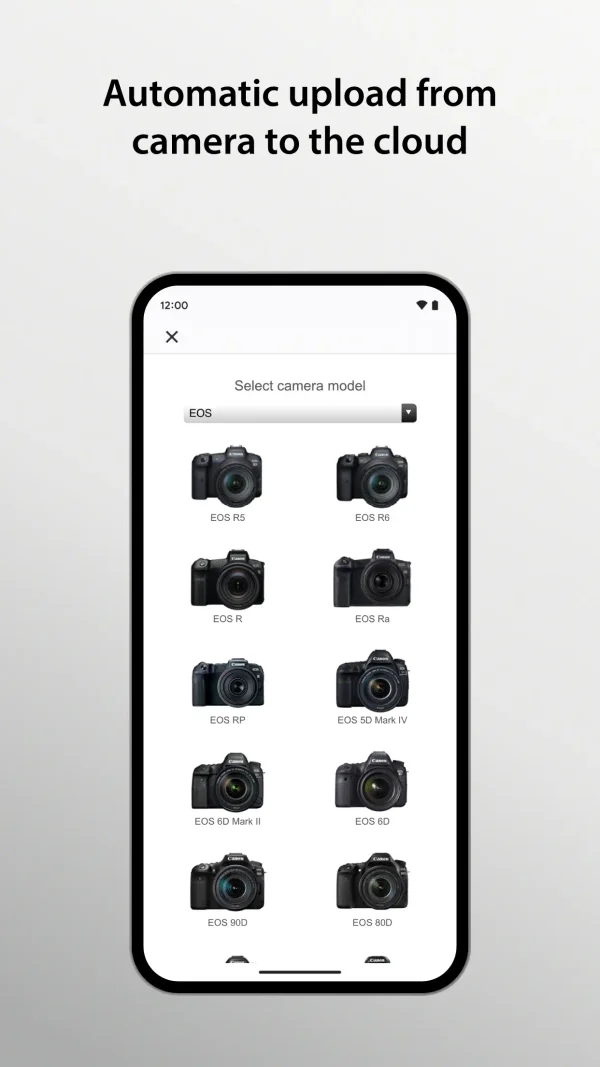
image.canon is a cloud service designed to ease your imaging workflow, whether you are a professional, enthusiast, or casual user. Connecting your Wi-Fi compatible Canon camera to the image.canon service will allow you to seamlessly upload all your images and movies in their original format and quality and access them from the dedicated app or a web browser – and automatically forward them to your computer, mobile devices, and third party services.
[Features]
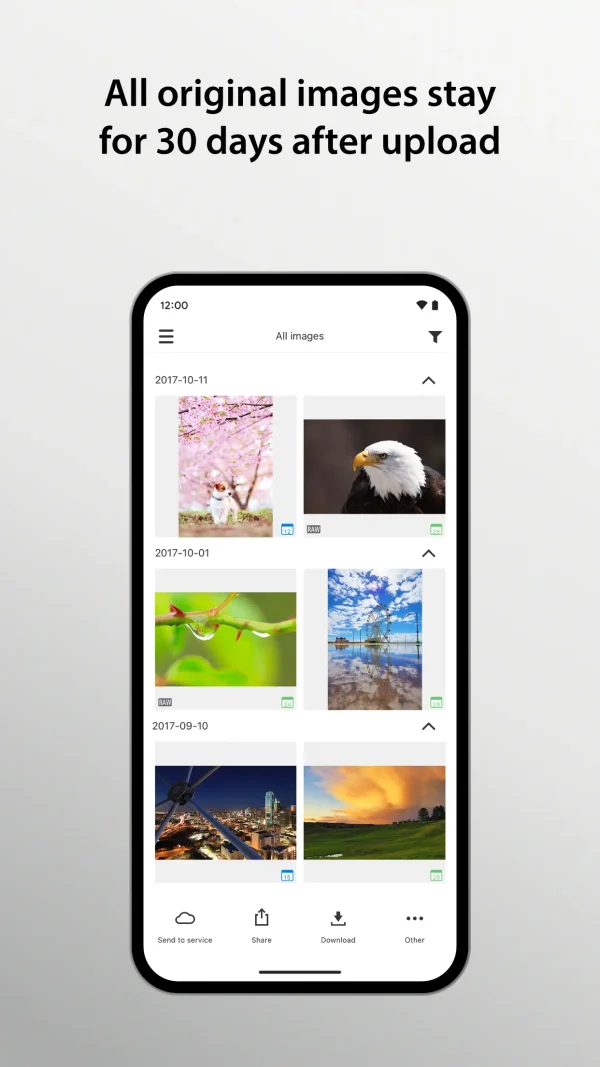
-All original images stay for 30 days
You can upload all of the images you have taken to image.canon cloud in original data and save for 30 days. Although the original data will be automatically deleted after 30 days, the display thumbnails will remain.
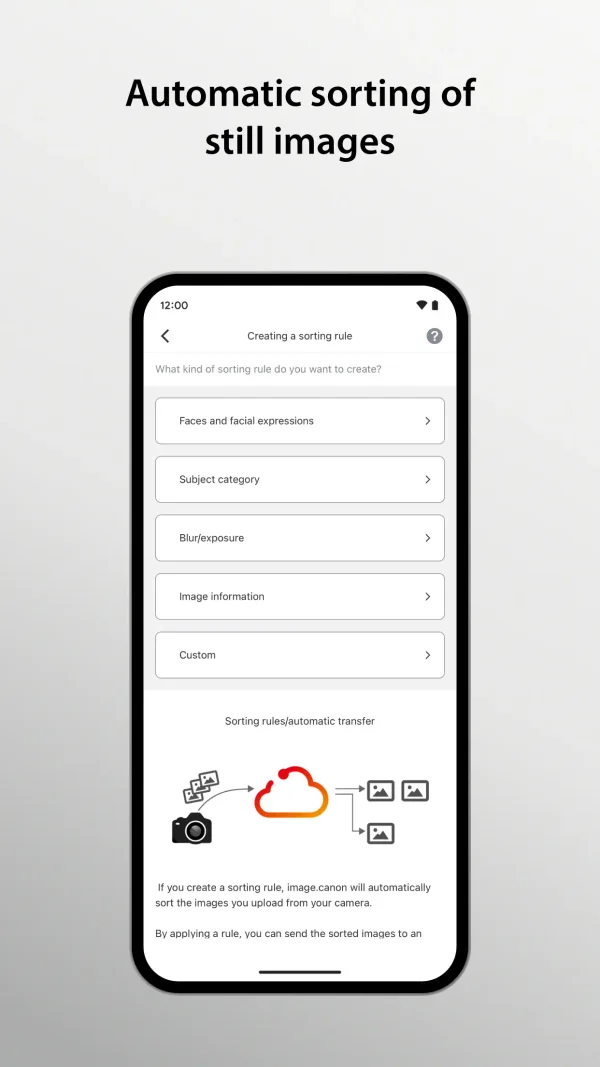
-Automatic image sorting
If you create the sorting rules in advance on image.canon, uploaded images from your Canon camera can be automatically sorted on image.canon.Sorted images can be transferred to 3rd-party services or a PC.
-Upload to image.canon from Camera Connect
You can upload images imported to your smartphone via the mobile app Camera Connect to the image.canon cloud. Camera Connect is used with integration with the image.canon app.
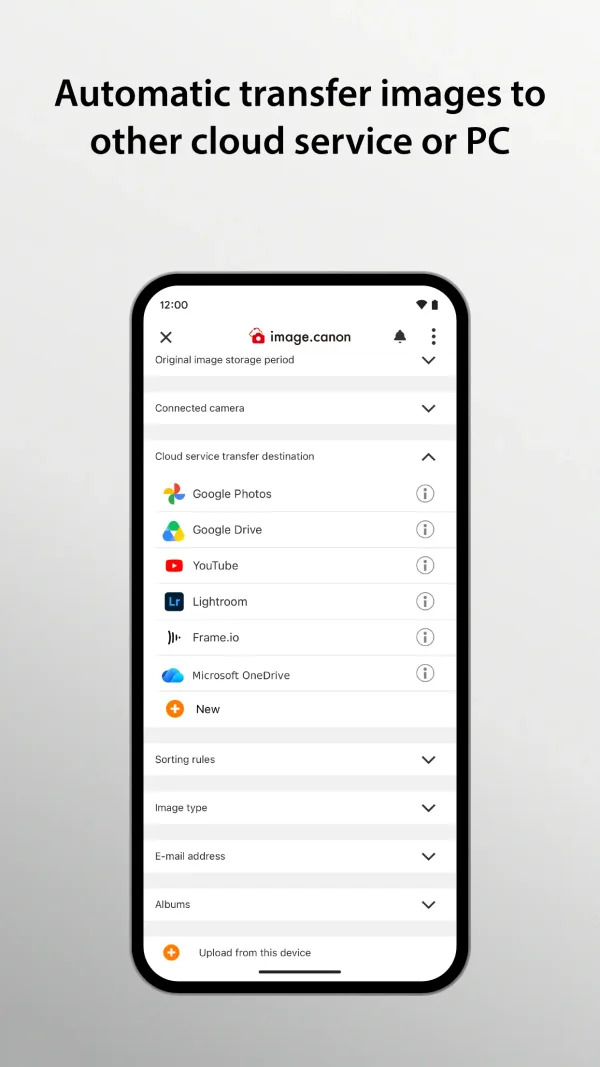
-Auto forward images and movies to other storage services
Connect image.canon to your Google Photos, Google Drive, Microsoft OneDrive, Adobe Photoshop Lightroom, Frame.io or Flickr account and automatically transfer your compatible images and movies.
-Share and play with images
Access your image.canon images from the app and any compatible web browser. The library of reduced resolution images is ideal for sharing with friends and family over messenger and social media apps or printing with Canon portable printers.
[Notes]
*A thumbnail is a compressed image of up to 2,048 px for display in the app.
*If this service is not used for 1 year, all of the images will be deleted regardless of their expiration date.
[Compatible platforms]
Android 14/15/16/17
----------
If you don't agree to the software license agreement or can't log in to an app, try setting Chrome as your default browser on your phone.
Instructions: Settings > Apps & Notifications > Default Apps > Choose chrome in your browser
Data safety
What Canon Inc. declares on Google Play about the data this app collects and shares.
- This app may share these data types with third partiesPersonal info, Messages and 3 others
- This app may collect these data typesPersonal info, Messages and 2 others
- Data is encrypted in transit
- You can request that data be deleted
What’s new
Version 2.2.0 · Oct 16, 2026
You can now transfer your videos and images to Microsoft OneDrive.
Developer contact
- Websiteimage.canon
- Emailimage-canon@mail.canon
- Privacy policymyid.canon
- Address3-30-2, SHIMOMARUKO OTA-KU, 東京都 146-0092 Japan
Information
- Offered by
- Canon Inc.
- Category
- Photography
- Version
- 2.2.0
- Updated
- Oct 16, 2026
- Released
- Apr 14, 2020
- Requires
- Android 10 or later
- Age rating
- Everyone
- Price
- Free
- Package name
- image.canon
Similar apps
-
 InFrame - Photo Editor & Frame
Photography
-
 Lensa: AI photo editor, camera
Photography
-
 Manual Camera DSLR (Lite)
Photography
-
 PICNIC: AI Editor & Sky Filter
Photography
-
 VSCO: Photo Editor
Photography
-
 Wuta Camera - Nice Shot Always
Photography
-
 mcpro24fps manual video camera
Photography
-
 Brother Mobile Connect
Tools
-
 SelfieCity
Photography
-
 Phomemo
Tools
-
 Jadens Printer
Tools
-
 IPC360 Home
Video Players & Editors