image.canon
Canon Inc.- Rating 3+Batasan usia
- FotografiKategori
- 16/10/2026Diperbarui
- GratisHarga
Tertaut ke halaman resmi image.canon di Google Play. Terakhir diperiksa pada 20/11/2026.

Tangkapan layar

Tentang aplikasi ini
Terjemahan otomatis oleh Google. Bahasa asli: Inggris (Amerika Serikat).
Menangkap foto atau film Anda hanyalah permulaan!
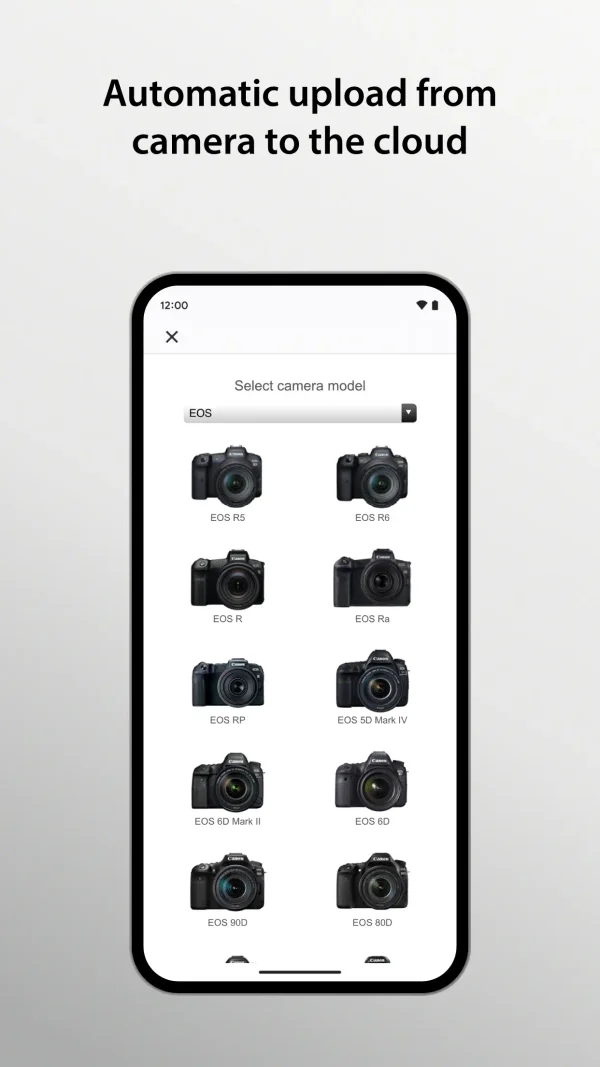
image.canon adalah layanan cloud yang dirancang untuk memudahkan alur kerja pencitraan Anda, baik Anda seorang profesional, penggemar, atau pengguna biasa. Menghubungkan kamera Canon Anda yang kompatibel dengan Wi-Fi ke layanan image.canon akan memungkinkan Anda untuk mengunggah semua gambar dan video Anda dengan mudah dalam format dan kualitas aslinya dan mengaksesnya dari aplikasi khusus atau browser web – dan secara otomatis meneruskannya ke komputer, perangkat seluler, dan layanan pihak ketiga Anda.
[Fitur]
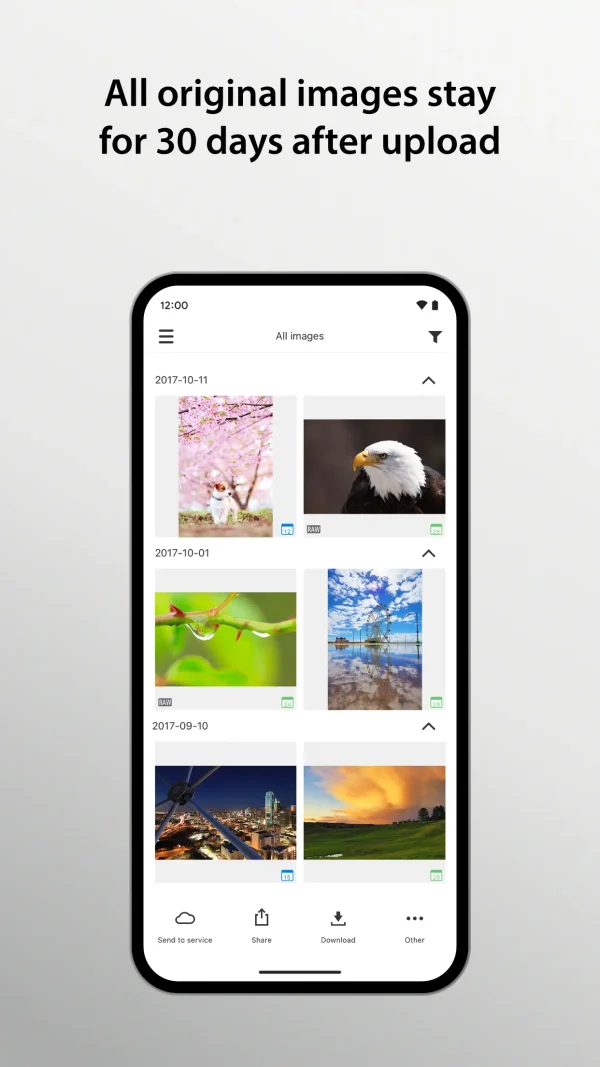
- Semua gambar asli tetap ada selama 30 hari
Anda dapat mengunggah semua gambar yang telah Anda ambil ke cloud image.canon dalam data asli dan menyimpannya selama 30 hari. Meskipun data asli akan dihapus secara otomatis setelah 30 hari, thumbnail yang ditampilkan akan tetap ada.
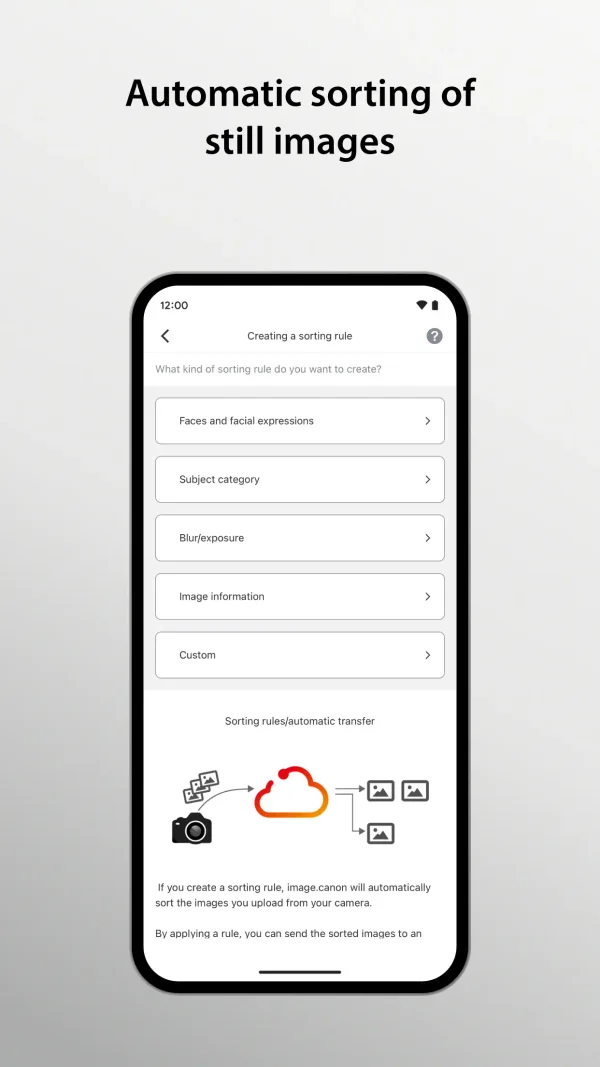
- Pengurutan gambar otomatis
Jika Anda membuat aturan pengurutan terlebih dahulu di image.canon, gambar yang diunggah dari kamera Canon Anda dapat diurutkan secara otomatis di image.canon. Gambar yang telah diurutkan dapat ditransfer ke layanan pihak ketiga atau PC.
-Unggah ke image.canon dari Camera Connect
Anda dapat mengunggah gambar yang diimpor ke ponsel cerdas Anda melalui aplikasi seluler Camera Connect ke cloud image.canon. Camera Connect digunakan dengan integrasi dengan aplikasi image.canon.
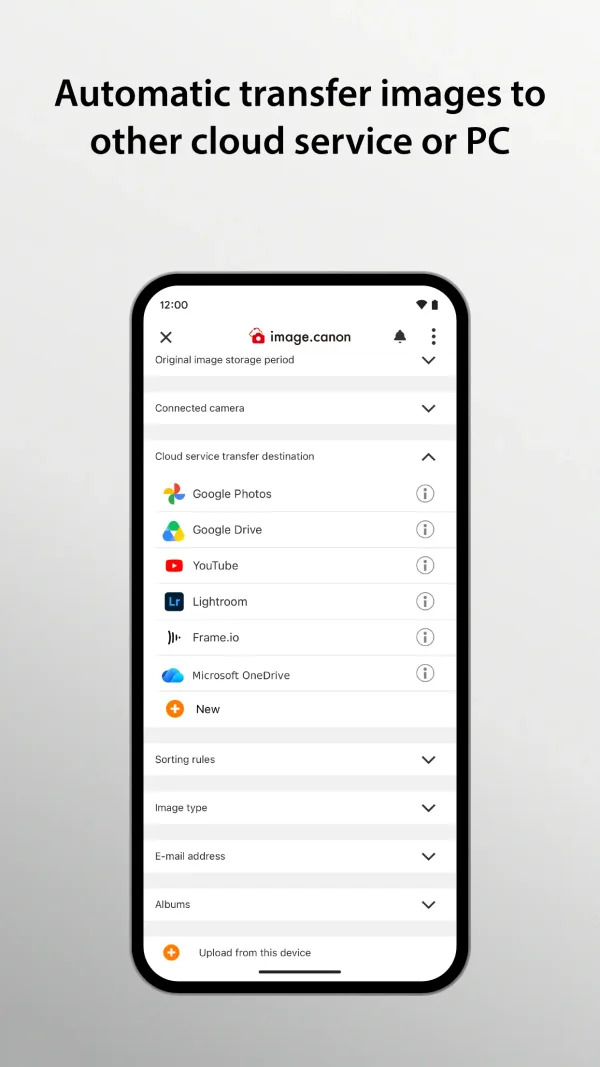
-Transfer otomatis gambar dan video ke layanan penyimpanan lain
Hubungkan image.canon ke akun Google Photos, Google Drive, Microsoft OneDrive, Adobe Photoshop Lightroom, Frame.io, atau Flickr Anda dan transfer otomatis gambar dan video yang kompatibel.
-Bagikan dan putar gambar
Akses gambar image.canon Anda dari aplikasi dan browser web yang kompatibel. Pustaka gambar beresolusi rendah sangat ideal untuk dibagikan dengan teman dan keluarga melalui aplikasi messenger dan media sosial atau dicetak dengan printer portabel Canon.
[Catatan]
*Gambar mini adalah gambar terkompresi hingga 2.048 px untuk ditampilkan di aplikasi.
*Jika layanan ini tidak digunakan selama 1 tahun, semua gambar akan dihapus terlepas dari tanggal kedaluwarsanya.
[Platform yang kompatibel]
Android 14/15/16/17
----------
Jika Anda tidak menyetujui perjanjian lisensi perangkat lunak atau tidak dapat masuk ke aplikasi, coba atur Chrome sebagai browser default di ponsel Anda.
Petunjuk: Pengaturan > Aplikasi & Notifikasi > Aplikasi Default > Pilih Chrome di browser Anda
Tampilkan teks asli
image.canon is a cloud service designed to ease your imaging workflow, whether you are a professional, enthusiast, or casual user. Connecting your Wi-Fi compatible Canon camera to the image.canon service will allow you to seamlessly upload all your images and movies in their original format and quality and access them from the dedicated app or a web browser – and automatically forward them to your computer, mobile devices, and third party services.
[Features]
-All original images stay for 30 days
You can upload all of the images you have taken to image.canon cloud in original data and save for 30 days. Although the original data will be automatically deleted after 30 days, the display thumbnails will remain.
-Automatic image sorting
If you create the sorting rules in advance on image.canon, uploaded images from your Canon camera can be automatically sorted on image.canon.Sorted images can be transferred to 3rd-party services or a PC.
-Upload to image.canon from Camera Connect
You can upload images imported to your smartphone via the mobile app Camera Connect to the image.canon cloud. Camera Connect is used with integration with the image.canon app.
-Auto forward images and movies to other storage services
Connect image.canon to your Google Photos, Google Drive, Microsoft OneDrive, Adobe Photoshop Lightroom, Frame.io or Flickr account and automatically transfer your compatible images and movies.
-Share and play with images
Access your image.canon images from the app and any compatible web browser. The library of reduced resolution images is ideal for sharing with friends and family over messenger and social media apps or printing with Canon portable printers.
[Notes]
*A thumbnail is a compressed image of up to 2,048 px for display in the app.
*If this service is not used for 1 year, all of the images will be deleted regardless of their expiration date.
[Compatible platforms]
Android 14/15/16/17
----------
If you don't agree to the software license agreement or can't log in to an app, try setting Chrome as your default browser on your phone.
Instructions: Settings > Apps & Notifications > Default Apps > Choose chrome in your browser
Keamanan data
Yang dinyatakan Canon Inc. di Google Play tentang data yang dikumpulkan dan dibagikan aplikasi ini.
- Aplikasi ini dapat membagikan jenis data ini kepada pihak ketigaInfo pribadi, Pesan, dan 3 lainnya
- Aplikasi ini dapat mengumpulkan jenis data berikutInfo pribadi, Pesan, dan 2 lainnya
- Data dienkripsi saat dalam pengiriman
- Anda dapat meminta agar data dihapus
Yang baru
Versi 2.2.0 · 16/10/2026
You can now transfer your videos and images to Microsoft OneDrive.
Kontak pengembang
- Situs webimage.canon
- Emailimage-canon@mail.canon
- Kebijakan Privasimyid.canon
- Alamat3-30-2, SHIMOMARUKO OTA-KU, 東京都 146-0092 Japan
Informasi
- Ditawarkan oleh
- Canon Inc.
- Kategori
- Fotografi
- Versi
- 2.2.0
- Diperbarui
- 16/10/2026
- Dirilis
- 14/4/2020
- Memerlukan
- Android 10 atau yang lebih baru
- Batasan usia
- Rating 3+
- Harga
- Gratis
- Nama paket
- image.canon
Aplikasi serupa
-
 InFrame - Editor Foto Bingkai
Fotografi
-
 Lensa: photo editor, AI avatar
Fotografi
-
 Manual Camera DSLR (Lite)
Fotografi
-
 PICNIC: Edit Foto AI & Kolase
Fotografi
-
 VSCO: Editor Foto dan Video
Fotografi
-
 Wuta Camera - Nice Shot Always
Fotografi
-
 kamera video manual mcpro24fps
Fotografi
-
 Brother Mobile Connect
Alat
-
 SelfieCity
Fotografi
-
 Phomemo
Alat
-
 Jadens Printer
Alat
-
 IPC360 Home
Pemutar & Editor Video