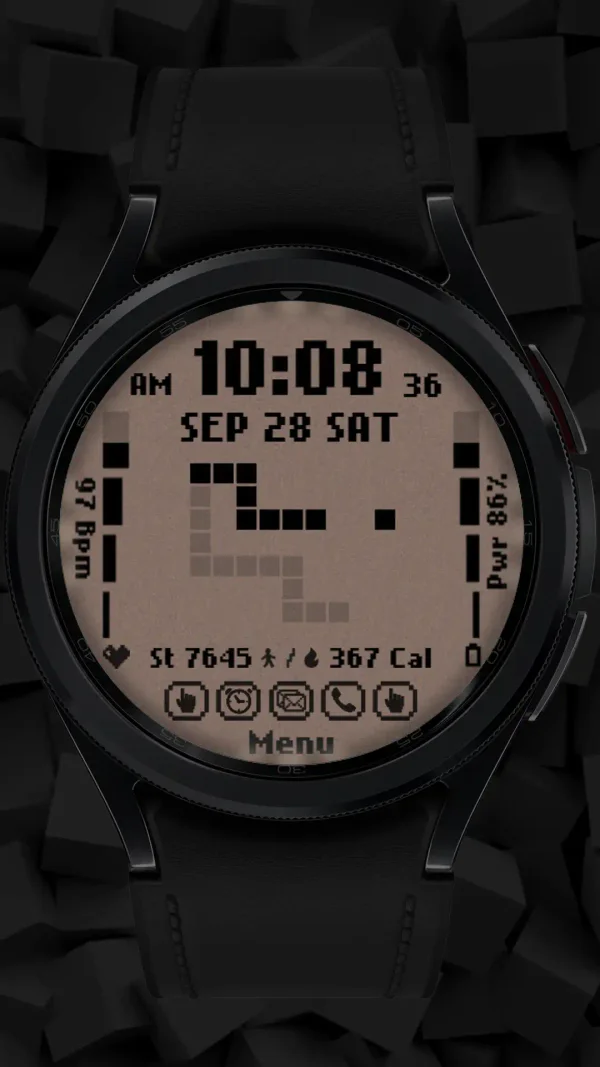
[KNA017] RETRO
KNA TH Watch Faces- EveryoneAge rating
- Art & DesignCategory
- Aug 31, 2026Updated
- $0.99Price
Links to the official Google Play listing of com.watchfacestudio.kna017. Last checked on Nov 25, 2026.
About this app
Art of Combination Wear OS Watch faces
Wear OS Watch Face With Customizable Complications
WATCH FACE INSTALLATION NOTES:
(Please update your android to lastest version)
How to install Watch Face To Wear OS Watch follow the link below:
https://www.youtube.com/watch?v=AhS7D7YA0ps
If Watch face not install in your Watch
Please try ths method
install Watch face via Wear OS Watch
(If you cannot install via your smartphone)
https://drive.google.com/file/d/1Ks0k68vwTua4eLPvMryORga0ZwViglWk/view?usp=drivesdk
Check your watch's compatibility with WEAR OS before proceeding with the installation. (Note: Galaxy Watch 3 and Galaxy Active are not WEAR OS devices.)
✅ Compatible devices include API level 30+ Google Pixel, Galaxy Watch 4, 5, 6, and other Wear OS models.
🚨 Watch faces don't automatically apply on your watch screen after the installation. That's why you MUST set it on your watch's screen.
Features:
- Digital Styles (12/24 Hour Time format)
- Date , Day of week , Month
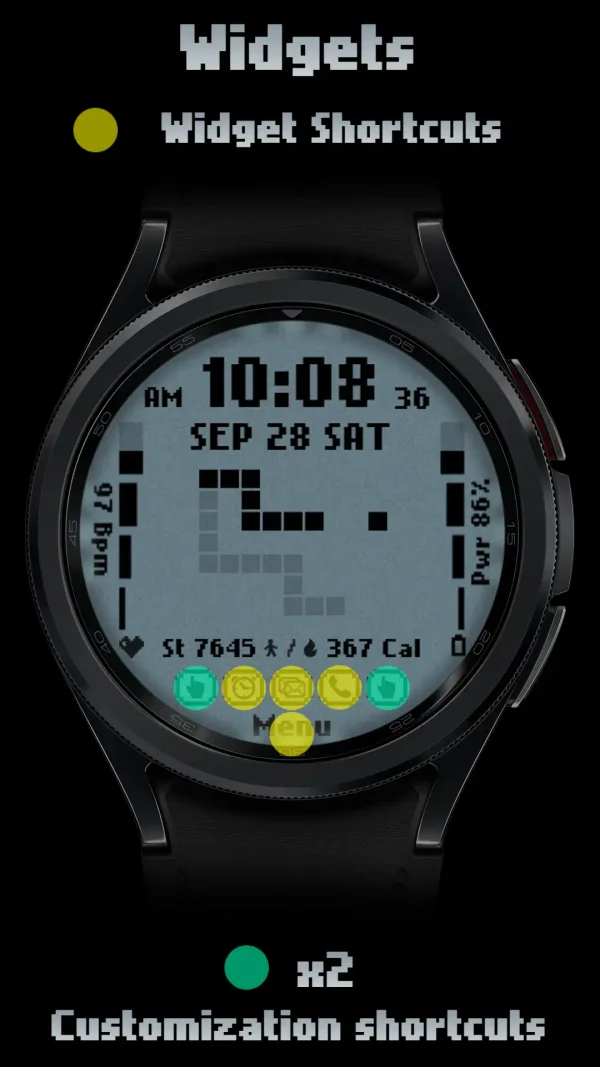
- 2 Customizable shortcut
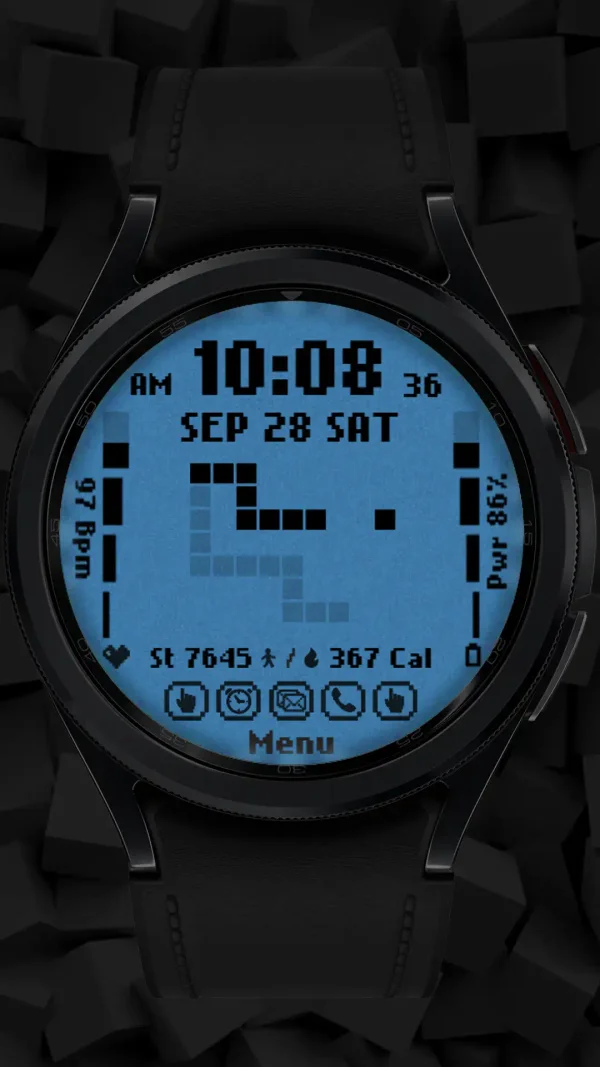
- 6 Colors 6 Styles
- Steps Count , Heart Rate , Battery Level , Calories Calculate
- Animation Retro stlye change by Time format (am-pm , 24h)
Customization:
1. Touch and Hold Display
2. Tap on Customize Option
Complications:
You can customize with the any data you want.
For example , you can select weather , world clock , sunset/sunrise , barometer etc.
**Some features may not be available on some watches.
For further support, please contact: sombatcsus@gmail.com
Thank you for Your support.
Data safety
What KNA TH Watch Faces declares on Google Play about the data this app collects and shares.
- No data shared with third partiesLearn more about how developers declare sharing
- No data collectedLearn more about how developers declare collection
What’s new
Aug 31, 2026
Art of Combination Wear OS Watch faces
Developer contact
- Emailsombatcsus@gmail.com
- Privacy policytermsfeed.com
- Addressจันทะคร 115 หมู่ 7 ตำบลห้วยใหญ่ บางละมุง ชลบุรี 20150 Thailand
Information
- Offered by
- KNA TH Watch Faces
- Category
- Art & Design
- Updated
- Aug 31, 2026
- Released
- Nov 20, 2024
- Age rating
- Everyone
- Price
- $0.99
- Package name
- com.watchfacestudio.kna017
Similar apps
-
Mono Classic Watch Face
Personalization
-
MW45 Sport Digital Watch
Personalization
-
Tetris™ 1989 SE Watch Face
Personalization
-
Retro Digital Watch Face
Personalization
-
CELEST5475 Retro Digital Watch
Personalization
-
Digital Sport Watch Face Pro
Personalization
-
SH105 Watch Face, WearOS watch
Personalization
-
Retro Digital Watch Face TMZ
Art & Design
-
Retro LCD Watch Face: GL103
Personalization
-
MFT WF 25
Personalization
-
ACRO Multi W Digital Watchface
Personalization
-
Sport Galaxy Watch Face Wear
Personalization
![[KNA017] RETRO screenshot 1](https://imgresize.dlostc.com/M9Xasg58essaWU0Gg8ax2-nIs4UgbeVepGrgv7g2pfY/rs:fit:600:1300/czM6Ly9pbWFnZXMvcGxheWltZy9kYS8yYy9kYTJjNTk5NzA0NjlhY2JkYzFmNWYwMjI4ZTFiMDU1ZWZiOGQzNDdmNmEyNGMzYWQxMGRkYTIxM2UyMjhlMGEzLndlYnA.webp)
![[KNA017] RETRO screenshot 2](https://imgresize.dlostc.com/-rEieLhfPvDx-z-zQByz6Ae102wlSYXrOrwWIenp0Jw/rs:fit:600:1300/czM6Ly9pbWFnZXMvcGxheWltZy9lMC81OC9lMDU4NzdhYWRlZThiZmRjMmNjZmM2Nzc3MzJiNTNjYzg2OWY0NDg2OTUwY2Y1NjhkODAxYWQ4MmI2ZGI5OWUyLndlYnA.webp)
![[KNA017] RETRO screenshot 3](https://imgresize.dlostc.com/hj4GxdsMYKfLrfZSZHOKBWyPaZ7iHgTeKkSuTevdpJw/rs:fit:600:1300/czM6Ly9pbWFnZXMvcGxheWltZy9jYi8zYy9jYjNjYjA0N2Y4MzUwNmRiNzM4ZWU4MjFhY2E0NjFmYmM1NjY3MjQ2YTE5ODdiNjY0MzNmZDcwNjNhZjM0NjZiLndlYnA.webp)
![[KNA017] RETRO screenshot 4](https://imgresize.dlostc.com/97a14Hu7HH7VTyRpdcPBO7rNZu2VpPGee3SjVm1o5EQ/rs:fit:600:1300/czM6Ly9pbWFnZXMvcGxheWltZy8xYy83MC8xYzcwMjRhMWI5OGFmYmQ2MzZlZDhlZWExYWU5ZTJjNTJhOTdhY2I3MjY2YmMxZmUyNjY3MDk3MmNhNmMwMjYwLndlYnA.webp)
![[KNA017] RETRO screenshot 5](https://imgresize.dlostc.com/_OFBOyQpbGU9h_DzC0OsKrVsTncIqECzzBwYXym-eIs/rs:fit:600:1300/czM6Ly9pbWFnZXMvcGxheWltZy85Yi85Ni85Yjk2ZmExODdlZDcxY2M3MjY2MzEyNTQ3NDA3NWQ1YTkzOGMwMWZjZTBiY2IxNjUwMjY3MDRiN2E5NzZjOWUyLndlYnA.webp)
![[KNA017] RETRO screenshot 6](https://imgresize.dlostc.com/vE9TrpKrh7-RVWlcz2cU6vnx_mROzHiMoE299icsBiQ/rs:fit:600:1300/czM6Ly9pbWFnZXMvcGxheWltZy8wMy9hMC8wM2EwMzRhZmRhMDJiOGFmZTM2ZWQ3MDBlMTU3YTBlMTczZGUzYjA2OTc4ZTUxMzhkYzc5OTM3NGE3ZmM2OTE0LndlYnA.webp)
![[KNA017] RETRO screenshot 7](https://imgresize.dlostc.com/1e-oxC9HjAntxPs0IVEOOuadlMrG5XVjMnpww0tqr4Y/rs:fit:600:1300/czM6Ly9pbWFnZXMvcGxheWltZy9jMS8yNy9jMTI3ZDRkNWY1N2VkM2YzMWNhMTg1ZWJkMzk0MWQ3MWUyMzBjNzA1MjNhNzExNTA2Yjg4MWY4ZWMxN2VkMmJkLndlYnA.webp)