[KNA017] RETRO
KNA TH Watch Faces- PEGI 3Classification d’âge
- Art et designCatégorie
- 31/08/2026Mis à jour
- 0,79 €Prix
Renvoie vers la fiche Google Play officielle de com.watchfacestudio.kna017. Dernière vérification le 25/11/2026.
À propos de cette application
Traduction automatique par Google. Langue d’origine : Anglais (États-Unis).
Art de la combinaison Wear OS Cadrans de montre
Cadran Wear OS avec complications personnalisables
NOTES D'INSTALLATION DU CADRAN :
(Veuillez mettre à jour votre appareil Android vers la dernière version)
Pour installer un cadran sur votre montre Wear OS, suivez le lien ci-dessous :
https://www.youtube.com/watch?v=AhS7D7YA0ps
Si le cadran ne s'installe pas sur votre montre,
essayez cette méthode :
Installer le cadran via Wear OS :
(Si l'installation via votre smartphone est impossible)
https://drive.google.com/file/d/1Ks0k68vwTua4eLPvMryORga0ZwViglWk/view?usp=drivesdk
Vérifiez la compatibilité de votre montre avec Wear OS avant de procéder à l'installation. (Remarque : les Galaxy Watch 3 et Galaxy Active ne sont pas compatibles avec Wear OS.)
✅ Appareils compatibles : Google Pixel (API niveau 30 et supérieur), Galaxy Watch 4, 5, 6 et autres modèles Wear OS.
🚨 Les cadrans ne s'appliquent pas automatiquement à l'écran de votre montre après l'installation. Vous devez donc les configurer manuellement.
Fonctionnalités :
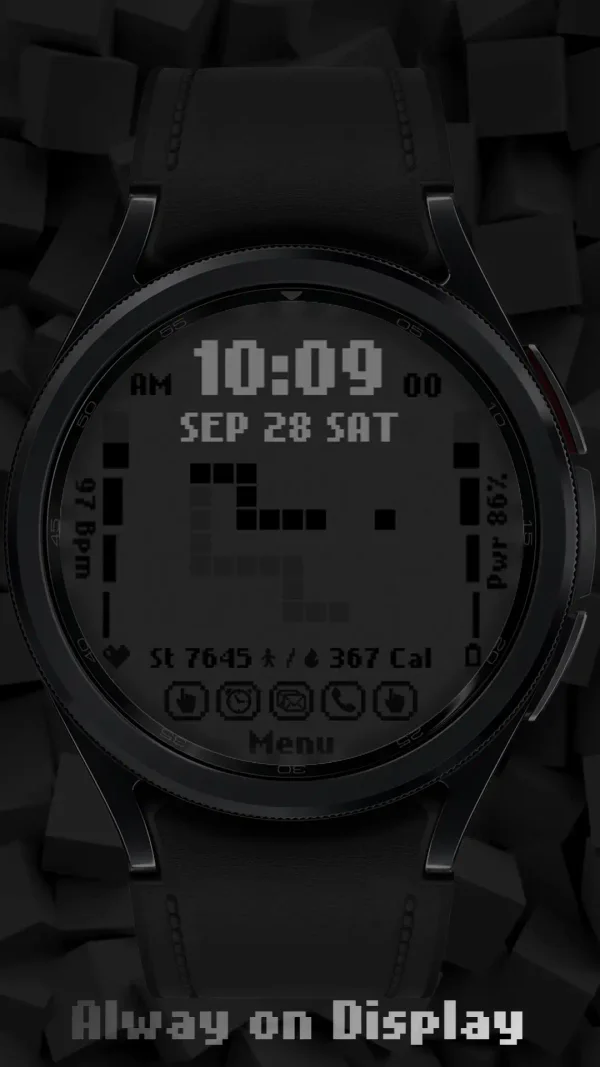
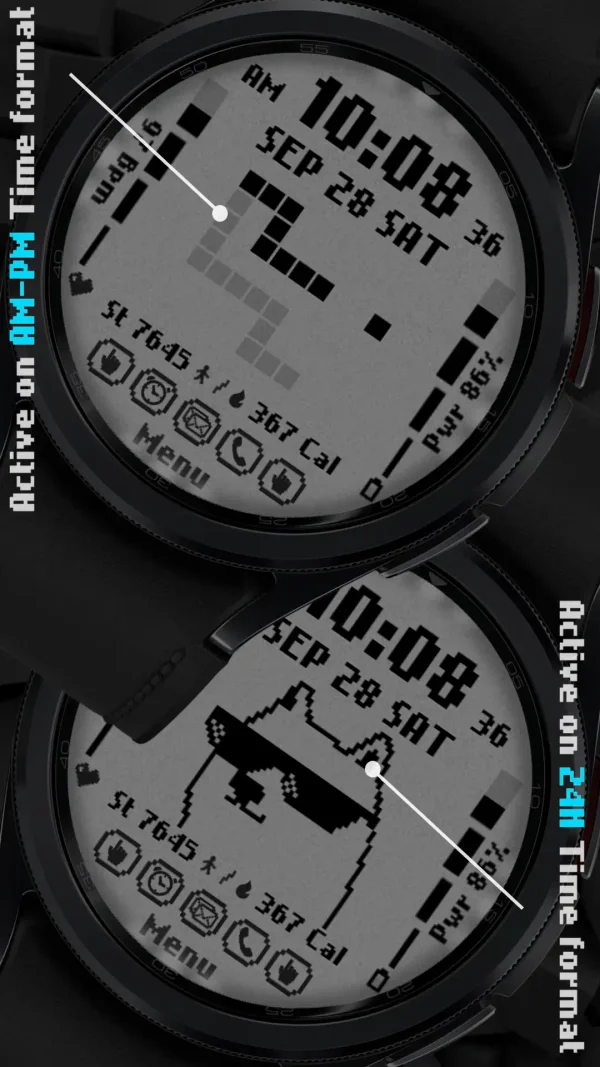
- Styles numériques (format 12/24 heures)
- Date, jour de la semaine, mois
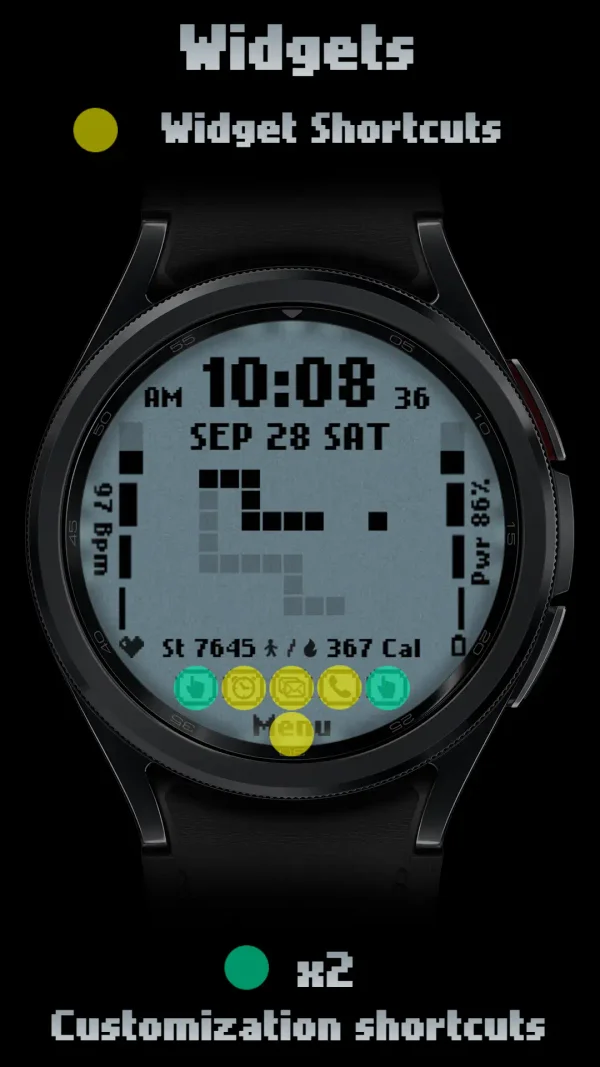
- 2 raccourcis personnalisables
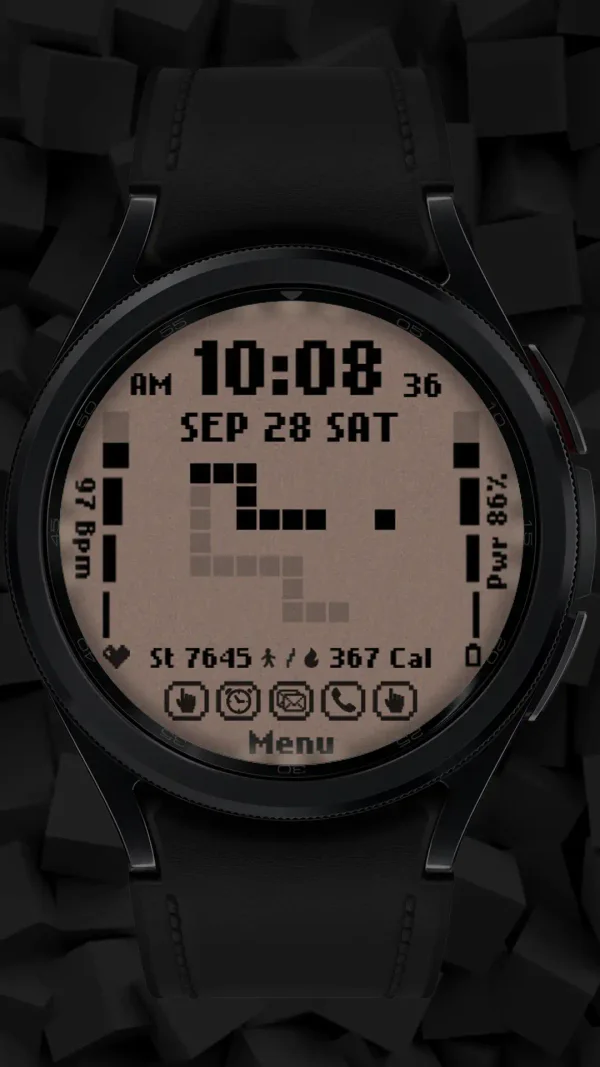
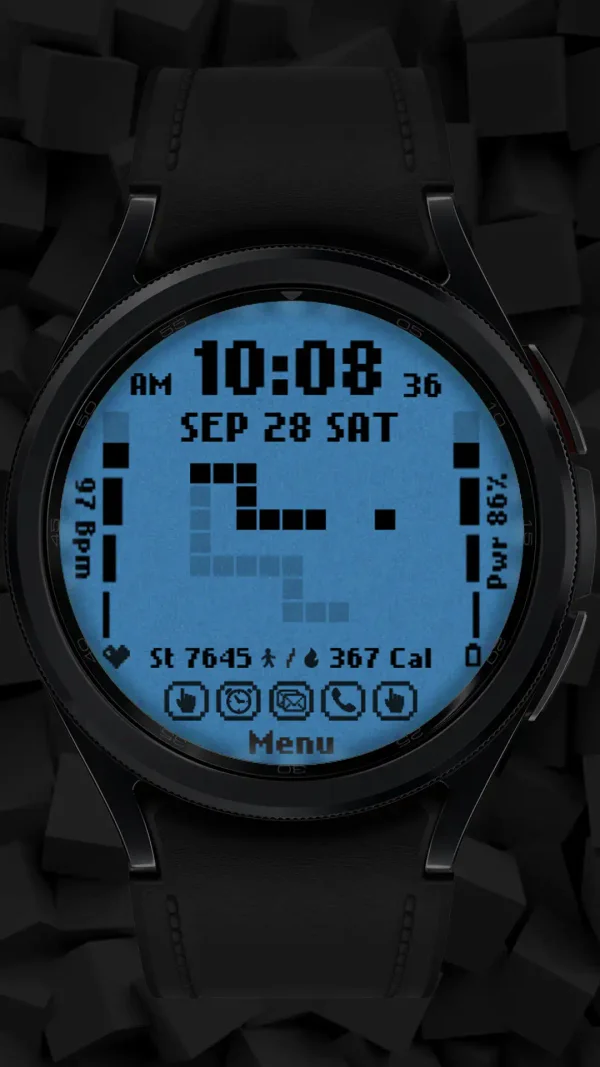
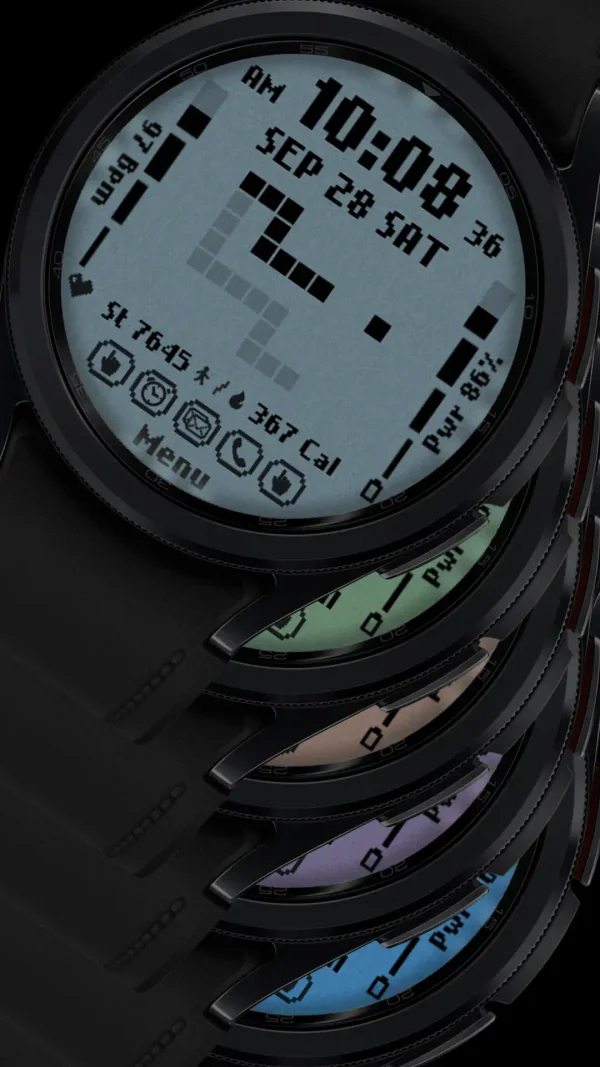
- 6 couleurs, 6 styles
- Nombre de pas, fréquence cardiaque, niveau de batterie, calcul des calories
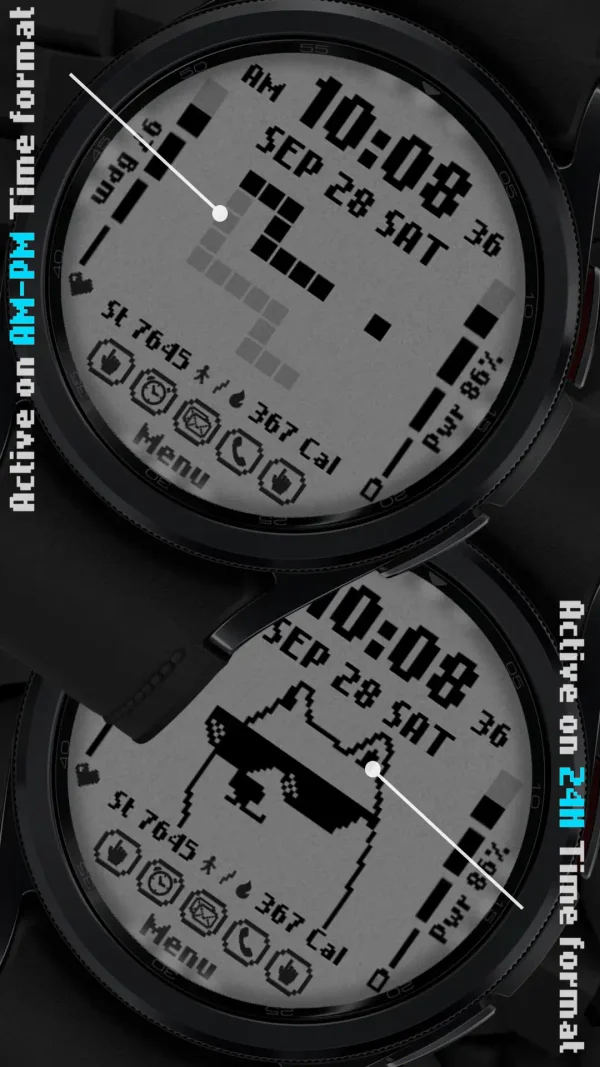
- Changement de style rétro animé selon le format de l'heure (AM/PM, 24 h)
Personnalisation :
1. Appuyez longuement sur l'écran.
2. Appuyez sur « Personnaliser ».
Complications :
Vous pouvez personnaliser le cadran avec les données de votre choix.
Par exemple : météo, horloge mondiale, lever/coucher du soleil, baromètre, etc.
**Certaines fonctionnalités peuvent ne pas être disponibles sur certaines montres.
Pour toute assistance, veuillez contacter : sombatcsus@gmail.com
Merci de votre soutien.
Afficher le texte d’origine
Wear OS Watch Face With Customizable Complications
WATCH FACE INSTALLATION NOTES:
(Please update your android to lastest version)
How to install Watch Face To Wear OS Watch follow the link below:
https://www.youtube.com/watch?v=AhS7D7YA0ps
If Watch face not install in your Watch
Please try ths method
install Watch face via Wear OS Watch
(If you cannot install via your smartphone)
https://drive.google.com/file/d/1Ks0k68vwTua4eLPvMryORga0ZwViglWk/view?usp=drivesdk
Check your watch's compatibility with WEAR OS before proceeding with the installation. (Note: Galaxy Watch 3 and Galaxy Active are not WEAR OS devices.)
✅ Compatible devices include API level 30+ Google Pixel, Galaxy Watch 4, 5, 6, and other Wear OS models.
🚨 Watch faces don't automatically apply on your watch screen after the installation. That's why you MUST set it on your watch's screen.
Features:
- Digital Styles (12/24 Hour Time format)
- Date , Day of week , Month
- 2 Customizable shortcut
- 6 Colors 6 Styles
- Steps Count , Heart Rate , Battery Level , Calories Calculate
- Animation Retro stlye change by Time format (am-pm , 24h)
Customization:
1. Touch and Hold Display
2. Tap on Customize Option
Complications:
You can customize with the any data you want.
For example , you can select weather , world clock , sunset/sunrise , barometer etc.
**Some features may not be available on some watches.
For further support, please contact: sombatcsus@gmail.com
Thank you for Your support.
Sécurité des données
Ce que KNA TH Watch Faces déclare sur Google Play au sujet des données que cette application collecte et partage.
- Aucune donnée partagée avec des tiersEn savoir plus sur la manière dont les développeurs déclarent le partage
- Aucune donnée collectéeEn savoir plus sur la manière dont les développeurs déclarent la collecte
Nouveautés
31/08/2026
Art of Combination Wear OS Watch faces
Coordonnées du développeur
- E-mailsombatcsus@gmail.com
- Politique de confidentialitétermsfeed.com
- Adresseจันทะคร 115 หมู่ 7 ตำบลห้วยใหญ่ บางละมุง ชลบุรี 20150 Thailand
Informations
- Proposée par
- KNA TH Watch Faces
- Catégorie
- Art et design
- Mis à jour
- 31/08/2026
- Publié
- 20/11/2024
- Classification d’âge
- PEGI 3
- Prix
- 0,79 €
- Nom du package
- com.watchfacestudio.kna017
Applications similaires
-
Mono Classic Watch Face
Personnalisation
-
MW45 Sport Digital Watch
Personnalisation
-
Tetris™ 1989 SE Watch Face
Personnalisation
-
8-Bit Weather Watchface
Personnalisation
-
Retro Digital Watch Face
Personnalisation
-
CELEST5475 Retro Digital Watch
Personnalisation
-
Digital Sport Watch Face Pro
Personnalisation
-
Cadran de montre SH105
Personnalisation
-
Retro Digital Watch Face TMZ
Art et design
-
Bricks Game Watch Face
Personnalisation
-
Retro LCD Watch Face: GL103
Personnalisation
-
MFT WF 25
Personnalisation
![Capture d’écran de [KNA017] RETRO 1](https://imgresize.dlostc.com/z5JJz5nzarfaNuVXYyQ830-WMy1Lx9ZtJopkVPJmDtw/rs:fit:600:1300/fn:kna017-retro-android-screenshot-1/czM6Ly9pbWFnZXMvcGxheWltZy9kYS8yYy9kYTJjNTk5NzA0NjlhY2JkYzFmNWYwMjI4ZTFiMDU1ZWZiOGQzNDdmNmEyNGMzYWQxMGRkYTIxM2UyMjhlMGEzLndlYnA.webp)
![Capture d’écran de [KNA017] RETRO 2](https://imgresize.dlostc.com/1DuzItonN07Wpg132_rE4VZWQkC1Wrv191R4IWu-Fec/rs:fit:600:1300/fn:kna017-retro-android-screenshot-2/czM6Ly9pbWFnZXMvcGxheWltZy9lMC81OC9lMDU4NzdhYWRlZThiZmRjMmNjZmM2Nzc3MzJiNTNjYzg2OWY0NDg2OTUwY2Y1NjhkODAxYWQ4MmI2ZGI5OWUyLndlYnA.webp)
![Capture d’écran de [KNA017] RETRO 3](https://imgresize.dlostc.com/z9phQq6BQ2RdIzXJBh4w4Ys66U4U4UvbrfKV4opAcgk/rs:fit:600:1300/fn:kna017-retro-android-screenshot-3/czM6Ly9pbWFnZXMvcGxheWltZy9jYi8zYy9jYjNjYjA0N2Y4MzUwNmRiNzM4ZWU4MjFhY2E0NjFmYmM1NjY3MjQ2YTE5ODdiNjY0MzNmZDcwNjNhZjM0NjZiLndlYnA.webp)
![Capture d’écran de [KNA017] RETRO 4](https://imgresize.dlostc.com/k9Zi2Ghewdl43HqnE9IPl0zFQzpKHL3484mKX1R0rf4/rs:fit:600:1300/fn:kna017-retro-android-screenshot-4/czM6Ly9pbWFnZXMvcGxheWltZy8xYy83MC8xYzcwMjRhMWI5OGFmYmQ2MzZlZDhlZWExYWU5ZTJjNTJhOTdhY2I3MjY2YmMxZmUyNjY3MDk3MmNhNmMwMjYwLndlYnA.webp)
![Capture d’écran de [KNA017] RETRO 5](https://imgresize.dlostc.com/Lu7A0nhY-ULBxSyO2BR8xcwNhPELFUmd7P6Cfp8NCLs/rs:fit:600:1300/fn:kna017-retro-android-screenshot-5/czM6Ly9pbWFnZXMvcGxheWltZy85Yi85Ni85Yjk2ZmExODdlZDcxY2M3MjY2MzEyNTQ3NDA3NWQ1YTkzOGMwMWZjZTBiY2IxNjUwMjY3MDRiN2E5NzZjOWUyLndlYnA.webp)
![Capture d’écran de [KNA017] RETRO 6](https://imgresize.dlostc.com/MzlGqIY997xW9J5mlY9HtncR-5ldCgBxWaVBSDDPbkA/rs:fit:600:1300/fn:kna017-retro-android-screenshot-6/czM6Ly9pbWFnZXMvcGxheWltZy8wMy9hMC8wM2EwMzRhZmRhMDJiOGFmZTM2ZWQ3MDBlMTU3YTBlMTczZGUzYjA2OTc4ZTUxMzhkYzc5OTM3NGE3ZmM2OTE0LndlYnA.webp)
![Capture d’écran de [KNA017] RETRO 7](https://imgresize.dlostc.com/9P5q7lf1bxfGrDTi2WA2q2nz_iRFYr7W-D67hnx4arA/rs:fit:600:1300/fn:kna017-retro-android-screenshot-7/czM6Ly9pbWFnZXMvcGxheWltZy9jMS8yNy9jMTI3ZDRkNWY1N2VkM2YzMWNhMTg1ZWJkMzk0MWQ3MWUyMzBjNzA1MjNhNzExNTA2Yjg4MWY4ZWMxN2VkMmJkLndlYnA.webp)
![Capture d’écran de [KNA017] RETRO 8](https://imgresize.dlostc.com/6S1Z6NmOpTWtGD7ttJjLvvWfDjqPJQu6Z9952OoLD-0/rs:fit:600:1300/fn:kna017-retro-android-screenshot-8/czM6Ly9pbWFnZXMvcGxheWltZy9kYS8yYy9kYTJjNTk5NzA0NjlhY2JkYzFmNWYwMjI4ZTFiMDU1ZWZiOGQzNDdmNmEyNGMzYWQxMGRkYTIxM2UyMjhlMGEzLndlYnA.webp)
![Capture d’écran de [KNA017] RETRO 9](https://imgresize.dlostc.com/xmFmbmU2cB16q7dVSKtX5ItPH2RDqxHYKIvhclKQSKY/rs:fit:600:1300/fn:kna017-retro-android-screenshot-9/czM6Ly9pbWFnZXMvcGxheWltZy9lMC81OC9lMDU4NzdhYWRlZThiZmRjMmNjZmM2Nzc3MzJiNTNjYzg2OWY0NDg2OTUwY2Y1NjhkODAxYWQ4MmI2ZGI5OWUyLndlYnA.webp)
![Capture d’écran de [KNA017] RETRO 10](https://imgresize.dlostc.com/cwnWAuJolRL28pGLjvd-YApnQSx4h0PVqs4yrjMiVQk/rs:fit:600:1300/fn:kna017-retro-android-screenshot-10/czM6Ly9pbWFnZXMvcGxheWltZy9jYi8zYy9jYjNjYjA0N2Y4MzUwNmRiNzM4ZWU4MjFhY2E0NjFmYmM1NjY3MjQ2YTE5ODdiNjY0MzNmZDcwNjNhZjM0NjZiLndlYnA.webp)