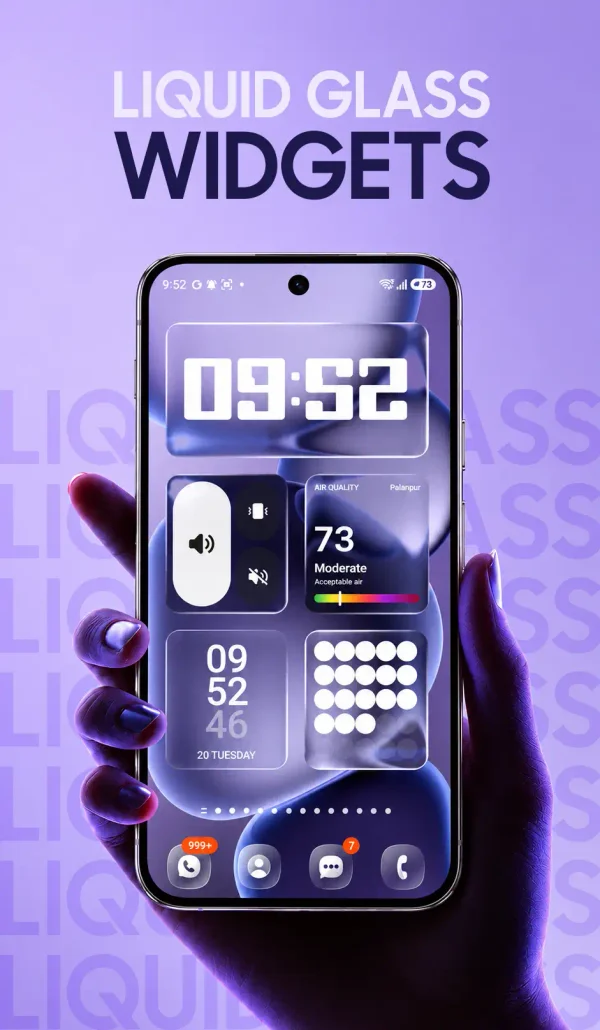
Liquid Glass Widgets
JustNewDesignsContains ads · In-app purchases
- EveryoneAge rating
- PersonalizationCategory
- Nov 23, 2026Updated
- FreePrice
Links to the official Google Play listing of com.jndapp.liquid.glass.widgets. Last checked on Nov 23, 2026.

Screenshots

About this app
Liquid Glass Widgets – 750+ productive glass widgets for your home screen
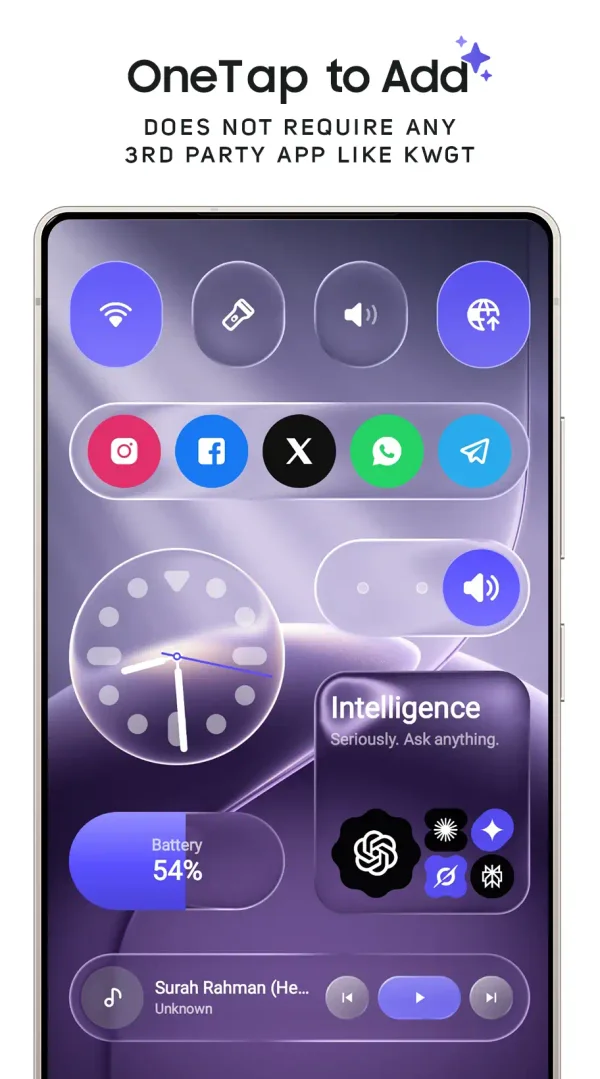
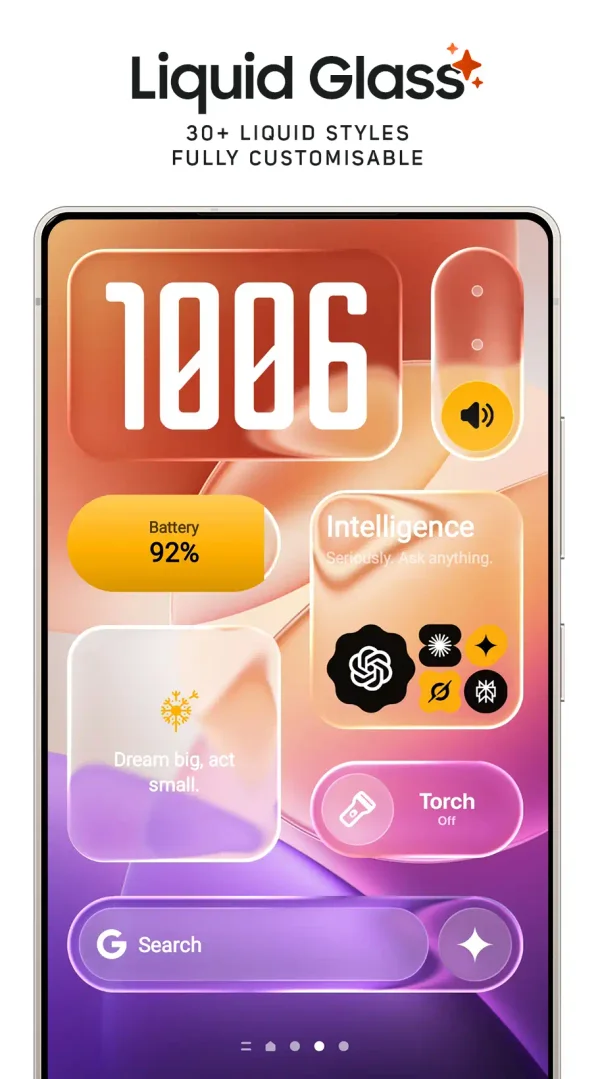
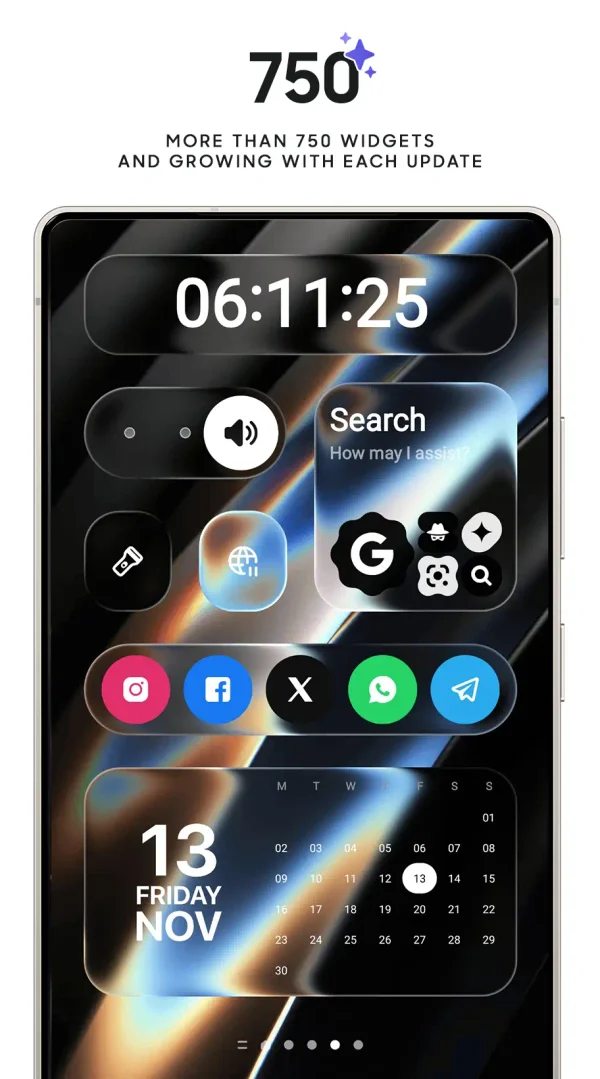
Liquid Glass Widgets brings 750+ beautiful glass widgets to your Android home screen, counting both fixed-size and responsive versions of each design. Every glass widget uses a translucent, frosted-glass design with soft blur and smooth rounded shapes, so your wallpaper shows through and the widgets feel like part of your phone.
Looking for productive glass widgets that look great? Liquid Glass Widgets combines a clean liquid glass style with useful tools: clocks, calendars, weather, battery, notes, photos, quick settings and shortcuts. It works on any Android device. You don't need KWGT or any other app. Pick a widget, customize it, add it to your home screen, and you're done.
WHY CHOOSE LIQUID GLASS WIDGETS
• 750+ glass widgets across 28 categories. Many designs come in both a fixed-size version and a responsive version that adapts to the size you choose.
• Liquid glass design: translucent, layered glass widgets that look good on any wallpaper.
• Productive widgets: notes, to-dos, calendars, countdowns and quick tools that keep you organized without cluttering your screen.
• Customizable colors: adjust text, background, accent and transparency to match your theme.
• Resizable layouts: use a small widget in a corner or a large one as the centerpiece of your screen.
• Clean typography: easy-to-read fonts and balanced spacing, so information is clear at a glance.
• Lightweight and simple: widgets are quick to set up.
WIDGETS INCLUDED
• Quick Settings: toggles and shortcuts for everyday settings.
• Google: shortcut widgets for Google apps and services.
• Photo: show your favorite pictures in glass frames.
• Clock Digital, Clock Analog and Clock Hybrid: dozens of clock styles, including world clocks.
• Weather: current conditions and forecasts in a simple layout.
• Device: storage, network and system info at a glance.
• Battery: monitor your phone's charge with clean glass indicators.
• Calendar: see the day, week and month at a glance.
• Contacts: one-tap access to your favorite people.
• AI: quick launchers for ChatGPT, Claude, Grok, DeepSeek, Perplexity and more.
• Productivity: Pomodoro timer, habit streak, event countdowns, year progress, clipboard and bookmarks.
• Notes / To-Do: quick notes and task lists on your home screen.
• App Launcher and Folder Apps: launch and group your apps in glass tiles.
• Music: control playback right from your home screen.
• Health: track your daily wellness.
• Finance: crypto, currency exchange, gold and silver, and global market indices.
• Bluetooth: earbuds and connected-device widgets.
• Social, Games and Camera: shortcuts to your favorite apps.
• Quotes and Religious: daily inspiration and prayer times.
• Compass and Calculator: handy everyday tools.
• Personalise: custom text, QR code and style widgets.
New glass widgets and improvements are added regularly.
HOW TO ADD GLASS WIDGETS
1. Long-press an empty area of your home screen.
2. Tap "Widgets" and find Liquid Glass Widgets.
3. Choose a widget and drag it to your screen.
4. Tap the widget to customize colors, transparency and style.
PERFECT FOR
• A minimal, aesthetic or glassmorphism home screen
• Anyone who wants productive widgets that stay out of the way
• Fans of liquid glass and frosted-glass themes
PERMISSIONS AND PRIVACY
Liquid Glass Widgets requests only the permissions it needs, such as location for weather. The optional Accessibility Service (AccessibilityService API) is used only to find this app's widgets on your home screen and screenshot the wallpaper behind them, so the glass matches. No personal data is read or shared. Turn it off anytime in Settings > Accessibility.
SUPPORT AND FEEDBACK
Have a question or a widget idea? We read every message.
Email: justnewdesigns@gmail.com
X (Twitter): x.com/JustNewDesigns
Download Liquid Glass Widgets today and give your home screen a clean, polished, productive look.
Liquid Glass Widgets is an independent app and is not affiliated with or endorsed by Apple Inc.
Data safety
What JustNewDesigns declares on Google Play about the data this app collects and shares.
- No data shared with third partiesLearn more about how developers declare sharing
- No data collectedLearn more about how developers declare collection
What’s new
Version 1.1.01 · Nov 23, 2026
What's new in 1.1
• Faster Liquid Glass: widgets now update to match your new wallpaper much quicker, with less flicker.
• Wallpapers you set from the app apply instantly, with no widget blink.
• Smoother widget refresh and better clean-up of unused widget data.
• Bug fixes and stability improvements.
Developer contact
- Websitejustnewdesigns.com
- Emailjustnewdesigns@gmail.com
- Privacy policyapp.notion.com
- AddressALIGUNJPURA, JAMPURA JAMPURA DHUNDHIYAWADI, PALANPUR. BANASKANTHA Palanpur, Gujarat 385001 India
Information
- Offered by
- JustNewDesigns
- Category
- Personalization
- Version
- 1.1.01
- Updated
- Nov 23, 2026
- Released
- Nov 21, 2026
- Requires
- Android 12 or later
- Age rating
- Everyone
- Price
- Free
- In-app purchases
- $0.49 - $3.19 per item
- Package name
- com.jndapp.liquid.glass.widgets