Liquid Glass Widgets
JustNewDesigns広告を含む · アプリ内課金
- 3 歳以上対象年齢
- カスタマイズカテゴリ
- 2026/11/23更新日
- 無料価格
com.jndapp.liquid.glass.widgetsのGoogle Play公式ページにリンクしています。最終確認:2026/11/23。

スクリーンショット

このアプリについて
Googleによる英語 (アメリカ合衆国)からの自動翻訳です。
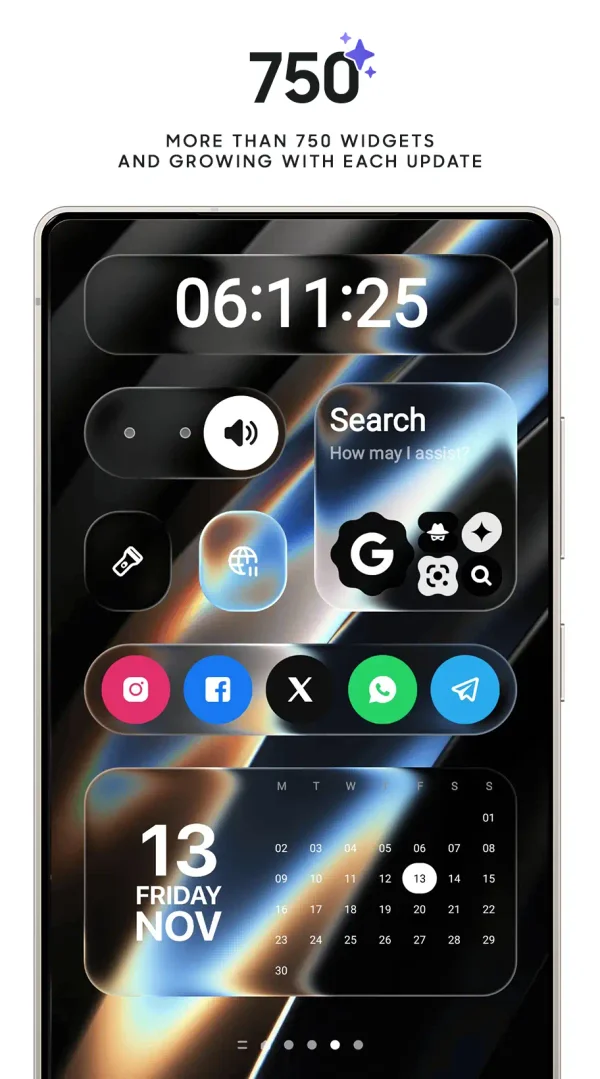
リキッドグラスウィジェット – ホーム画面用の750種類以上の便利なガラスウィジェット
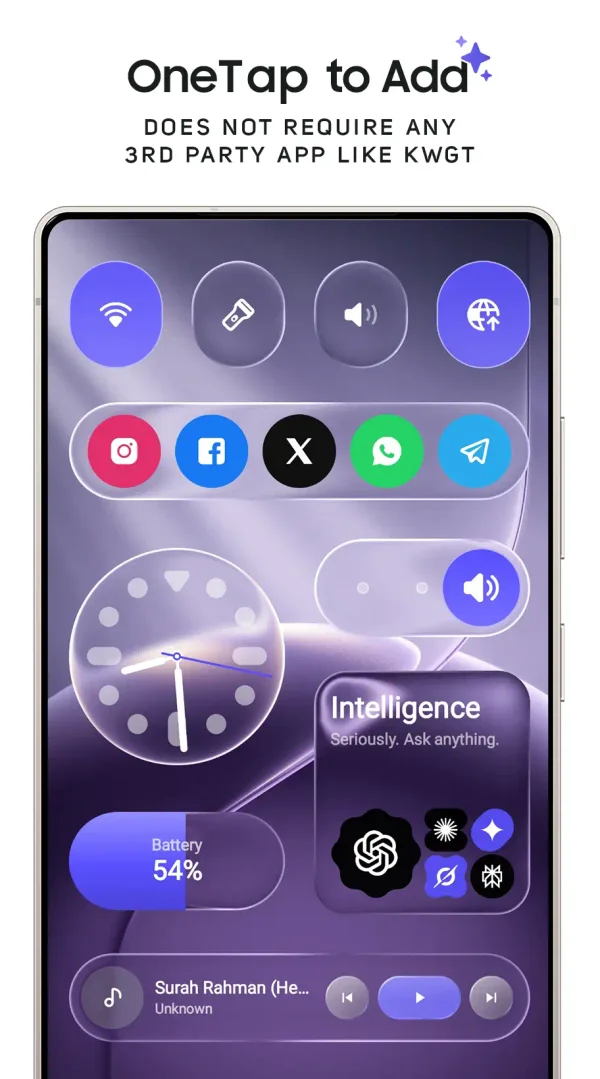
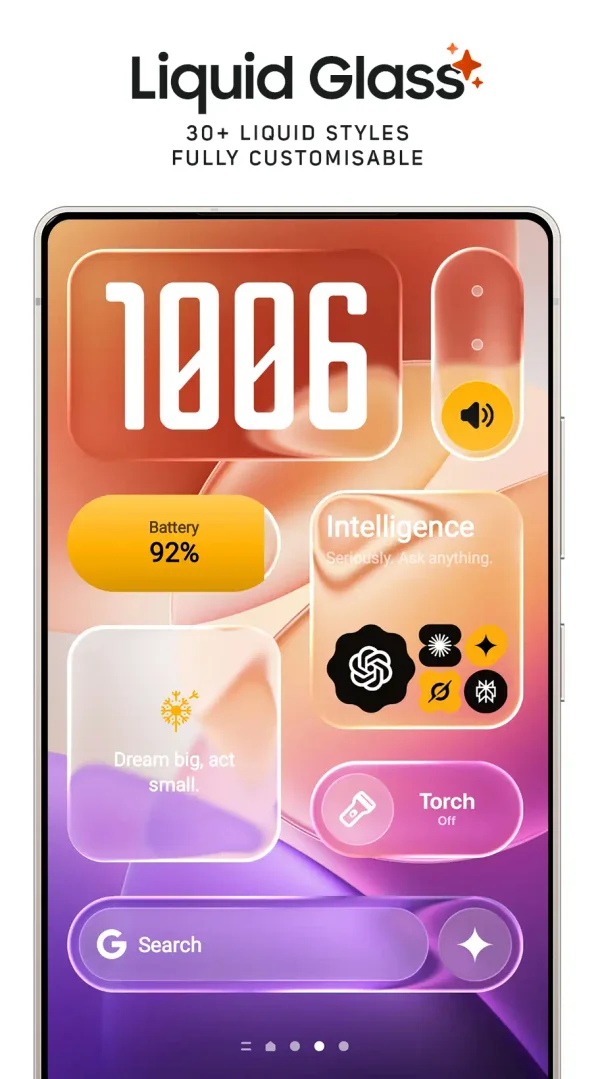
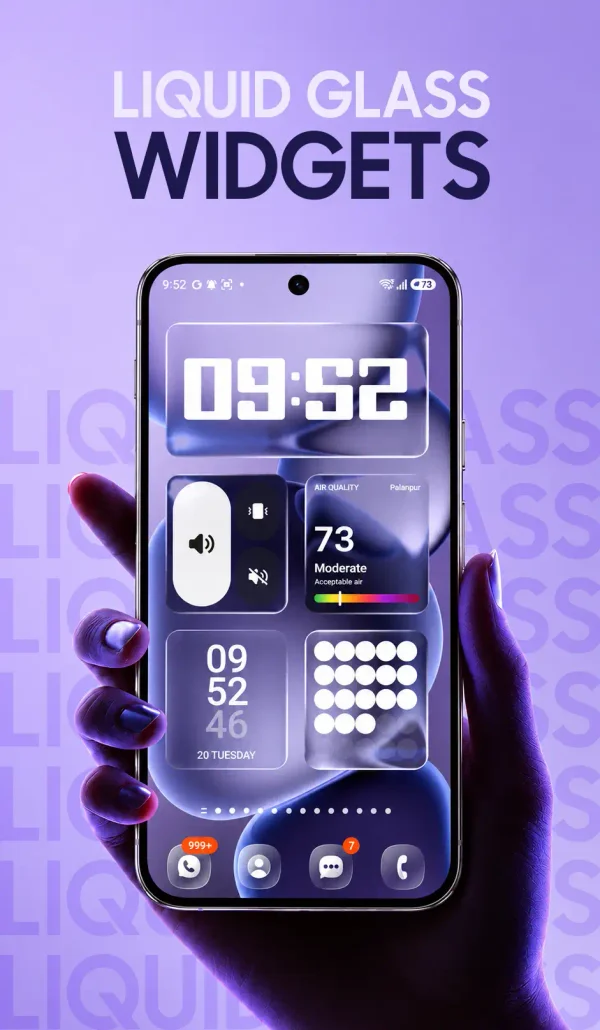
Liquid Glass Widgetsは、750種類以上の美しいガラスウィジェットをAndroidホーム画面に追加します。各デザインには、固定サイズ版とレスポンシブ版の両方が用意されています。すべてのガラスウィジェットは、半透明のフロストガラスのようなデザインで、柔らかなぼかしと滑らかな丸みを帯びた形状が特徴です。そのため、壁紙が透けて見え、ウィジェットがまるでスマートフォンの一部のように感じられます。
見た目も美しく、機能性にも優れたガラスウィジェットをお探しですか?Liquid Glass Widgetsは、洗練されたリキッドグラススタイルと、時計、カレンダー、天気、バッテリー残量、メモ、写真、クイック設定、ショートカットといった便利なツールを組み合わせました。あらゆるAndroidデバイスで動作します。KWGTなどのアプリは不要です。ウィジェットを選んでカスタマイズし、ホーム画面に追加するだけで完了です。
Liquid Glass Widgetsを選ぶ理由
• 28のカテゴリにわたる750種類以上のガラスウィジェット。多くのデザインは、固定サイズ版と、選択したサイズに合わせて自動的に調整されるレスポンシブ版の両方をご用意しています。
• 液体ガラスデザイン:半透明でレイヤードされたガラスウィジェットは、どんな壁紙にも美しく映えます。
• 生産性を高めるウィジェット:メモ、ToDoリスト、カレンダー、カウントダウン、クイックツールなど、画面をすっきりと整理できる便利なウィジェットが揃っています。
• カスタマイズ可能なカラー:テキスト、背景、アクセント、透明度を調整して、テーマに合わせることができます。
• サイズ変更可能なレイアウト:小さなウィジェットを隅に置いたり、大きなウィジェットを画面の中央に配置したりできます。
• すっきりとしたタイポグラフィ:読みやすいフォントとバランスの取れた間隔で、情報が一目でわかります。
• 軽量でシンプル:ウィジェットは簡単に設定できます。
含まれるウィジェット
• クイック設定:日常的な設定のためのトグルとショートカット。
• Google:Googleアプリとサービスへのショートカットウィジェット。
• 写真:お気に入りの写真をガラスフレームで表示。
• デジタル時計、アナログ時計、ハイブリッド時計:世界時計を含む数十種類の時計スタイル。
• 天気:現在の天気と予報をシンプルなレイアウトで表示。
• デバイス:ストレージ、ネットワーク、システム情報を一目で確認できます。
• バッテリー:クリアなガラス製インジケーターでスマートフォンの充電状態を監視できます。
• カレンダー:日、週、月を一目で確認できます。
• 連絡先:お気に入りの連絡先にワンタップでアクセスできます。
• AI:ChatGPT、Claude、Grok、DeepSeek、Perplexityなどのクイックランチャー。
• 生産性:ポモドーロタイマー、習慣の連続記録、イベントカウントダウン、年間進捗状況、クリップボード、ブックマーク。
• メモ/ToDo:ホーム画面にクイックメモとタスクリストを表示。
• アプリランチャーとフォルダアプリ:アプリをガラスタイルで起動・グループ化。
• 音楽:ホーム画面から直接再生をコントロール。
• 健康:毎日の健康状態を記録。
• 金融:仮想通貨、為替、金銀、世界市場指数。
• Bluetooth:イヤホンと接続デバイスのウィジェット。
• ソーシャル、ゲーム、カメラ:お気に入りのアプリへのショートカット。 • 名言と宗教:日々のインスピレーションと祈りの時間。
• コンパスと電卓:便利な日常ツール。
• カスタマイズ:カスタムテキスト、QRコード、スタイルウィジェット。
新しいガラスウィジェットと機能改善は定期的に追加されます。
ガラスウィジェットの追加方法
1. ホーム画面の空いている場所を長押しします。
2. 「ウィジェット」をタップし、「Liquid Glass Widgets」を探します。
3. ウィジェットを選択し、画面にドラッグします。
4. ウィジェットをタップして、色、透明度、スタイルをカスタマイズします。
こんな方におすすめ
• ミニマルで洗練された、またはガラスのようなホーム画面がお好みの方
• 邪魔にならない、便利なウィジェットをお探しの方
• 液体ガラスやフロストガラスのテーマがお好きな方
権限とプライバシー
Liquid Glass Widgetsは、天気予報のための位置情報など、必要な権限のみを要求します。オプションのアクセシビリティサービス(AccessibilityService API)は、ホーム画面上のこのアプリのウィジェットを検出し、その背景の壁紙をスクリーンショットして、ガラスの色合いを一致させるためにのみ使用されます。個人データが読み取られたり、共有されたりすることはありません。設定 > アクセシビリティでいつでもオフにできます。
サポートとフィードバック
ご質問やウィジェットのアイデアがありましたら、お気軽にお問い合わせください。すべてのメッセージを拝見しています。
メールアドレス:justnewdesigns@gmail.com
Twitter:x.com/JustNewDesigns
今すぐLiquid Glass Widgetsをダウンロードして、ホーム画面をすっきりとした洗練された、生産性の高いデザインにしましょう。
Liquid Glass Widgetsは独立したアプリであり、Apple Inc.とは一切関係がなく、Apple Inc.による承認も受けていません。
原文を表示
Liquid Glass Widgets brings 750+ beautiful glass widgets to your Android home screen, counting both fixed-size and responsive versions of each design. Every glass widget uses a translucent, frosted-glass design with soft blur and smooth rounded shapes, so your wallpaper shows through and the widgets feel like part of your phone.
Looking for productive glass widgets that look great? Liquid Glass Widgets combines a clean liquid glass style with useful tools: clocks, calendars, weather, battery, notes, photos, quick settings and shortcuts. It works on any Android device. You don't need KWGT or any other app. Pick a widget, customize it, add it to your home screen, and you're done.
WHY CHOOSE LIQUID GLASS WIDGETS
• 750+ glass widgets across 28 categories. Many designs come in both a fixed-size version and a responsive version that adapts to the size you choose.
• Liquid glass design: translucent, layered glass widgets that look good on any wallpaper.
• Productive widgets: notes, to-dos, calendars, countdowns and quick tools that keep you organized without cluttering your screen.
• Customizable colors: adjust text, background, accent and transparency to match your theme.
• Resizable layouts: use a small widget in a corner or a large one as the centerpiece of your screen.
• Clean typography: easy-to-read fonts and balanced spacing, so information is clear at a glance.
• Lightweight and simple: widgets are quick to set up.
WIDGETS INCLUDED
• Quick Settings: toggles and shortcuts for everyday settings.
• Google: shortcut widgets for Google apps and services.
• Photo: show your favorite pictures in glass frames.
• Clock Digital, Clock Analog and Clock Hybrid: dozens of clock styles, including world clocks.
• Weather: current conditions and forecasts in a simple layout.
• Device: storage, network and system info at a glance.
• Battery: monitor your phone's charge with clean glass indicators.
• Calendar: see the day, week and month at a glance.
• Contacts: one-tap access to your favorite people.
• AI: quick launchers for ChatGPT, Claude, Grok, DeepSeek, Perplexity and more.
• Productivity: Pomodoro timer, habit streak, event countdowns, year progress, clipboard and bookmarks.
• Notes / To-Do: quick notes and task lists on your home screen.
• App Launcher and Folder Apps: launch and group your apps in glass tiles.
• Music: control playback right from your home screen.
• Health: track your daily wellness.
• Finance: crypto, currency exchange, gold and silver, and global market indices.
• Bluetooth: earbuds and connected-device widgets.
• Social, Games and Camera: shortcuts to your favorite apps.
• Quotes and Religious: daily inspiration and prayer times.
• Compass and Calculator: handy everyday tools.
• Personalise: custom text, QR code and style widgets.
New glass widgets and improvements are added regularly.
HOW TO ADD GLASS WIDGETS
1. Long-press an empty area of your home screen.
2. Tap "Widgets" and find Liquid Glass Widgets.
3. Choose a widget and drag it to your screen.
4. Tap the widget to customize colors, transparency and style.
PERFECT FOR
• A minimal, aesthetic or glassmorphism home screen
• Anyone who wants productive widgets that stay out of the way
• Fans of liquid glass and frosted-glass themes
PERMISSIONS AND PRIVACY
Liquid Glass Widgets requests only the permissions it needs, such as location for weather. The optional Accessibility Service (AccessibilityService API) is used only to find this app's widgets on your home screen and screenshot the wallpaper behind them, so the glass matches. No personal data is read or shared. Turn it off anytime in Settings > Accessibility.
SUPPORT AND FEEDBACK
Have a question or a widget idea? We read every message.
Email: justnewdesigns@gmail.com
X (Twitter): x.com/JustNewDesigns
Download Liquid Glass Widgets today and give your home screen a clean, polished, productive look.
Liquid Glass Widgets is an independent app and is not affiliated with or endorsed by Apple Inc.
データ セーフティ
このアプリが収集・共有するデータについて、JustNewDesignsがGoogle Playで申告している内容です。
- 第三者と共有されるデータはありません詳しくは、デベロッパーが共有を申告する方法についての説明をご覧ください
- データは収集されません詳しくは、デベロッパーが収集を申告する方法についての説明をご覧ください
新機能
バージョン 1.1.01 · 2026/11/23
What's new in 1.1
• Faster Liquid Glass: widgets now update to match your new wallpaper much quicker, with less flicker.
• Wallpapers you set from the app apply instantly, with no widget blink.
• Smoother widget refresh and better clean-up of unused widget data.
• Bug fixes and stability improvements.
開発元の連絡先
- ウェブサイトjustnewdesigns.com
- メールjustnewdesigns@gmail.com
- プライバシーポリシーapp.notion.com
- 住所ALIGUNJPURA, JAMPURA JAMPURA DHUNDHIYAWADI, PALANPUR. BANASKANTHA Palanpur, Gujarat 385001 India
情報
- 提供元
- JustNewDesigns
- カテゴリ
- カスタマイズ
- バージョン
- 1.1.01
- 更新日
- 2026/11/23
- リリース
- 2026/11/21
- 必要条件
- Android 12以降
- 対象年齢
- 3 歳以上
- 価格
- 無料
- アプリ内課金
- ¥90~¥560/アイテム
- パッケージ名
- com.jndapp.liquid.glass.widgets