My Folder : Safe Secure Hidden
SM InfotechContains ads · In-app purchases
- EveryoneAge rating
- ToolsCategory
- Sep 21, 2026Updated
- FreePrice
Links to the official Google Play listing of com.sm.mysecurefolder. Last checked on Nov 20, 2026.
Screenshots





About this app
Secure or hide your files & folders, photos & videos safely.
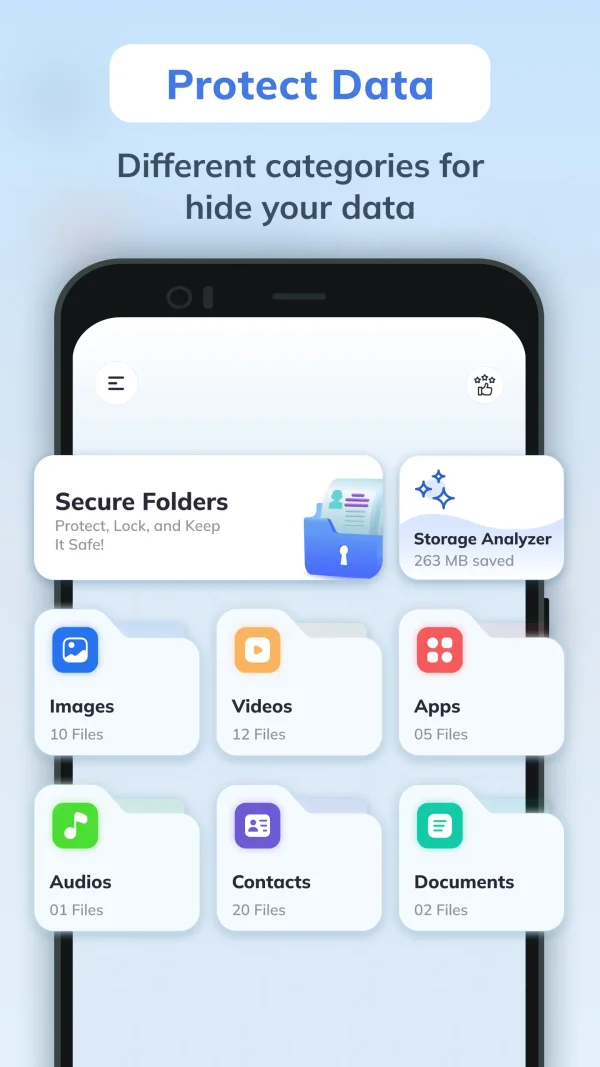
With My Folder : Safe Secure Folder app, you can secure your different types of device data in only app with various category like Images, Videos, Audios, Contacts, Documents.
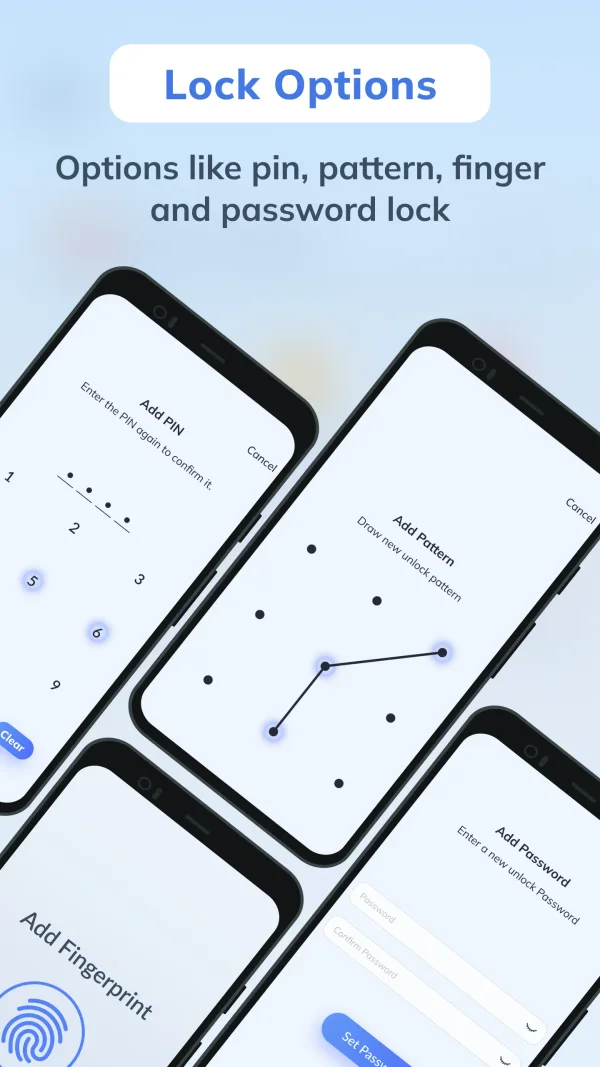
This app allows you to secure data with four different types of security locks and you can modify it too. Get many app icons with name and you change it as per your choice to secure this app.
Also it include App Lock feature to lock your installed apps of your device. also this feature provides 2 type of locks to secure device installed apps.
**App Features**
-- Secure & Hide Your device data with various folders.
-- Secure Folders, Images, Videos, Apps, Audios, Contacts, Documents type of various categories.
-- Rename file.
-- Share files to various app.
-- Unhide data to original path or new folder.
-- Permanently delete or move to trash option.
-- Recycle bin folder to restore deleted data or permanently delete.
-- Unhide all in one click.
-- Find and clean unwanted files, blurry images, duplicate photos and large files to free up storage.
-- Shake device to lock app.
-- Change app icon.
-- Lock device installed apps with Pattern or Pin lock.
-- Reset lock.
-- Set one master password for all type of lock.
-- Automatic apply lock when user click power button.
**Permission **
QUERY_ALL_PACKAGES :
In this App there is Applock functionality as per user selection we require the QUERY_ALL_PACKAGES permission to get the application list from device and as per user selection lock app.
Storage :
-- To access images, videos, audios, documents from device and perform operations
Device Administrator Permission :
-- To enable Uninstall Protection to prevent intruders from uninstalling this app
Draw over other apps :
-- To show lock screen while opening of locked apps
Read app usage data:
-- To Track running app to apply security lock
Data safety
What SM Infotech declares on Google Play about the data this app collects and shares.
- No data shared with third partiesLearn more about how developers declare sharing
- This app may collect these data typesDevice or other IDs
- Data isn’t encrypted
- Data can’t be deleted
Developer contact
- Websitewe00f12f5.app-ads-txt.com
- Emailsamadhiyala.mandal@gmail.com
- Privacy policycloudsync.xyz
- AddressPLOT 144,LAXMI SOCIETY KATARGAM, SURAT CITY, Gujarat 395004 India
Information
- Offered by
- SM Infotech
- Category
- Tools
- Version
- 1.1.8
- Updated
- Sep 21, 2026
- Released
- Apr 14, 2022
- Requires
- Android 7.0 or later
- Age rating
- Everyone
- Price
- Free
- In-app purchases
- $9.49 per item
- Package name
- com.sm.mysecurefolder
Similar apps
-
 LockMyPix Secret Photo Vault
Photography
-
 P Launcher
Tools
-
 Calculator Hide Photo, Video
Tools
-
 Applock - lock apps - pin lock
Tools
-
 App Lock: Fingerprint, Pattern
Productivity
-
 Calculator Pro: Calculator App
Tools
-
 Deleted Photo & Video Recovery
Tools
-
 LOCKit: App Lock, Photos Vault
Tools
-
 Hide Photo Vault &Videos
Tools
-
 AppLock
Tools
-
 AppLock
Tools
-
 One Key: password manager
Productivity