One4Widgets: Widget Maker
One4StudioIn-app purchases
- EveryoneAge rating
- PersonalizationCategory
- Nov 23, 2026Updated
- FreePrice
Links to the official Google Play listing of com.one4studio.one4widgets. Last checked on Nov 24, 2026.
Screenshots

About this app
Create custom widgets in Studio. Explore 500+ clock, photo and weather widgets.
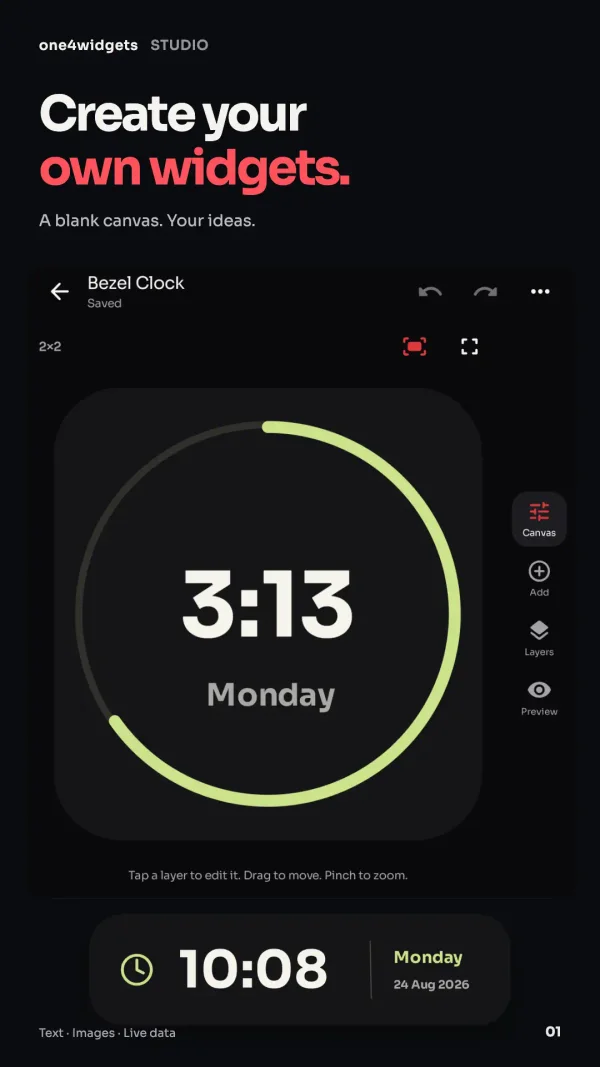
One4Widgets is a visual widget maker for Android. Create custom home screen widgets in Studio, or choose from 500+ ready-made clock, weather, photo, music, calendar and battery widgets.
BUILD YOUR OWN WIDGETS
Start with a blank canvas, an editable template or guided steps. Add text, images, icons, shapes and live data. Quick blocks help you begin with a clock, weather, battery, music, calendar or photo. Studio has 20 editable templates; the 500+ collection is the separate ready-made catalogue.
Add battery temperature, voltage, current and power, plus RAM, storage, display, sound, connection and device information. Use ready-formatted readings or numeric values in formulas.
CONTROL EVERY DETAIL
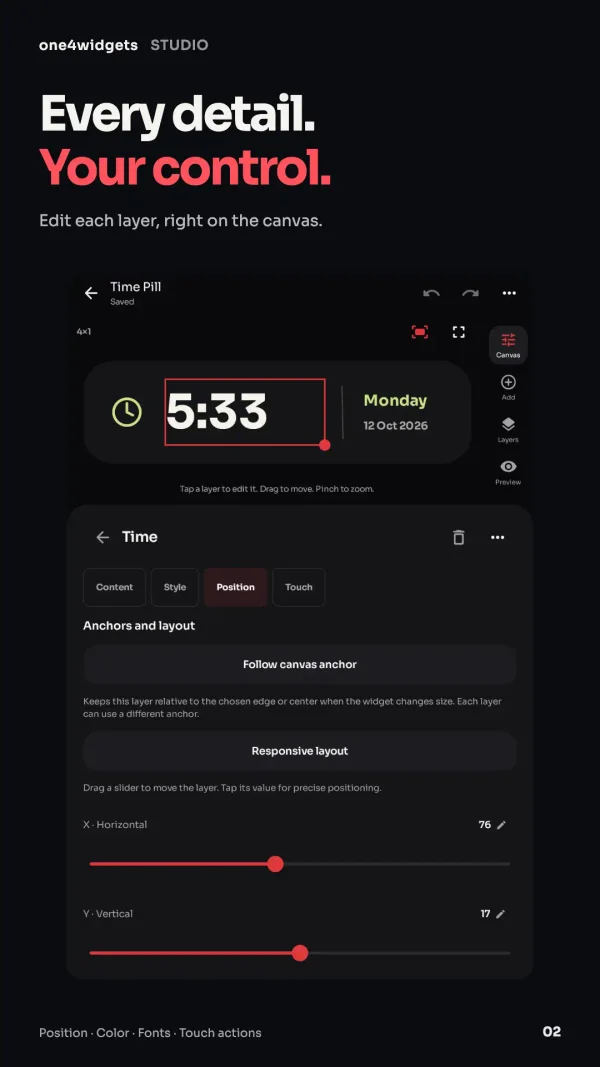
Move layers with X/Y sliders or exact values. Drag to reorder, group, align, hide, lock or delete them. Mix colors with HSV, RGB and opacity sliders. Adjust fonts, spacing, size and corners. Preview as you work, autosave your draft and undo changes. Choose resize anchors for the whole widget and individual layers, with fixed or scaling text sizes.
500+ WIDGETS FOR YOUR HOME SCREEN
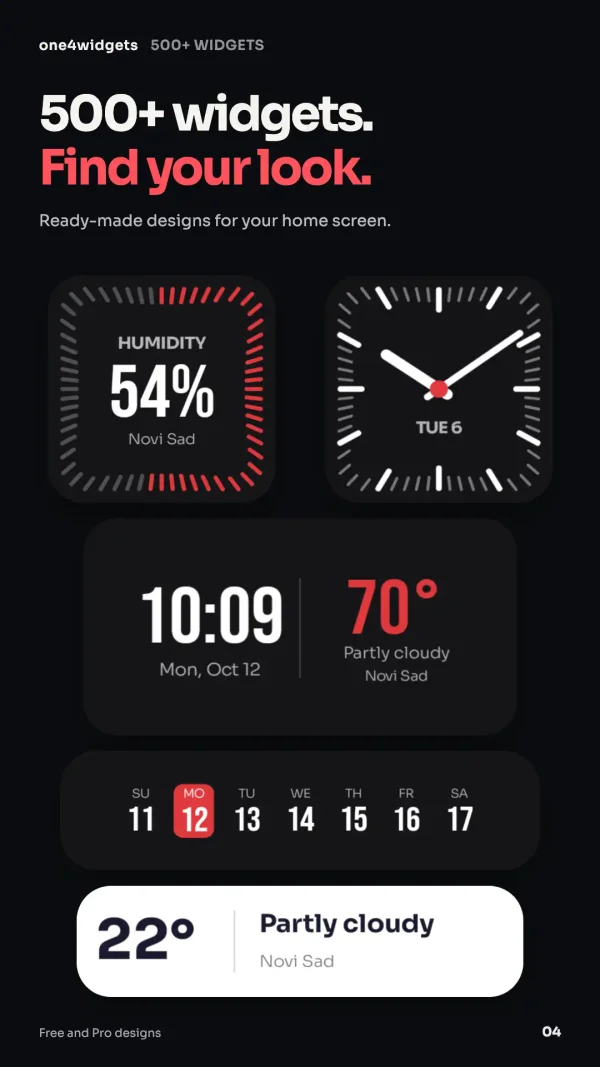
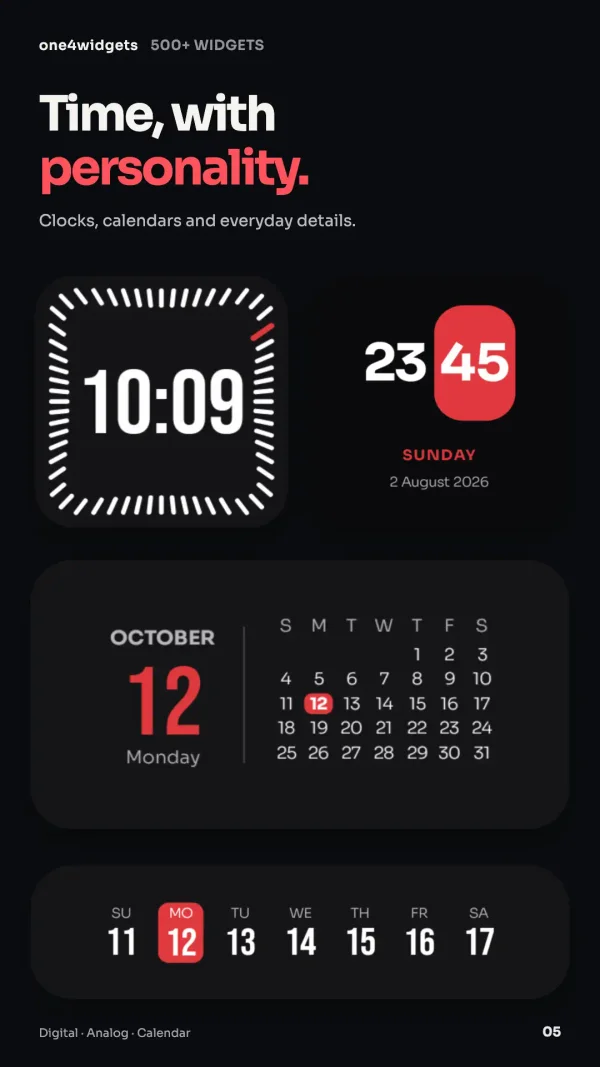
• Clock widgets: digital, analog, flip, minimal clocks and the Bezel collection.
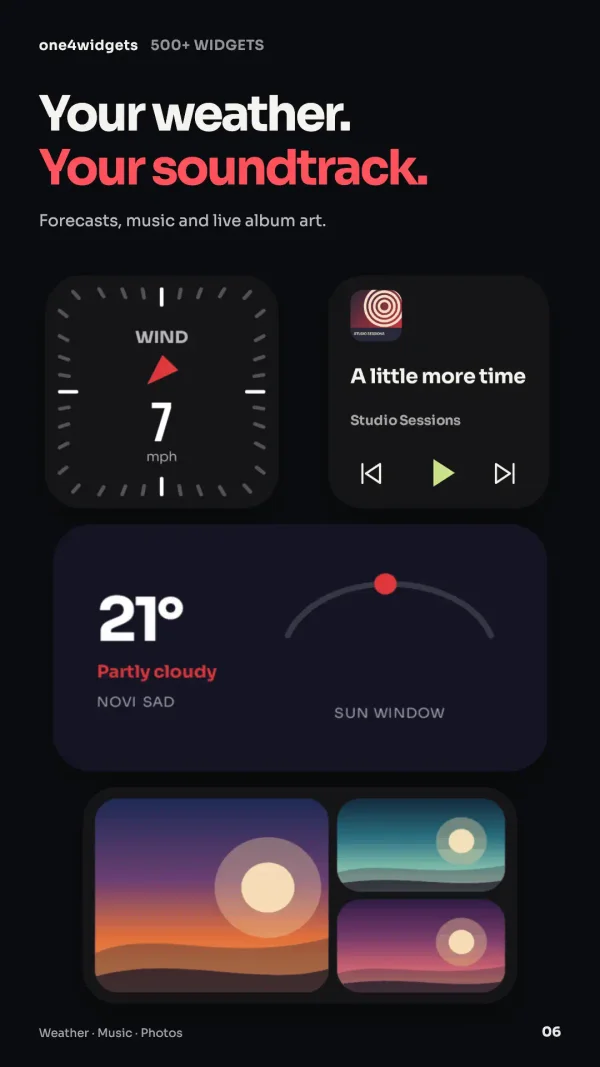
• Weather widgets: current conditions, hourly forecasts, wind, humidity and daylight.
• Photo and music widgets: your pictures, live album art and playback controls.
• Calendar widgets: dates, weeks, month views, agendas and countdowns.
• Battery and activity widgets: charge, steps, calories and daily progress.
• Notes, to-do lists, focus tools, quotes, stocks, currency and device information.
The collection includes free and Pro designs.
MATCH YOUR STYLE
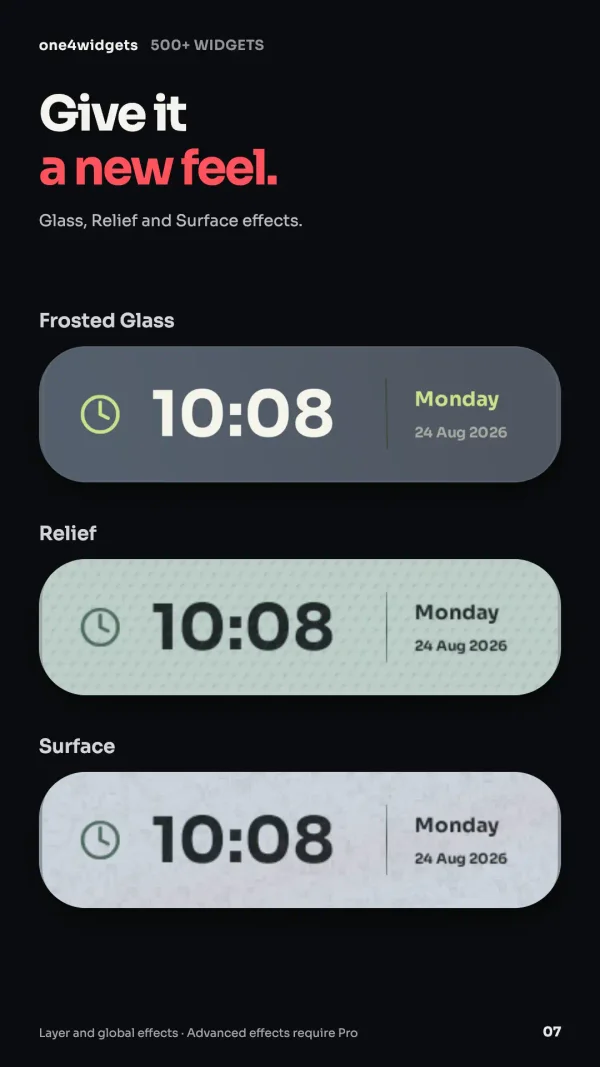
Create a minimal, dark or colorful home screen. Use transparent, photo, gradient or glass backgrounds. Fill a resized widget with a photo or album art while the content keeps its proportions. Add effects to one layer or the whole design, including Relief and Surface. Experimental GIF backgrounds include a still-image fallback. Advanced tools include imported fonts, SVG artwork, reusable blocks, formulas and optional web data. Give the background its own tap action, or disable background taps.
PROJECTS AND WIDGET PACKS
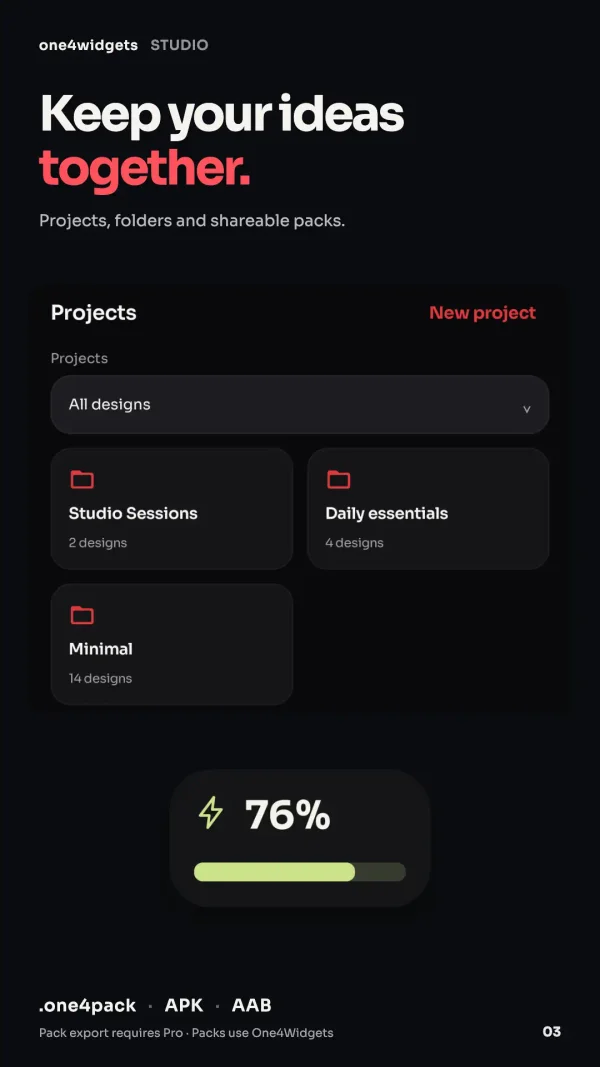
Keep designs in project folders and create size variants. Share designs or .one4pack collections. Pro lets makers export signed companion APK/AAB packs with their assets and signing-key backup. Pack apps require One4Widgets; authors publish through their own Play account.
WORKS WITH ONE4HOME
With a compatible One4Home build, basic Studio widgets have unlimited free placements. Follow Home colors, fonts and corners, use native Acrylic or Glass, and preview on its wallpaper and grid. Share selected Studio designs with a Home setup. One4Home Pro and One4Widgets Pro are separate purchases.
FREE STUDIO AND LIFETIME PRO
Free includes precise manual editing, unlimited local drafts and folders, static photos, basic glass and effects. Other launchers allow one active basic Studio widget. Advanced designs can be edited and previewed; applying them, extra placements on other launchers and exports require Pro. One4Widgets Pro is a one-time upgrade, with purchase restore supported.
Choose sizes from 1×1 to 4×4 in Studio. Use eleven app languages, Celsius or Fahrenheit, and light or dark themes. Live weather, music, calendar and health features depend on the relevant access and available data.
Data safety
What One4Studio declares on Google Play about the data this app collects and shares.
- This app may share these data types with third partiesLocation, App activity and 2 others
- This app may collect these data typesLocation, Personal info and 4 others
- Data is encrypted in transit
- You can request that data be deleted
What’s new
Version 1.11.78 · Nov 23, 2026
• 10 new widgets: Photo Weather, Photo Caption, Stock Gauge, Stock Board, Orbit Clock Weather, Chrono Strip, Rain Timeline, Sleep Score, Countdown Strip and Focus Pomodoro.
• The app is smaller, and the catalog and Studio editor run smoother.
• Stability and performance improvements.
Developer contact
- Websiteone4studio.com
- Emailsupport.one4studio@gmail.com
- Privacy policyone4studio.com
- AddressMilana Tepica 6 35230 Cuprija Serbia
Information
- Offered by
- One4Studio
- Category
- Personalization
- Version
- 1.11.78
- Updated
- Nov 23, 2026
- Released
- Jul 6, 2026
- Requires
- Android 7.0 or later
- Age rating
- Everyone
- Price
- Free
- In-app purchases
- $4.99 - $9.99 per item
- Package name
- com.one4studio.one4widgets
Similar apps
-
 heyUp: Custom Lock Screen
Personalization
-
 Zeel Walls - 4K Wallpapers
Personalization
-
 Borealis - Icon Pack
Personalization
-
 Ai Wallpapers : WallArt
Personalization
-
 Icon Pack Studio
Personalization
-
 PurpleLine Icon Pack : LineX
Personalization
-
 Ares Light: Pastel Icon Pack
Personalization
-
 StandBy Mode: Clock & Widgets
Personalization
-
 Lumina Wallpapers
Personalization
-
 Vera Icon Pack: shapeless icon
Personalization
-
 HDQWALLS 4k Wallpapers
Personalization
-
 Olympia - Cartoon Icons Pack
Personalization