StandBy Mode: Clock & Widgets
Zetabit TecnologiaContains ads · In-app purchases
- EveryoneAge rating
- PersonalizationCategory
- Nov 13, 2026Updated
- FreePrice
Links to the official Google Play listing of br.com.zetabit.ios_standby. Last checked on Nov 21, 2026.

Screenshots

About this app
Turn your Android into a powerful Desk or Bedside Clock that helps you Focus!
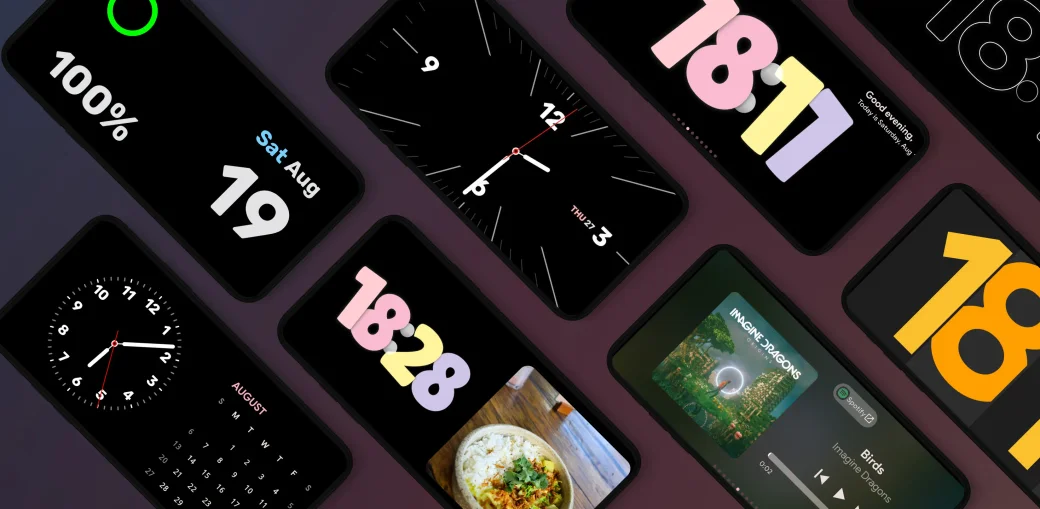
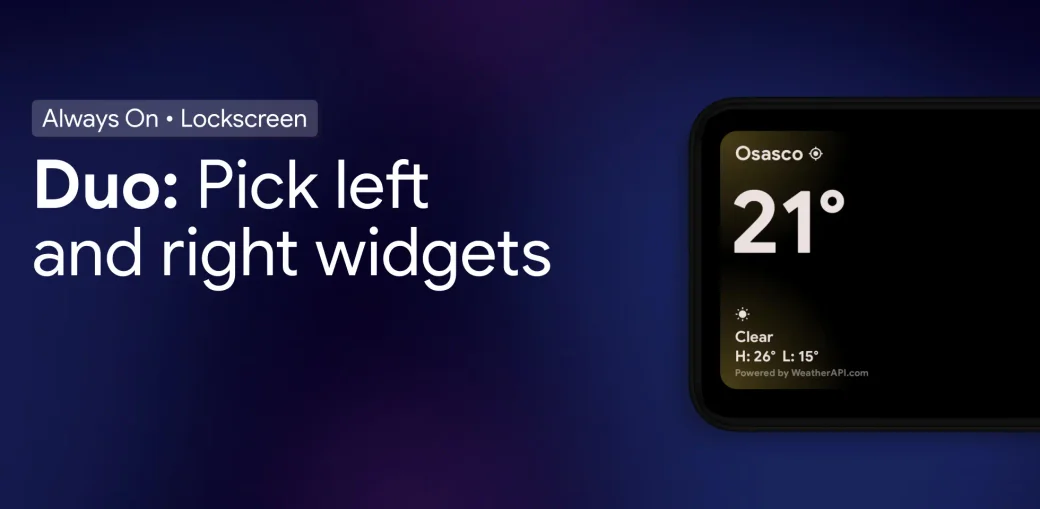
StandBy Mode brings the iOS StandBy screen to Android: an always on display (AOD) desk clock and night clock with widgets, shown while your phone, tablet or foldable charges. Next to the clock you can show your music, calendar, weather and more, large enough to read from across the room.
Choose from more than 100 clock faces, put two, three or four widgets side by side, and set the app to open by itself when you plug in the charger.
Full screen clocks
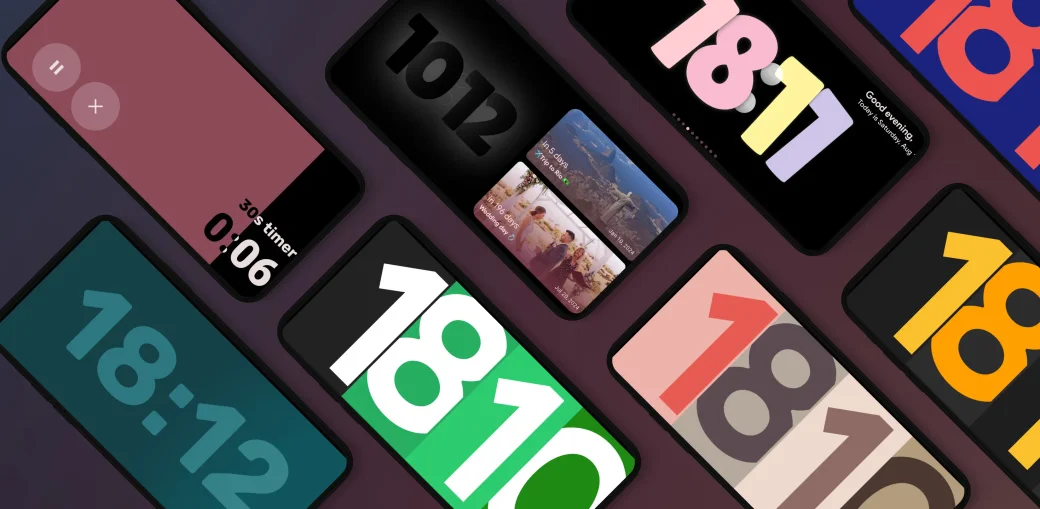
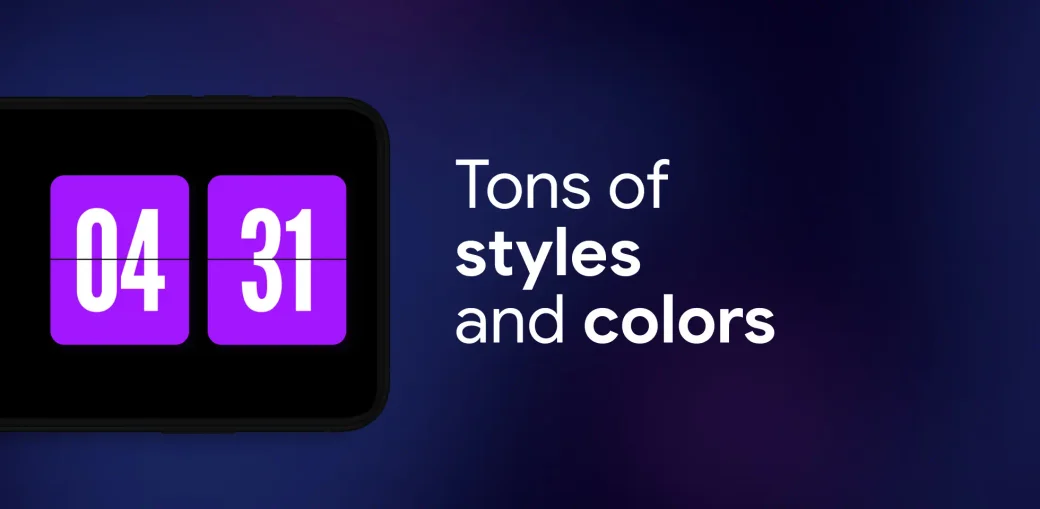
Digital clock with date, segmented LCD clock, flip clock, neon clock, analogue clock with digital time, solar clock, Matrix, pixel art, word clock, Roman numerals, world clock and a big Pixel-style crop clock. Each one lets you change colours, fonts and sizes, so the same app works as a bedside clock or as a desk clock in a home office. The dementia clock shows the full date, the day of the week and the time of day (morning, afternoon, night) in large text.
Always on display and night mode
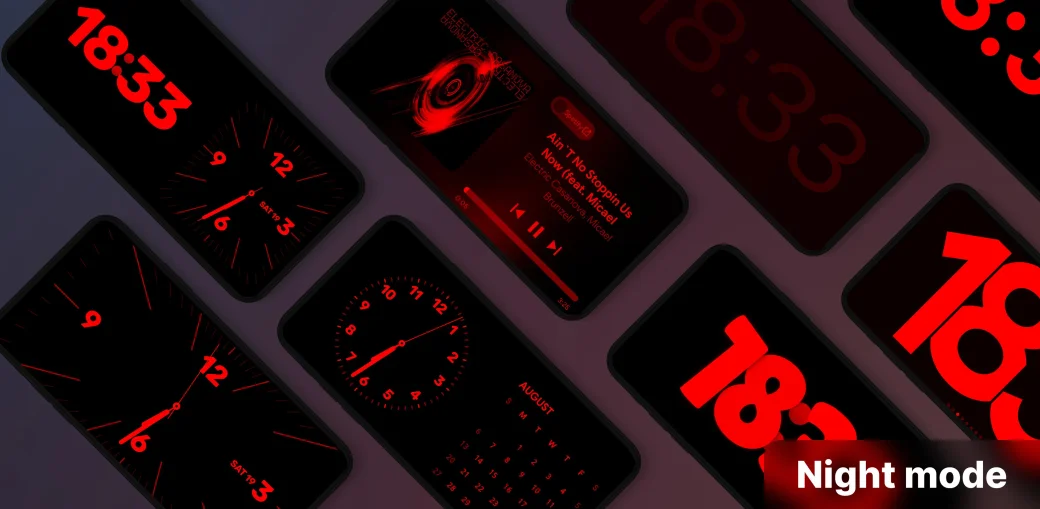
The AMOLED clock shows white digits on pure black, which makes it a good night clock: you can check the time without lighting up the room. Night Mode dims the screen and tints it red, on a schedule or with the light sensor, and you can set a separate brightness for day and night. Pixel shifting helps protect OLED screens from burn-in, and a sleep timer can turn the screen off after a set time.
Starts and stops on its own
Open the app when you plug in, only on wireless charging, only on Wi-Fi, only when the screen is off, or on a schedule. It can appear over the lock screen and close again when you unplug, and it also works as the Android screensaver, so the clock shows up when the device is docked or idle. The charging screen shows the battery level and how long until it is full.
Widgets side by side
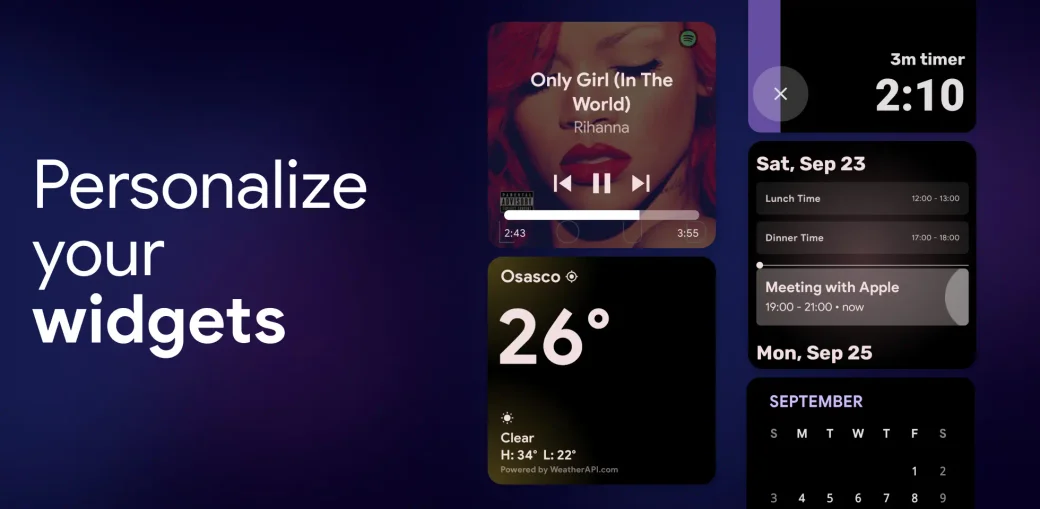
In the Duo layout, the most used widgets are the digital clock, the music player, the calendar and the System Dashboard, which shows battery and storage. There are also analogue and AMOLED clocks, battery widgets in several styles, weather, photos, quotes, GIFs, a to-do list, timers and any widget from the apps on your home screen. Small complications on the edges of any screen add the next alarm, the date, battery or progress through the year. The widget rotator can cycle through your favourites.
Music player with lyrics
Control Spotify, YouTube Music, Apple Music, Deezer and other apps from a music widget or a full screen player that shows the lyrics as the song plays.
Digital photo frame and weather clock
Use an old phone or tablet as a photo frame; the crop follows faces, so people stay in the picture. Weather clocks put the current weather and the forecast next to the time.
Focus and productivity
Pomodoro timer with focus insights, full screen timer, countdown, stopwatch, calendar agenda, tally counters, a sobriety counter and a calculator. Focus mode lets you pick which notifications can appear while StandBy Mode is open, and Spaces keep separate setups for home, work and focus.
Dashboards and extras
Command Center puts the clock, weather, agenda, audio and battery on one screen, and Starship Console shows the clock, weather, schedule and power readouts as a retro sci-fi display. Vibes plays lo-fi and study radio over calm visuals, and seasonal effects add falling snow in winter.
Phones, tablets and foldables
Turn an old tablet into a smart display on the kitchen worktop or the bedside table. The app works in landscape and portrait and is translated into more than 20 languages.
Privacy policy: https://zetabitapps.com/privacy-policy
Support: support@zetabitapps.com
Data safety
What Zetabit Tecnologia declares on Google Play about the data this app collects and shares.
- This app may share these data types with third partiesLocation, Personal info and 3 others
- This app may collect these data typesPersonal info, App activity and 2 others
- Data is encrypted in transit
What’s new
Version 2.3.3.582 · Nov 13, 2026
PREMIUM
• Night mode: Dark blue tint
• Photos: Weather under the clock
NEW
• Weather: Animated sky and today's details
• Foldables: Tent mode glow, the inner screen becomes a lamp
• Vibes: Videos can now fill the screen
FIXES & IMPROVEMENTS
• Premium: Fix being asked to buy again when offline
• Player: Fix getting stuck on an old track
• To-do list: Ask before deleting a list
• Fix text cut off on small phones
• Fix some crashes
Developer contact
- Websitezetabitapps.com
- Emailsupport@zetabitapps.com
- Privacy policyzetabitapps.com
- AddressR. Eulo Maroni, 170 - BL 7 APTO 22 Vila Lageado SÃO PAULO - SP 05338-100 Brazil
Information
- Offered by
- Zetabit Tecnologia
- Category
- Personalization
- Version
- 2.3.3.582
- Updated
- Nov 13, 2026
- Released
- Jun 7, 2023
- Requires
- Android 7.0 or later
- Age rating
- Everyone
- Price
- Free
- In-app purchases
- $0.49 - $54.99 per item
- Package name
- br.com.zetabit.ios_standby
Similar apps
-
 Quikshort: Shortcut Creator
Tools
-
 Zeel Walls - 4K Wallpapers
Personalization
-
 heyUp: Custom Lock Screen
Personalization
-
 Minimal Widgets
Personalization
-
 Digital Clock Widget
Tools
-
 Widgeet-Color Widgets(Widget)
Personalization
-
 Talking Alarm Clock Beyond
Tools
-
 True Edge: Edge Lighting & AOD
Personalization
-
 Good Lock
Tools
-
 DNA Launcher ‧ Home Screen
Personalization
-
 Borealis - Icon Pack
Personalization
-
 Flip Clock: World Clock
Productivity