PS Remote Play
PlayStation Mobile Inc.- EveryoneAge rating
- EntertainmentCategory
- Sep 2, 2026Updated
- FreePrice
Links to the official Google Play listing of com.playstation.remoteplay. Last checked on Nov 19, 2026.

Screenshots
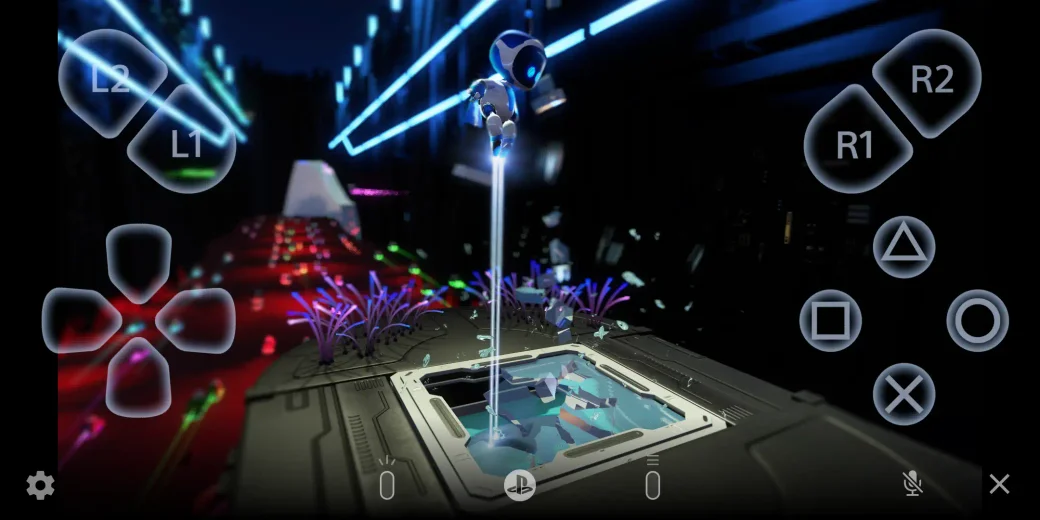
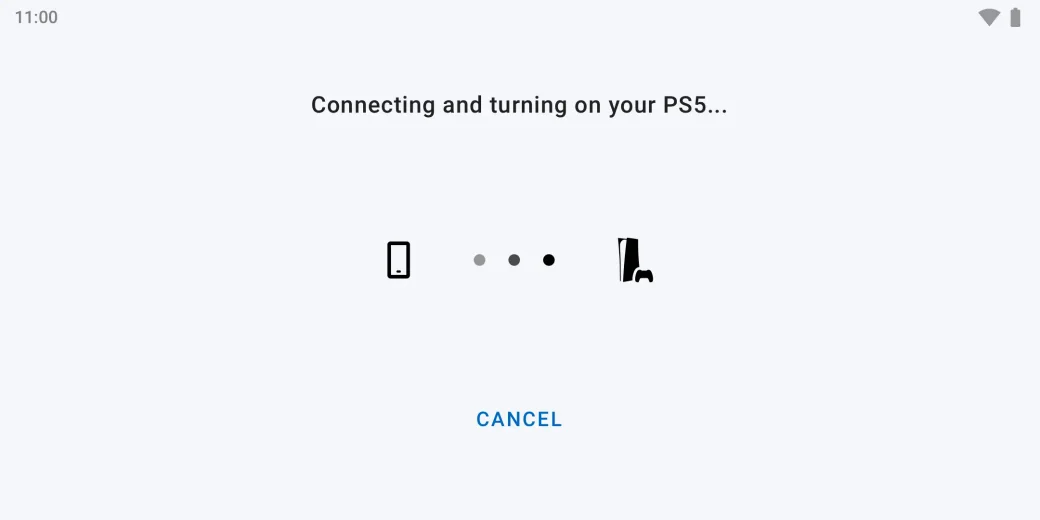
About this app
Access your PS5 or PS4 wherever you go.
Use PS Remote Play to access your PS5™ or PS4™ wherever you go.
With PS Remote Play, you can:
• Display the PlayStation®5 or PlayStation®4 screen on your mobile device.
• Use the on-screen controller on your mobile device to control your PS5 or PS4.
• Use the DUALSHOCK®4 wireless controller.
• Use the DualSense™ wireless controller on mobile devices with Android 12 or later installed.
• Use the DualSense Edge™ wireless controller on mobile devices with Android 14 or later installed.
• Use the Backbone One PlayStation® Edition on USB Type-C Android smartphones.
• Join voice chats using the mic on your mobile device.
• Enter text on your PS5 or PS4 using the keyboard on your mobile device.
To use this app, you need the following:
• A mobile device with Android 11 or later installed
• A PS5 or PS4 console with the latest system software version
• An account for PlayStation
• A fast and stable internet connection
When using mobile data:
• Depending on your carrier and network conditions, you may not be able to use Remote Play.
• Remote Play uses a lot more data than most video streaming services. Data charges may apply.
Verified devices:
• Google Pixel 10 series
• Google Pixel 9 series
• Google Pixel 8 series
Using your Controller:
• You can use the DUALSHOCK 4 wireless controller. (On devices with Android 11 installed, use the on-screen controller to use the touch pad function.)
• You can use the DualSense wireless controller on mobile devices with Android 12 or later installed.
• You can use the DualSense Edge wireless controller on mobile devices with Android 14 or later installed.
• You can use the Backbone One PlayStation® Edition on USB Type-C Android smartphones.
Please note:
• This app may not work properly on unverified devices.
• This app may not be compatible with some games.
• Your controller may vibrate differently from when playing on your PS5 or PS4 console.
• Depending on your mobile device's performance, you might experience input lag when using your wireless controller.
App subject to end-user licence agreement:
www.playstation.com/legal/sie-inc-mobile-application-license-agreement/
Data safety
What PlayStation Mobile Inc. declares on Google Play about the data this app collects and shares.
- No data shared with third partiesLearn more about how developers declare sharing
- This app may collect these data typesApp activity
- Data is encrypted in transit
- You can request that data be deleted
What’s new
Version 9.5.0 · Sep 2, 2026
• We've made some performance improvements.
• This app no longer supports Android 10.
Developer contact
- Websiteplaystation.com
- Emailremoteplay-contact@hq.scei.sony.co.jp
- Privacy policyplaystation.com
- Address2207 Bridgepointe Pkwy San Mateo, CA 94404-5060 United States
Information
- Offered by
- Google Commerce Ltd
- Category
- Entertainment
- Version
- 9.5.0
- Updated
- Sep 2, 2026
- Released
- Oct 28, 2014
- Requires
- Android 11 or later
- Age rating
- Everyone
- Price
- Free
- Package name
- com.playstation.remoteplay
Similar apps
-
 Grand Theft Auto V: The Manual
Entertainment
-
 dataDex - Pokédex for Pokémon
Tools
-
 Smart Connect
Productivity
-
 Cardboard
Libraries & Demo
-
 MasterDex - Complete Pokedex
Entertainment
-
 Samsung TV Plus - TV & Movies
Entertainment
-
 MERCUSYS
Tools
-
 JoyArk Cloud Gaming
Entertainment
-
 spacedesk - Display for PC+Mac
Productivity
-
 GAME Network
Sports
-
 HappyLighting
Personalization
-
 The Arcade · Game Hub Launcher
Personalization