Ratio: Productivity Homescreen
Prometheus Interactive LLCContains ads · In-app purchases
- EveryoneAge rating
- ProductivityCategory
- Jun 8, 2026Updated
- FreePrice
Links to the official Google Play listing of com.bllocosn. Last checked on Nov 20, 2026.
Screenshots

About this app
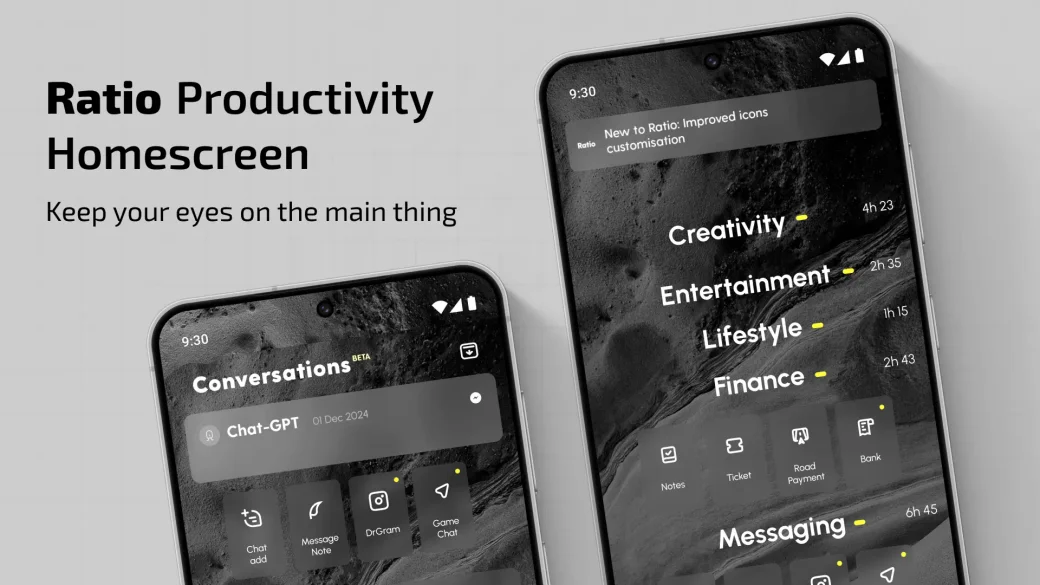
Improve productivity and focus. Homescreen, texting app, and widgets all in one.
Ratio Launcher: Productivity Homescreen – Personalize Your Phone and Customize Home Screen!
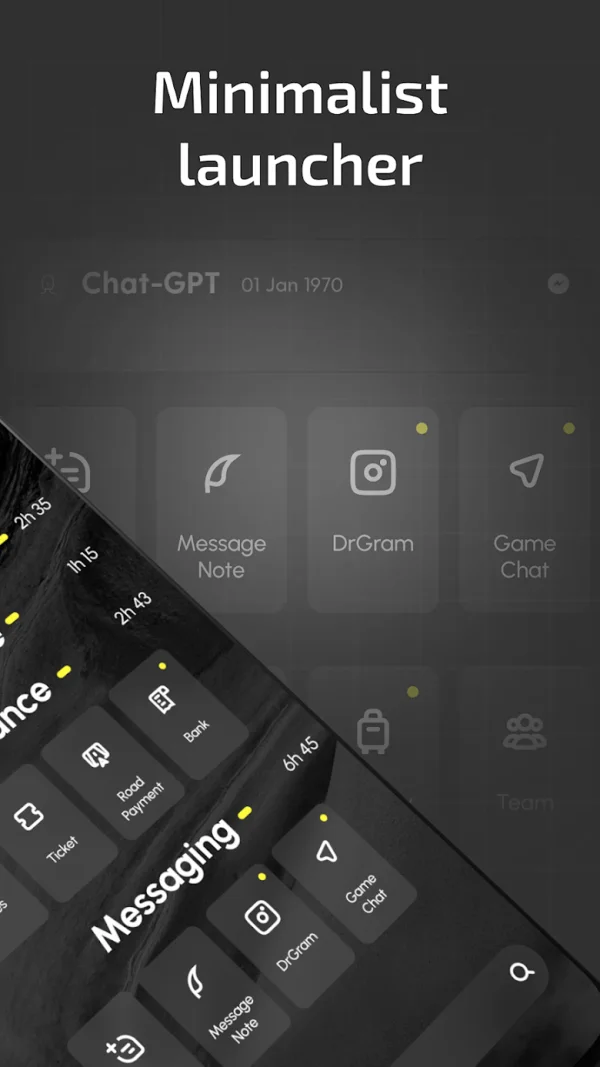
Your phone organizer is a tool, and with Ratio Launcher: Productivity Homescreen, you have the option to use it efficiently. This customizer & minimalist launcher aims at reducing distractions so that you can achieve your goals with ease. Your phone will transform into a highly productive phone organizer. Ratio Launcher: Productivity Homescreen gives you the power to stay in control at all times.Your phone customizer will no longer be a distraction, but a productivity tool!
📄Key Features of Ratio Launcher: Productivity Homescreen:📄
📱 Smart phone organizer – Get instant access to grouped apps.
📱 Minimalist design – Clean and distraction free customize home screen app.
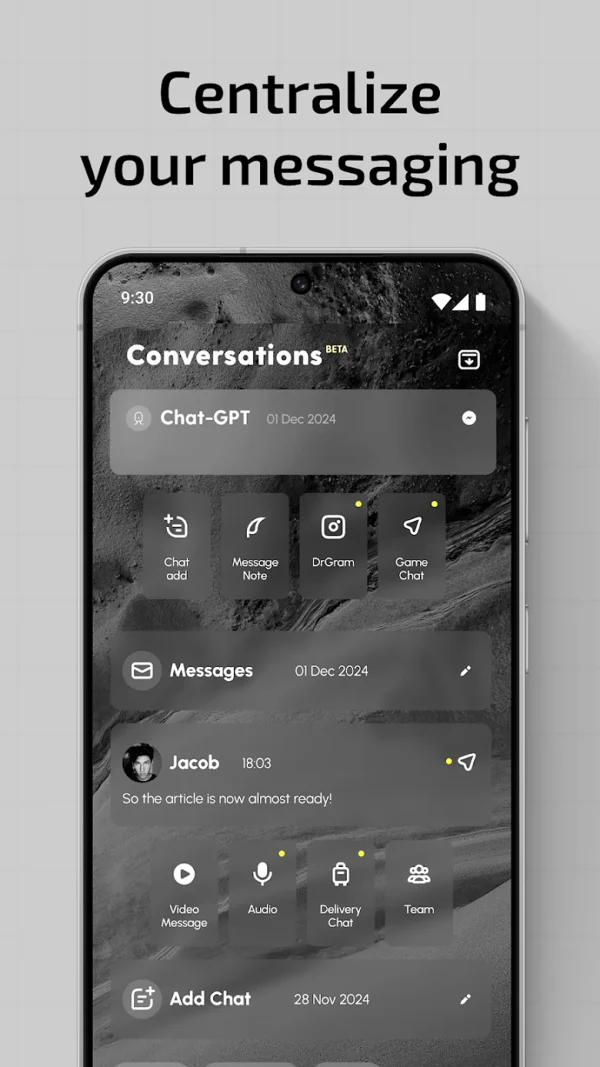
📱 Universal search – Search for apps, contacts, and other information all in one place.
📱 Time tracker – Increase productivity by controlling app usage.
📱 App Lock & App Hider – Hide your apps and keep them private.
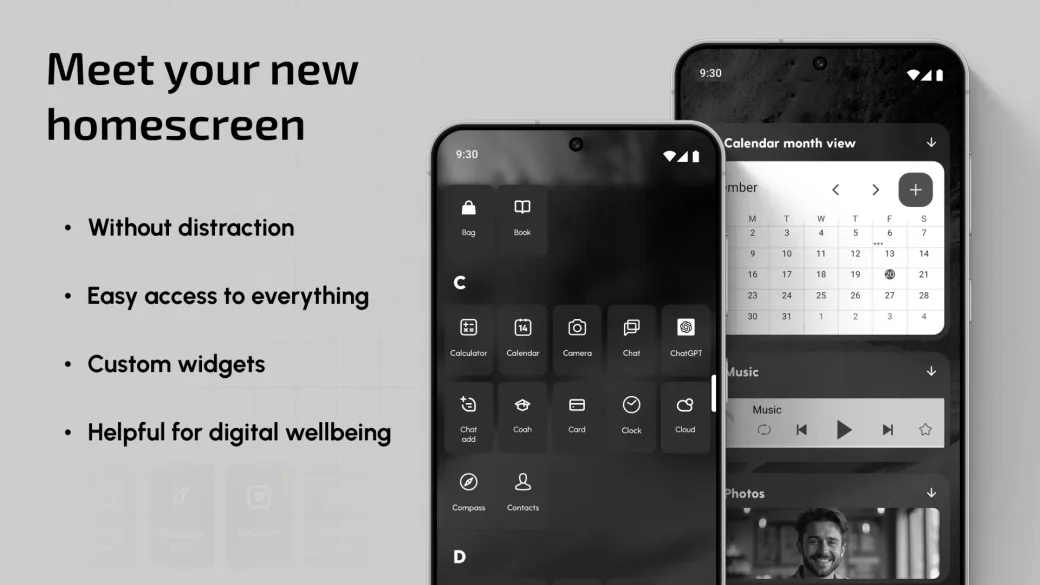
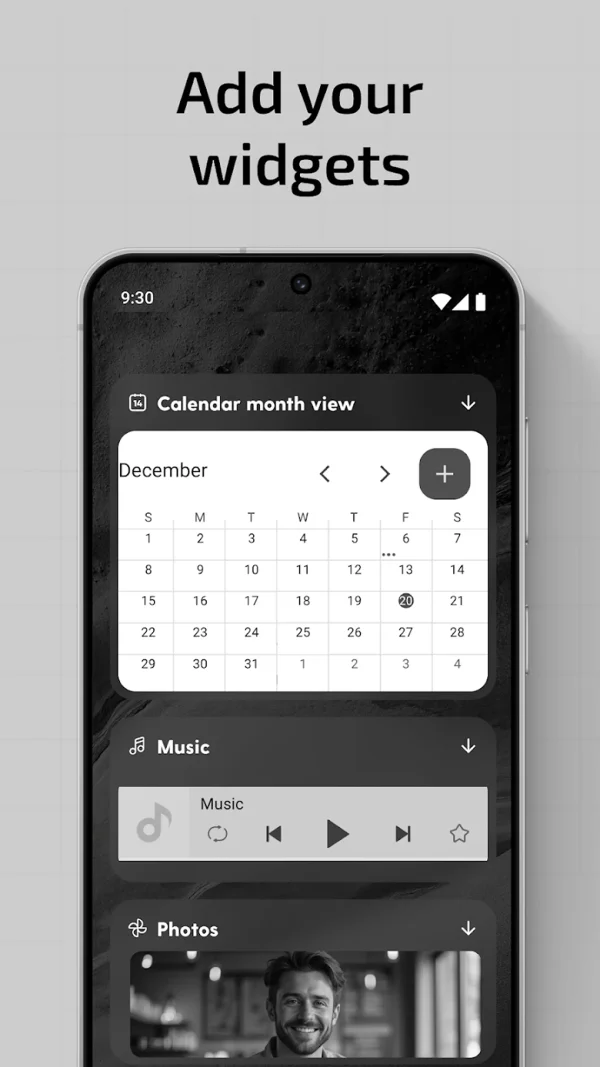
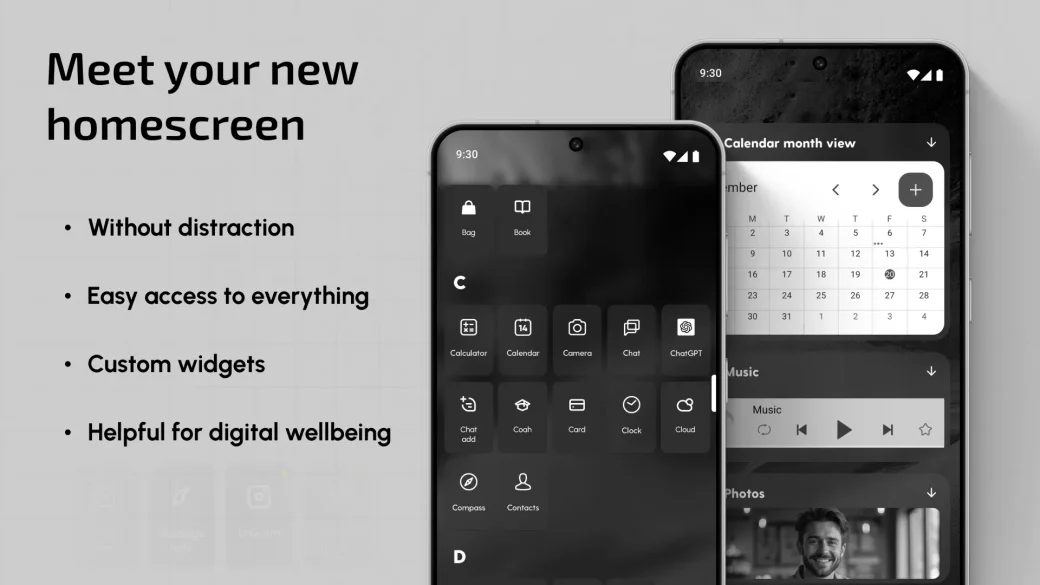
📱 Custom widgets – Weather, notes, media player, integrated calendar, and many more.
📱 Dark mode, Light mode & Focus mode – Customize the interface according to your needs.
A smartphone productivity tool as an easy home screen customizer & minimalist launcher!
Easy Home Screen Customizer & Minimalist Launcher is not simply a home screen customizer & minimalist launcher but a powerful productivity tool.Effortless Organization with Smart Drawers:📂
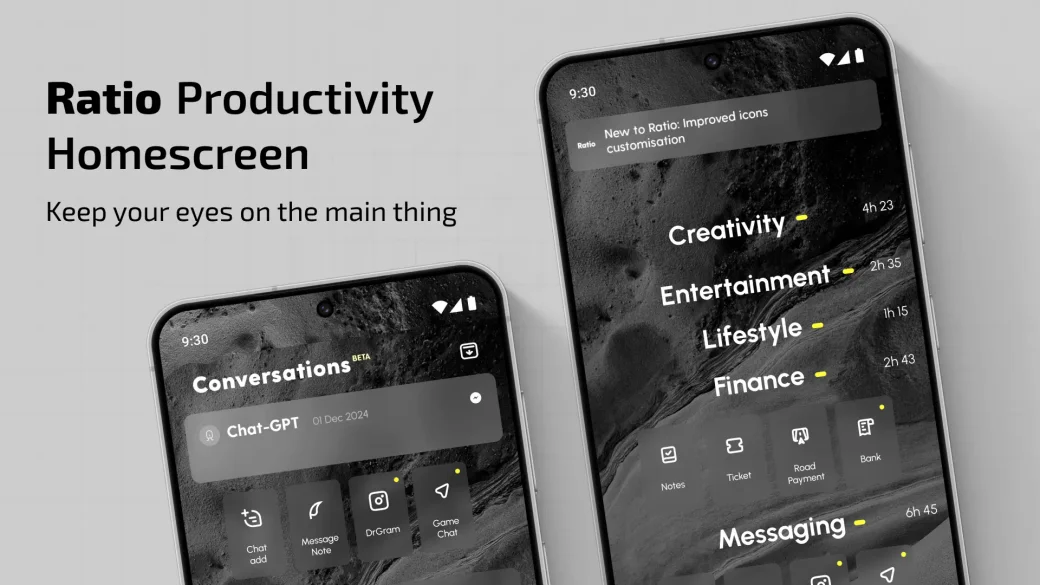
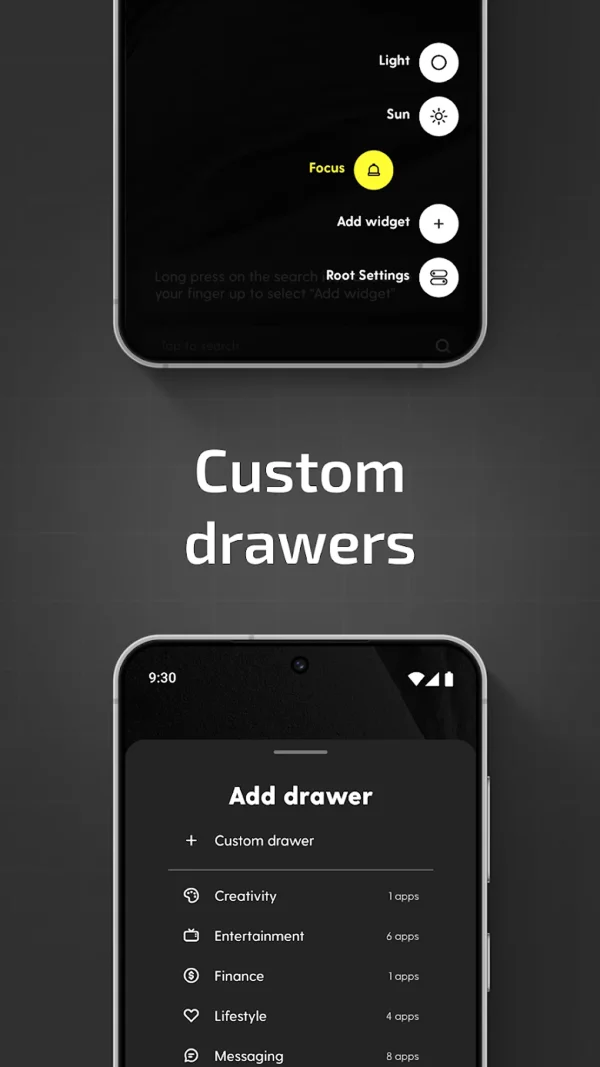
With Phone Customizer, your apps can be stored in drawers which are set in pace with your lifestyle. Either allow the System to auto- sort apps into Creativity, Finance, and so on, or manually adjust them to your liking in this phone organizer. Put your most-used apps on the screen while cutting down clutter.
Privacy and Control with App Lock & App Hider:🔒
Ratio Launcher: Productivity Homescreen is all about making sure your privacy comes first. Lock off some sensitive apps to hide unnecessary ones and enjoy a distraction-free and easy home screen customizer. You can clean up your source of distraction, which will allow you to stay at work and, at the same time, take control of your device security with this phone organizer.
Custom Widgets for Productivity:📆
Ratio Launcher: Productivity Homescreen combines essential widgets Calendar, Weather, Notes, and Media Player for streamlined daily tasks to be done with utmost productivity. Customize home screen and receive instant updates without shifting between different applications.
Customize Home Screen Experience:🎨
Customization is crucial for Phone Customizer users. Pick from Dark Mode, Light Mode, Focus Mode, and Sun Mode. Whether you’re in need of a high-contrast display or a sleek minimal interface, this easy home screen customizer & minimalist launcher has a setting tailored for you.
Upgrade Your Phone Customizer Experience Today!
Ratio Launcher: Productivity Homescreen empowers you to transform your device and take command of your digital life. This phone customizer enables effortless switches between devices. Customization is crucial for Ratio Launcher: Productivity Homescreen users with features you need to reduce distractions. Maximizing productivity and improving focus has never looked so beautiful with this easy home screen customizer & minimalist launcher.Use of Accessibility Service:
This app uses the AccessibilityService API to provide the best possible experience.
- We do not collect any personal information through accessibility services.
- We will not read your screen's sensitive data or any content.
- For this app to function properly, we need the Accessibility Permission. Accessibility services are required to receive a response from the system when the top of the screen is touched to trigger the shade and to retrieve window content: Required for automatic clicking of some settings after the user chooses they want to toggle them in the app-provided interface.
Data safety
What Prometheus Interactive LLC declares on Google Play about the data this app collects and shares.
- This app may share these data types with third partiesDevice or other IDs
- No data collectedLearn more about how developers declare collection
- Data is encrypted in transit
- Data can’t be deleted
Developer contact
- Websiteuseprometheus.app
- Emailsupport.productivityapp@useprometheus.app
- Privacy policyuseprometheus.app
- Address8 The Grn Ste 4184 Dover, DE 19901-3618 United States
Information
- Offered by
- Prometheus Interactive LLC
- Category
- Productivity
- Version
- 7.3.0
- Updated
- Jun 8, 2026
- Released
- Sep 14, 2020
- Requires
- Android 8.1 or later
- Age rating
- Everyone
- Price
- Free
- In-app purchases
- $0.99 - $99.99 per item
- Package name
- com.bllocosn
Similar apps
-
 Love Launcher: lovely launcher
Personalization
-
 EDGE Lighting -LED Borderlight
Personalization
-
 DNA Launcher ‧ Home Screen
Personalization
-
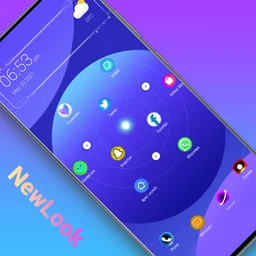 Newlook Launcher - Galaxy Star
Personalization
-
 A Launcher : Galaxy A Launcher
Personalization
-
 P Launcher
Tools
-
 Cool Mi Launcher - CC Launcher
Personalization
-
 Color Launcher, cool themes
Personalization
-
 CMM Launcher 2.0
Personalization
-
 Color Widgets, Theme: iWidgets
Lifestyle
-
 Minimal Widgets
Personalization
-
 Stylish Fonts Keyboard
Personalization