Sound Amplifier
Google LLC- EveryoneAge rating
- CommunicationCategory
- Mar 25, 2026Updated
- FreePrice
Links to the official Google Play listing of com.google.android.accessibility.soundamplifier. Last checked on Nov 19, 2026.
Screenshots

About this app
Filter, augment and amplify the sound around you and on your device.
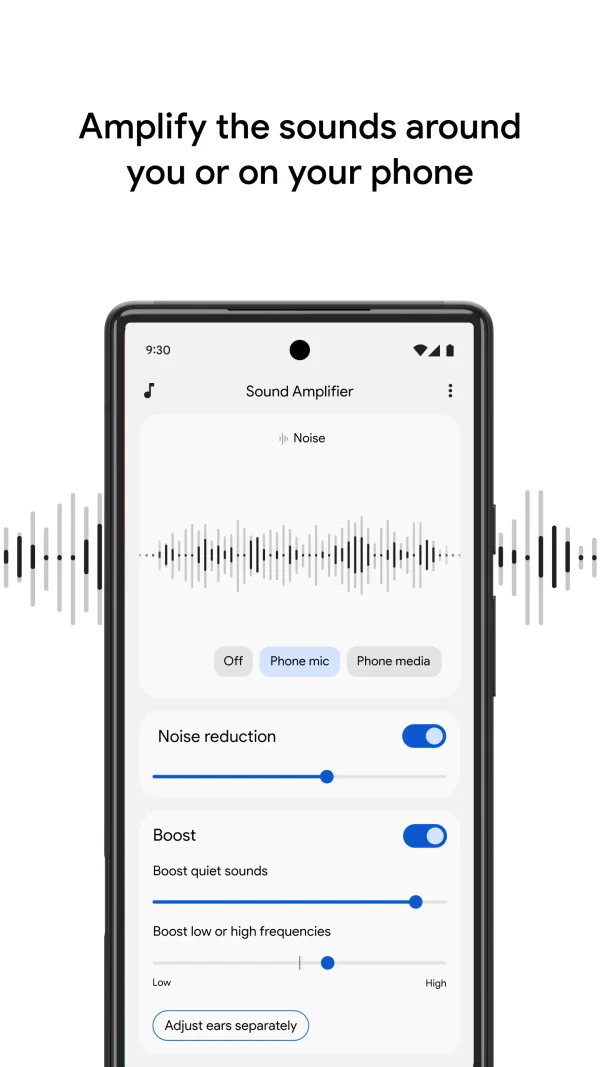
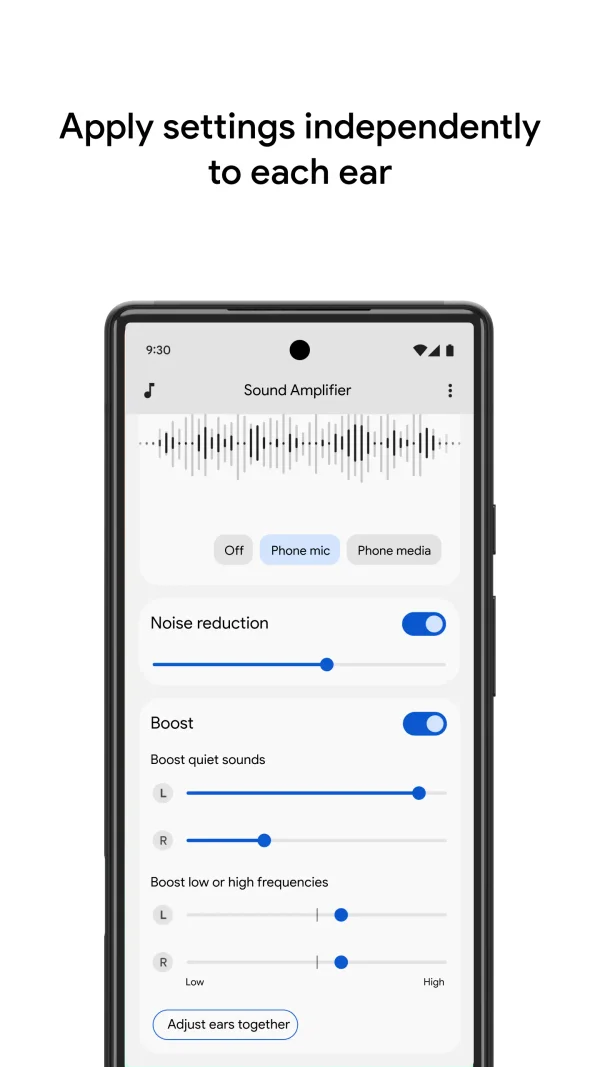
Sound Amplifier makes everyday conversations and surrounding sounds more accessible among people who are hard of hearing, using just your Android phone and a pair of headphones. Use Sound Amplifier to filter, augment and amplify sounds around you and on your device.
Features
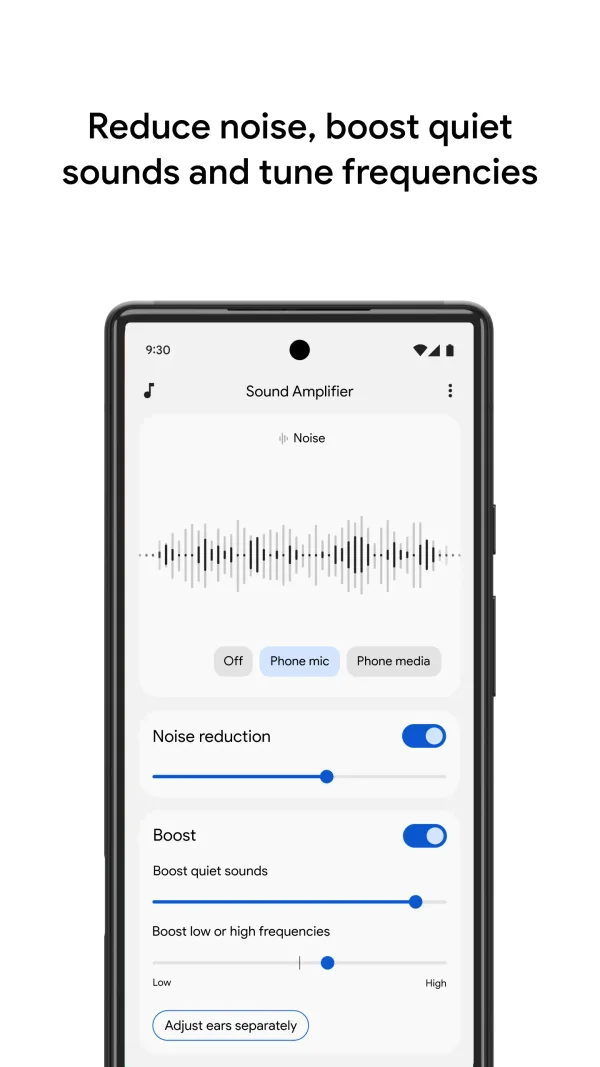
• Reduce unwanted noise to recognise speech better.
• Focus on a speaker’s voice in noisy environments with conversation mode. (Available for Pixel 3 and above.)
• Listen to conversations, TV or lectures. For audio sources that are farther away, Bluetooth headphones are recommended. (Bluetooth headphones might have delayed sound transmission.)
• Personalise your listening experience for surrounding conversation or media playing on your device. You can reduce noise or boost low frequency, high frequency or quiet sounds. Set your preferences for both ears or separately for each ear.
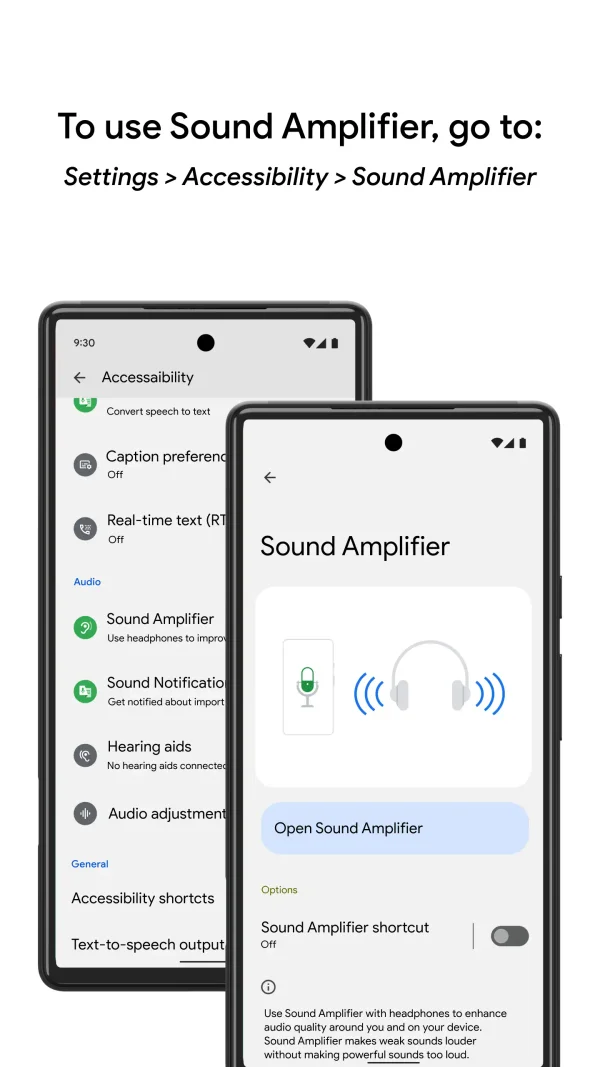
• Turn Sound Amplifier on and off using the Accessibility button, a gesture or Quick Settings. Learn more about the Accessibility button, gesture and Quick Settings: https://support.google.com/accessibility/android/answer/7650693
Requirements
• Available for Android 8.1 and later.
• Pair your Android device with headphones.
• Conversation mode is currently available on Pixel 3 and above.
Send us your feedback on Sound Amplifier by emailing: sound-amplifier-help@google.com. For help using Sound Amplifier, connect with us at https://g.co/disabilitysupport.
Permissions notice
• Microphone: Access to the microphone will allow Sound Amplifier to process the audio for amplification and filtering. No data is collected or stored.
• Accessibility service: Since this app is an accessibility service, it can observe your actions, retrieve window content and observe text that you type.
Data safety
What Google LLC declares on Google Play about the data this app collects and shares.
- No data shared with third partiesLearn more about how developers declare sharing
- This app may collect these data typesPersonal info, Audio and 3 others
- Data is encrypted in transit
- Data can’t be deleted
What’s new
Mar 25, 2026
This update includes bug fixes.
Developer contact
- Emailsound-amplifier-help@google.com
- Privacy policygoogle.com
- Address1600 Amphitheatre Pkwy Mountain View, CA 94043 United States
Information
- Offered by
- Google LLC
- Category
- Communication
- Updated
- Mar 25, 2026
- Released
- Feb 4, 2019
- Age rating
- Everyone
- Price
- Free
- Package name
- com.google.android.accessibility.soundamplifier
Similar apps
-
 Extra Volume Booster, XBooster
Music & Audio
-
 Equalizer- Bass Booster&Volume
Music & Audio
-
 myPhonak
Medical
-
 Voice Recorder & Voice Memos
Music & Audio
-
 Microphone Amplifier
Medical
-
 Recorder
Tools
-
 Poweramp Music Player
Music & Audio
-
 Boom: Bass Booster & Equalizer
Music & Audio
-
 Voice Recorder & Audio Editor
Music & Audio
-
 Voice Recorder Audio Sound MP3
Music & Audio
-
 SPL Meter : dB & sound meter
Tools
-
 Voice Recorder
Music & Audio