Spring - Video Editor & Maker
KineMaster, Video Editor Experts GroupContains ads · In-app purchases
- TeenAge rating
- Video Players & EditorsCategory
- Nov 10, 2026Updated
- FreePrice
Links to the official Google Play listing of com.kinemaster.app.spring. Last checked on Nov 20, 2026.

Screenshots



About this app
Edit videos for free, no watermark! Make great Reels, Shorts, and TikTok videos.
[ Make Your Videos Your Way! ]
● Cut, combine, caption, overlay, and animate!
● AI tools make editing easy
● No watermarks, no sneaky purchases
● Supports up to 4K at 60FPS
[ AI That Helps! ]
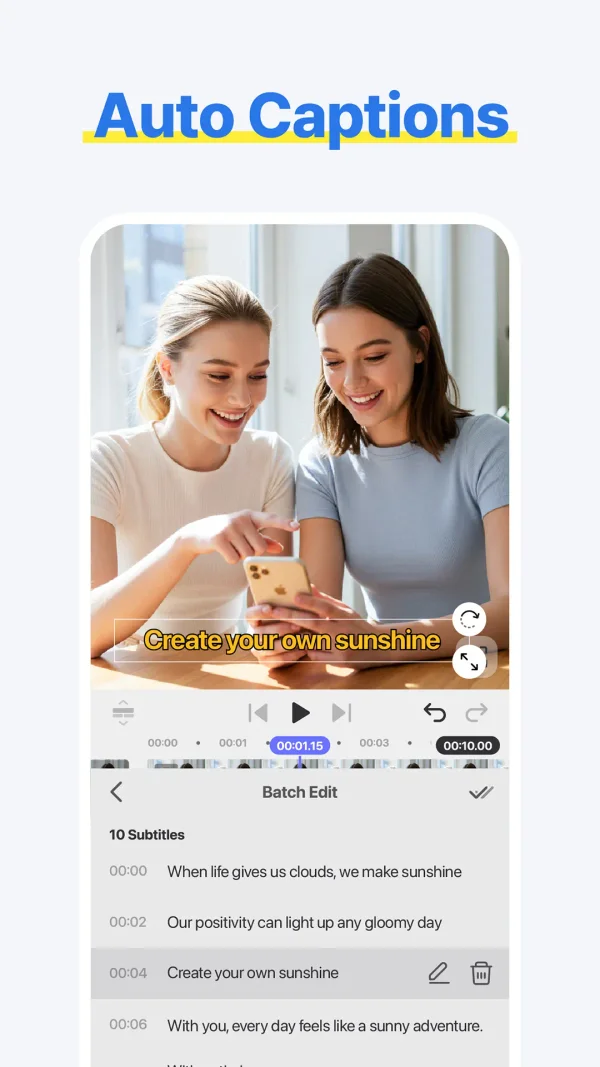
● AI Auto Captions: Add subtitles instantly from video or audio
● AI Text-to-Speech: Create spoken audio from text with one tap
● AI Music Match: Get song recommendations fast
● AI Magic Removal & Noise Remover: Cut out the background and zap annoying sounds
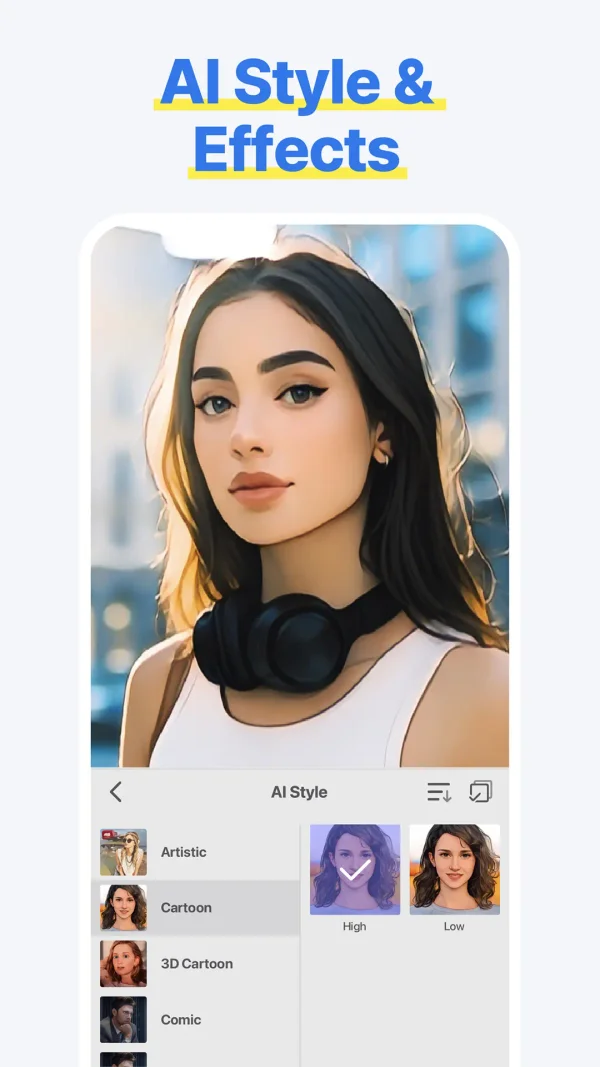
● AI Tracking, AI Upscaling, and AI Styles: Powerful AI tools to completely change how your video looks
[ Done In 60 Seconds: Reels, Shorts, and TikTok Templates ]
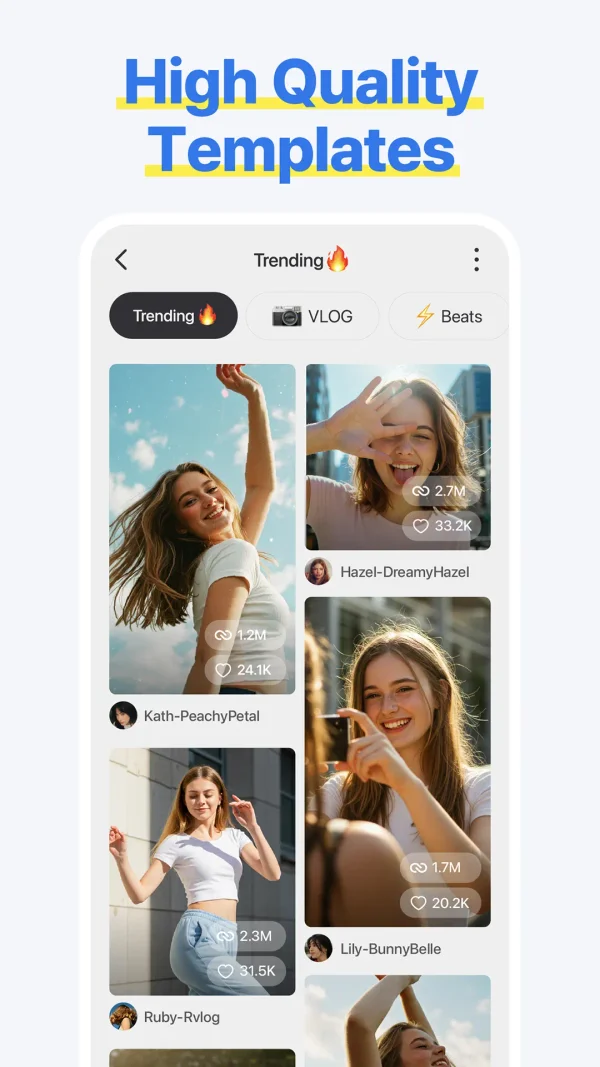
● Provides trendy short-form templates
● Quickly complete by simply changing images or videos
● Supports template saving, sharing, and collaboration functions
[ Use Easy & Powerful Editing Tools ]
● Make fast cuts, merge clips, make speed adjustments, and rewind
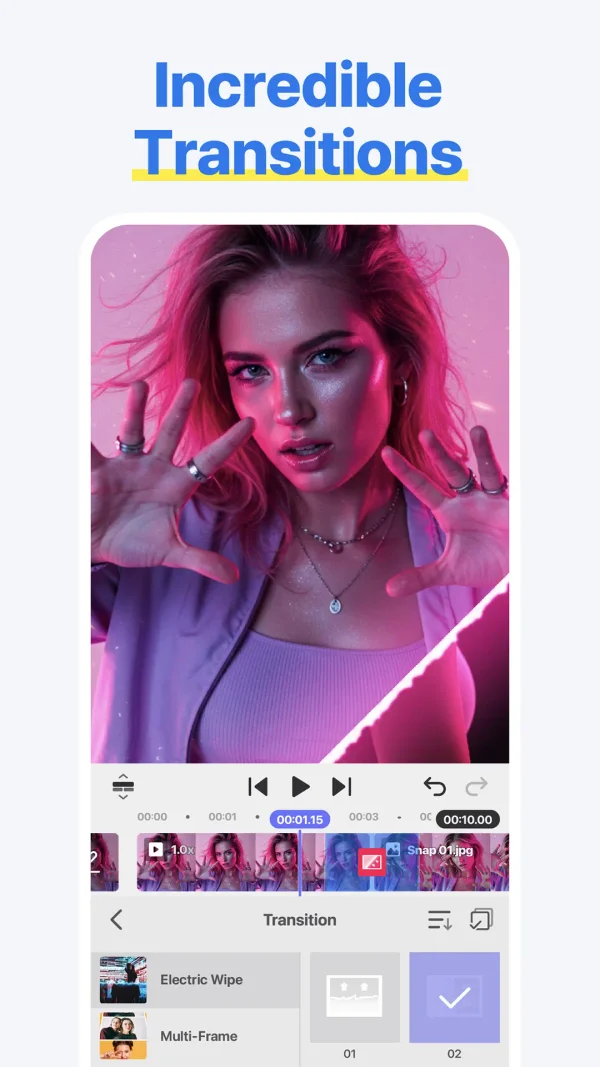
● Use pan & zoom, transitions, effects, and slow motion
● Add subtitles, text, stickers, and fun visual effects
● Make color corrections, voice changes, or animate with keyframes
[ ""Use-it-Anywhere"" Music and Sound Effects ]
● Amazing background music and sound effects
● Safely upload to YouTube, Instagram, and TikTok
[ Design & Decorate Your Videos ]
● Choose from tons of stickers, graphic animations, and effects
● Vibe with fun, trending and free video creative elements
[ Make 4K Videos or HD Clips for Social Media ]
● Save up to 4K resolution and 60 frames per second
● Upload to social media, including YouTube, TikTok, and Instagram
● Create special effects with transparent background videos (ideal for design and motion graphics work)
Terms of Use for Spring and Asset Store Use:
https://resource.kinemaster.com/document/tos.html
Contact: support@kinemaster.com
Data safety
What KineMaster, Video Editor Experts Group declares on Google Play about the data this app collects and shares.
- No data shared with third partiesLearn more about how developers declare sharing
- This app may collect these data typesLocation, Personal info, and Device or other IDs
- Data is encrypted in transit
- You can request that data be deleted
What’s new
Version 2.2.18.37502 · Nov 10, 2026
• Multi-selection: move and align multiple layers
• Personalized AI template recommendations
Developer contact
- Websitekinemaster.com
- Emailsupport@kinemaster.com
- Privacy policyredirect.kinemasters.com
- Address서초구 반포대로24길 21, 1,2층(서초동, 솔본빌딩) 서초구, 서울특별시 06648 South Korea
Information
- Offered by
- KineMaster, Video Editor Experts Group
- Category
- Video Players & Editors
- Version
- 2.2.18.37502
- Updated
- Nov 10, 2026
- Released
- Jun 27, 2024
- Requires
- Android 8.0 or later
- Age rating
- Teen
- Price
- Free
- In-app purchases
- $5.99 - $49.99 per item
- Package name
- com.kinemaster.app.spring
Similar apps
-
 Alight Motion
Video Players & Editors
-
 FlipaClip: Create 2D Animation
Art & Design
-
 Video Maker Music Video Editor
Video Players & Editors
-
 Viggle AI Video: Meme & Dance
Entertainment
-
 YouCut - Video Editor & Maker
Video Players & Editors
-
 invideo: AI Video Editor
Video Players & Editors
-
 Node Video
Video Players & Editors
-
 PixelFlow: Intro Video maker
Video Players & Editors
-
 Captions Lite
Video Players & Editors
-
 AI Video Editor: ShotCut AI
Video Players & Editors
-
 Screen Recorder - AZ Recorder
Video Players & Editors
-
 Video Editor & Maker VideoShow
Video Players & Editors