THR Remote
Yamaha Corporation- EveryoneAge rating
- Music & AudioCategory
- Oct 21, 2026Updated
- FreePrice
Links to the official Google Play listing of com.thrremote.guitar.yamaha. Last checked on Nov 24, 2026.

Screenshots


About this app
The THR Remote editor lets THR-II players sculpt their guitar tones wirelessly.
Description
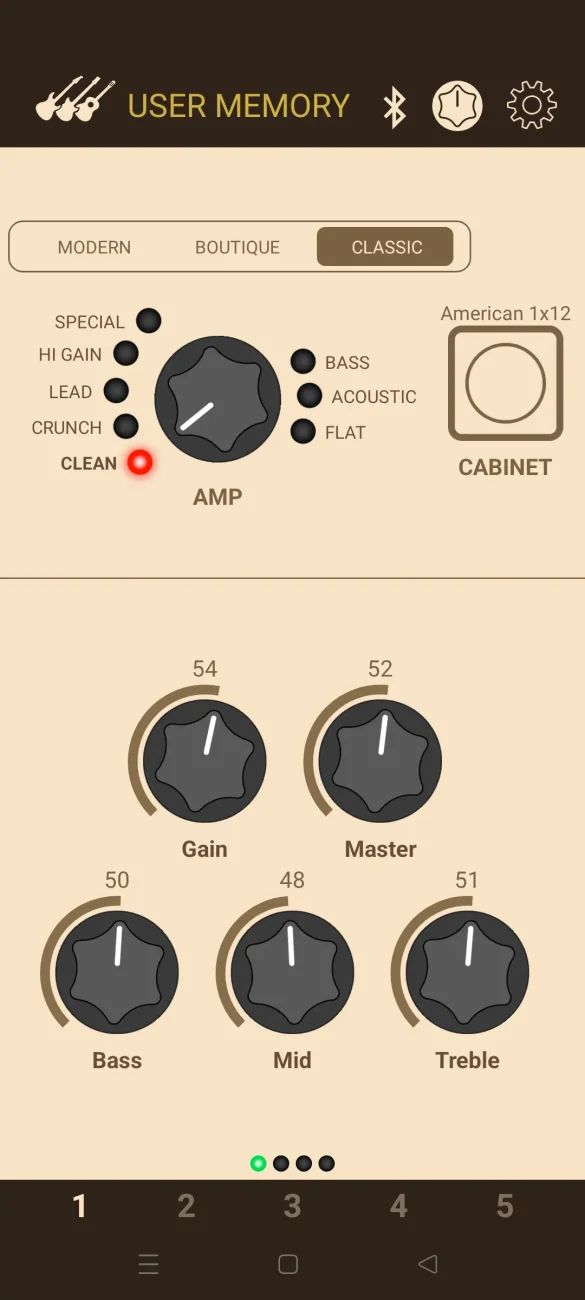
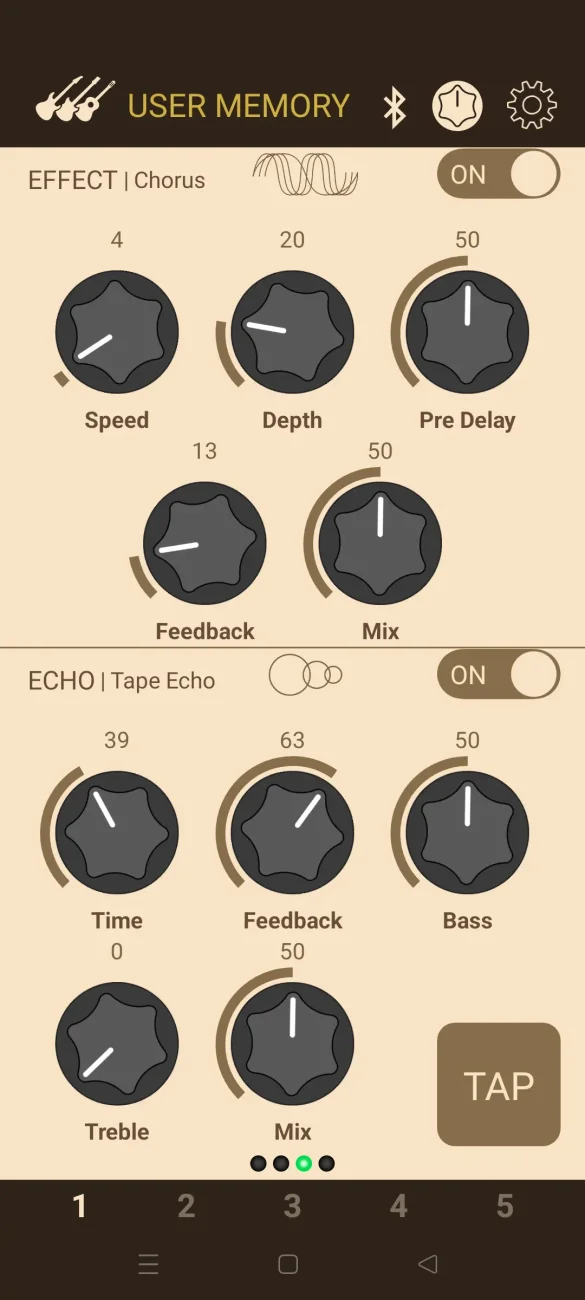
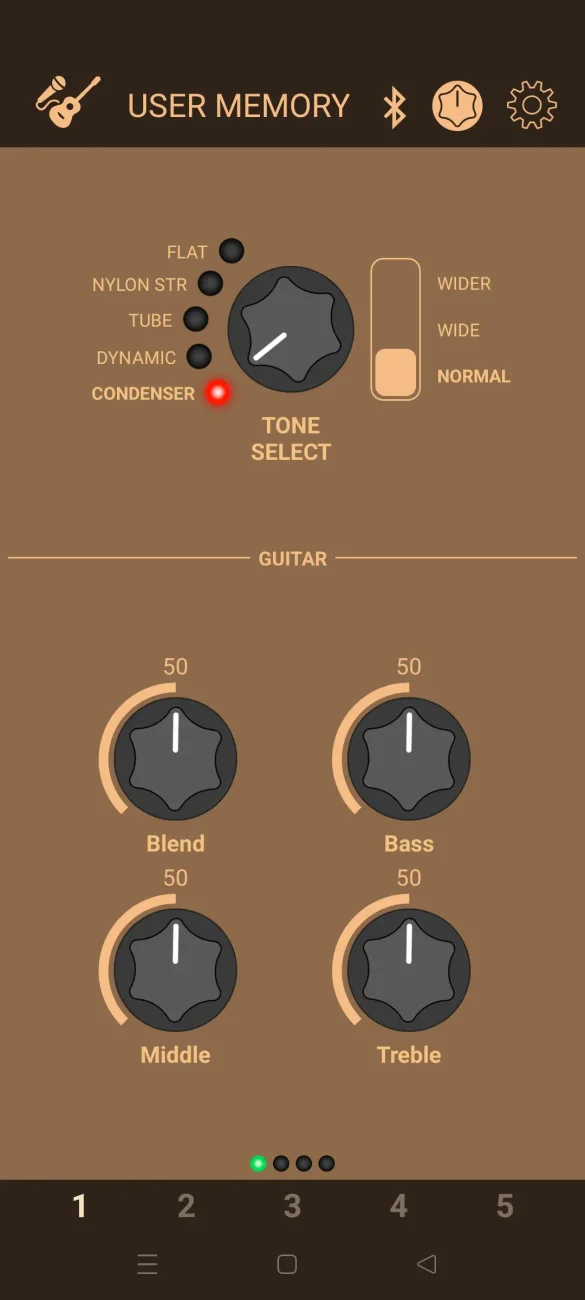
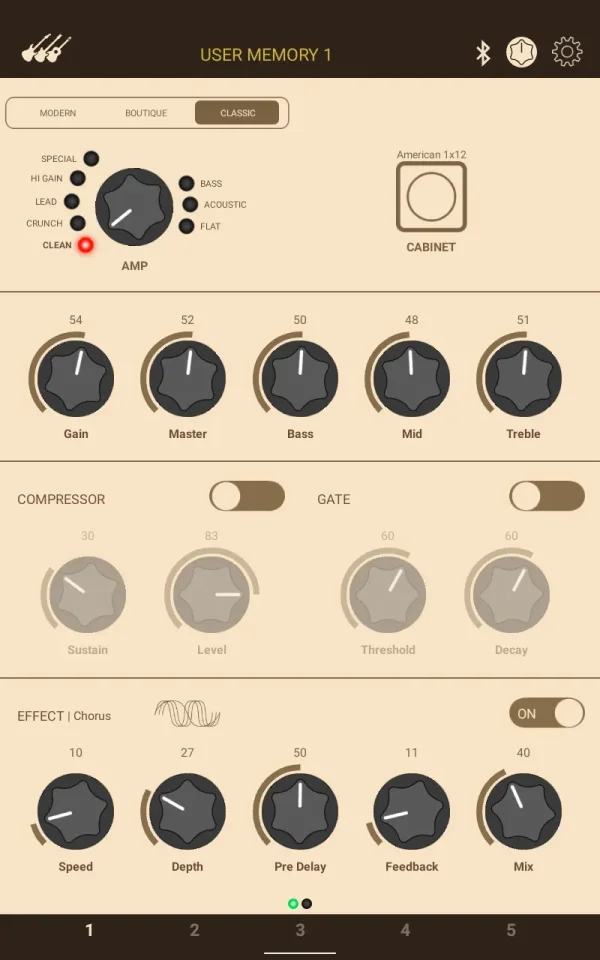
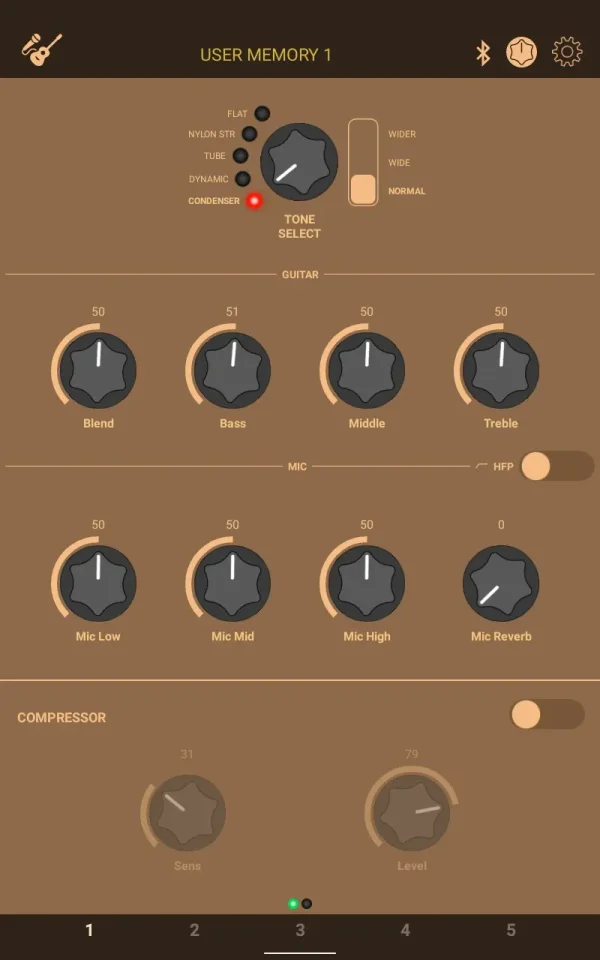
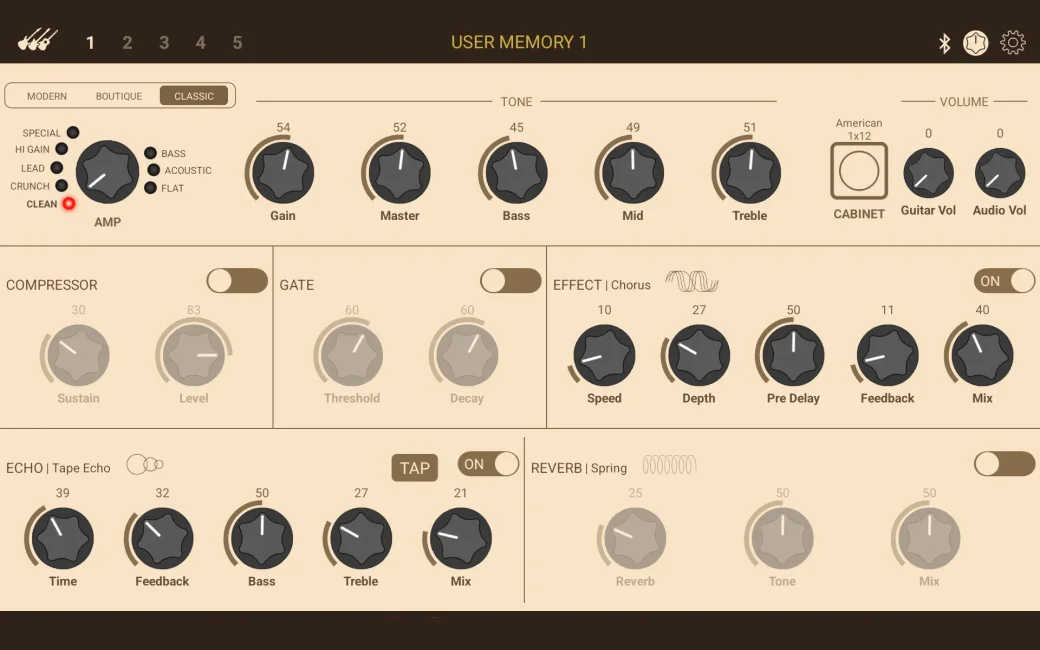
The THR Remote editor lets THR-II players sculpt their guitar tones wirelessly via Bluetooth, with additional parameters for deep editing.
Remote Control
THR-II is built around wireless freedom. With THR Remote on your mobile device, dialing in your favorite sound is just as easy and familiar as streaming your favorite song.
Deep Editing
THR-II amplifiers have simple one-knob controls for the modulation, echo, and reverb effects. With THR Remote, players can access multiple parameters per effect for fine tuning, and access a compressor and noise gate.
Footswitch Support
Easily assign a compatible 3rd party Bluetooth footswitch for control that is both hands-free and cable-free.
Advanced Settings
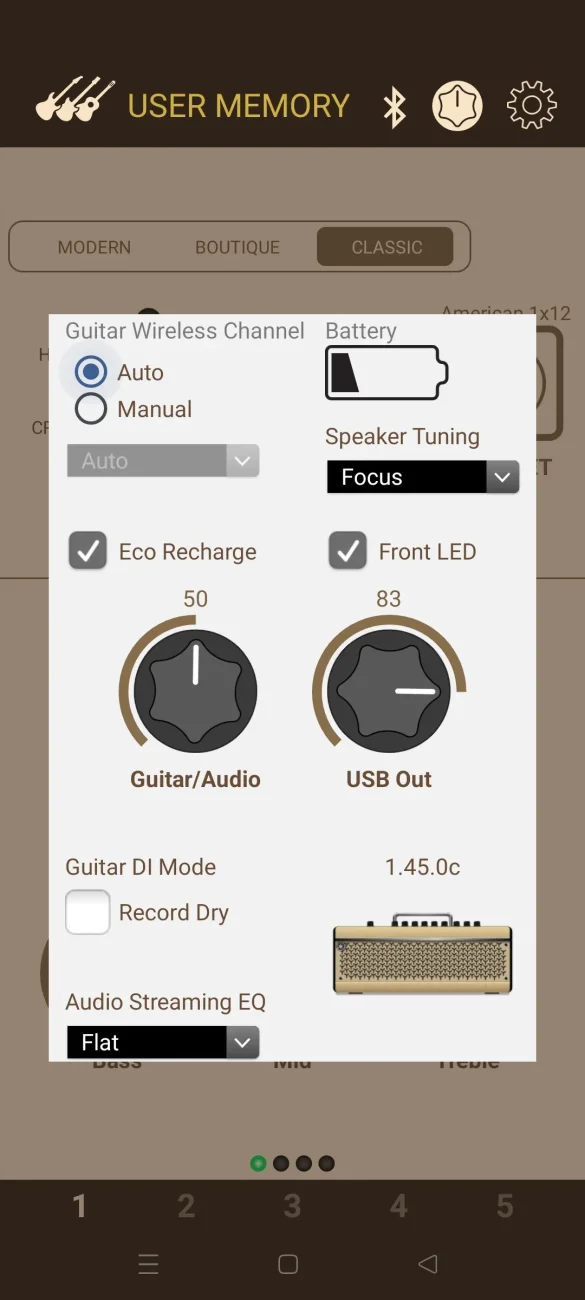
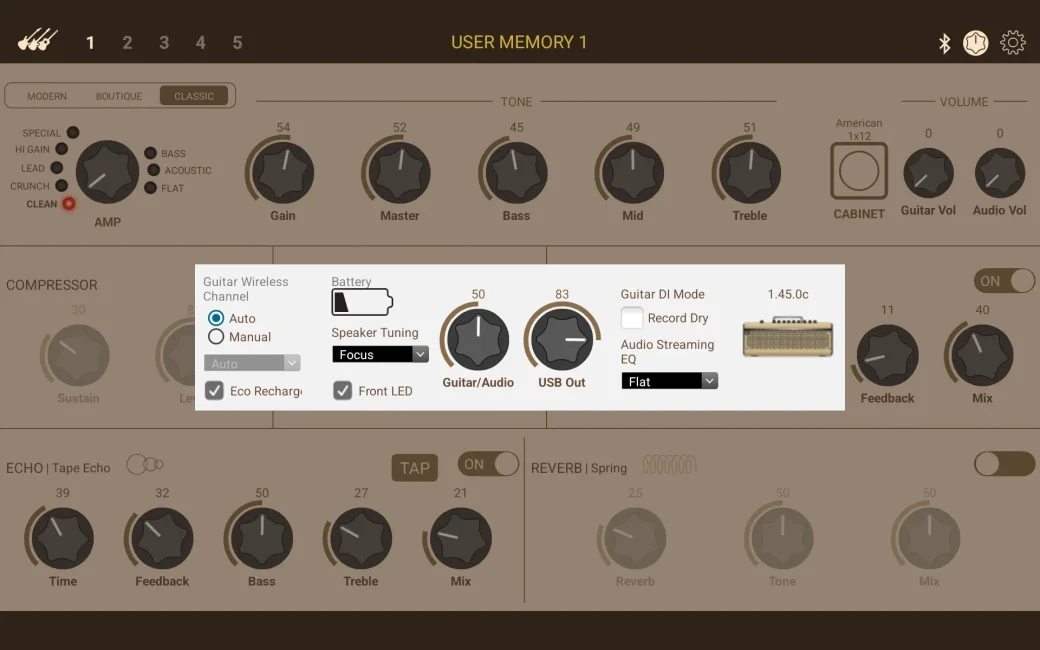
Change the EQ for music playback, adjust the line out and USB out levels, check the battery charge level, and more.
Important Notice:
- To use this app, a smartphone or tablet with BLE communication functionality is required.
- To use this app, please enable location permissions on your Android device.
- Although this app does not use GPS information, location access permissions are necessary on Android devices to use the Bluetooth-MIDI functionality.
- There are instances where Bluetooth MIDI pairing does not complete successfully with specific combinations of devices and operating systems. If you are unable to establish a connection, please try the following steps:
1. Turn on the power of THR-II.
2. Select "Connected Devices" from the Android "Settings" app.
3. Select "+ Pair new devcie".
4. Select "LE_THRII" from the displayed list.
5. A pairing dialog will be displayed; press "Pair" to complete the pairing.
6. Launch the THR Remote app. and connect using the Bluetooth icon.
* The display may differ depending on the model and language you are using.
Data safety
What Yamaha Corporation declares on Google Play about the data this app collects and shares.
- This app may share these data types with third partiesPersonal info
- No data collectedLearn more about how developers declare collection
- Data isn’t encrypted
- Data can’t be deleted
What’s new
Version 1.7.0 · Oct 21, 2026
THR-II Series
- Added artist presets from Ariel Posen.
- Added artist presets from Di Zhou.
- Added artist presets from Martin Miller.
- Added artist presets from ObieIII.
- Added artist presets from Sarven Manguiat.
- Added artist presets from Tonio Ruiz.
- Added artist presets from Toshiki Soejima.
- Added artist presets from Ying Liang.
THR30IIA Wireless
- Added artist presets from Xiaolong Qi.
- Added artist presets from Yvette Young.
Developer contact
- Websiteyamaha.com
- Emailsupport_guitar@inquiry.yamaha.com
- Privacy policyyamaha.com
- Address10-1, NAKAZAWACHO, CHUO-KU HAMAMATSU, 静岡県 430-0904 Japan
Information
- Offered by
- Yamaha Corporation
- Category
- Music & Audio
- Version
- 1.7.0
- Updated
- Oct 21, 2026
- Released
- Sep 19, 2019
- Requires
- Android 6.0 or later
- Age rating
- Everyone
- Price
- Free
- Package name
- com.thrremote.guitar.yamaha
Similar apps
-
 Netvue Next - In Sight In Mind
Video Players & Editors
-
 Cross DJ Pro - Mix & Remix
Music & Audio
-
 OKMusician: Guitar & Ukulele
Education
-
 DJ Music Mixer - Equalizer
Music & Audio
-
 AWWA Opcert Exam Prep
Education
-
 Cannondale
Health & Fitness
-
 InstaDrum: Play to Learn Drums
Education
-
 AmpMe - Speaker Booster
Music & Audio
-
 My Mixtapez Music and Mixtapes
Music & Audio
-
 Beatport: Music for DJs App
Music & Audio
-
 Pioneer Smart Sync
Music & Audio
-
 Neurofret: Guitar Ear Trainer
Music & Audio