THR Remote
Yamaha Corporation- Rating 3+Batasan usia
- Musik & AudioKategori
- 21/10/2026Diperbarui
- GratisHarga
Tertaut ke halaman resmi com.thrremote.guitar.yamaha di Google Play. Terakhir diperiksa pada 24/11/2026.

Tangkapan layar


Tentang aplikasi ini
Terjemahan otomatis oleh Google. Bahasa asli: Inggris (Amerika Serikat).
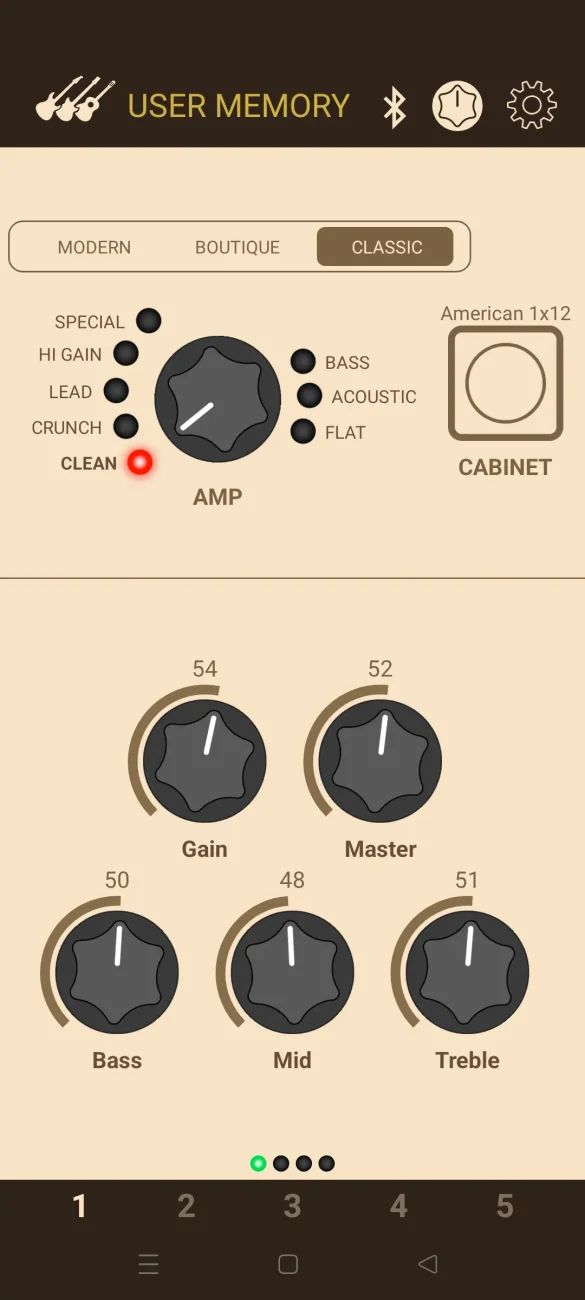
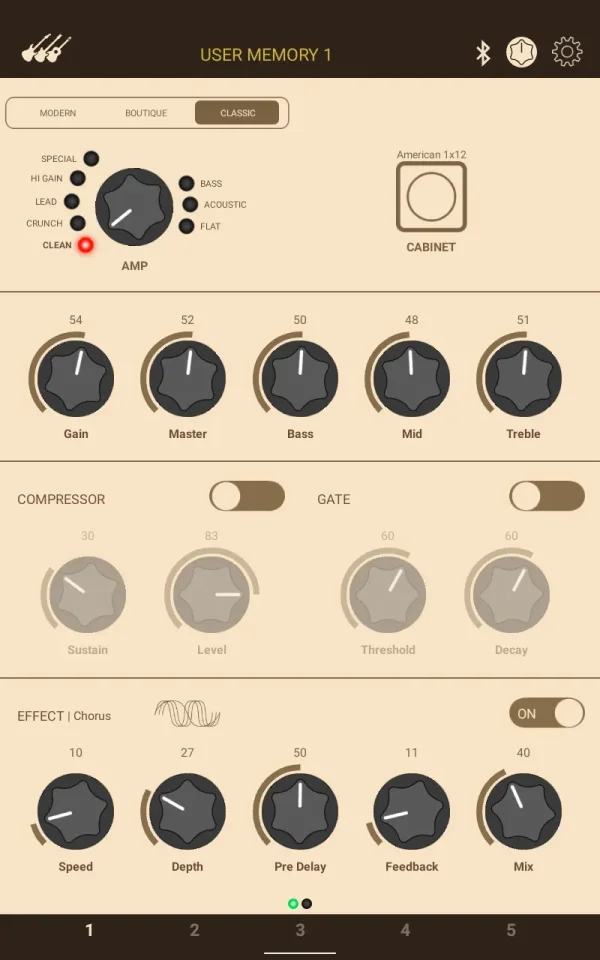
Editor Remote THR memungkinkan pemain THR-II mengukir nada gitar mereka secara nirkabel.
Keterangan
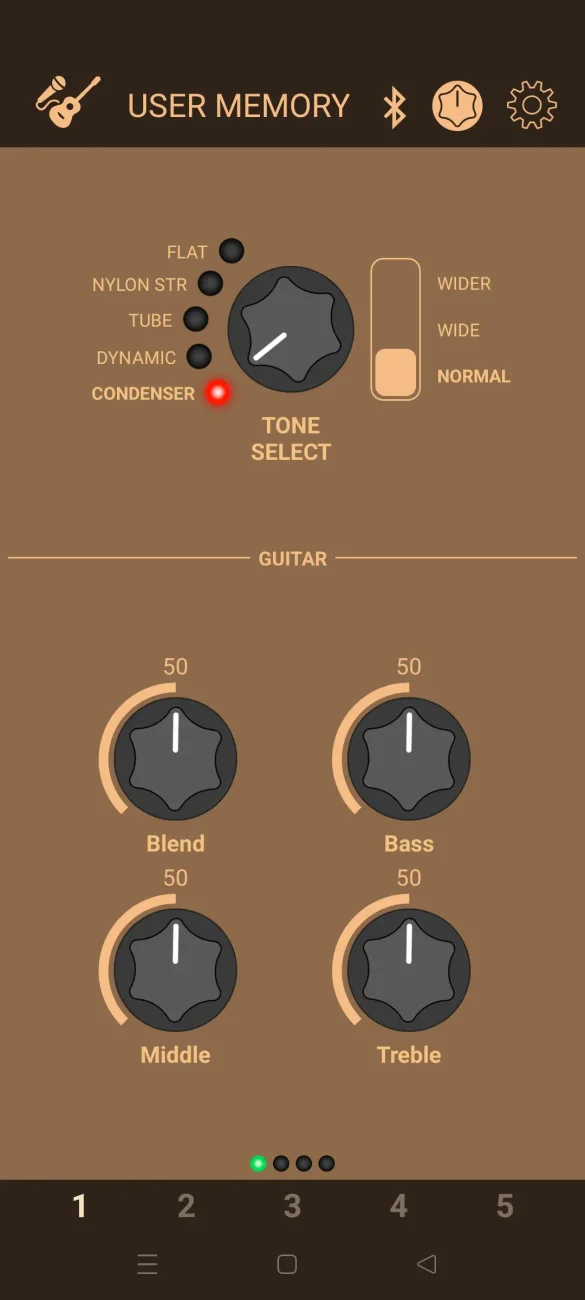
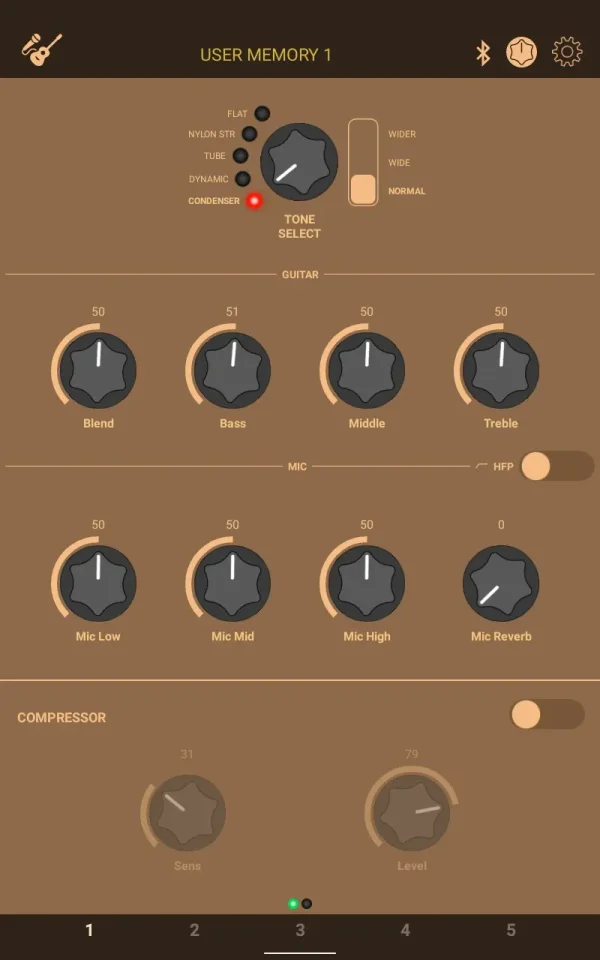
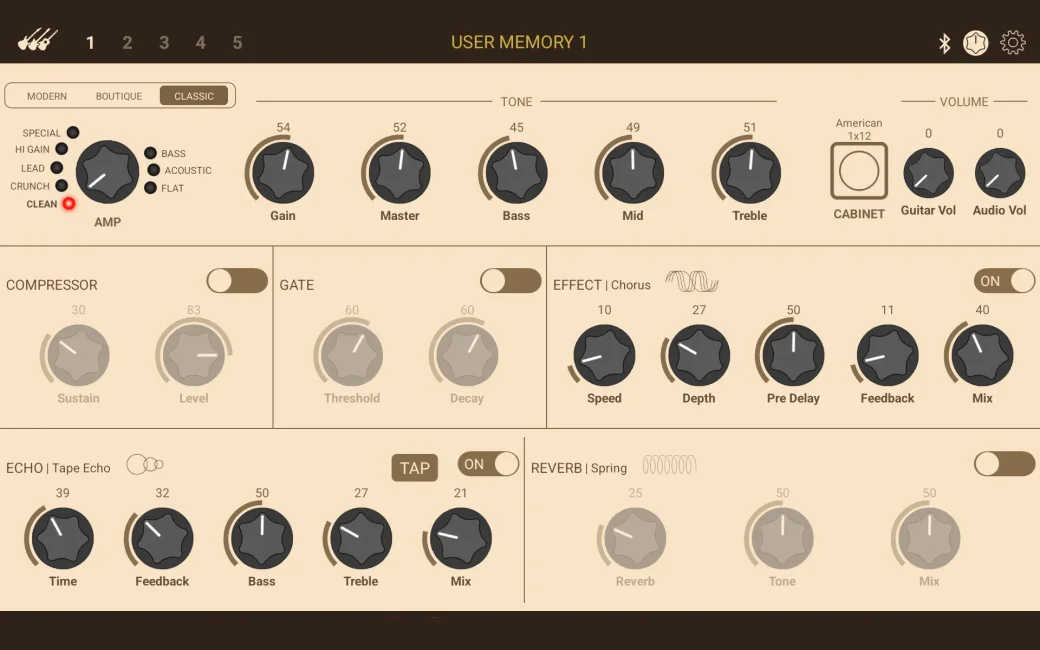
Editor THR Remote memungkinkan pemain THR-II memahat nada gitar mereka secara nirkabel melalui Bluetooth, dengan parameter tambahan untuk pengeditan yang dalam.
Kendali Jarak Jauh
THR-II dibangun di sekitar kebebasan nirkabel. Dengan THR Remote di perangkat seluler Anda, memanggil suara favorit Anda sama mudah dan akrab seperti streaming lagu favorit Anda.
Pengeditan yang dalam
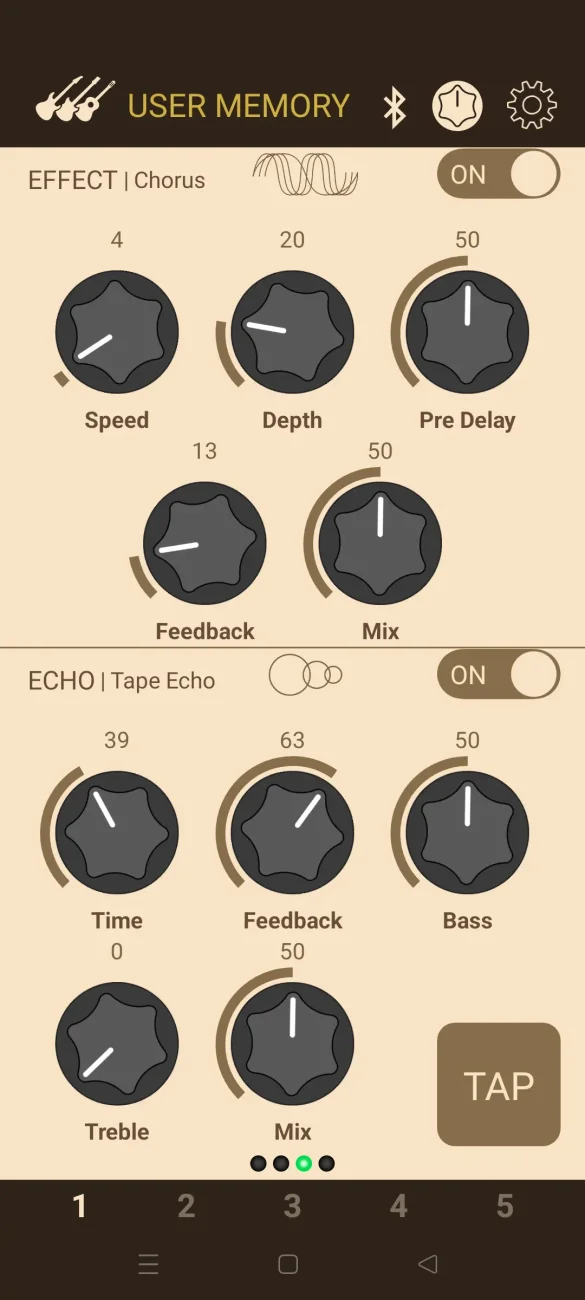
Amplifier Thr-II memiliki kontrol satu knob sederhana untuk efek modulasi, gema, dan reverb. Dengan THR Remote, pemain dapat mengakses beberapa parameter per efek untuk fine tuning, dan mengakses kompresor dan gerbang kebisingan.
Dukungan Footswitch
Mudah menetapkan footswitch bluetooth pihak ke-3 yang kompatibel untuk kontrol yang bebas genggam dan bebas kabel.
Pengaturan Lanjutan
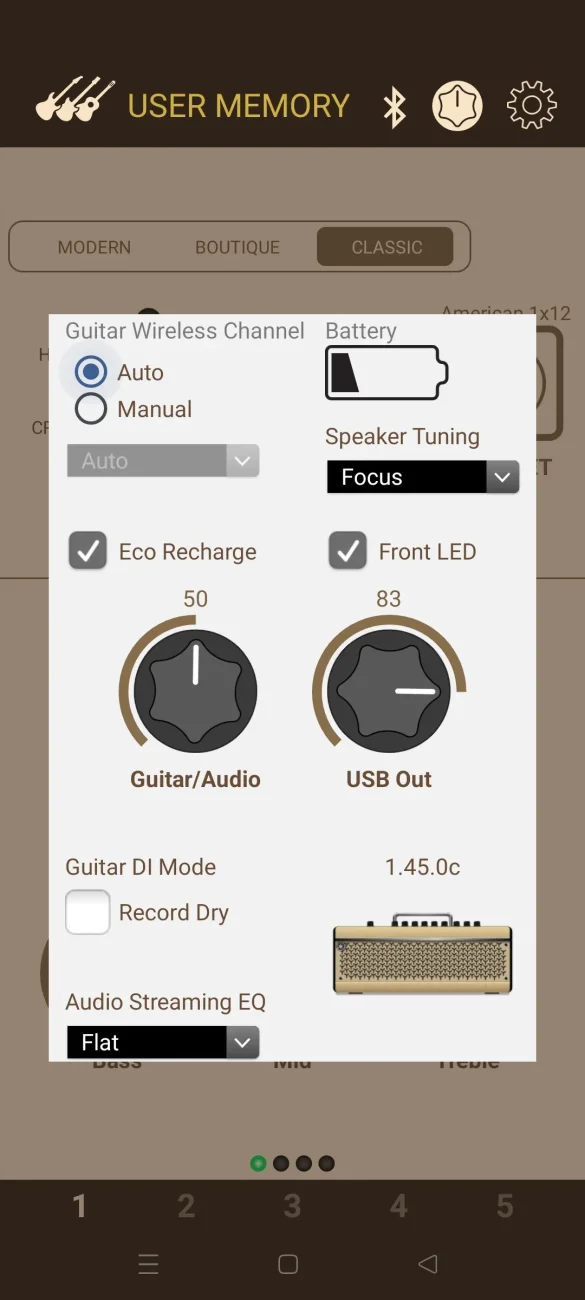
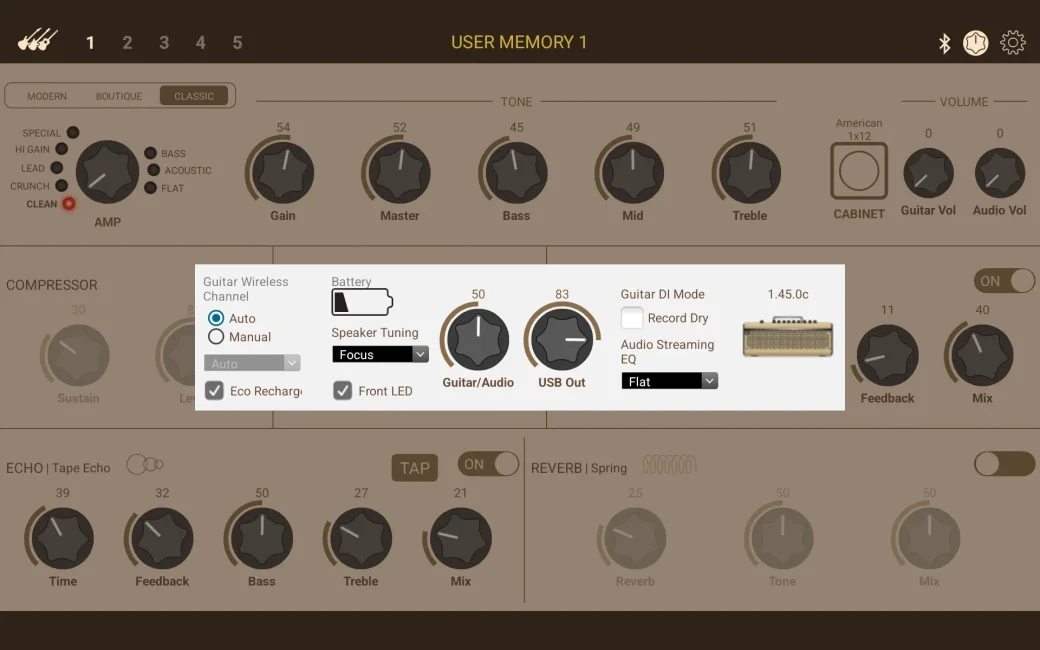
Ubah EQ untuk pemutaran musik, sesuaikan level dan level USB out, periksa level pengisian baterai, dan banyak lagi.
Pemberitahuan Penting:
- Untuk menggunakan aplikasi ini, diperlukan smartphone atau tablet dengan fungsi komunikasi BLE.
- Untuk menggunakan aplikasi ini, harap aktifkan izin lokasi di perangkat Android Anda.
- Meskipun aplikasi ini tidak menggunakan informasi GPS, izin akses lokasi diperlukan pada perangkat Android untuk menggunakan fungsionalitas Bluetooth-Midi.
- Ada beberapa contoh di mana pasangan Bluetooth MIDI tidak berhasil menyelesaikan dengan kombinasi spesifik perangkat dan sistem operasi. Jika Anda tidak dapat membuat koneksi, silakan coba langkah -langkah berikut:
1. Nyalakan kekuatan Thr-II.
2. Pilih "Perangkat Terhubung" dari aplikasi "Pengaturan" Android.
3. Pilih "+ Pair New Devcie".
4. Pilih "Le_thrii" dari daftar yang ditampilkan.
5. Dialog pasangan akan ditampilkan; Tekan "Pasangan" untuk menyelesaikan pasangan.
6. Luncurkan aplikasi THR Remote. dan hubungkan menggunakan ikon Bluetooth.
* Tampilan mungkin berbeda tergantung pada model dan bahasa yang Anda gunakan.
Tampilkan teks asli
Description
The THR Remote editor lets THR-II players sculpt their guitar tones wirelessly via Bluetooth, with additional parameters for deep editing.
Remote Control
THR-II is built around wireless freedom. With THR Remote on your mobile device, dialing in your favorite sound is just as easy and familiar as streaming your favorite song.
Deep Editing
THR-II amplifiers have simple one-knob controls for the modulation, echo, and reverb effects. With THR Remote, players can access multiple parameters per effect for fine tuning, and access a compressor and noise gate.
Footswitch Support
Easily assign a compatible 3rd party Bluetooth footswitch for control that is both hands-free and cable-free.
Advanced Settings
Change the EQ for music playback, adjust the line out and USB out levels, check the battery charge level, and more.
Important Notice:
- To use this app, a smartphone or tablet with BLE communication functionality is required.
- To use this app, please enable location permissions on your Android device.
- Although this app does not use GPS information, location access permissions are necessary on Android devices to use the Bluetooth-MIDI functionality.
- There are instances where Bluetooth MIDI pairing does not complete successfully with specific combinations of devices and operating systems. If you are unable to establish a connection, please try the following steps:
1. Turn on the power of THR-II.
2. Select "Connected Devices" from the Android "Settings" app.
3. Select "+ Pair new devcie".
4. Select "LE_THRII" from the displayed list.
5. A pairing dialog will be displayed; press "Pair" to complete the pairing.
6. Launch the THR Remote app. and connect using the Bluetooth icon.
* The display may differ depending on the model and language you are using.
Keamanan data
Yang dinyatakan Yamaha Corporation di Google Play tentang data yang dikumpulkan dan dibagikan aplikasi ini.
- Aplikasi ini dapat membagikan jenis data ini kepada pihak ketigaAplikasi terinstal
- Tidak ada data yang dikumpulkanPelajari lebih lanjut cara developer menyatakan pengumpulan data
- Data tidak dienkripsi
- Data tidak dapat dihapus
Yang baru
Versi 1.7.0 · 21/10/2026
THR-II Series
- Added artist presets from Ariel Posen.
- Added artist presets from Di Zhou.
- Added artist presets from Martin Miller.
- Added artist presets from ObieIII.
- Added artist presets from Sarven Manguiat.
- Added artist presets from Tonio Ruiz.
- Added artist presets from Toshiki Soejima.
- Added artist presets from Ying Liang.
THR30IIA Wireless
- Added artist presets from Xiaolong Qi.
- Added artist presets from Yvette Young.
Kontak pengembang
- Situs webyamaha.com
- Emailsupport_guitar@inquiry.yamaha.com
- Kebijakan Privasiyamaha.com
- Alamat10-1, NAKAZAWACHO, CHUO-KU HAMAMATSU, 静岡県 430-0904 Japan
Informasi
- Ditawarkan oleh
- Yamaha Corporation
- Kategori
- Musik & Audio
- Versi
- 1.7.0
- Diperbarui
- 21/10/2026
- Dirilis
- 19/9/2019
- Memerlukan
- Android 6.0 atau yang lebih baru
- Batasan usia
- Rating 3+
- Harga
- Gratis
- Nama paket
- com.thrremote.guitar.yamaha
Aplikasi serupa
-
 Netvue Next - In Sight In Mind
Pemutar & Editor Video
-
 Cross DJ Pro - Mix & Remix
Musik & Audio
-
 OKMusician: Guitar & Ukulele
Pendidikan
-
 DJ Music Mixer - Equalizer
Musik & Audio
-
 AWWA Opcert Exam Prep
Pendidikan
-
 Cannondale
Kesehatan & Kebugaran
-
 InstaDrum: Play to Learn Drums
Pendidikan
-
 AmpMe - Speaker Booster
Musik & Audio
-
 My Mixtapez Music & Mixtapes
Musik & Audio
-
 Beatport: Music for DJs App
Musik & Audio
-
 Pioneer Smart Sync
Musik & Audio
-
 Neurofret: Guitar Ear Trainer
Musik & Audio