TimeTree - Shared Calendar
TimeTree, Inc.Contains ads · In-app purchases
- EveryoneAge rating
- ProductivityCategory
- Nov 19, 2026Updated
- FreePrice
Links to the official Google Play listing of works.jubilee.timetree. Last checked on Nov 19, 2026.

Screenshots



About this app
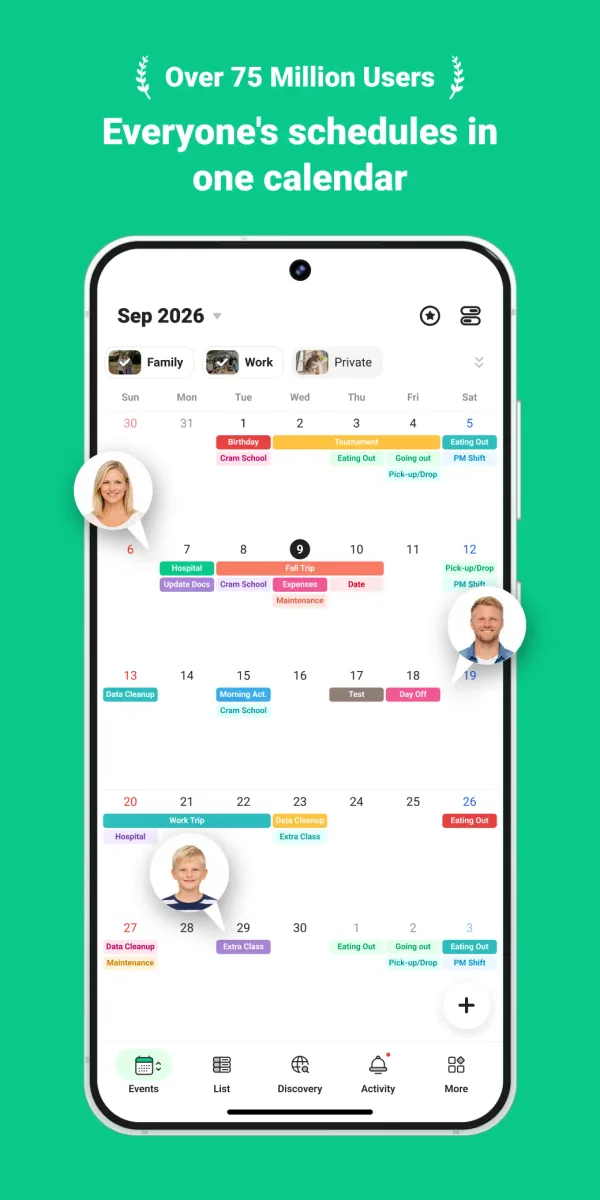
Create a shared calendar in 60 seconds
App loved by 75 million users worldwide
Winner of the "App Store Best of 2015" award!
"Connect over time. Grow bonds together."
Sharing with TimeTree
- Family use
Solve time management issues of double-booking with family members. Ideal also for planning to pick up the kids and other errands. Carry the calendar with you and check anytime anywhere!
- Work use
Plan work shifts of employees
- Couple use
Perfect for those who have trouble adjusting their time together. See the available slots of both in the calendar and plan out dates!
Key Features
- Shared Calendar
Easy calendar sharing for families, couples, work and other groups.
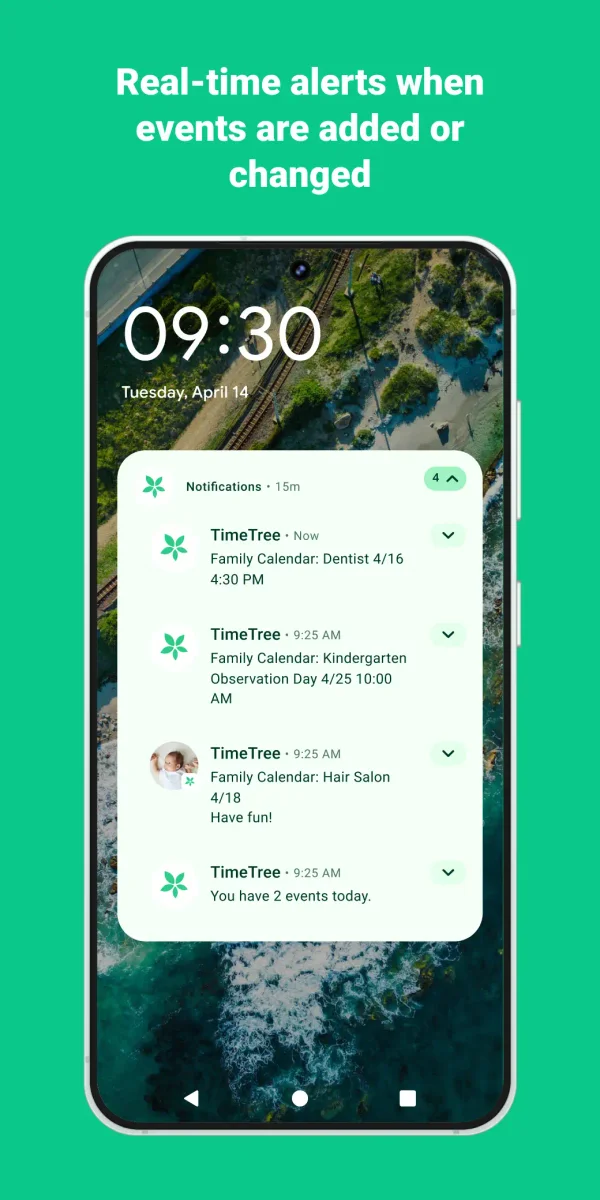
- Notifications and reminders
Keep up with new events, updates, and new messages. No need to check the app all the time thanks to notifications!
- Sync with a device calendar such as Google Calendar
Start immediately by copying or syncing with your device's other calendars.
- Memo and to-do lists
Share notes with other members or use memos for events that have no fixed date yet.
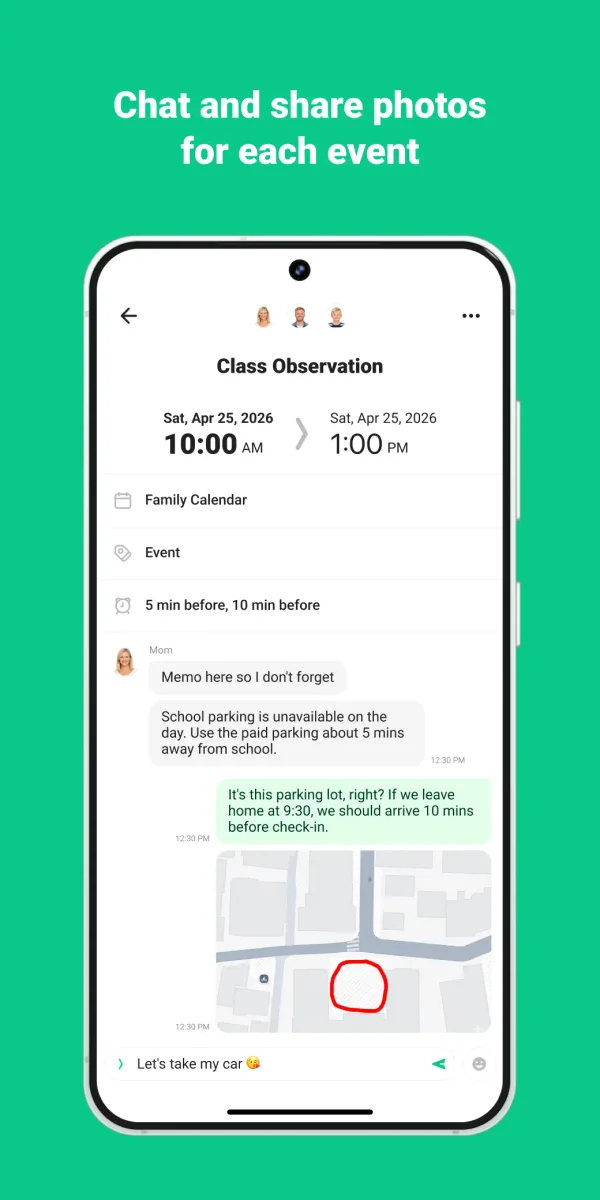
- Chat within events
“What time?” “Where?” Discuss event details within the events!
- Web version
Access your calendars also from a web browser.
- Photos in the events
Post details such as images to events.
- Multiple calendars
Create different calendars for multiple purposes.
- Schedule management
Time management app made from the point of view of notebook planner user.
- Widgets
Check your daily schedule easily from widgets without opening the app.
Solve your time management troubles!
- Hard to keep up with my partner's schedule
Do you ever feel uneasy about whether your partner is aware of your schedule? By sharing a calendar in TimeTree, you don't have to contact and confirm with them every time!
- Getting forgetful of various school events and tasks
Keep the printouts from school easily accessible in the app and make those deadlines! Try it out as a diary!
- Miss out on events of your interest
Save artist schedules, movie premieres and other important dates in a calendar and share them with like-minded friends!
TimeTree Official Website
https://timetreeapp.com/
PC(Web) TimeTree
https://timetreeapp.com/signin
Facebook
https://www.facebook.com/timetreeapp/
Twitter
https://twitter.com/timetreeapp
Instagram
https://www.instagram.com/timetreeapp_friends
TikTok
https://www.tiktok.com/@timetreeapp
User Support email
support@timetreeapp.com
Please use TimeTree as a schedule book for the year! We value the opinions of our users. We look forward to hearing your feedback!
This app uses the following permissions. You can still use the app even if you do not allow optional permissions.
- Required permissions
There is none.
- Optional permissions
Calendar: Used to display the device calendar in TimeTree.
Location information: Used to improve the accuracy of suggestions when setting location details and addresses for events.
Files and Media: Used to set and post images to your profile, calendar, etc., and to save images to your device.
Camera: Used to set and post images to profiles, calendars, etc. using the camera.
Microphone: Used for the voice input feature.
Data safety
What TimeTree, Inc. declares on Google Play about the data this app collects and shares.
- This app may share these data types with third partiesDevice or other IDs
- This app may collect these data typesLocation, Personal info and 8 others
- Data is encrypted in transit
- You can request that data be deleted
What’s new
Version 15.36.2 · Nov 19, 2026
Ver 15.36.2
- Minor bug fixes, stability and performance improvements
Developer contact
- Websitetimetreeapp.com
- Emailsupport@timetreeapp.com
- Privacy policytimetreeapp.com
- Address6-18-1, NISHISHINJUKU SUMITOMO FUDOSAN SHINJUKU CENTRAL PARK TOWER 18F. SHINJUKU-KU, 東京都 160-0023 Japan
Information
- Offered by
- TimeTree, Inc.
- Category
- Productivity
- Version
- 15.36.2
- Updated
- Nov 19, 2026
- Released
- Mar 19, 2015
- Requires
- Android 10 or later
- Age rating
- Everyone
- Price
- Free
- In-app purchases
- $0.49 - $44.99 per item
- Package name
- works.jubilee.timetree
Similar apps
-
 Work Shift Calendar
Productivity
-
 Any.do - To do list & Calendar
Productivity
-
 Simple Calendar - easy planner
Productivity
-
 Timer Plus - Workouts Timer
Health & Fitness
-
 Trello: Daily Task Tracker
Productivity
-
 Student Calendar - Timetable
Education
-
 Tasks: To Do List & Reminders
Productivity
-
 Pomocat - Cute Pomodoro Timer
Productivity
-
 Calendar Widget: Month/Agenda
Productivity
-
 Evernote - Notes Organizer
Productivity
-
 Week Planner - Diary, Calendar
Productivity
-
 Deputy: Staff Roster Planner
Business