WorkingHours Time Tracker
Timo PartlContains ads · In-app purchases
- EveryoneAge rating
- BusinessCategory
- Nov 24, 2026Updated
- FreePrice
Links to the official Google Play listing of partl.workinghours. Last checked on Nov 25, 2026.

Screenshots
About this app
Timesheet, employee time clock, billable hours & overtime tracker
Track work hours without turning your day into admin work. WorkingHours is a time tracker, timesheet and personal work log for freelancers, hourly workers, employees, contractors and consultants who need to record time, earnings, overtime and billable hours.
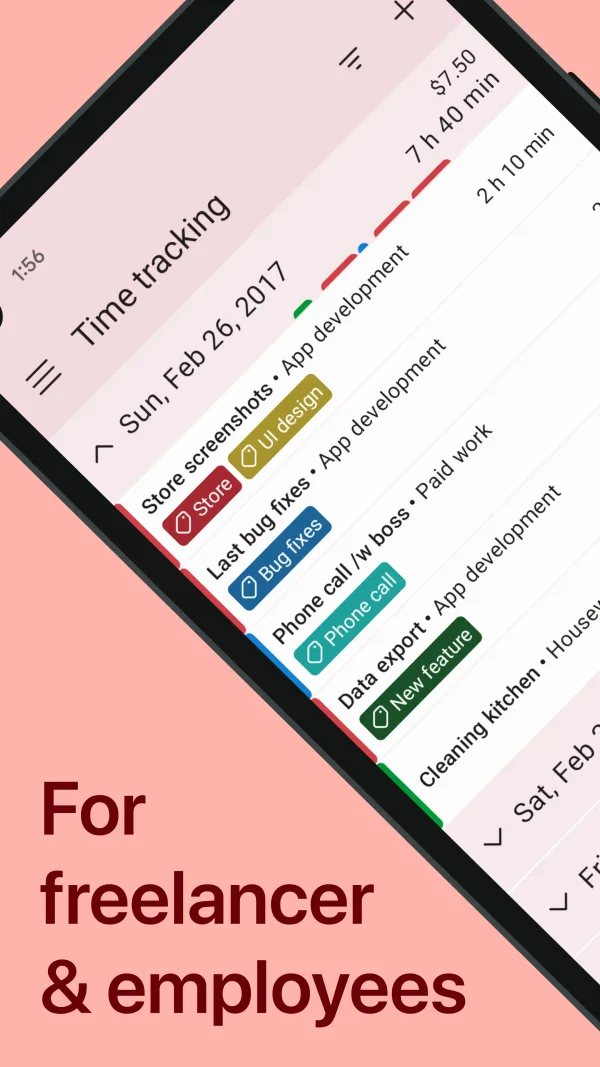
Start, pause and stop the work timer as your day unfolds, or add and correct entries manually. Organize your hours by project, task and tag, review visual reports, export a time sheet and use tracked time to prepare invoices.
Track time your way
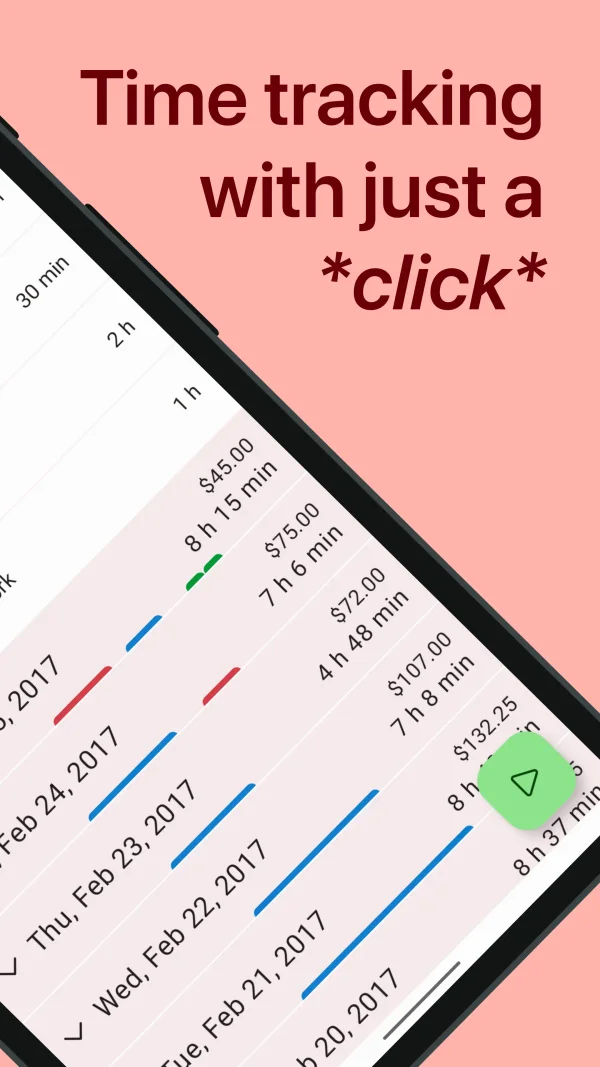
• Start, pause and stop a work timer
• Pause and resume for breaks, or subtract breaks automatically
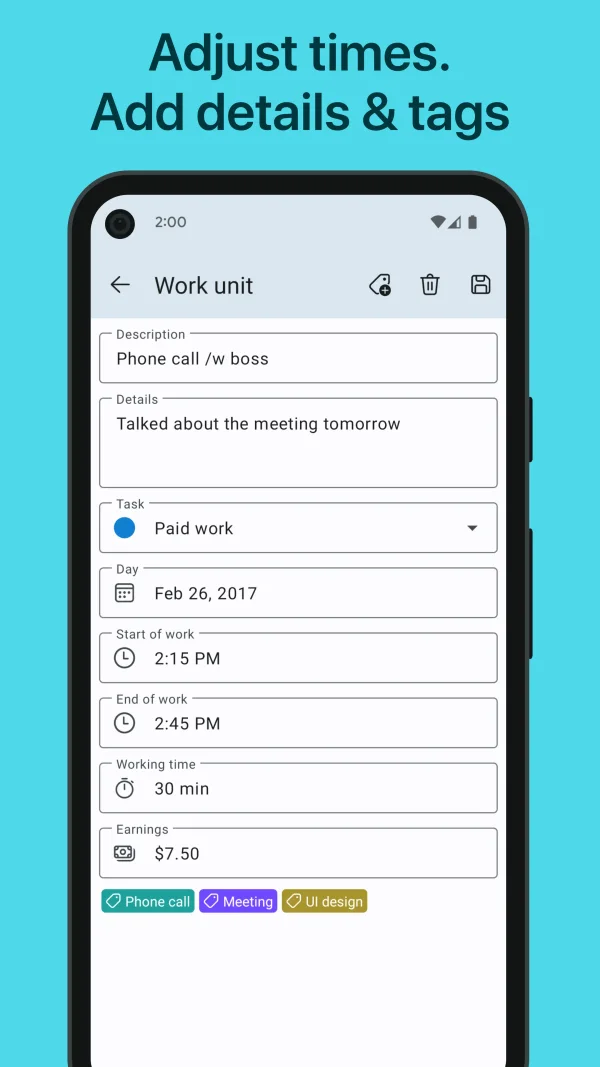
• Add, edit and correct time entries whenever needed
• Automatically split work sessions that continue past midnight
• Use WorkingHours as a freelance time tracker, shift tracker or personal time clock
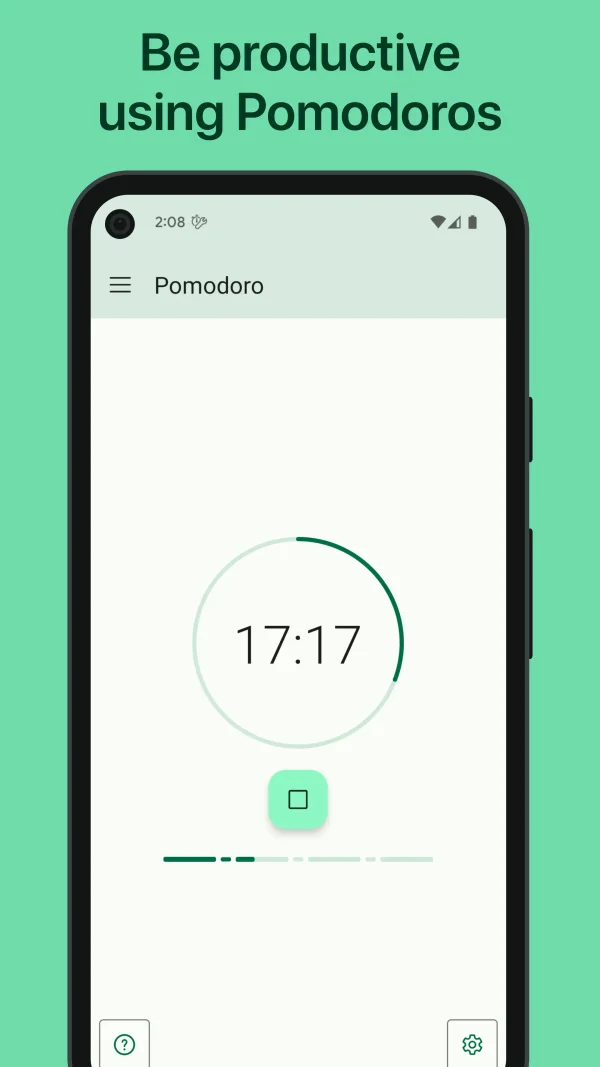
• Run Pomodoro focus sessions with a structured task timer
Organize hours and earnings
• Group work by tasks, projects and tags
• Add notes and descriptions to individual entries
• Track hourly rates, fixed fees, earnings and billable hours
• Use the overtime tracker to keep a clear log of extra hours
• Apply tag rules that add, subtract, multiply or divide time or earnings
• Automatically assign tags to projects or new entries
Review, export and invoice
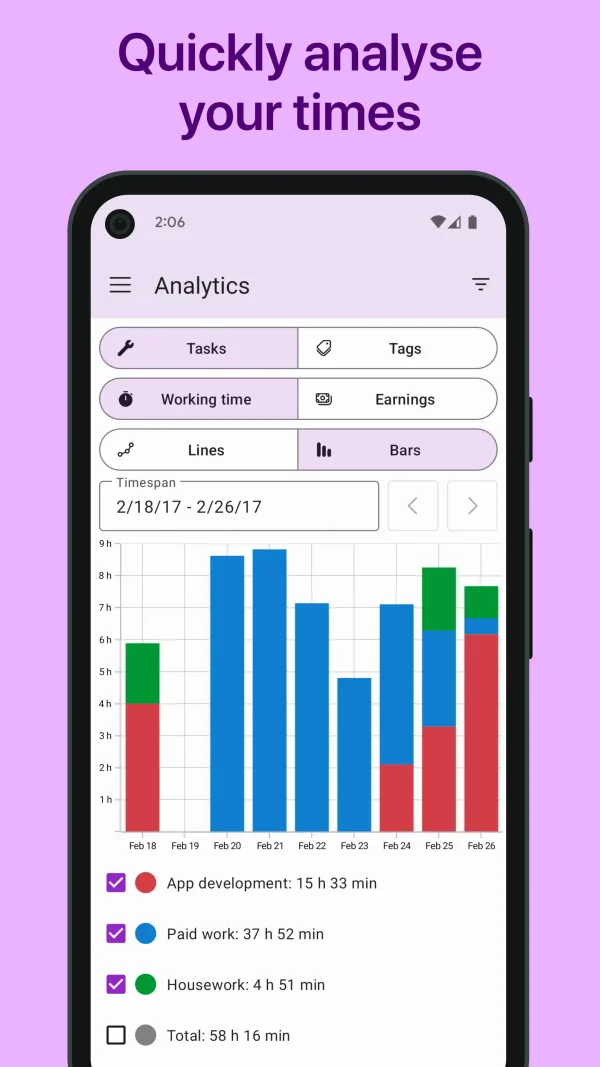
See where your time goes with charts and visual reports. Switch reports between duration and revenue, then filter or search work entries by task, tag or date.
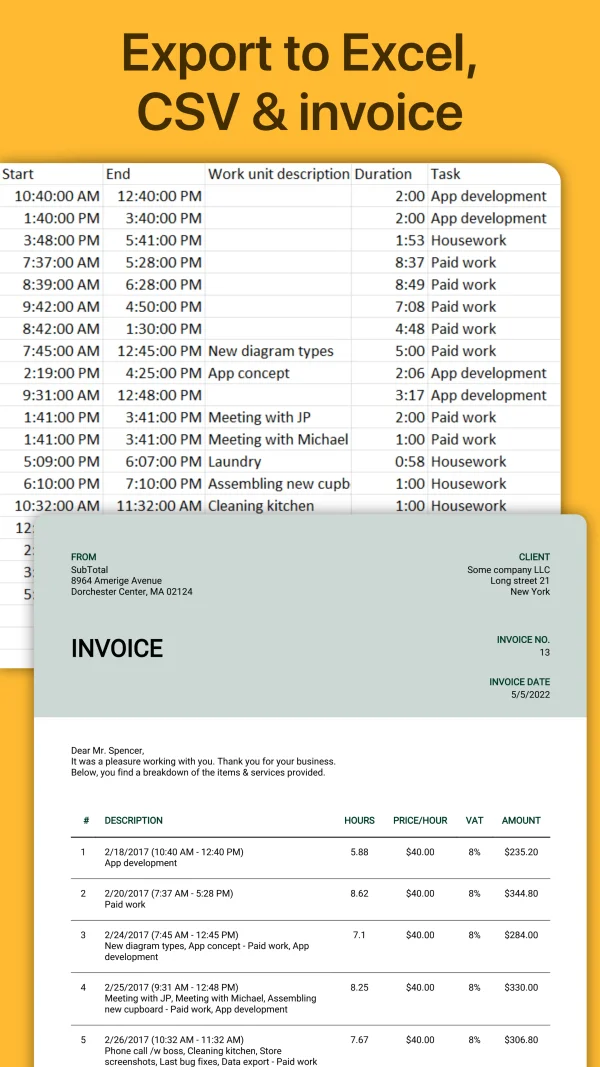
Export timesheets to Excel or CSV, choose the columns you need, and group results by workday, week, month, task or tag. When you need a PDF invoice, SubTotal can create one from your WorkingHours data.
Whether you need a project time tracker, hours worked calculator or simple work hours tracker, WorkingHours keeps the details ready for reviewing projects, checking overtime and preparing billing records. Use the timer like a punch clock, then review your totals like a time card calculator.
Faster timer controls
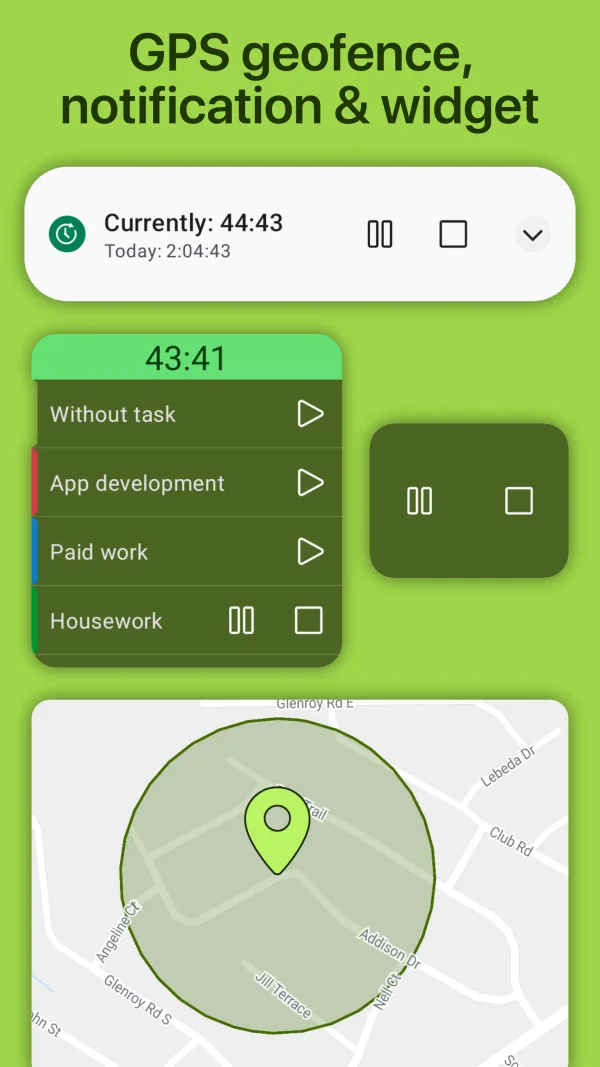
Manage the timer from widgets and notifications. Geofencing can start or stop time tracking when you arrive at or leave a workplace, while NFC tags provide another quick way to control the timer.
Calendar and cross-device continuity
View and import appointments from your system or Outlook calendar to help complete your work log.
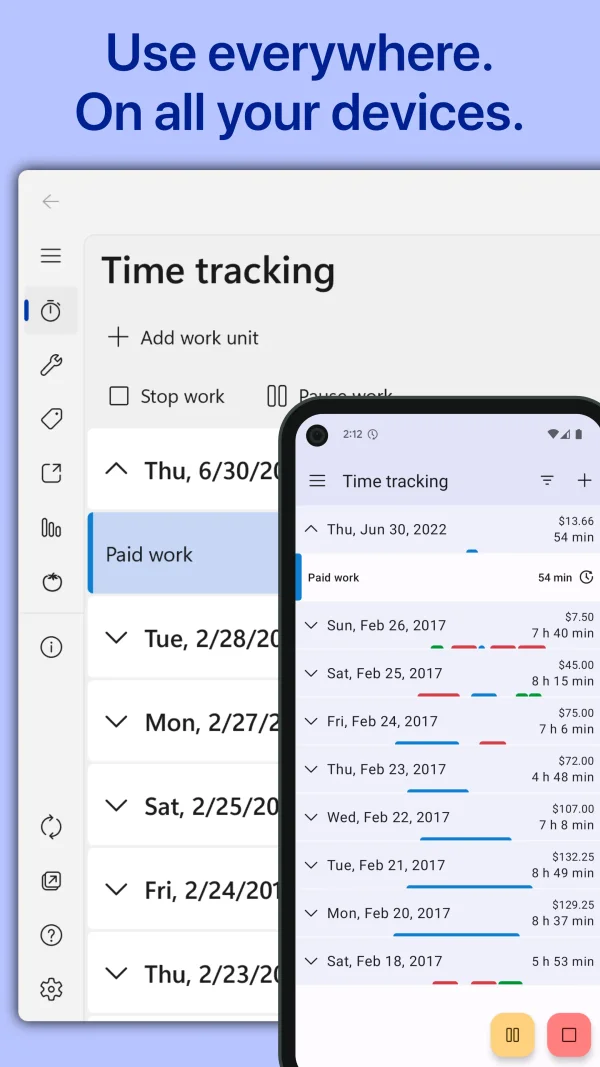
Optional sync uses your own supported cloud storage—OneDrive, Google Drive, Dropbox, iCloud or WebDAV—and requires no WorkingHours account or registration. Track time on your phone or tablet, then continue reviewing and editing your timesheet across supported Windows, iOS and macOS versions on your laptop or desktop.
Free to use, optional Pro
WorkingHours is free to use. Advanced features can be tested with a 7-day Pro trial. Pro includes cloud sync, Excel and CSV export, focus sessions, unlimited tasks, widget and notification timer controls, geofencing and ad removal. Choose either a one-time purchase or a monthly subscription with the same features.
Your purchase or subscription is linked to your Google Play account and unlocks Pro for Android. A separate Pro purchase may be required on other platforms.
Data safety
What Timo Partl declares on Google Play about the data this app collects and shares.
- This app may share these data types with third partiesLocation, App activity and 2 others
- This app may collect these data typesLocation, App activity and 2 others
- Data is encrypted in transit
- Data can’t be deleted
What’s new
Version 2.19.3 · Nov 24, 2026
• Workplace detection now supports up to 5 locations, each with its own task
• Improved database, analytics and export performance
• Improved Cloud Sync reliability
Developer contact
- Websiteworkinghoursapp.com
- Emailworkinghoursapp@outlook.com
- Privacy policyworkinghoursapp.com
- Addressc/o Block Services Stuttgarter Str. 106 70736 Fellbach Germany
Information
- Offered by
- Timo Partl
- Category
- Business
- Version
- 2.19.3
- Updated
- Nov 24, 2026
- Released
- Sep 20, 2017
- Requires
- Android 8.0 or later
- Age rating
- Everyone
- Price
- Free
- In-app purchases
- $0.99 - $15.99 per item
- Package name
- partl.workinghours
Similar apps
-
 Supershift Shift Work Calendar
Productivity
-
 Invoice Maker - Simple Invoice
Business
-
 Toggl Track - Time Tracking
Productivity
-
 Student Calendar - Timetable
Education
-
 DigiCal Calendar
Productivity
-
 Daypad - Simple Time Tracker
Productivity
-
 Work Shift Calendar
Productivity
-
 Time Clock: Work Time Tracker
Business
-
 Timelog - Goal & Time Tracker
Productivity
-
 Billing Management - Zoho
Business
-
 GroupCal - Shared Calendar
Productivity
-
 Payroll, Payslip & Timesheet
Business