Car Link - Auto Screen Mirror
FlavappEnthält Werbung
- USK ab 0 JahrenAltersfreigabe
- Software & DemosKategorie
- 30.10.2026Aktualisiert
- KostenlosPreis
Verlinkt auf den offiziellen Google Play-Eintrag von com.mirror.car. Zuletzt geprüft am 27.11.2026.
Screenshots
Über diese App
Automatische Übersetzung von Google. Originalsprache: Englisch (Vereinigte Staaten).
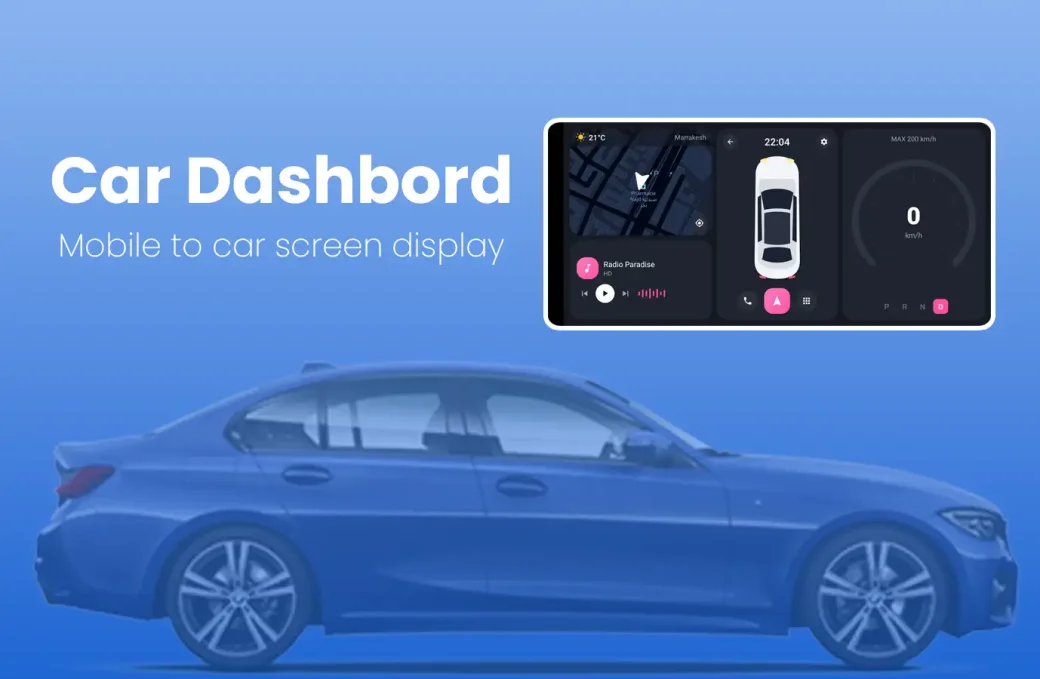
Verwandeln Sie Ihr Smartphone in ein Auto-Armaturenbrett mit Geschwindigkeitsanzeige, Karte, Radio und Serviceprotokoll.
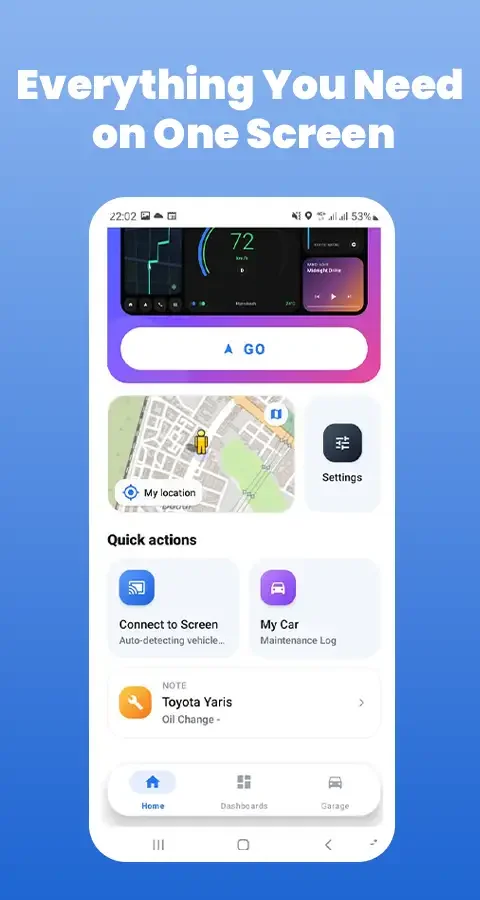
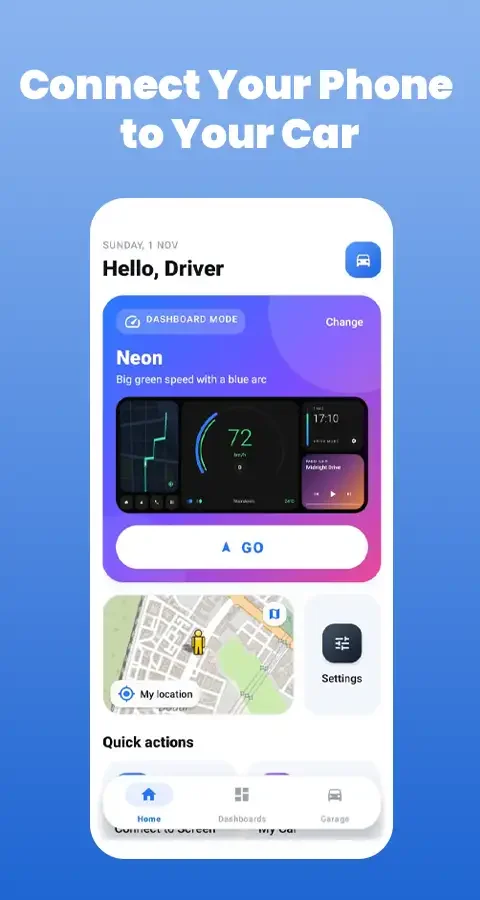
CarLink verwandelt Ihr Android-Smartphone in ein übersichtliches Fahrdisplay. Platzieren Sie Ihr Smartphone im Querformat und sehen Sie Geschwindigkeit, Karte, Wetter und Radio auf einem Bildschirm. Sie können außerdem ein einfaches Wartungsprotokoll für Ihr Auto führen.
Die App läuft ausschließlich auf Ihrem Smartphone. Sie verbindet sich nicht mit Ihrem Auto und greift nicht auf Fahrzeugdaten zu.
DASHBOARD-STYLES
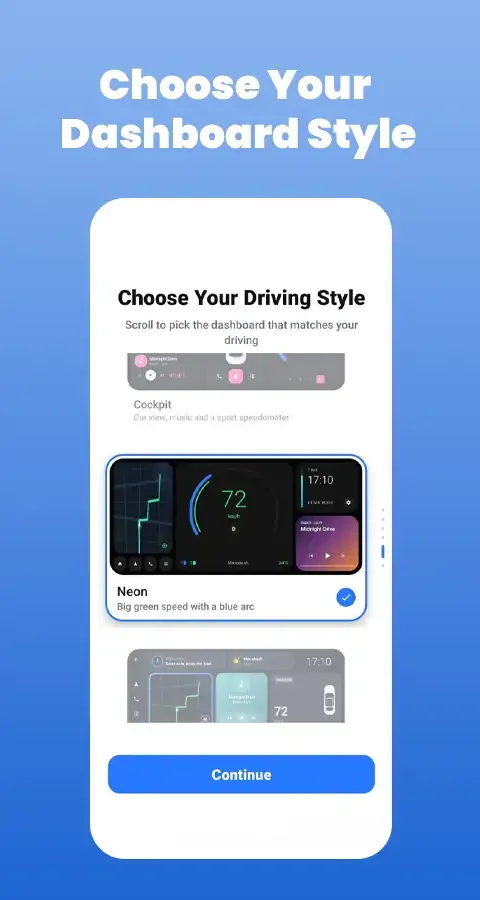
Wählen Sie aus 6 Layouts und ändern Sie diese jederzeit:
• Klassisch: Karte, Geschwindigkeit und Medien in drei Bereichen
• Glas: Vollbild-Nachtkarte mit schwebenden Bereichen
• Navigator: Karte zuerst, mit Geschwindigkeitsanzeige
• Cockpit: Bogenförmiger Tachometer, Karte und Radio
• Neon: Große Geschwindigkeitsanzeige auf schwarzem Hintergrund
• Aurora: Widget-Karten für Karte, Radio und Wetter
AUF IHREM DASHBOARD
• GPS-Geschwindigkeit: Anzeige in km/h, basierend auf dem Standort Ihres Telefons
• Live-Karte: Verfolgt Ihre Position
• Wetter: Aktuelle Temperatur und Ortsname
• Internetradio: Wiedergabe, Pause und Senderwechsel
• Uhr: Immer sichtbar, der Bildschirm bleibt eingeschaltet, solange das Dashboard geöffnet ist
• Telefon: Wählfeld und Kontakte, Anrufe werden in Ihrer Telefon-App geöffnet
• Apps: Öffnen Sie Ihre installierten Apps direkt vom Dashboard
SERVICEPROTOKOLL
Behalten Sie die Wartungshistorie Ihres Fahrzeugs an einem Ort:
• Wählen Sie Marke, Modell und Baujahr Ihres Fahrzeugs
• Speichern Sie Ölwechsel, Reifenrotationen, Bremsenchecks und mehr
• Fügen Sie Datum, Kilometerstand und weitere Informationen hinzu Nächster Abgabetermin und Hinweise
SPRACHEN
Englisch, Französisch, Spanisch, Deutsch und Arabisch.
BERECHTIGUNGEN
• Standort: Geschwindigkeit, Kartenposition und lokales Wetter
• Kontakte: Optional, um Ihre Kontakte auf dem Bildschirm anzuzeigen
• Internet: Karte, Wetter, Radio und Werbung
GUT ZU WISSEN
• Die Geschwindigkeit wird per GPS ermittelt und kann von der Geschwindigkeitsanzeige Ihres Autos abweichen.
• Karte, Wetter und Radio benötigen eine Internetverbindung.
• Diese App enthält Werbung.
SICHERHEIT
Richten Sie die App vor Fahrtantritt ein und befestigen Sie Ihr Smartphone in einer sicheren Halterung. Beachten Sie die örtlichen Verkehrsregeln und behalten Sie die Straße im Blick.
QUELLENANGABEN UND SUPPORT
Kartendaten © OpenStreetMap-Mitwirkende. Wetterdaten von OpenMeteo.
Automarken und -modelle dienen lediglich der Identifizierung Ihres Fahrzeugs. Diese App ist unabhängig und steht in keiner Verbindung zu einem Autohersteller.
Fragen? Kontaktieren Sie uns unter info@flavapp.online
Originaltext anzeigen
CarLink turns your Android phone into a clear driving display. Mount your phone in landscape and see your speed, map, weather and radio on one screen. You can also keep a simple service log for your car.
The app runs on your phone only. It does not connect to your car and does not read vehicle data.
DASHBOARD STYLES
Choose from 6 layouts and change them at any time:
• Classic: map, speed and media in three panels
• Glass: full-screen night map with floating panels
• Navigator: map first, with a speed card
• Cockpit: arc speedometer, map and radio
• Neon: large speed display on a black background
• Aurora: widget cards for map, radio and weather
ON YOUR DASHBOARD
• GPS speed: shown in km/h, using your phone's location
• Live map: follows your position
• Weather: current temperature and city name
• Internet radio: play, pause and switch stations
• Clock: always visible, and the screen stays on while the dashboard is open
• Phone: dial pad and contacts, calls open in your phone app
• Apps: open your installed apps from the dashboard
SERVICE LOG
Keep your car's maintenance history in one place:
• Pick your car's make, model and year
• Save oil changes, tire rotations, brake checks and more
• Add the date, mileage, next due date and notes
LANGUAGES
English, French, Spanish, German and Arabic.
PERMISSIONS
• Location: speed, map position and local weather
• Contacts: optional, to show your contacts on the phone screen
• Internet: map, weather, radio and ads
GOOD TO KNOW
• Speed comes from GPS and can differ from your car's speedometer.
• Map, weather and radio need an internet connection.
• This app contains ads.
SAFETY
Set up the app before you drive and keep your phone in a secure mount. Follow local traffic laws and keep your eyes on the road.
CREDITS AND SUPPORT
Map data © OpenStreetMap contributors. Weather data by Open-Meteo.
Car make and model names only help you identify your vehicle. This app is independent and is not affiliated with any car maker.
Questions? Contact info@flavapp.online
Datensicherheit
Was Flavapp bei Google Play zu den Daten angibt, die diese App erfasst und weitergibt.
- Diese App kann die folgenden Datentypen an Dritte weitergebenStandort, App-Informationen und -Leistung und Geräte- oder andere IDs
- Diese App kann die folgenden Datentypen erhebenStandort, App-Informationen und -Leistung und Geräte- oder andere IDs
- Daten werden bei der Übertragung verschlüsselt
- Daten können nicht gelöscht werden
Kontakt zum Entwickler
- Websiteflavapp.online
- E-Mailinfo@flavapp.online
- Datenschutzerklärungflavapp.online
- AdresseN5 RUE 3 QU ANAS Safi 46000 Morocco
Informationen
- Angeboten von
- Flavapp
- Kategorie
- Software & Demos
- Version
- 45.0
- Aktualisiert
- 30.10.2026
- Veröffentlicht
- 20.09.2020
- Erfordert
- Android 7.0 oder höher
- Altersfreigabe
- USK ab 0 Jahren
- Preis
- Kostenlos
- Paketname
- com.mirror.car
Ähnliche Apps
-
 OBDeleven – OBD2 Diagnosegerät
Tools
-
 myPhonak
Medizin
-
 NebulaBuds
Tools
-
 WallStream
Musik & Audio
-
 Pioneer Smart Sync
Musik & Audio
-
 AmpMe - Speaker Booster
Musik & Audio
-
 Cannondale
Gesundheit & Fitness
-
 Oto: Tinnitus Sounds & Support
Gesundheit & Fitness
-
 MusicCast Controller
Musik & Audio
-
 My Car: Fahrzeugmanagement
Autos & Fahrzeuge
-
 Car Scanner ELM OBD2
Autos & Fahrzeuge
-
 Autopay. Vignetten, Autobahnen
Reisen & Lokales