Car Link - Auto Screen Mirror
FlavappContains ads
- EveryoneAge rating
- Libraries & DemoCategory
- Oct 30, 2026Updated
- FreePrice
Links to the official Google Play listing of com.mirror.car. Last checked on Nov 27, 2026.
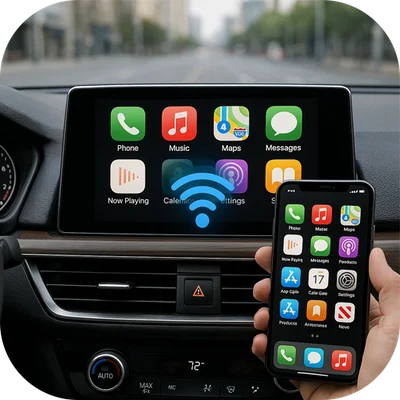
Screenshots
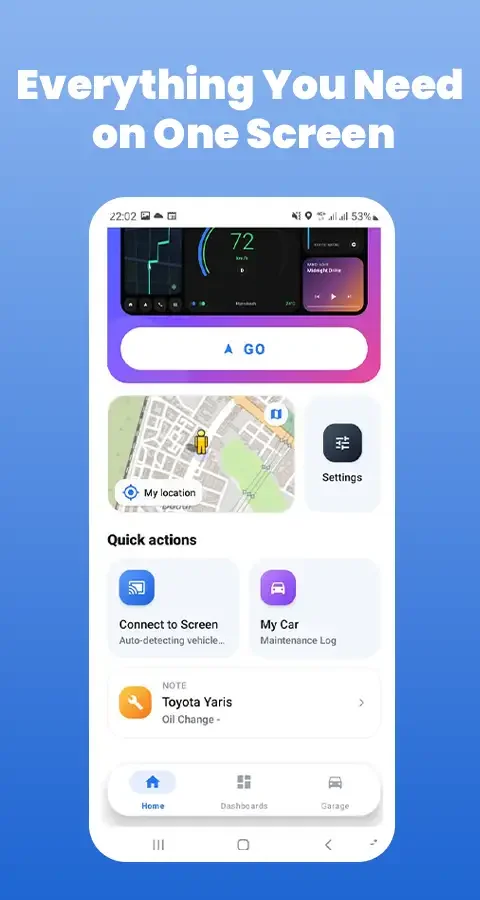
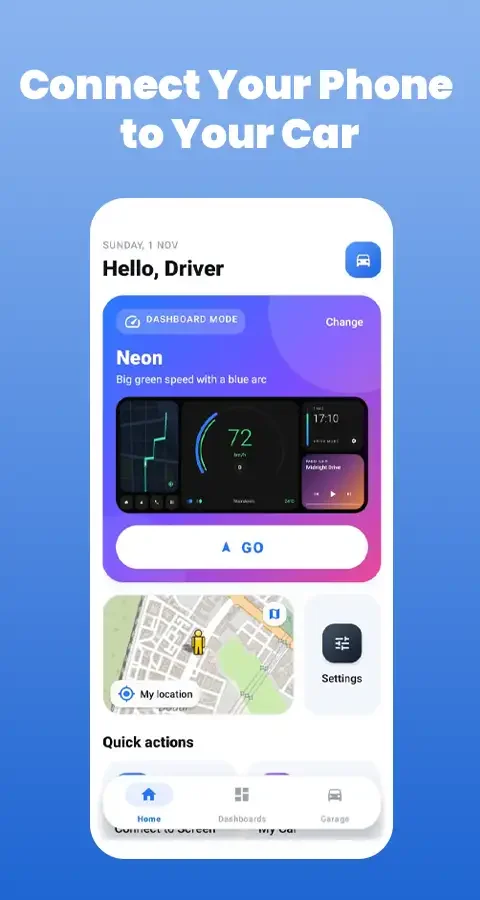
About this app
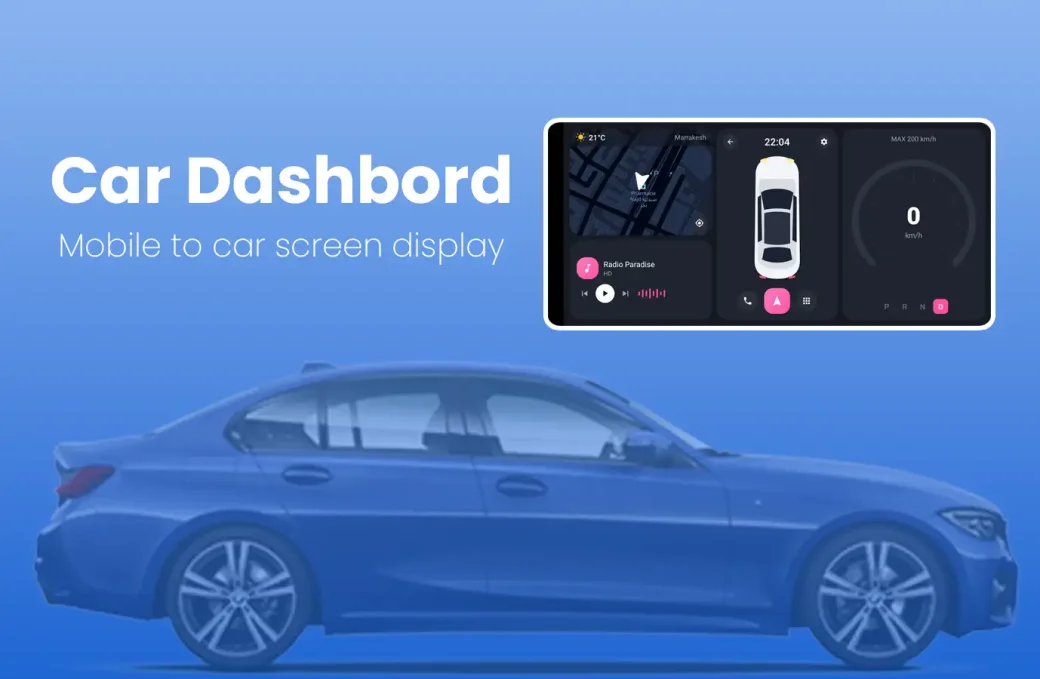
Turn your phone into a car dashboard with speed, map, radio and a service log.
CarLink turns your Android phone into a clear driving display. Mount your phone in landscape and see your speed, map, weather and radio on one screen. You can also keep a simple service log for your car.
The app runs on your phone only. It does not connect to your car and does not read vehicle data.
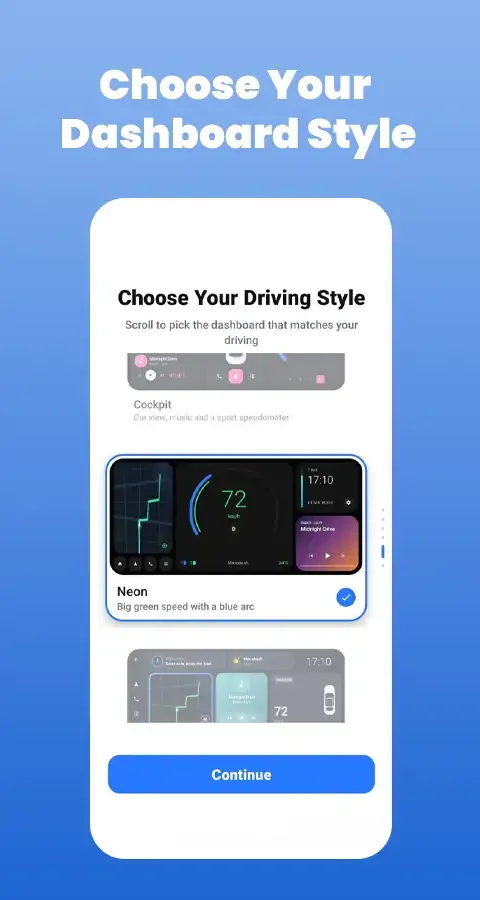
DASHBOARD STYLES
Choose from 6 layouts and change them at any time:
• Classic: map, speed and media in three panels
• Glass: full-screen night map with floating panels
• Navigator: map first, with a speed card
• Cockpit: arc speedometer, map and radio
• Neon: large speed display on a black background
• Aurora: widget cards for map, radio and weather
ON YOUR DASHBOARD
• GPS speed: shown in km/h, using your phone's location
• Live map: follows your position
• Weather: current temperature and city name
• Internet radio: play, pause and switch stations
• Clock: always visible, and the screen stays on while the dashboard is open
• Phone: dial pad and contacts, calls open in your phone app
• Apps: open your installed apps from the dashboard
SERVICE LOG
Keep your car's maintenance history in one place:
• Pick your car's make, model and year
• Save oil changes, tire rotations, brake checks and more
• Add the date, mileage, next due date and notes
LANGUAGES
English, French, Spanish, German and Arabic.
PERMISSIONS
• Location: speed, map position and local weather
• Contacts: optional, to show your contacts on the phone screen
• Internet: map, weather, radio and ads
GOOD TO KNOW
• Speed comes from GPS and can differ from your car's speedometer.
• Map, weather and radio need an internet connection.
• This app contains ads.
SAFETY
Set up the app before you drive and keep your phone in a secure mount. Follow local traffic laws and keep your eyes on the road.
CREDITS AND SUPPORT
Map data © OpenStreetMap contributors. Weather data by Open-Meteo.
Car make and model names only help you identify your vehicle. This app is independent and is not affiliated with any car maker.
Questions? Contact info@flavapp.online
Data safety
What Flavapp declares on Google Play about the data this app collects and shares.
- This app may share these data types with third partiesLocation, App info and performance, and Device or other IDs
- This app may collect these data typesLocation, App info and performance, and Device or other IDs
- Data is encrypted in transit
- Data can’t be deleted
Developer contact
- Websiteflavapp.online
- Emailinfo@flavapp.online
- Privacy policyflavapp.online
- AddressN5 RUE 3 QU ANAS Safi 46000 Morocco
Information
- Offered by
- Flavapp
- Category
- Libraries & Demo
- Version
- 45.0
- Updated
- Oct 30, 2026
- Released
- Sep 20, 2020
- Requires
- Android 7.0 or later
- Age rating
- Everyone
- Price
- Free
- Package name
- com.mirror.car
Similar apps
-
 OBDeleven – OBD2 car scanner
Tools
-
 myPhonak
Medical
-
 NebulaBuds
Tools
-
 WallStream
Music & Audio
-
 Pioneer Smart Sync
Music & Audio
-
 AmpMe - Speaker Booster
Music & Audio
-
 Cannondale
Health & Fitness
-
 Oto: Tinnitus Sounds & Support
Health & Fitness
-
 MusicCast Controller
Music & Audio
-
 My Car - Car Management
Auto & Vehicles
-
 Car Scanner ELM OBD2
Auto & Vehicles
-
 Autopay. Vignettes, motorways
Travel & Local