Digital watch face D25
VG Faces- USK ab 0 JahrenAltersfreigabe
- PersonalisierungKategorie
- 10.08.2026Aktualisiert
- 1,19 €Preis
Verlinkt auf den offiziellen Google Play-Eintrag von com.watchfacestudio.d25. Zuletzt geprüft am 16.11.2026.
Screenshots



Über diese App
Automatische Übersetzung von Google. Originalsprache: Englisch (Vereinigte Staaten).
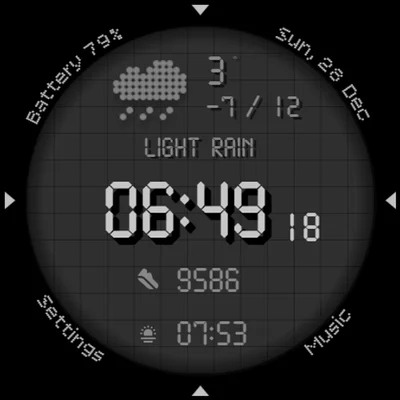
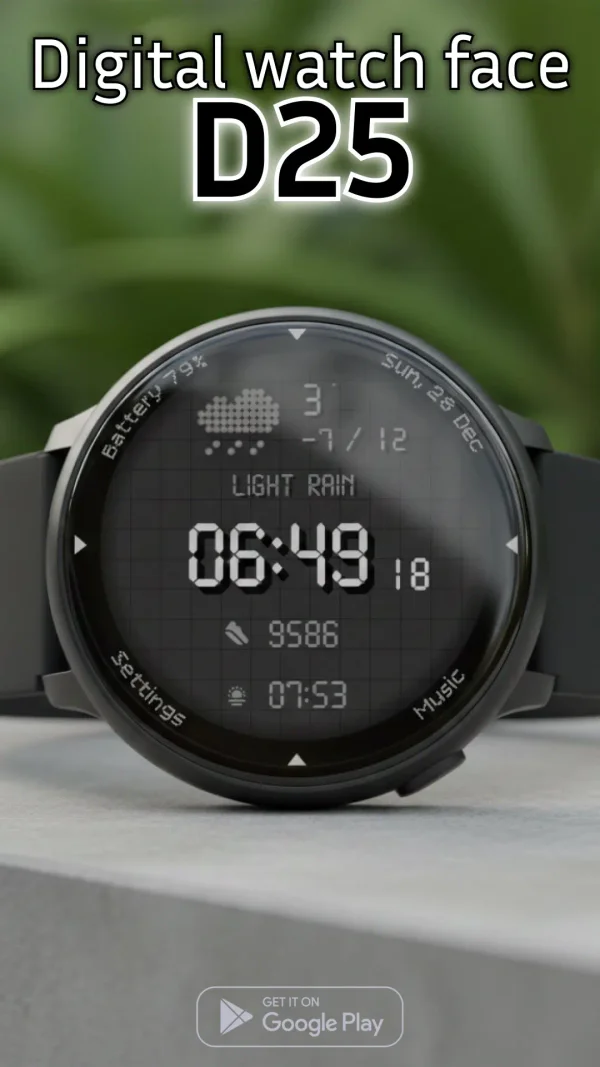
Digitales Zifferblatt für Wear OS mit Texturen, Kurzbefehlen, Wetteranzeige und Option für führende Nullen
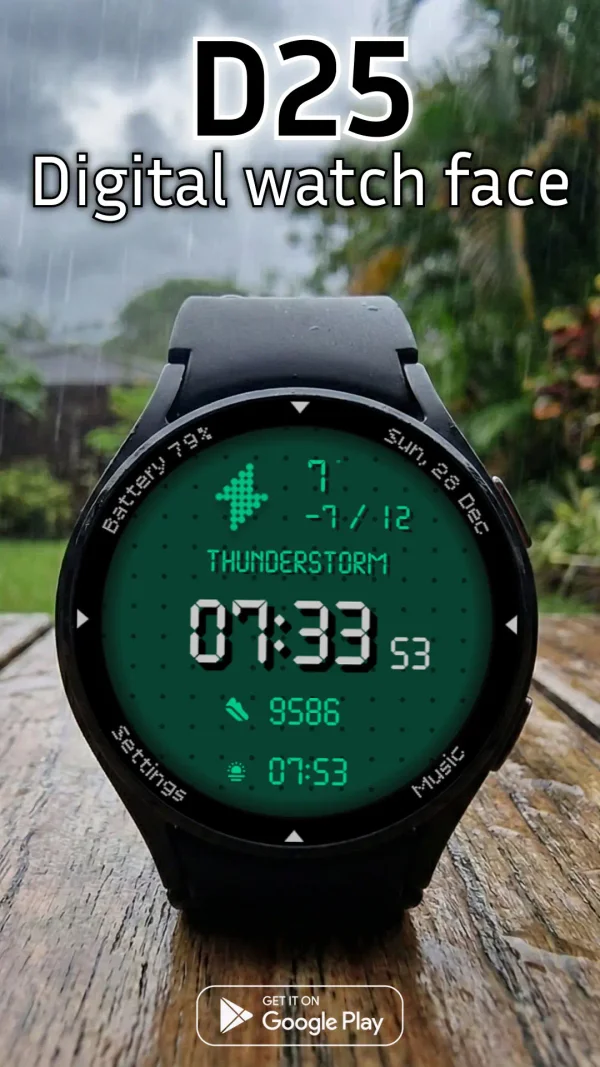
Statten Sie Ihr Wear OS-Gerät mit dem D25 aus, einem digitalen Zifferblatt, das Retro-Taktik mit modernen Anpassungsmöglichkeiten kombiniert. Inspiriert von klassischen LCD-Displays und Punktmatrix-Schriftarten, bietet dieses Zifferblatt einen robusten Look und leistungsstarke Funktionen für den täglichen Gebrauch.
D25: Robustes digitales Zifferblatt
Statten Sie Ihr Wear OS-Gerät mit dem D25 aus, einem digitalen Zifferblatt, das Retro-Taktik mit modernen Anpassungsmöglichkeiten kombiniert. Inspiriert von klassischen LCD-Displays und Punktmatrix-Schriftarten, bietet dieses Zifferblatt einen robusten Look und leistungsstarke Funktionen für den täglichen Gebrauch.
Hauptmerkmale:
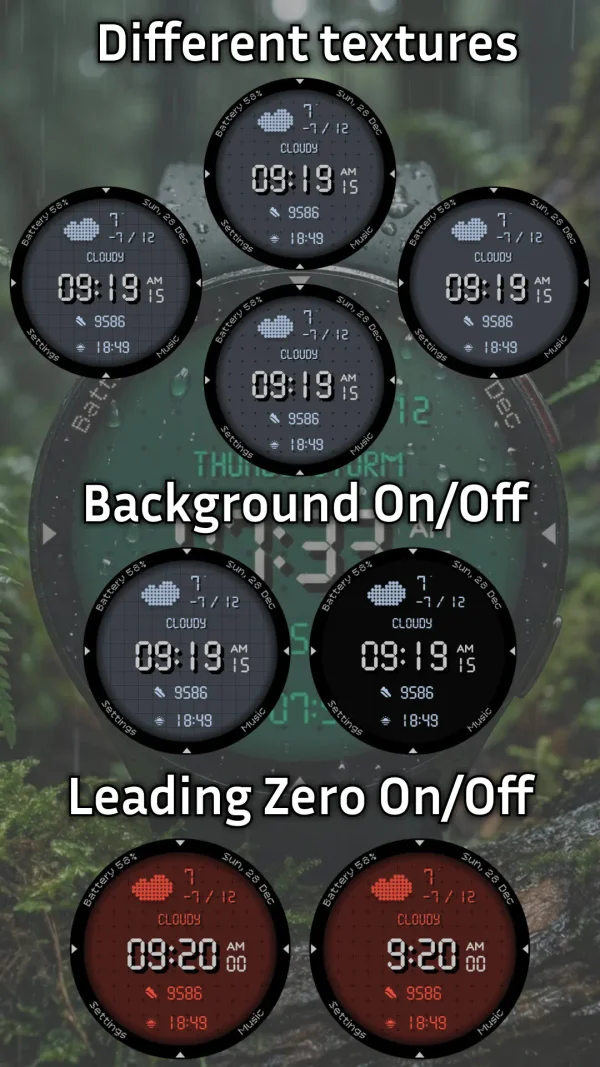
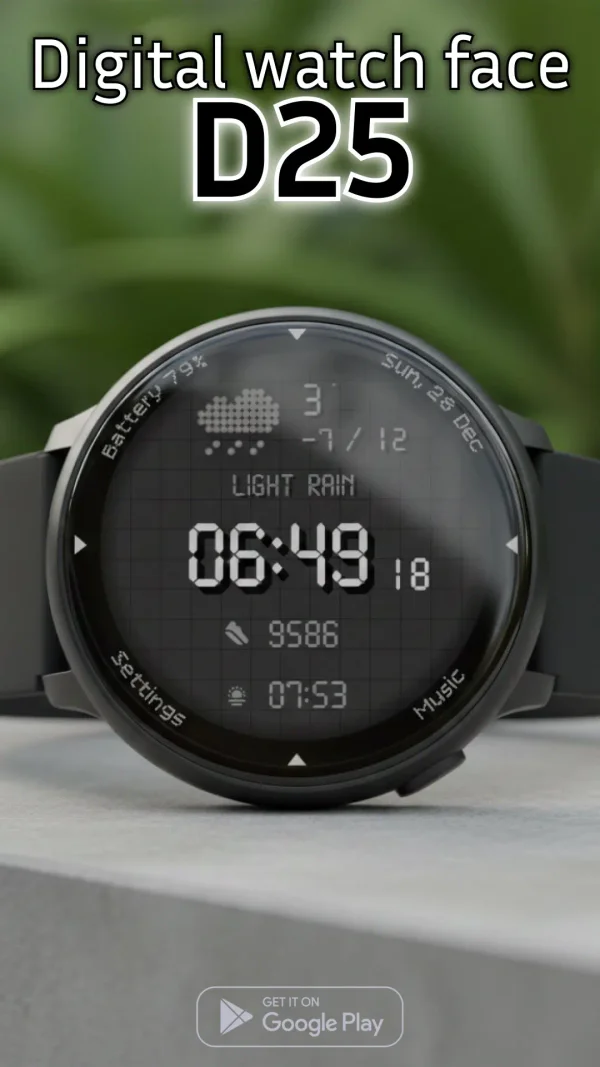
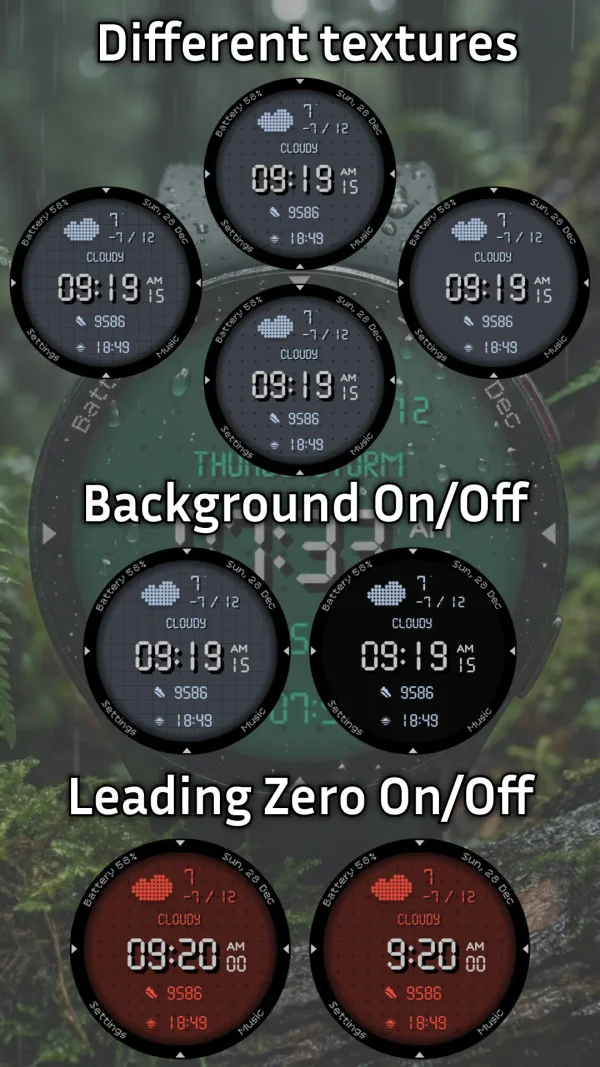
Retro-Digital-Ästhetik: Genießen Sie eine gestochen scharfe, pixelgenaue Zeitanzeige mit einer markanten Punktmatrix-Schriftart. Fügen Sie Hintergrundtexturen (Netz/Gitter/Punkte) für einen taktischen Look hinzu oder deaktivieren Sie den Hintergrund für eine klare, tiefschwarze, OLED-freundliche Oberfläche.
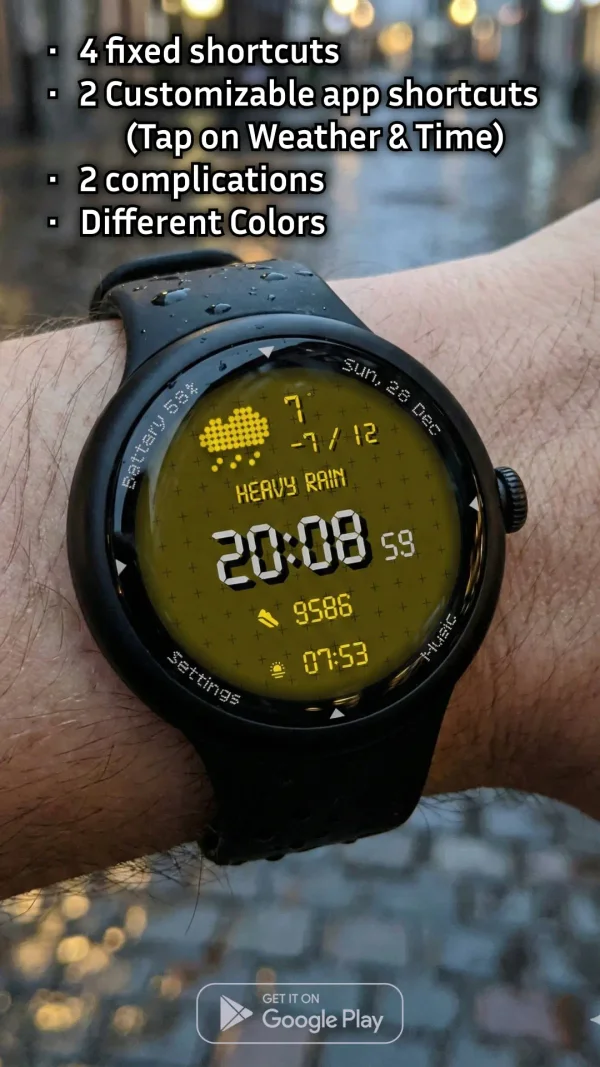
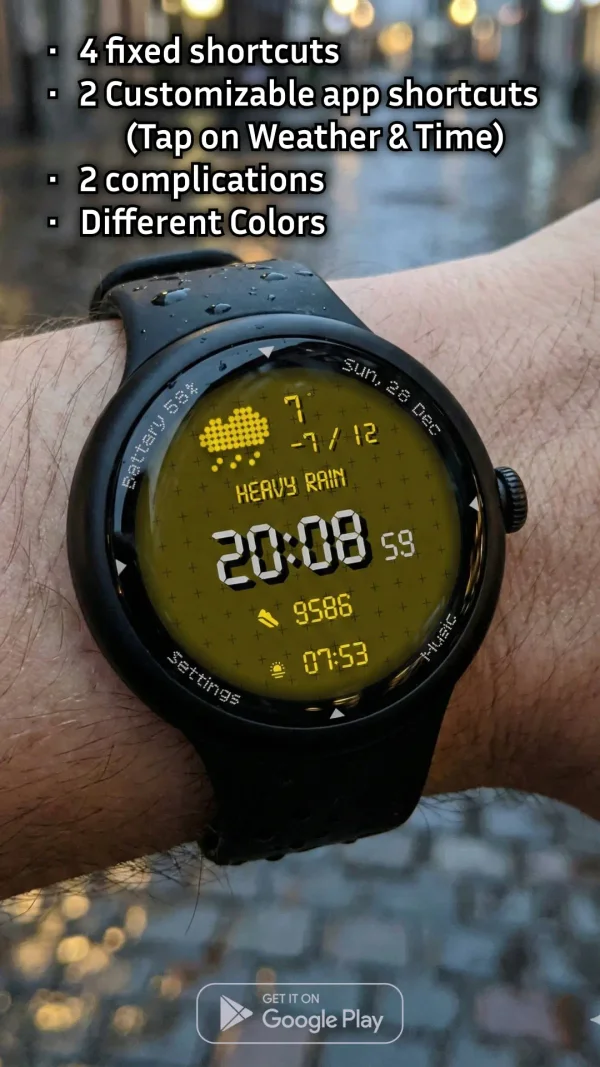
Intelligentes Schnellzugriffssystem (insgesamt 6): Greifen Sie dank des durchdachten Layouts schneller denn je auf Ihre Apps zu:
4 feste Schnellzugriffe: Direkter Zugriff auf wichtige Systemfunktionen (Einstellungen, Musik, Akku, Datum) – dezent am Gehäuserand platziert.
2 anpassbare Schnellzugriffe: Tippen Sie auf die Uhrzeit- oder Wetteranzeige, um Ihre Lieblings-Apps zu starten. Sie entscheiden, welche Apps geöffnet werden!
Optimale Zeitformatkontrolle: Bevorzugen Sie „09:00“ oder „9:00“? Die D25 verfügt über eine Option zum Ein- und Ausschalten der führenden Null – eine häufig gewünschte Funktion, mit der Sie die Uhrzeit genau so anzeigen lassen können, wie Sie es wünschen.
Daten auf einen Blick: Das zentrale Dashboard informiert Sie über:
- Digitale Uhrzeit (12-/24-Stunden-Anzeige)
- Umfassende Wetterinformationen: Symbol, Wetterbeschreibung (z. B. „Gewitter“) und Temperatur (aktuelle Temperatur, Tagesminimum und -maximum).
2 anpassbare Komplikationen: Zusätzlich zu den integrierten Daten stehen Ihnen zwei Speicherplätze für eigene Komplikationen zur Verfügung.
Zwei Always-On-Display-Modi: Wählen Sie zwischen zwei Always-On-Display-Stilen, um optimale Lesbarkeit und Akkulaufzeit zu gewährleisten.
Anpassung:
Verleihen Sie Ihrer Uhr mit verschiedenen Farbthemen und Texturen Ihren persönlichen Stil. Ob kontrastreiches Neongrün oder dezentes Grau – die D25 passt sich Ihrem Look an.
Installation:
- Stellen Sie sicher, dass Ihre Uhr per Bluetooth mit Ihrem Smartphone verbunden ist.
- Laden Sie das Zifferblatt aus dem Google Play Store herunter. Es wird auf Ihrem Smartphone installiert und mit Ihrer Uhr synchronisiert.
- Halten Sie den Bildschirm Ihrer Uhr gedrückt, scrollen Sie zum D25 Digital Watch Face und tippen Sie darauf, um es anzuwenden.
Kompatibilität:
Entwickelt für alle Smartwatches mit Wear OS 5+, darunter:
- Samsung Galaxy Watch
- Google Pixel Watch
- TicWatch
- Fossil
- und andere kompatible Wear OS-Geräte.
Originaltext anzeigen
Equip your Wear OS device with the D25, a digital watch face that combines a retro-tactical aesthetic with modern customization. Inspired by classic LCD displays and dot-matrix typography, this face offers a rugged look with powerful functionality for everyday use.
D25: Rugged Digital Watch Face
Equip your Wear OS device with the D25, a digital watch face that combines a retro-tactical aesthetic with modern customization. Inspired by classic LCD displays and dot-matrix typography, this face offers a rugged look with powerful functionality for everyday use.
Key Features:
Retro-Digital Aesthetic: Enjoy a crisp, pixel-perfect time display with a distinct dot-matrix font. Choose to add background textures (mesh/grid/dots) for a tactical look, or turn the Background Off for a clean, deep black OLED-friendly interface.
Smart Shortcut System (6 Total): Access your apps faster than ever with a cleverly designed layout:
4 Fixed Shortcuts: Instant access to essential system functions (Settings, Music, Battery, Date) placed discreetly around the bezel.
2 Customizable Shortcuts: Tap the Time or the Weather area to launch your favorite apps. You choose what they open!
Ultimate Time Format Control: Do you prefer "09:00" or "9:00"? The D25 includes a Leading Zero On/Off toggle, a highly requested feature that lets you display the time exactly how you like it.
Data at a Glance: The central dashboard keeps you informed with:
- Digital Time (12h/24h support)
- Rich Weather Info: Icon, condition text (e.g., "Thunderstorm"), and temperature (current temperature, minimum and maximum for the day).
2 Customizable Complications: In addition to the built-in data, you have 2 slots to add your own complications for extra utility.
Dual AOD Modes: Choose between two Always-On Display styles to balance visibility and battery life.
Customization:
Express your style with a variety of Color Themes and texture options. Whether you want a high-contrast neon green or a subtle tactical grey, the D25 adapts to your vibe.
Installation:
- Make sure your watch is connected to your phone via Bluetooth.
- Download the watch face from the Google Play Store. It will install on your phone and sync to your watch.
- Long-press your watch screen, scroll to the D25 Digital Watch Face, and tap to apply.
Compatibility:
Designed for all Wear OS 5+ smartwatches, including:
- Samsung Galaxy Watch
- Google Pixel Watch
- TicWatch
- Fossil
- And other compatible Wear OS devices.
Datensicherheit
Was VG Faces bei Google Play zu den Daten angibt, die diese App erfasst und weitergibt.
- Keine Daten werden mit Drittunternehmen oder -organisationen geteiltWeitere Informationen dazu, wie Entwickler Angaben zur Weitergabe von Daten machen
- Keine Daten erhobenWeitere Informationen dazu, wie Entwickler Angaben zur Datenerhebung machen
- Hat sich verpflichtet, den Google Play-Richtlinien für familienfreundliche Inhalte zu folgen
Neue Funktionen
10.08.2026
app-release
Kontakt zum Entwickler
- E-Mailvolder83@gmail.com
- Datenschutzerklärungsites.google.com
- AdresseW.-I.-Lenin-Straße 51 19370 Parchim Germany
Informationen
- Angeboten von
- VG Faces
- Kategorie
- Personalisierung
- Aktualisiert
- 10.08.2026
- Veröffentlicht
- 11.12.2025
- Altersfreigabe
- USK ab 0 Jahren
- Preis
- 1,19 €
- Paketname
- com.watchfacestudio.d25