Digital watch face D25
VG Faces- 3 歳以上対象年齢
- カスタマイズカテゴリ
- 2026/8/10更新日
- ¥200価格
com.watchfacestudio.d25のGoogle Play公式ページにリンクしています。最終確認:2026/11/16。
スクリーンショット



このアプリについて
Googleによる英語 (アメリカ合衆国)からの自動翻訳です。
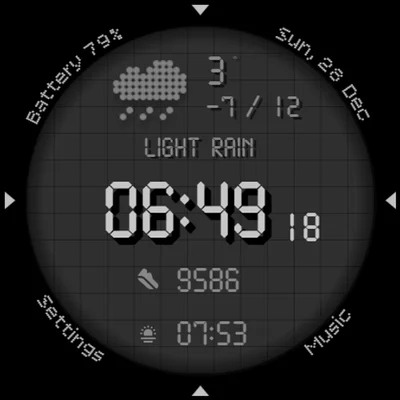
テクスチャ、ショートカット、天気、先頭ゼロオプションを備えた Wear OS 用デジタル フェイス
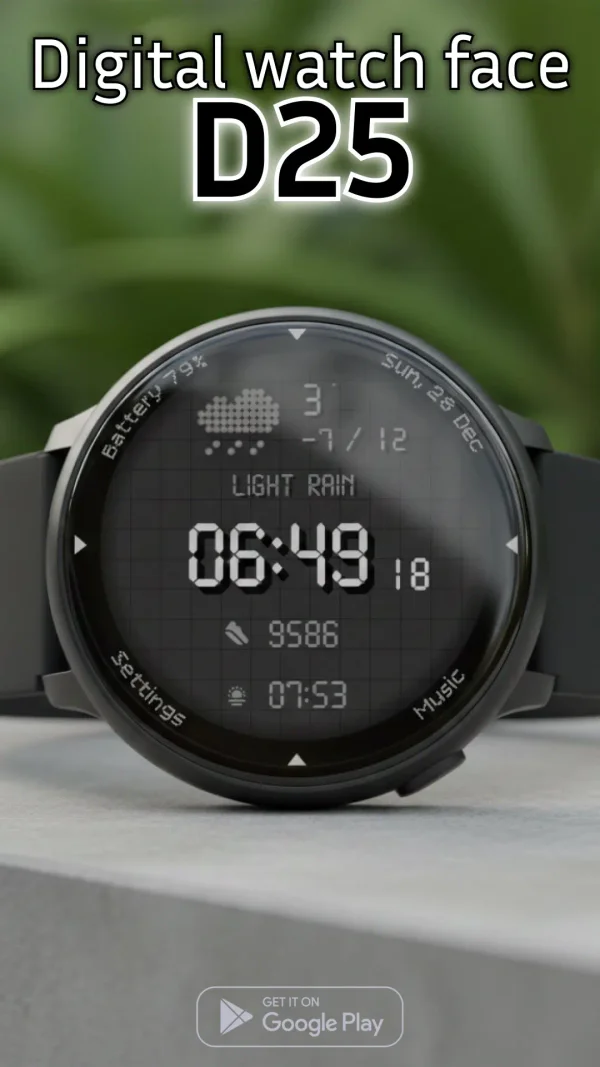
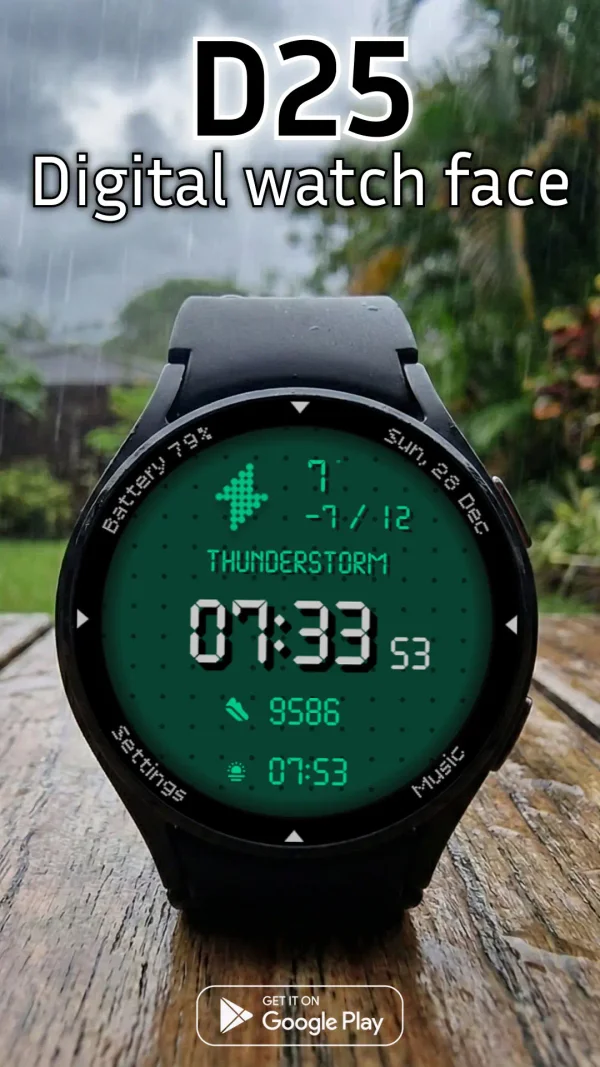
Wear OSデバイスにD25を搭載しましょう。レトロなタクティカルなデザインとモダンなカスタマイズ性を兼ね備えたデジタルウォッチフェイスです。クラシックなLCDディスプレイとドットマトリックスタイポグラフィにインスパイアされたこのフェイスは、頑丈な外観と日常使いに最適な機能性を兼ね備えています。
D25:頑丈なデジタルウォッチフェイス
Wear OSデバイスにD25を搭載しましょう。レトロなタクティカルなデザインとモダンなカスタマイズ性を兼ね備えたデジタルウォッチフェイスです。クラシックなLCDディスプレイとドットマトリックスタイポグラフィにインスパイアされたこのフェイスは、頑丈な外観と日常使いに最適な機能性を兼ね備えています。
主な機能:
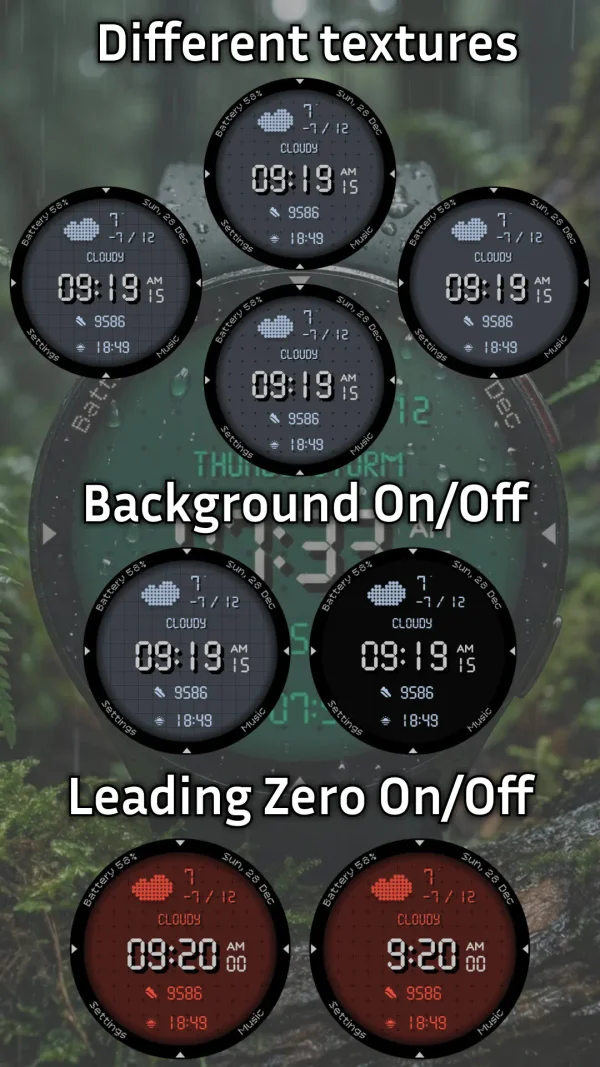
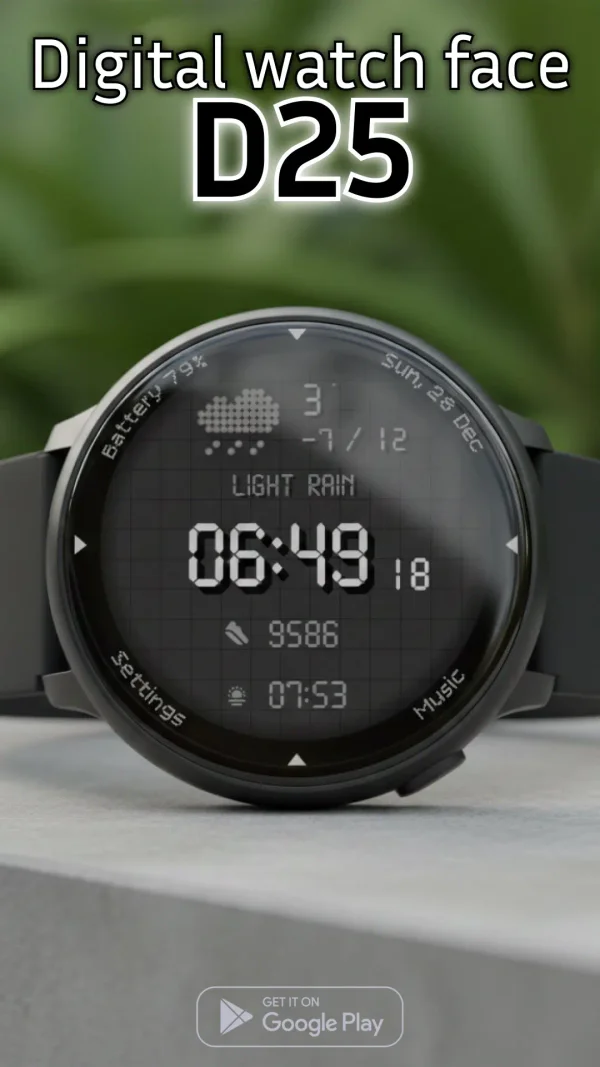
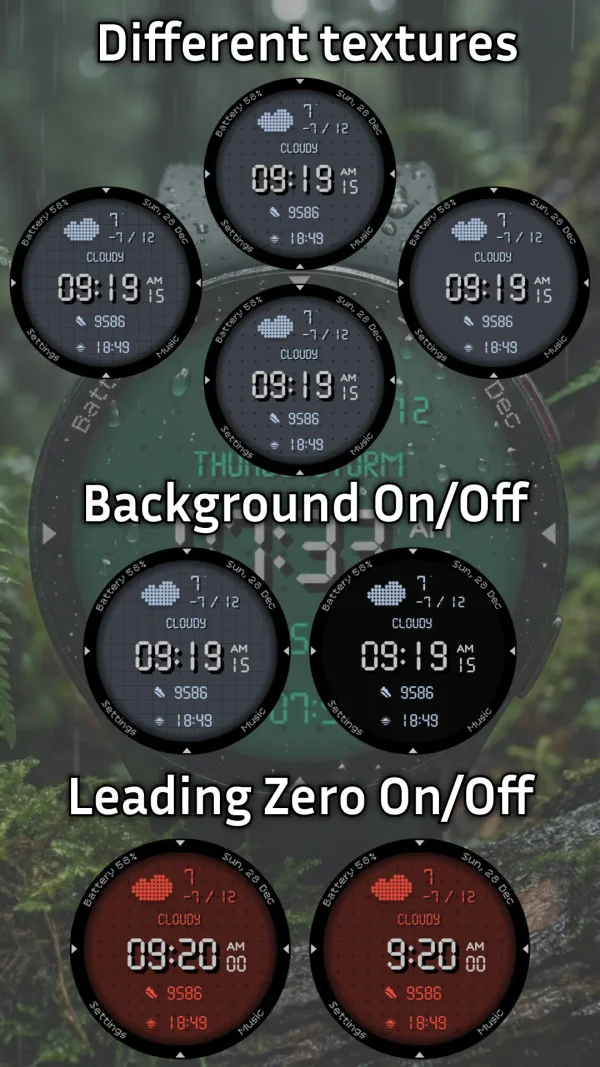
レトロデジタルな美学:鮮明でピクセルパーフェクトな時刻表示と、特徴的なドットマトリックスフォントが特徴です。背景テクスチャ(メッシュ/グリッド/ドット)を追加してタクティカルな雰囲気を演出したり、背景をオフにしてクリーンで深みのある黒のOLED対応インターフェースにしたりできます。
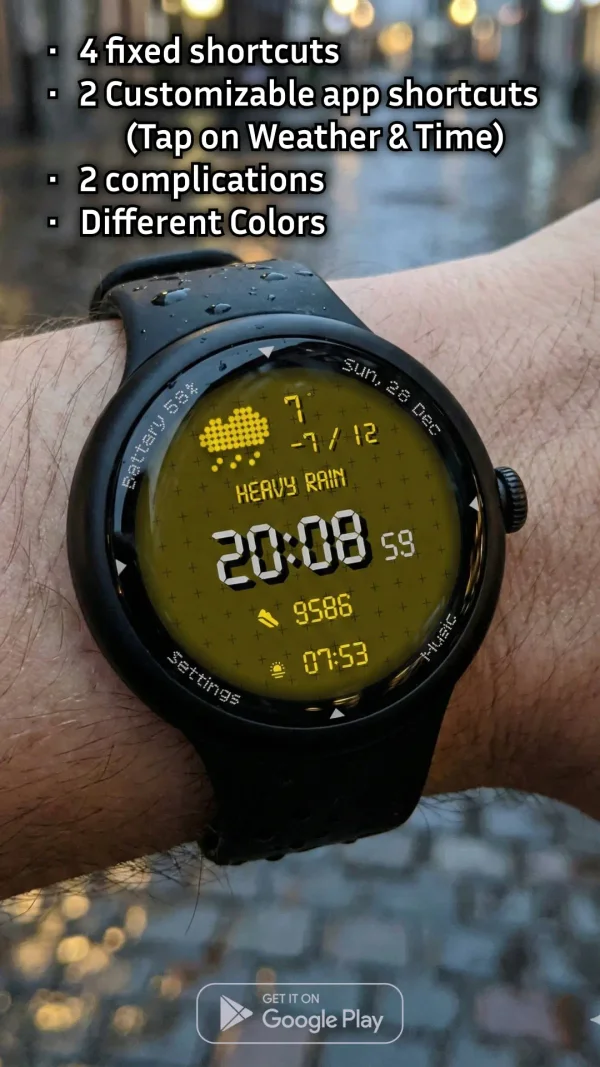
スマートショートカットシステム(合計6個):巧みに設計されたレイアウトで、これまで以上に素早くアプリにアクセスできます。
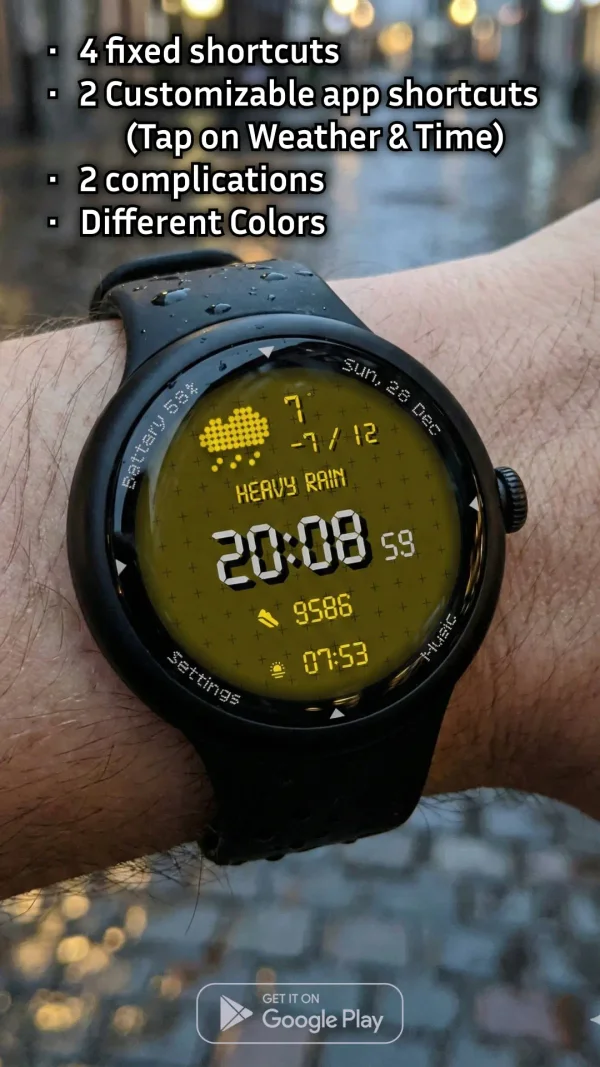
4つの固定ショートカット:ベゼルの周りに目立たないように配置され、設定、音楽、バッテリー、日付などの重要なシステム機能に瞬時にアクセスできます。
2つのカスタマイズ可能なショートカット:時刻または天気エリアをタップして、お気に入りのアプリを起動できます。開くアプリは自由に選択できます!
究極の時刻表示形式コントロール:「09:00」と「9:00」、どちらがお好みですか?D25には、多くのご要望にお応えして、先頭ゼロのオン/オフ切り替え機能が搭載されており、お好みの時刻表示が可能です。
一目でわかるデータ:中央ダッシュボードには、以下の情報が表示されます。
- デジタル時刻(12時間/24時間対応)
- 豊富な天気情報:アイコン、天気情報テキスト(例:「雷雨」)、気温(現在の気温、その日の最低気温、最高気温)
2つのカスタマイズ可能なコンプリケーション:内蔵データに加え、独自のコンプリケーションを追加できるスロットが2つあり、さらに便利にお使いいただけます。
デュアルAODモード:2種類の常時表示スタイルから選択でき、視認性とバッテリー寿命のバランスを最適化できます。
カスタマイズ:
豊富なカラーテーマとテクスチャオプションで、自分だけのスタイルを表現できます。高コントラストのネオングリーンでも、繊細なタクティカルグレーでも、D25はあなたの雰囲気に合わせることができます。
インストール:
- ウォッチがBluetooth経由でスマートフォンに接続されていることを確認してください。
- Google Playストアからウォッチフェイスをダウンロードしてください。スマートフォンにインストールされ、ウォッチと同期されます。
- ウォッチ画面を長押しし、D25デジタルウォッチフェイスまでスクロールしてタップして適用します。
互換性:
以下のWear OS 5+スマートウォッチに対応しています。
- Samsung Galaxy Watch
- Google Pixel Watch
- TicWatch
- Fossil
- その他の互換性のあるWear OSデバイス。
原文を表示
Equip your Wear OS device with the D25, a digital watch face that combines a retro-tactical aesthetic with modern customization. Inspired by classic LCD displays and dot-matrix typography, this face offers a rugged look with powerful functionality for everyday use.
D25: Rugged Digital Watch Face
Equip your Wear OS device with the D25, a digital watch face that combines a retro-tactical aesthetic with modern customization. Inspired by classic LCD displays and dot-matrix typography, this face offers a rugged look with powerful functionality for everyday use.
Key Features:
Retro-Digital Aesthetic: Enjoy a crisp, pixel-perfect time display with a distinct dot-matrix font. Choose to add background textures (mesh/grid/dots) for a tactical look, or turn the Background Off for a clean, deep black OLED-friendly interface.
Smart Shortcut System (6 Total): Access your apps faster than ever with a cleverly designed layout:
4 Fixed Shortcuts: Instant access to essential system functions (Settings, Music, Battery, Date) placed discreetly around the bezel.
2 Customizable Shortcuts: Tap the Time or the Weather area to launch your favorite apps. You choose what they open!
Ultimate Time Format Control: Do you prefer "09:00" or "9:00"? The D25 includes a Leading Zero On/Off toggle, a highly requested feature that lets you display the time exactly how you like it.
Data at a Glance: The central dashboard keeps you informed with:
- Digital Time (12h/24h support)
- Rich Weather Info: Icon, condition text (e.g., "Thunderstorm"), and temperature (current temperature, minimum and maximum for the day).
2 Customizable Complications: In addition to the built-in data, you have 2 slots to add your own complications for extra utility.
Dual AOD Modes: Choose between two Always-On Display styles to balance visibility and battery life.
Customization:
Express your style with a variety of Color Themes and texture options. Whether you want a high-contrast neon green or a subtle tactical grey, the D25 adapts to your vibe.
Installation:
- Make sure your watch is connected to your phone via Bluetooth.
- Download the watch face from the Google Play Store. It will install on your phone and sync to your watch.
- Long-press your watch screen, scroll to the D25 Digital Watch Face, and tap to apply.
Compatibility:
Designed for all Wear OS 5+ smartwatches, including:
- Samsung Galaxy Watch
- Google Pixel Watch
- TicWatch
- Fossil
- And other compatible Wear OS devices.
データ セーフティ
このアプリが収集・共有するデータについて、VG FacesがGoogle Playで申告している内容です。
- 第三者と共有されるデータはありません詳しくは、デベロッパーが共有を申告する方法についての説明をご覧ください
- データは収集されません詳しくは、デベロッパーが収集を申告する方法についての説明をご覧ください
- Play ファミリー ポリシーの遵守に努めています
新機能
2026/8/10
app-release
開発元の連絡先
- メールvolder83@gmail.com
- プライバシーポリシーsites.google.com
- 住所W.-I.-Lenin-Straße 51 19370 Parchim Germany
情報
- 提供元
- VG Faces
- カテゴリ
- カスタマイズ
- 更新日
- 2026/8/10
- リリース
- 2025/12/11
- 対象年齢
- 3 歳以上
- 価格
- ¥200
- パッケージ名
- com.watchfacestudio.d25