Image Format to PDF Export
Pen RingtonesEnthält Werbung
- USK ab 0 JahrenAltersfreigabe
- ToolsKategorie
- 14.10.2025Aktualisiert
- KostenlosPreis
Verlinkt auf den offiziellen Google Play-Eintrag von simpleapp.phototopdfmaker.imagetopdfconverter. Zuletzt geprüft am 16.11.2026.
Screenshots


Über diese App
Automatische Übersetzung von Google. Originalsprache: Englisch (Vereinigte Staaten).
Konvertieren Sie mehrere JPG-, JPEG-, PNG-Dateien usw. schnell in ein PDF
Fotos ganz einfach in PDF konvertieren – Entdecken Sie „Bild in PDF exportieren“!
Bilder im PDF-Format sind oft unerlässlich. Ob für Aufgaben, offizielle Dokumente oder den Austausch strukturierter Erinnerungen – die Konvertierung in PDF ist oft notwendig. „Bild in PDF exportieren“ ist eine schnelle und benutzerfreundliche Lösung, mit der Sie Ihre Fotos mit nur wenigen Fingertipps in hochwertige PDFs umwandeln können. Von Schul- und Hochschulprojekten bis hin zu professionellen Anforderungen – diese App ist ideal für alle, die Bilder zuverlässig in PDF konvertieren möchten.
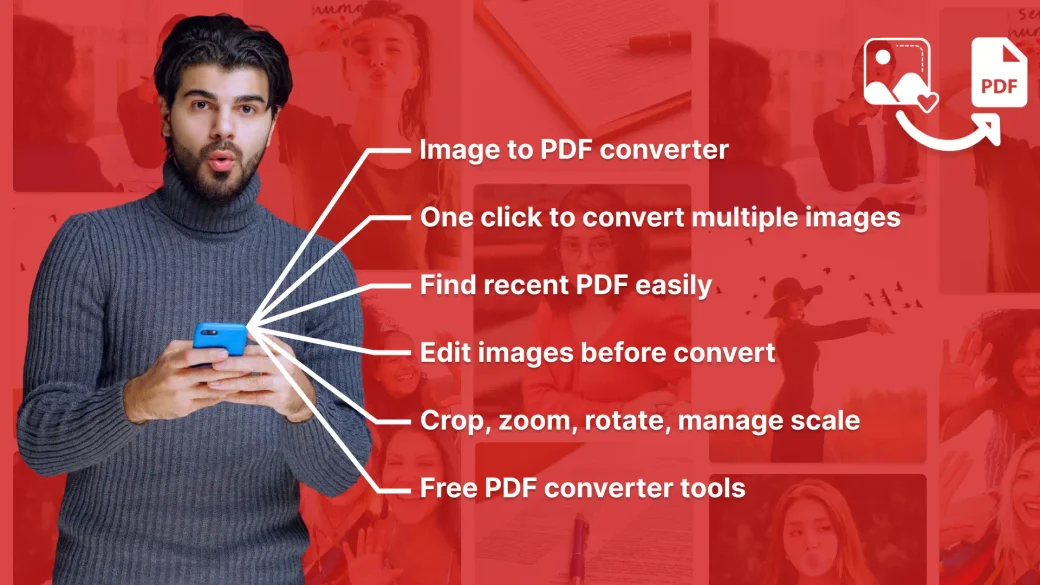
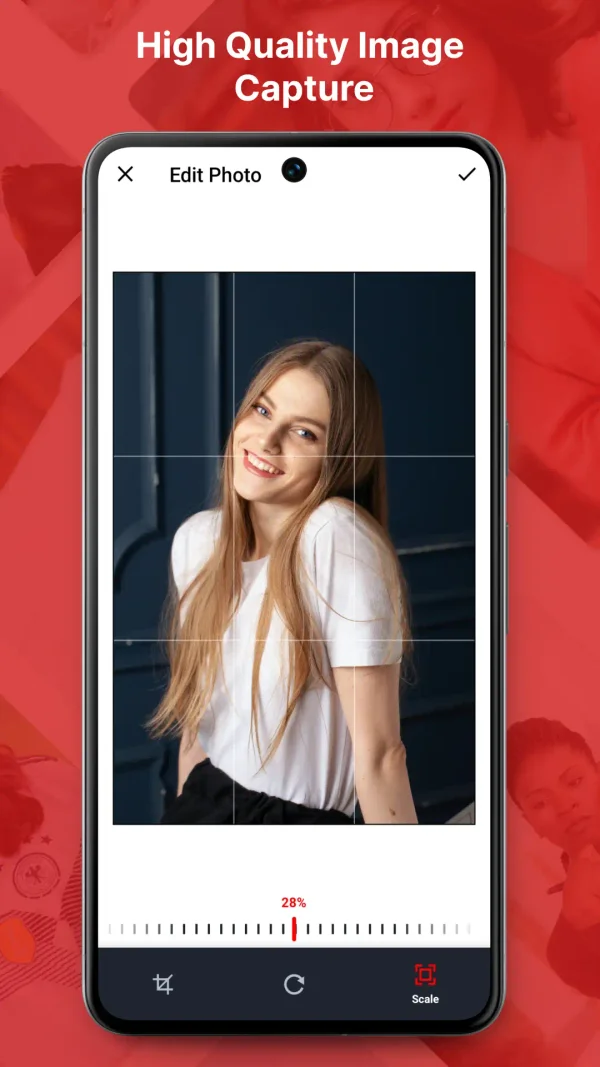
Mit „Bild in PDF exportieren“ können Sie Bilder in verschiedenen Formaten wie JPG, JPEG, PNG und mehr auswählen. Sortieren, bearbeiten und ordnen Sie Ihre Bilder, bevor Sie sie in eine einzige PDF-Datei konvertieren. Sie können die Größe Ihrer Bilder ändern, sie zuschneiden, zoomen, die Ausrichtung ändern und den Maßstab anpassen – alles direkt in der App.
📋 Wichtige Funktionen von „Bild in PDF exportieren“:
- Benutzerfreundliche Oberfläche: Das intuitive Design sorgt für ein reibungsloses Erlebnis für alle Nutzer, vom Anfänger bis zum Profi.
- Einfach und benutzerfreundlich: Konvertieren Sie Bilder mühelos und ohne komplizierte Schritte in PDF.
- Leistungsstarke Bearbeitungstools: Bearbeiten Sie Ihre Bilder vor der Konvertierung in PDF mit Werkzeugen zum Ändern der Größe, Zuschneiden, Zoomen und Ausrichten.
- Hochwertige Konvertierung: Genießen Sie hochauflösende PDF-Ausgaben für ein professionelles und gestochen scharfes Erscheinungsbild Ihrer Dokumente.
- Schnelle Bild-zu-PDF-Konvertierung: Konvertiert Ihre Bilder in Sekundenschnelle in PDF, selbst bei mehreren Dateien.
- Unterstützt verschiedene Bildformate: Funktioniert mit JPG, JPEG, PNG und anderen gängigen Bildformaten für eine nahtlose Konvertierung.
- Stapelkonvertierung: Wählen Sie mehrere Bilder aus und konvertieren Sie sie in einem Schritt in eine PDF-Datei.
- Integrierter Bildeditor: Passen Sie das Erscheinungsbild jedes Fotos vor der Konvertierung in PDF an, damit Ihr Dokument genau Ihren Wünschen entspricht.
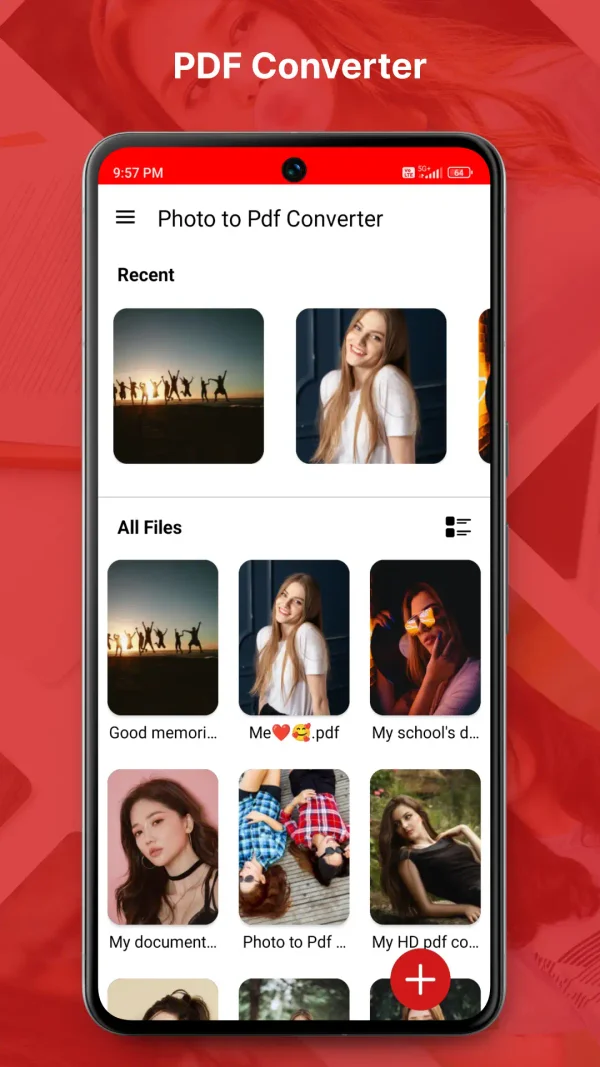
- Liste der konvertierten PDFs anzeigen: Greifen Sie einfach über die App auf Ihre kürzlich konvertierten PDFs zu und verwalten Sie sie.
🖼️ Wer profitiert vom Bild-zu-PDF-Export?
Ob Sie als Student Aufgaben im PDF-Format einreichen müssen, als Fachkraft Dokumente zusammenstellen oder ein Druck- und Kopierzentrum betreiben – „Bild in PDF exportieren“ ist ein vielseitiges Tool für alle. Die intuitive Benutzeroberfläche und die zahlreichen Bearbeitungsoptionen machen es zur perfekten Wahl für alle, die Fotos schnell in PDFs konvertieren möchten.
– Studierende: Ideal zum Erstellen von PDFs mit Aufgaben, Notizen und Lernmaterialien.
– Lehrkräfte & Tutoren: Organisieren und teilen Sie Unterrichtsmaterialien oder Aufgaben ganz einfach.
– Profis: Konvertieren Sie offizielle Dokumente oder Fotos für eine einfache Weitergabe.
– Freiberufler & Designer: Präsentieren Sie Ihre Arbeit in einer einzigen, leicht zu teilenden PDF-Datei.
– Druck- und Kopierzentren: Bearbeiten Sie effizient Kundenanfragen zur Konvertierung von Bildern in PDF.
🛠️ Wie verwende ich „Bild in PDF exportieren“?
„Bild in PDF exportieren“ ist ganz einfach! So erstellen Sie in wenigen Schritten PDFs aus Bildern:
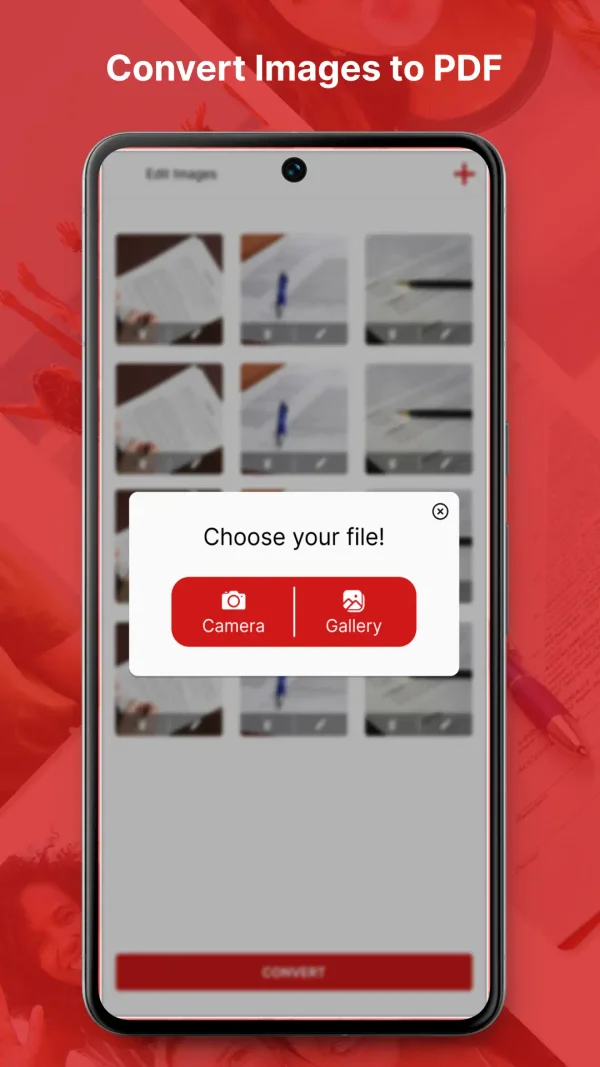
1. Fotos auswählen: Wählen Sie ein oder mehrere Bilder aus, die Sie konvertieren möchten. Die App unterstützt alle gängigen Bildformate – wählen Sie zwischen JPG, JPEG, PNG und weiteren.
2. Fotos bearbeiten: Mit dem integrierten Editor können Sie Größe, Zuschnitt, Zoom und Ausrichtung nach Bedarf anpassen. Passen Sie jedes Bild individuell an, um der endgültigen PDF-Datei ein ansprechendes Aussehen zu verleihen.
3. In PDF konvertieren: Wenn Sie mit dem Bildlayout zufrieden sind, tippen Sie auf die Schaltfläche „Konvertieren“, um sofort eine PDF-Datei zu erstellen.
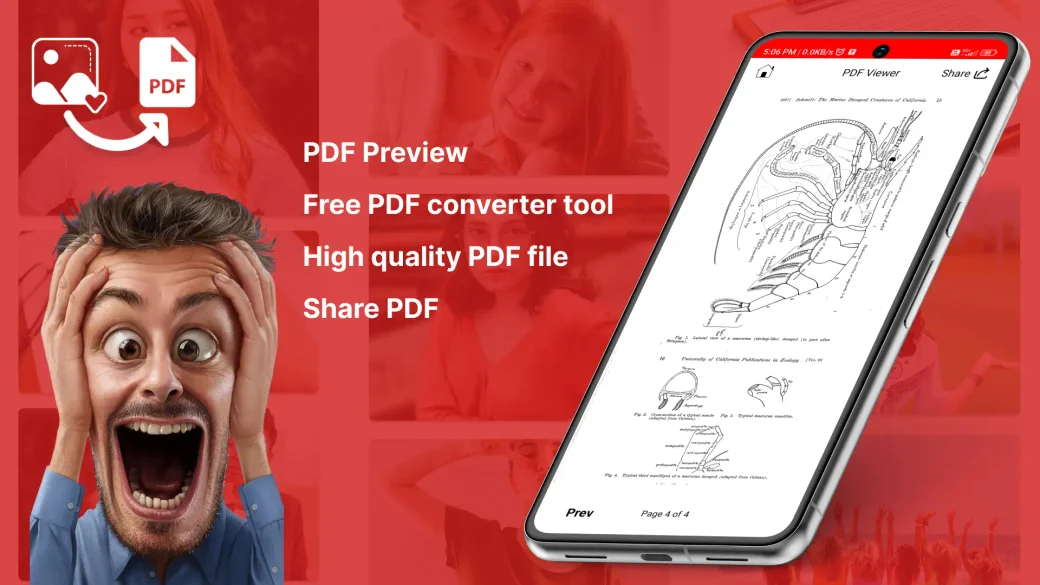
4. Öffnen und teilen: Zeigen Sie die erstellte PDF-Datei direkt in der App an und teilen Sie sie per E-Mail, Messenger oder über soziale Medien. Perfekt für den schnellen Austausch mit Freunden, Mitschülern oder Kollegen.
🌟 Warum „Bild in PDF exportieren“?
„Bild in PDF exportieren“ wurde entwickelt, um die PDF-Erstellung einfach und effizient zu gestalten. Unser Ziel ist es, ein leistungsstarkes Tool für die Konvertierung von Bildern in PDFs bereitzustellen, das hochwertige Ergebnisse und eine benutzerfreundliche Oberfläche bietet. Mit den Bearbeitungsoptionen der App und der Unterstützung für die Konvertierung mehrerer Bilder haben Sie die volle Kontrolle über Ihren PDF-Erstellungsprozess.
📲 Laden Sie „Bild in PDF exportieren“ noch heute herunter!
Originaltext anzeigen
Convert Photos to PDF with Ease – Meet Export Image to Pdf!
In many scenarios, having images in PDF format is essential. Whether for assignments, official documents, or sharing memories in a structured format, converting images to PDF is often necessary. Export Image to Pdf is a quick, user-friendly solution that lets you turn your photos into high-quality PDFs in just a few taps. From school and college projects to professional needs, this app is ideal for anyone who needs a reliable way to convert images to PDFs.
With Export Image to Pdf, you can select images in various formats like JPG, JPEG, PNG, and more. Sort, edit, and arrange your images before converting them into a single PDF file. You can resize, crop, zoom, change orientation, and adjust the scale of your images – all from within the app.
📋 Key Features of Export Image to Pdf:
- User-Friendly Interface: An intuitive design ensures a smooth experience for all users, from beginners to pros.
- Simple & Easy to Use: Convert images to PDF without any hassle or complicated steps.
- Powerful Editing Tools: Edit your images before converting to PDF with resizing, cropping, zooming, and orientation tools.
- High-Quality Conversion: Enjoy high-resolution PDF output to ensure your documents look professional and sharp.
- Fast Image-to-PDF Conversion: Efficiently converts your images to PDF in seconds, even with multiple files.
- Supports Various Image Formats: Works with JPG, JPEG, PNG, and other popular image formats for seamless conversion.
- Batch Conversion Support: Select and convert multiple images into a single PDF in one go.
- Built-in Image Editor: Customize each photo’s appearance before converting to PDF, ensuring your document looks exactly how you want it.
- View Converted PDF List: Easily access and manage your recently converted PDFs from the app.
🖼️ Who Can Benefit from Export Image to Pdf?
Whether you’re a student needing to submit assignments in PDF format, a professional compiling documents, or a shop owner at a Print & copy center, Export Image to Pdf is a versatile tool for everyone. Its intuitive interface and wide range of editing options make it the perfect choice for anyone looking to convert photos to PDFs quickly.
- Students: Ideal for creating PDFs of assignments, notes, and study materials.
- Teachers & Tutors: Organize and share class materials or assignments easily.
- Professionals: Convert official documents or photos for easy sharing.
- Freelancers & Designers: Showcase your work in a single, easy-to-share PDF.
- Print & Copy Centers: Efficiently handle customers’ requests for image-to-PDF conversions.
🛠️ How to Use Export Image to Pdf?
Using Export Image to Pdf is simple! Here’s how to create PDFs from images in just a few steps:
1. Select Photos: Choose one or multiple images you want to convert. The app supports all common image formats, so feel free to pick JPG, JPEG, PNG, or more.
2. Edit Photos: Use the built-in editor to resize, crop, zoom, and adjust orientation as needed. Customize each image for a polished look in the final PDF.
3. Convert to PDF: Once you’re satisfied with the image layout, tap the convert button to generate a PDF instantly.
4. Open and Share: View the created PDF directly within the app, and share it via email, messaging apps, or social media. Perfect for quick sharing with friends, classmates, or colleagues.
🌟 Why Choose Export Image to Pdf?
Export Image to Pdf is designed to make PDF creation simple and efficient. Our goal is to deliver a powerful tool for converting images to PDFs while providing high-quality results and an easy-to-use interface. With the app’s editing options and multi-image conversion support, you have complete control over your PDF creation process.
📲 Download Export Image to Pdf Today!
Datensicherheit
Was Pen Ringtones bei Google Play zu den Daten angibt, die diese App erfasst und weitergibt.
- Diese App kann die folgenden Datentypen an Dritte weitergebenInstallierte Apps
- Keine Daten erhobenWeitere Informationen dazu, wie Entwickler Angaben zur Datenerhebung machen
- Daten werden bei der Übertragung verschlüsselt
- Daten können nicht gelöscht werden
Kontakt zum Entwickler
- Websitepentone1999.blogspot.com
- E-Mailpentone1999@gmail.com
- Datenschutzerklärungpentone2.wordpress.com
- Adresse2nd Floor, House No. 8, Nandanvan Society Near Chikuwadi, Nana Varachha Surat, Gujarat 395006 India
Informationen
- Angeboten von
- Pen Ringtones
- Kategorie
- Tools
- Version
- 2.0
- Aktualisiert
- 14.10.2025
- Veröffentlicht
- 15.10.2024
- Erfordert
- Android 7.0 oder höher
- Altersfreigabe
- USK ab 0 Jahren
- Preis
- Kostenlos
- Paketname
- simpleapp.phototopdfmaker.imagetopdfconverter