Image Format to PDF Export
Pen Ringtones広告を含む
- 3 歳以上対象年齢
- ツールカテゴリ
- 2025/10/14更新日
- 無料価格
simpleapp.phototopdfmaker.imagetopdfconverterのGoogle Play公式ページにリンクしています。最終確認:2026/11/16。
スクリーンショット


このアプリについて
Googleによる英語 (アメリカ合衆国)からの自動翻訳です。
複数のjpg、jpeg、pngなどを1つのPDFに素早く変換します
写真を簡単にPDFに変換 - Export Image to PDF!
多くの場面で、画像をPDF形式で保存しておくことは不可欠です。課題、公式文書、思い出を整理された形式で共有するなど、画像をPDFに変換することはしばしば必要になります。Export Image to PDFは、わずか数回のタップで写真を高品質のPDFに変換できる、迅速で使いやすいソリューションです。学校や大学のプロジェクトからプロフェッショナルなニーズまで、このアプリは画像をPDFに変換する確実な方法を必要とするすべての人に最適です。
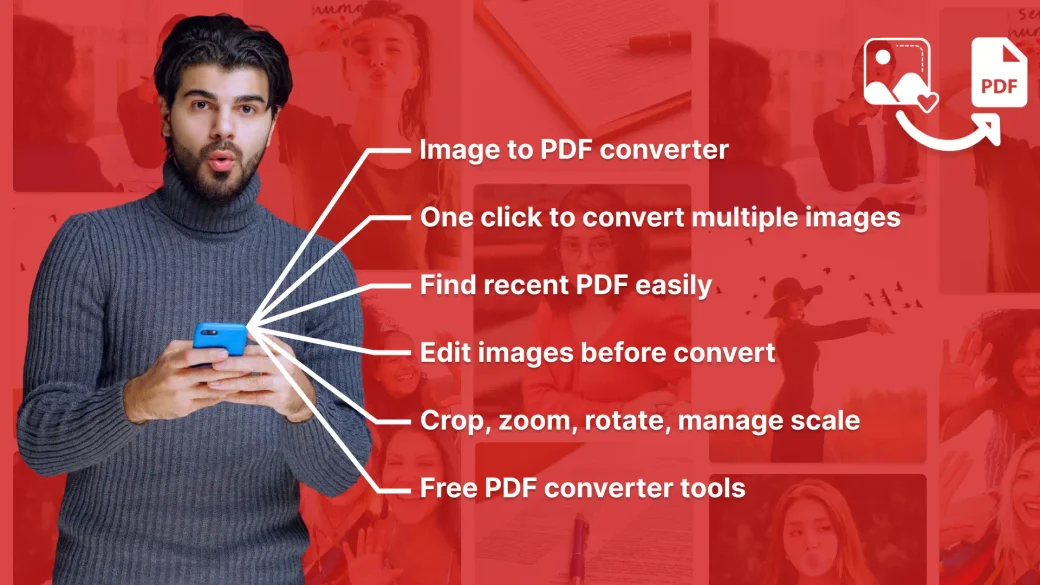
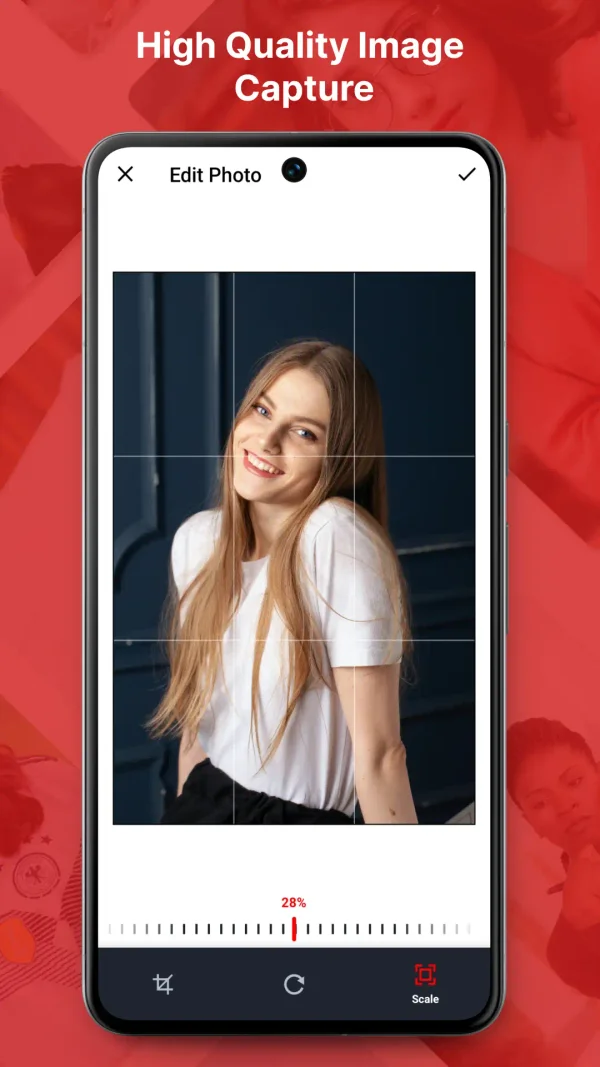
Export Image to PDFでは、JPG、JPEG、PNGなど、さまざまな形式の画像を選択できます。画像を並べ替え、編集、配置してから、単一のPDFファイルに変換できます。画像のサイズ変更、トリミング、ズーム、向きの変更、スケール調整など、すべてアプリ内から行えます。
📋 Export Image to PDFの主な機能:
- ユーザーフレンドリーなインターフェース:直感的なデザインにより、初心者からプロまで、すべてのユーザーがスムーズに操作できます。
- シンプルで使いやすい:面倒な手順や複雑な手順なしで画像をPDFに変換できます。
- 強力な編集ツール:サイズ変更、切り抜き、ズーム、方向調整ツールを使用して、PDFに変換する前に画像を編集できます。
- 高品質な変換:高解像度のPDF出力で、ドキュメントをプロフェッショナルで鮮明な仕上がりにできます。
- 画像からPDFへの高速変換:複数のファイルがあっても、わずか数秒で効率的に画像をPDFに変換できます。
- さまざまな画像形式をサポート:JPG、JPEG、PNGなどの一般的な画像形式に対応し、シームレスな変換が可能です。
- バッチ変換サポート:複数の画像を選択して、一度に1つのPDFに変換できます。
- 組み込みの画像エディター:PDFに変換する前に各写真の外観をカスタマイズし、ドキュメントを思いどおりに仕上げることができます。
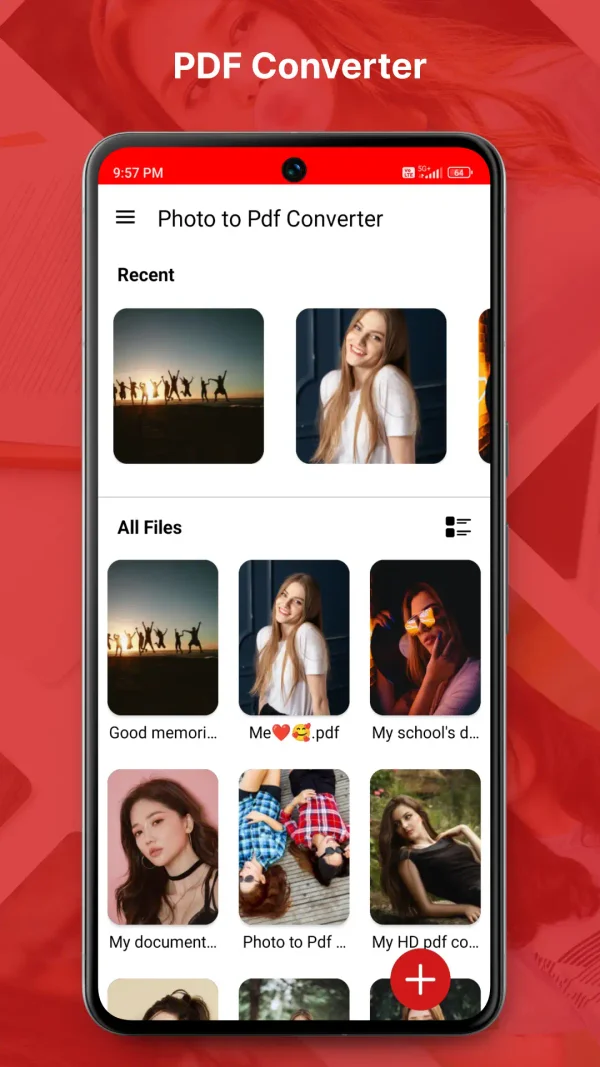
- 変換済みPDFリストの表示:アプリから最近変換したPDFに簡単にアクセスして管理できます。
🖼️ 画像をPDFにエクスポートするメリットは?
PDF形式で課題を提出する必要がある学生、書類をまとめる専門家、プリント&コピーセンターの店主など、あらゆる方にとって「画像をPDFにエクスポート」は多用途なツールです。直感的なインターフェースと幅広い編集オプションにより、写真を素早くPDFに変換したい方に最適です。
- 学生:課題、ノート、学習資料のPDF作成に最適です。
- 教師・家庭教師:授業資料や課題を簡単に整理・共有できます。
- プロフェッショナル:公式文書や写真を簡単に共有できるように変換できます。
- フリーランサー・デザイナー:作品を1つのPDFにまとめて共有しやすくできます。
- プリント&コピーセンター:画像からPDFへの変換に関するお客様のリクエストを効率的に処理できます。
🛠️「画像をPDFにエクスポート」の使い方
「画像をPDFにエクスポート」の使い方は簡単です!画像からPDFを作成する手順は以下のとおりです。
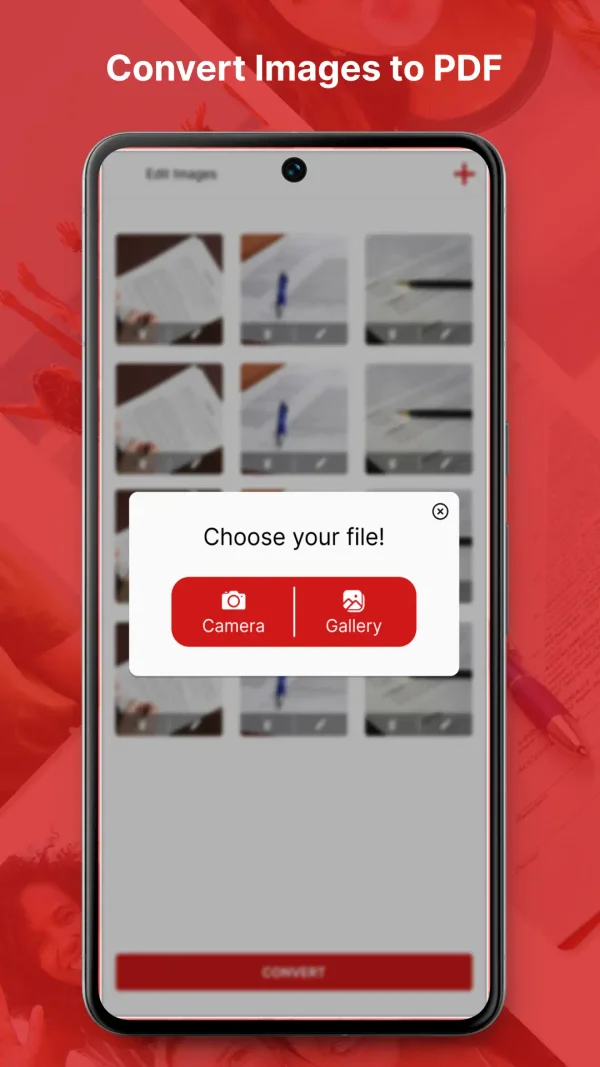
1. 写真を選択:変換したい画像を1枚または複数選択します。このアプリは一般的な画像形式をすべてサポートしているので、JPG、JPEG、PNGなど、お好きな形式をお選びいただけます。
2. 写真編集:内蔵エディタを使って、必要に応じてサイズ変更、トリミング、ズーム、向きの調整ができます。各画像をカスタマイズして、最終的なPDFの見栄えを良くしましょう。
3. PDFに変換:画像のレイアウトに満足したら、変換ボタンをタップするだけで、すぐにPDFが生成されます。
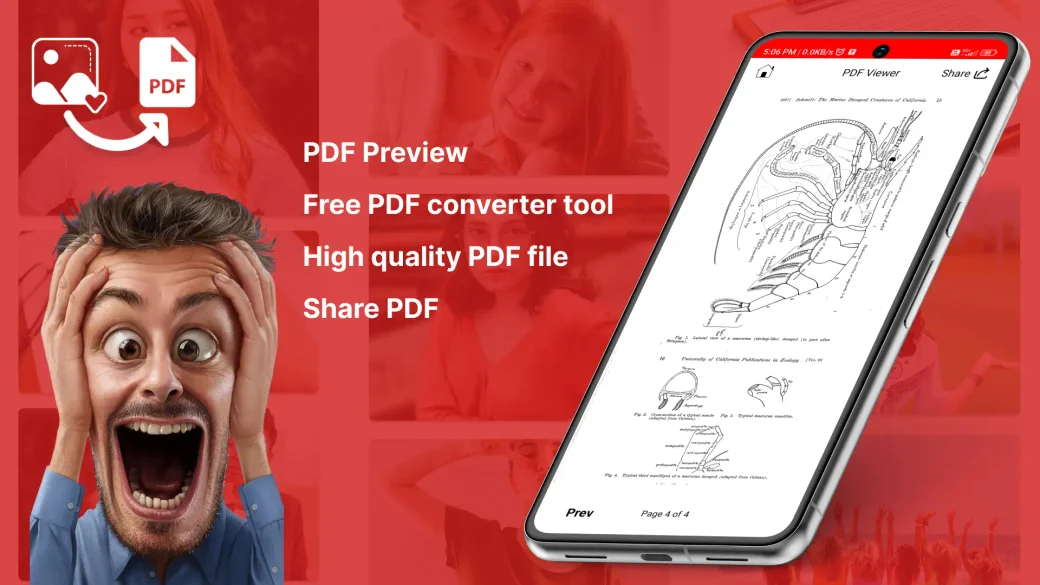
4. 開いて共有:作成されたPDFはアプリ内で直接表示でき、メール、メッセージアプリ、ソーシャルメディアで共有できます。友人、クラスメート、同僚とすぐに共有するのに最適です。
🌟 Export Image to PDFを選ぶ理由
Export Image to PDFは、PDF作成をシンプルかつ効率的に行うために設計されています。私たちの目標は、高品質な結果と使いやすいインターフェースを提供しながら、画像をPDFに変換するための強力なツールを提供することです。アプリの編集オプションと複数画像変換サポートにより、PDF作成プロセスを完全にコントロールできます。
📲 今すぐExport Image to PDFをダウンロード!
原文を表示
Convert Photos to PDF with Ease – Meet Export Image to Pdf!
In many scenarios, having images in PDF format is essential. Whether for assignments, official documents, or sharing memories in a structured format, converting images to PDF is often necessary. Export Image to Pdf is a quick, user-friendly solution that lets you turn your photos into high-quality PDFs in just a few taps. From school and college projects to professional needs, this app is ideal for anyone who needs a reliable way to convert images to PDFs.
With Export Image to Pdf, you can select images in various formats like JPG, JPEG, PNG, and more. Sort, edit, and arrange your images before converting them into a single PDF file. You can resize, crop, zoom, change orientation, and adjust the scale of your images – all from within the app.
📋 Key Features of Export Image to Pdf:
- User-Friendly Interface: An intuitive design ensures a smooth experience for all users, from beginners to pros.
- Simple & Easy to Use: Convert images to PDF without any hassle or complicated steps.
- Powerful Editing Tools: Edit your images before converting to PDF with resizing, cropping, zooming, and orientation tools.
- High-Quality Conversion: Enjoy high-resolution PDF output to ensure your documents look professional and sharp.
- Fast Image-to-PDF Conversion: Efficiently converts your images to PDF in seconds, even with multiple files.
- Supports Various Image Formats: Works with JPG, JPEG, PNG, and other popular image formats for seamless conversion.
- Batch Conversion Support: Select and convert multiple images into a single PDF in one go.
- Built-in Image Editor: Customize each photo’s appearance before converting to PDF, ensuring your document looks exactly how you want it.
- View Converted PDF List: Easily access and manage your recently converted PDFs from the app.
🖼️ Who Can Benefit from Export Image to Pdf?
Whether you’re a student needing to submit assignments in PDF format, a professional compiling documents, or a shop owner at a Print & copy center, Export Image to Pdf is a versatile tool for everyone. Its intuitive interface and wide range of editing options make it the perfect choice for anyone looking to convert photos to PDFs quickly.
- Students: Ideal for creating PDFs of assignments, notes, and study materials.
- Teachers & Tutors: Organize and share class materials or assignments easily.
- Professionals: Convert official documents or photos for easy sharing.
- Freelancers & Designers: Showcase your work in a single, easy-to-share PDF.
- Print & Copy Centers: Efficiently handle customers’ requests for image-to-PDF conversions.
🛠️ How to Use Export Image to Pdf?
Using Export Image to Pdf is simple! Here’s how to create PDFs from images in just a few steps:
1. Select Photos: Choose one or multiple images you want to convert. The app supports all common image formats, so feel free to pick JPG, JPEG, PNG, or more.
2. Edit Photos: Use the built-in editor to resize, crop, zoom, and adjust orientation as needed. Customize each image for a polished look in the final PDF.
3. Convert to PDF: Once you’re satisfied with the image layout, tap the convert button to generate a PDF instantly.
4. Open and Share: View the created PDF directly within the app, and share it via email, messaging apps, or social media. Perfect for quick sharing with friends, classmates, or colleagues.
🌟 Why Choose Export Image to Pdf?
Export Image to Pdf is designed to make PDF creation simple and efficient. Our goal is to deliver a powerful tool for converting images to PDFs while providing high-quality results and an easy-to-use interface. With the app’s editing options and multi-image conversion support, you have complete control over your PDF creation process.
📲 Download Export Image to Pdf Today!
データ セーフティ
このアプリが収集・共有するデータについて、Pen RingtonesがGoogle Playで申告している内容です。
- このアプリはサードパーティと以下の種類のデータを共有することがありますファイル、ドキュメント
- データは収集されません詳しくは、デベロッパーが収集を申告する方法についての説明をご覧ください
- データは送信中に暗号化されます
- データを削除できません
開発元の連絡先
- ウェブサイトpentone1999.blogspot.com
- メールpentone1999@gmail.com
- プライバシーポリシーpentone2.wordpress.com
- 住所2nd Floor, House No. 8, Nandanvan Society Near Chikuwadi, Nana Varachha Surat, Gujarat 395006 India
情報
- 提供元
- Pen Ringtones
- カテゴリ
- ツール
- バージョン
- 2.0
- 更新日
- 2025/10/14
- リリース
- 2024/10/15
- 必要条件
- Android 7.0以降
- 対象年齢
- 3 歳以上
- 価格
- 無料
- パッケージ名
- simpleapp.phototopdfmaker.imagetopdfconverter