MD331 Analog watch face
Matteo Dini MD ® Watch Faces- USK ab 0 JahrenAltersfreigabe
- PersonalisierungKategorie
- 28.10.2026Aktualisiert
- 1,99 €Preis
Verlinkt auf den offiziellen Google Play-Eintrag von com.watchfacestudio.md331. Zuletzt geprüft am 14.11.2026.
Screenshots
Über diese App
Automatische Übersetzung von Google. Originalsprache: Englisch (Vereinigte Staaten).
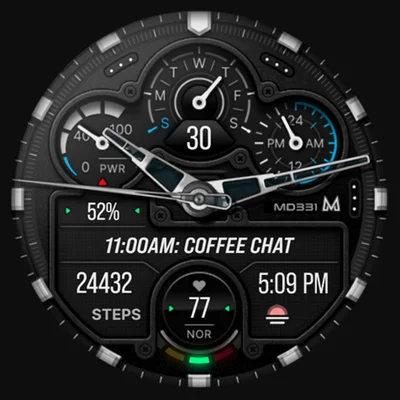
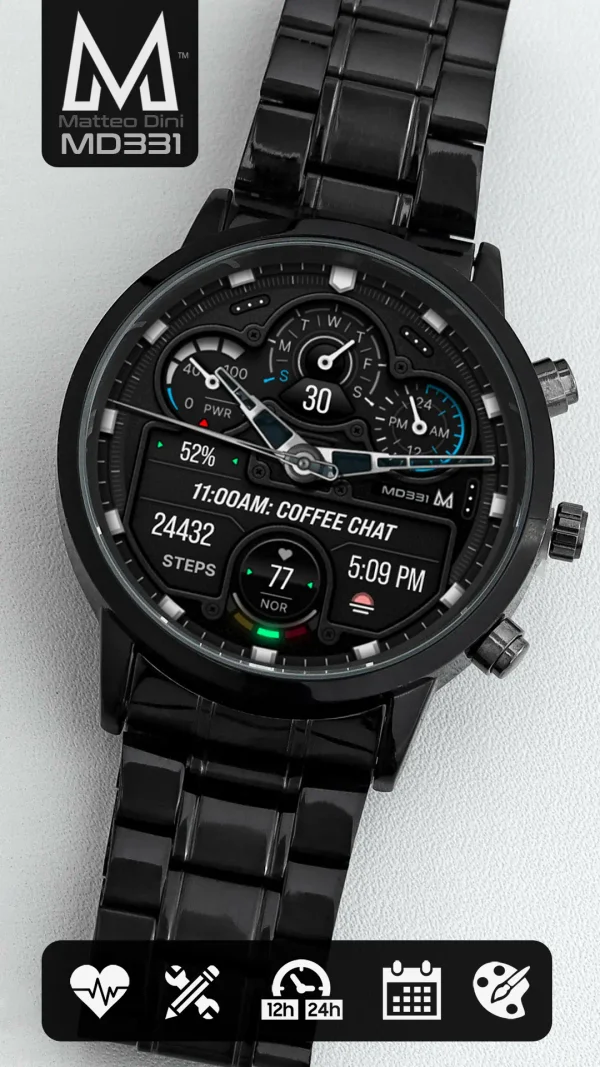
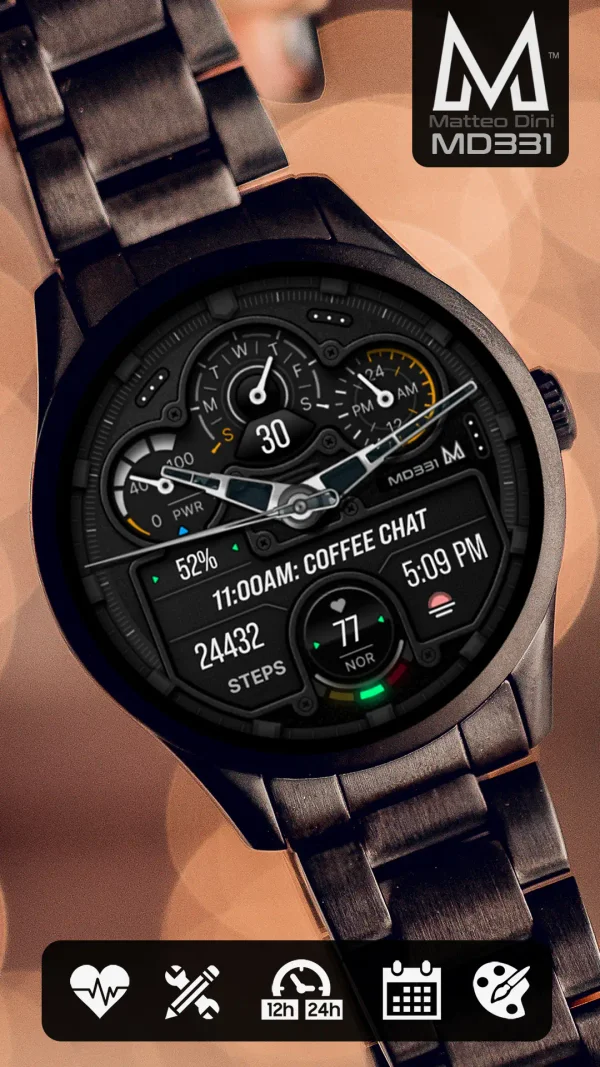
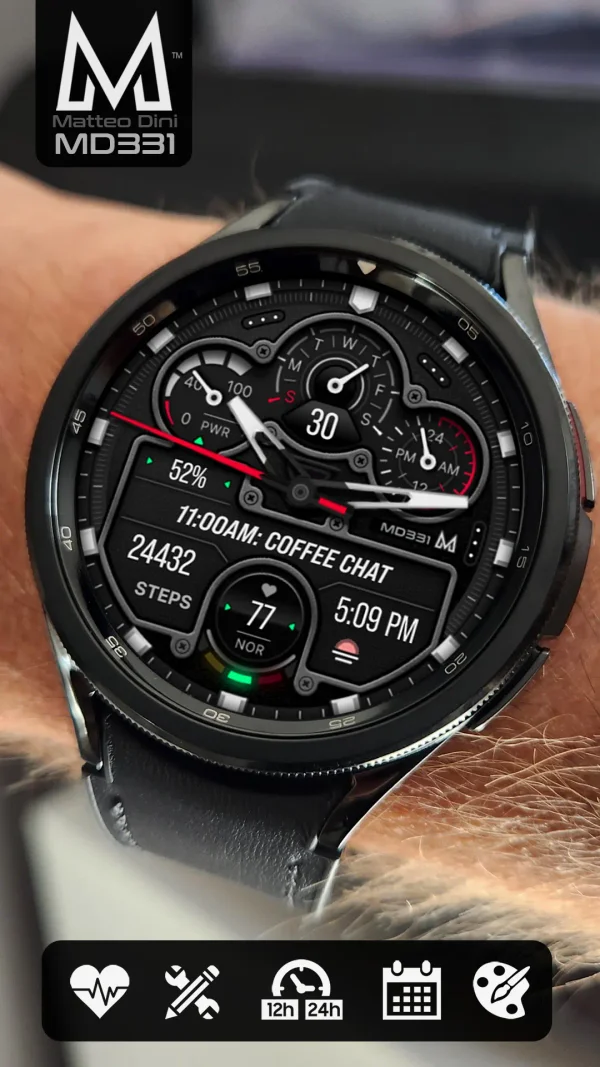
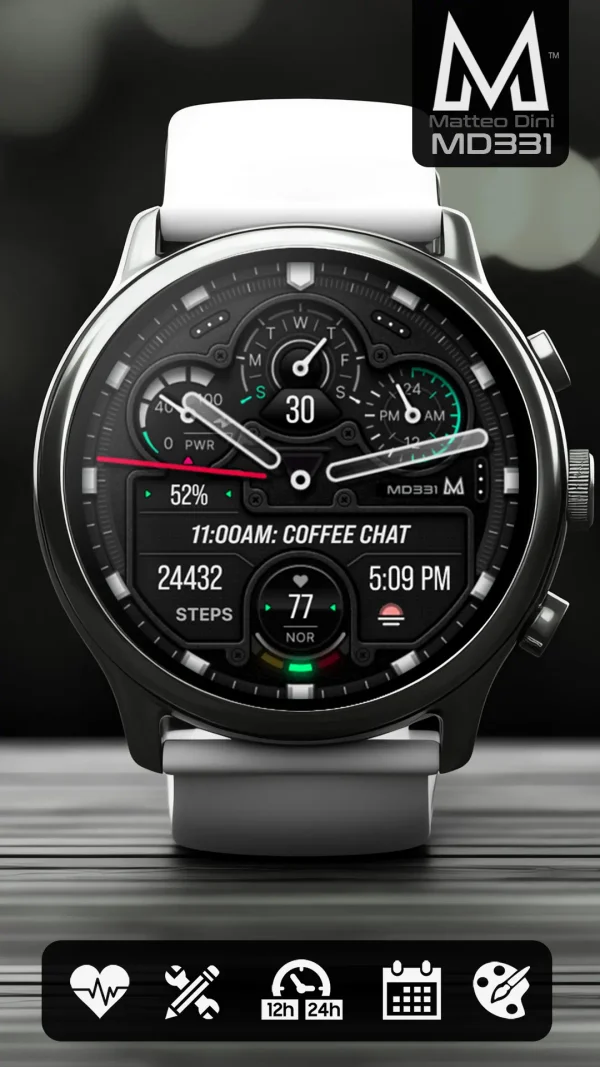
Analoges Zifferblatt mit vielen Anpassungen für Wear OS.
Neues Zifferblattformat.
Hinweis für Galaxy Watch-Nutzer: Der Zifferblatt-Editor in der Samsung Wearable App kann komplexe Zifferblätter wie dieses oft nicht laden.
Das liegt nicht am Zifferblatt selbst.
Es wird empfohlen, das Zifferblatt direkt auf der Uhr anzupassen, bis Samsung dieses Problem behebt.
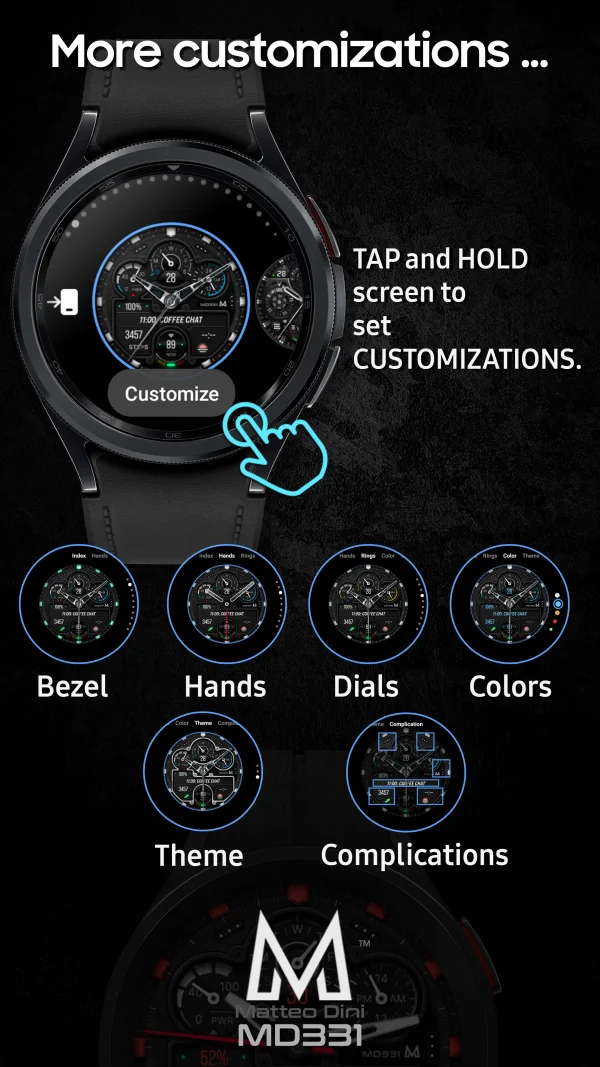
TIppen und halten Sie den Bildschirm auf der Uhr und wählen Sie „Anpassen“.
Es enthält vier voreingestellte App-Verknüpfungen, drei anpassbare Verknüpfungen und drei anpassbare Komplikationen, mit denen Sie Ihre bevorzugten Daten wie Wetter, Barometer, zurückgelegte Strecke, Kalorien, UV-Index, Regenwahrscheinlichkeit und vieles mehr abrufen können.
INSTALLATIONSHINWEISE:
Eine Installations- und Fehlerbehebungsanleitung finden Sie unter diesem Link:
https://www.matteodinimd.com/watchface-installation/
Dieses Zifferblatt unterstützt alle Wear OS-Geräte mit API Level 33+ (Wear OS 4 und neuere Versionen), wie z. B. die Samsung Galaxy Watch 4–8, Ultra, Pixel Watch usw.
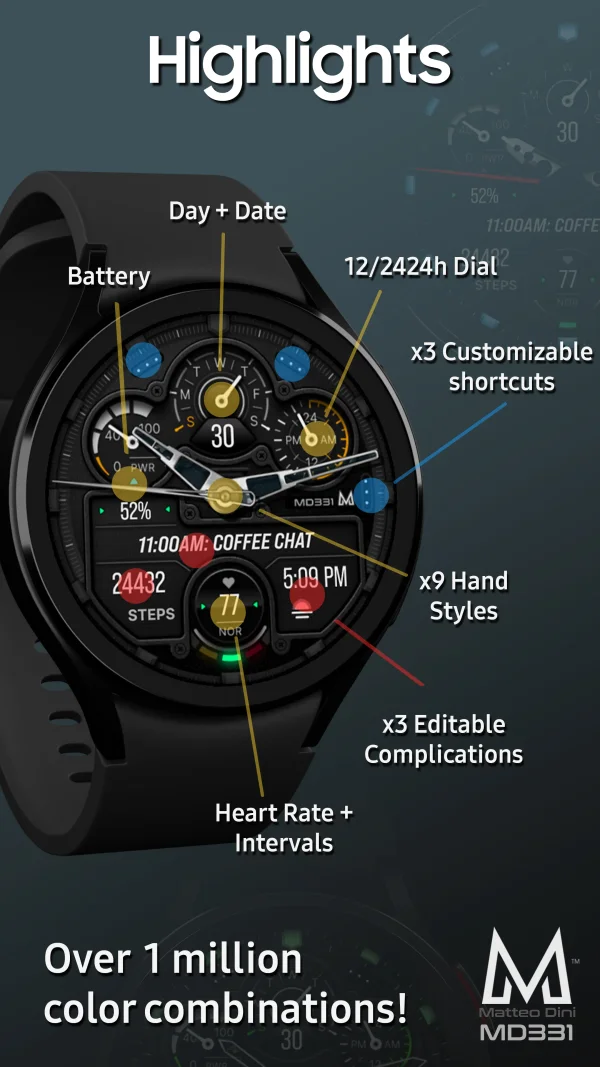
Highlights:
– Analoges Design
– Datum
– Wochentag
– Batterie
– Herzfrequenz + Intervalle
– 4 voreingestellte App-Verknüpfungen
– 3 anpassbare Verknüpfungen
– 3 anpassbare Komplikationen
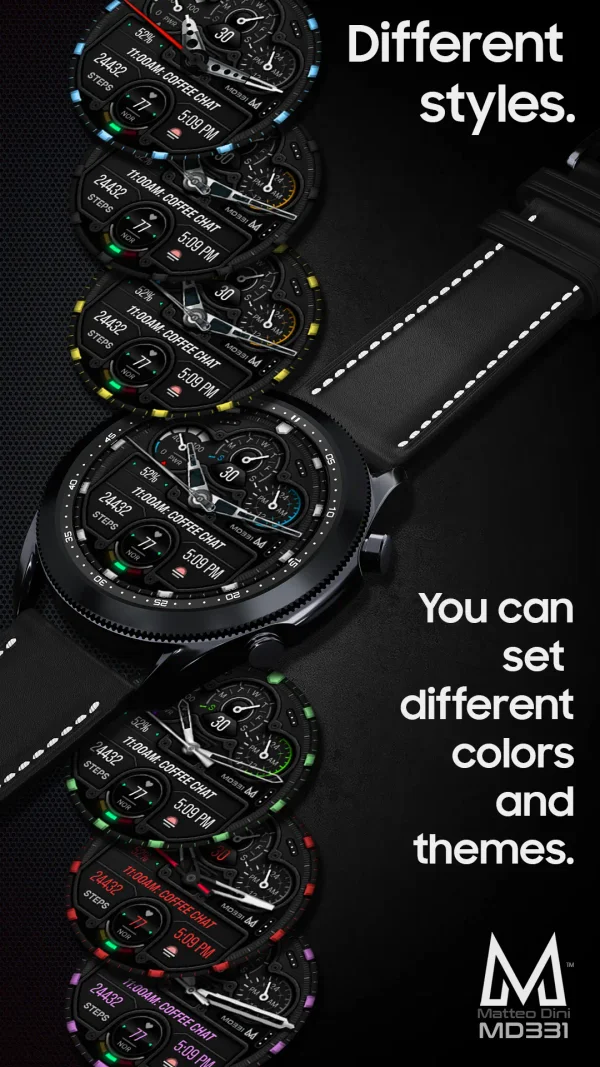
– Veränderbare Farben für Lünette, Zifferblätter, Design und allgemeine Farben
– Veränderbare Zeigerstile
Anpassung:
1 – Display berühren und halten
2 – Auf Anpassungsoption tippen
Voreingestellte App-Verknüpfungen:
– Kalender
– Alarme
– Batterie
– Herzfrequenz messen
Komplikationen:
Sie können das Zifferblatt mit beliebigen Daten personalisieren.
Sie können beispielsweise Wetterdaten, Gesundheitsdaten wie Kalorien, zurückgelegte Strecke, Weltzeituhr, Barometer und vieles mehr auswählen.
Bitte beachten Sie, dass Komplikationen NICHT Teil des Zifferblatts, sondern externe Apps sind und wir keinen Einfluss darauf haben. Vielen Dank.
**Einige Funktionen sind möglicherweise nicht auf allen Uhren verfügbar.
Bleiben Sie in Kontakt:
Newsletter:
Melden Sie sich an, um über neue Zifferblätter und Aktionen auf dem Laufenden zu bleiben!
http://eepurl.com/hlRcvf
FACEBOOK:
https://www.facebook.com/matteodiniwatchfaces
INSTAGRAM:
https://www.instagram.com/mdwatchfaces/
TELEGRAM:
https://t.me/mdwatchfaces
WEB:
https://www.matteodinimd.com
Vielen Dank.
Originaltext anzeigen
New watch face format.
Note for Galaxy Watch Users: The watch face editor in the Samsung Wearable app often fails to load complex watch faces like this one.
This is not an issue with the watch face itself.
It is recommended to customize the watch face directly on the watch until Samsung resolves this issue.
TAP AND HOLD SCREEN ON WATCH AND SELECT CUSTOMIZE.
It contains 4 Preset App shortcuts, 3 customizable shortcuts, 3 customizable complications where you can have the data you prefer like weather, barometer, distance walked, calories, uv index, chanche of rain and many more.
INSTALLATION NOTES:
Please check this link for installation and troubleshooting guide:
https://www.matteodinimd.com/watchface-installation/
This watch face supports all Wear OS devices with API Level 33+ (Wear OS 4 and later versions) like Samsung Galaxy Watch 4-8, Ultra, Pixel Watch etc.
Highlights:
- Analog design
- Date
- Day
- Battery
- Heart Rate + Intervals
- 4 Preset app shortcuts
- 3 customizable shortcuts
- 3 customizable complications
- Changeable colors of bezel, dials, theme and general colors
- Changeable styles of hands
Customization:
1 - Touch and hold display
2 - Tap on customize option
Preset APP Shortcuts:
- Calendar
- Alarms
- Battery
- Measure Heart Rate
Complications:
you can customize the watch face with the any data you want.
For example, you can select weather, health data such calories, distance walked, world clock, barometer and many more.
Please note that complications are NOT part of the watch face but are external apps and we have NO control over them. Thank you.
**some features may not be available on some watches.
Let's keep in touch:
Newsletter:
Sign up to stay updated with new watchfaces and promotions!
http://eepurl.com/hlRcvf
FACEBOOK:
https://www.facebook.com/matteodiniwatchfaces
INSTAGRAM:
https://www.instagram.com/mdwatchfaces/
TELEGRAM:
https://t.me/mdwatchfaces
WEB:
https://www.matteodinimd.com
Thank you.
Datensicherheit
Was Matteo Dini MD ® Watch Faces bei Google Play zu den Daten angibt, die diese App erfasst und weitergibt.
- Keine Daten werden mit Drittunternehmen oder -organisationen geteiltWeitere Informationen dazu, wie Entwickler Angaben zur Weitergabe von Daten machen
- Keine Daten erhobenWeitere Informationen dazu, wie Entwickler Angaben zur Datenerhebung machen
Neue Funktionen
28.10.2026
App updated to API 3.6
Kontakt zum Entwickler
- Websitematteodinimd.com
- E-Mailsupport@mdwatchfaces.com
- Datenschutzerklärungmatteodinimd.com
- AdresseVIA DEGLI ULIVI 31 57014 COLLESALVETTI Italy
Informationen
- Angeboten von
- Matteo Dini MD ® Watch Faces
- Kategorie
- Personalisierung
- Aktualisiert
- 28.10.2026
- Veröffentlicht
- 01.11.2023
- Altersfreigabe
- USK ab 0 Jahren
- Preis
- 1,99 €
- Paketname
- com.watchfacestudio.md331