PER8 Digital Watch Face
Persona Watch Face- USK ab 0 JahrenAltersfreigabe
- PersonalisierungKategorie
- 17.09.2026Aktualisiert
- 2,99 €Preis
Verlinkt auf den offiziellen Google Play-Eintrag von com.watchfacestudio.per008_soho. Zuletzt geprüft am 27.11.2026.

Screenshots



Über diese App
Automatische Übersetzung von Google. Originalsprache: Englisch (Vereinigte Staaten).
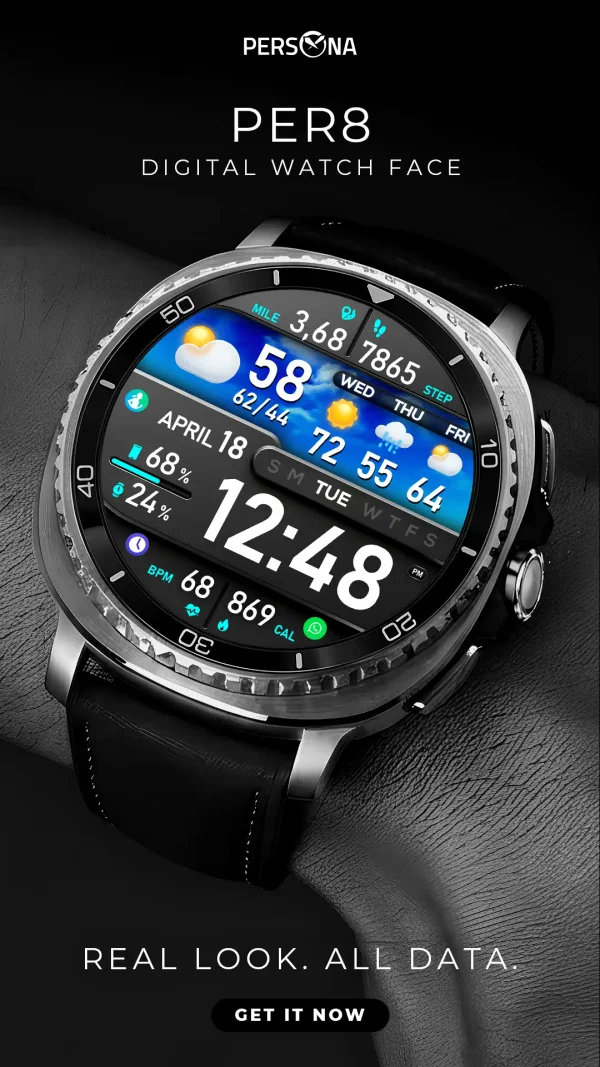
"PER8" ist ein animiertes, digitales WearOS-Zifferblatt, das von PERSONA entworfen wurde.
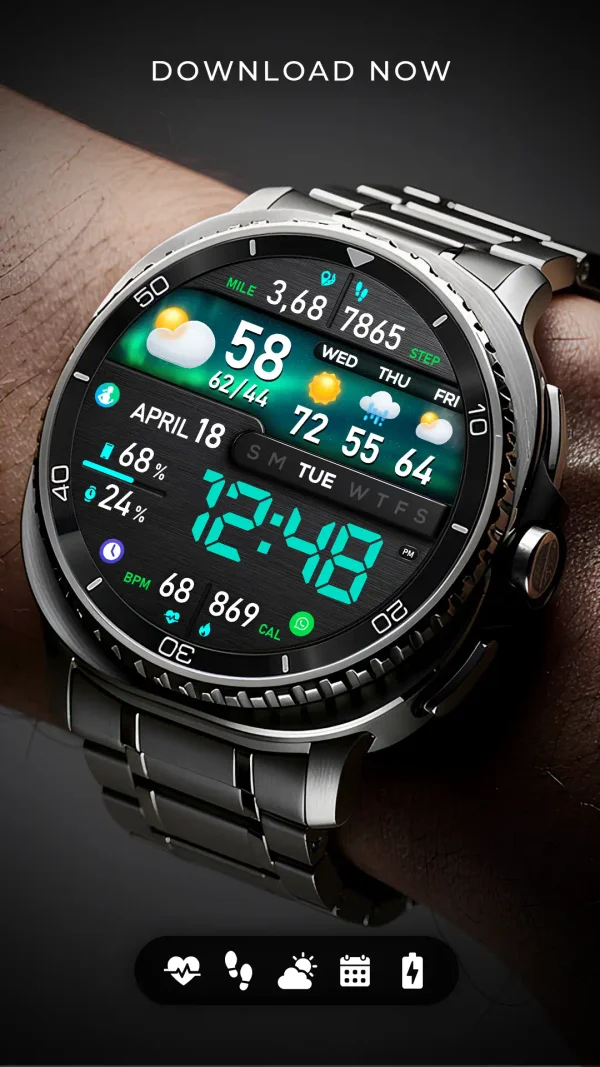
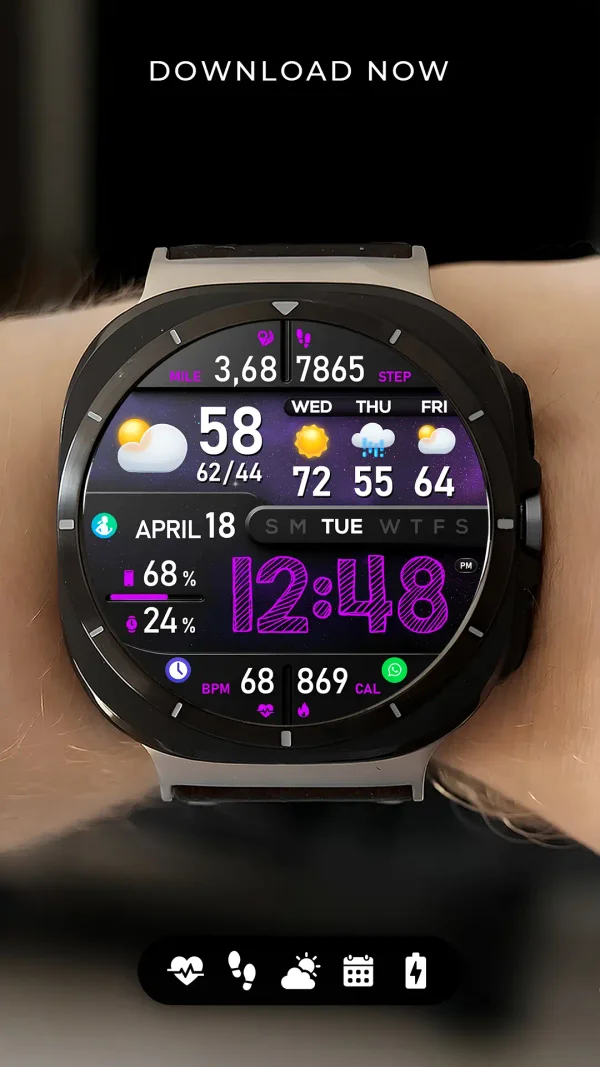
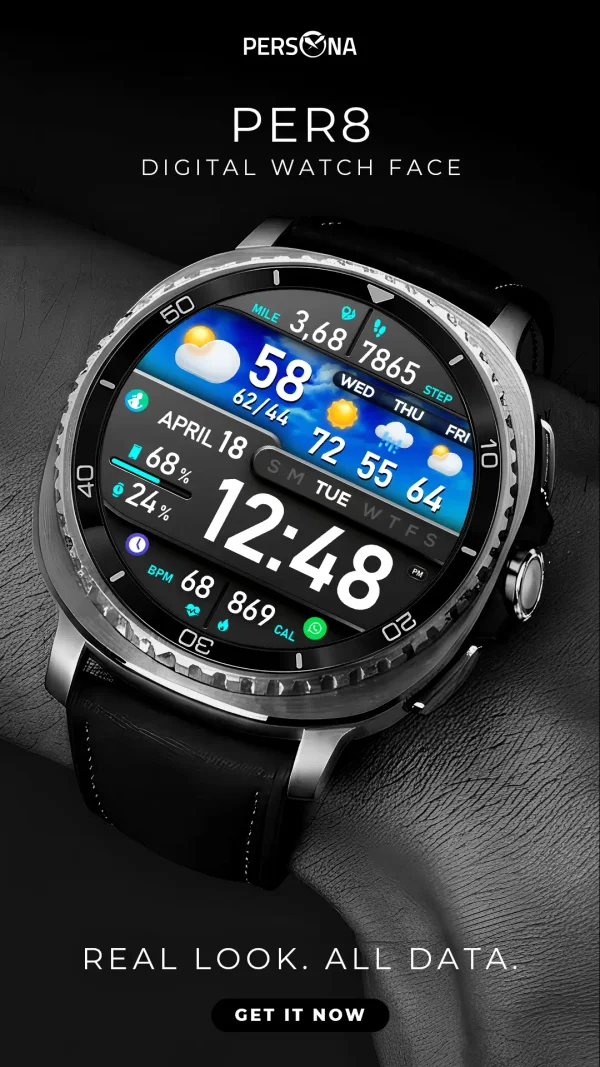
🚀 Das digitale Zifferblatt PER8 ist ein fortschrittliches Zifferblatt für Wear OS Smartwatches mit anpassbaren Schriftarten, dynamischen Tag- und Nachteffekten, beeindruckenden Grafiken und Wettervorhersagen.
Dynamische Tag- und Nachteffekte
🌞 Tagesmodus: Ruhige und friedliche Himmelsanimation.
🌌 Nachtmodus: Atemberaubende Nordlichtanimation.
🎨 Personalisiere dein PER8 Wetter-Zifferblatt
10 Schriftarten für die Uhrzeit
10 Hintergründe
20 Farbkombinationen
Himmelanimation (ausschaltbar/stoppbar)
Himmelanimation für die Tagesanzeige
Nordlichteranimation für die Nachtanzeige
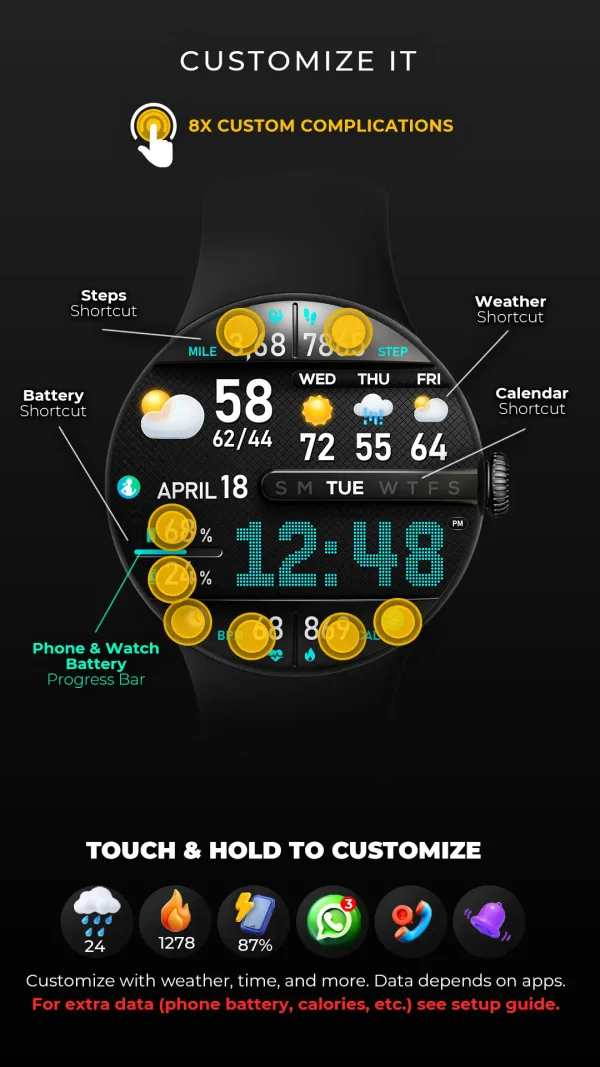
8 benutzerdefinierte Komplikationen
3 benutzerdefinierte Schnellzugriffe
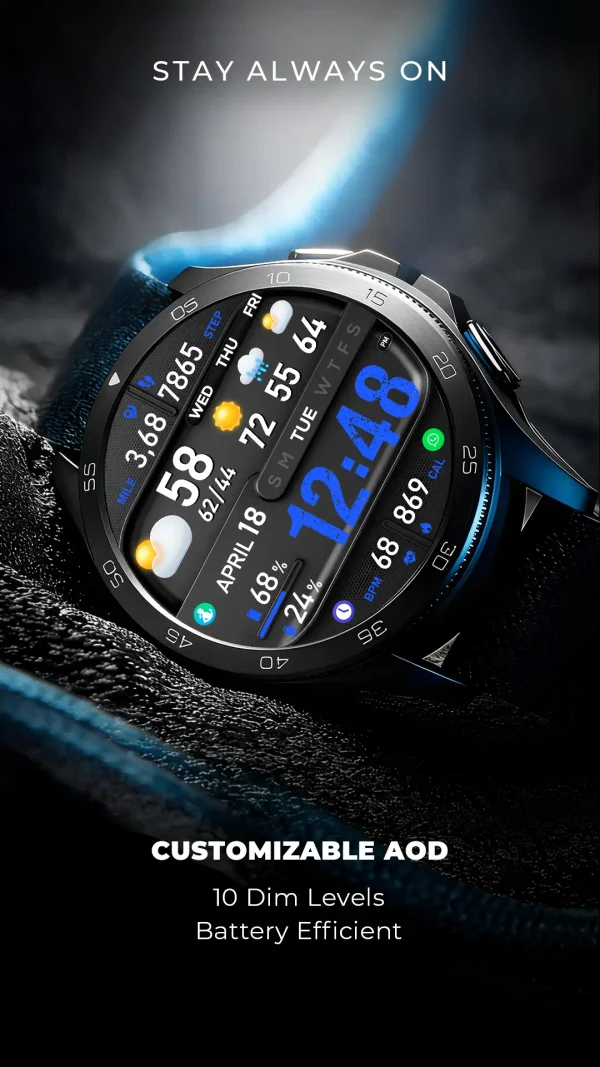
10 Helligkeitsstufen für das Always-On-Display
🔹 Hauptfunktionen des digitalen PER8 Wetter-Zifferblatts
Wetterart und Temperatur (°F / °C)
Höchst- und Tiefsttemperatur (°F / °C)
Wetterart der nächsten 3 Tage
Temperatur der nächsten 3 Tage (°F / °C)
Schritte, Tagesziel und Distanz (km / Meilen)
Akkustand von Smartphone und Uhr
Verbrannte Kalorien, zurückgelegte Stockwerke
Herzfrequenzmesser
UV-Index, Regenwahrscheinlichkeit
Mondphase, Sonnenaufgang/Sonnenuntergang
Zeitzone, Barometer
Erinnerung an den nächsten Termin
Always-On-Display mit anpassbaren Farben
🛠️ Einfacher Anpassungsmodus
Einfach berühren und halten, um die angezeigten Daten zu personalisieren – Wetter, Sonnenaufgang/Sonnenuntergang, Zeitzone und Mehr.
🔋 Zusätzliche Komplikationen und Widgets wie Akkuanzeige, Kalorienverbrauch oder Etagenanzeige finden Sie in der Installationsanleitung hier:
👉 https://persona-wf.com/installation/
⚡ Akkustand des Telefons
Sie benötigen die Begleit-App auf Ihrem Smartphone und Ihrer Smartwatch:
Akkustand-Komplikation
https://play.google.com/store/apps/details?id=com.weartools.phonebattcomp
❓ Probleme mit den Wetterinformationen
Dies hängt in der Regel damit zusammen, wie die Smartwatch die Wetterdaten abruft.
Bitte gehen Sie wie folgt vor:
1. Installieren Sie „Simple Weather“ auf Ihrem Smartphone und Ihrer Smartwatch.
https://play.google.com/store/apps/details?id=com.thewizrd.simpleweather
2. Stellen Sie das Aktualisierungsintervall auf 1 Stunde ein.
3. Warten Sie einige Minuten, bis die Daten synchronisiert sind.
Sollte das Problem weiterhin bestehen, senden Sie mir bitte eine E-Mail.
🌙 Always-On-Display (AOD)
Das Zifferblatt der Smartwatch verfügt über ein Always-On-Display. Sie können die Helligkeit im Anpassungsmenü ändern. Es stehen insgesamt 10 Stufen zur Verfügung.
Die Farben sind mit der Normalansicht synchronisiert.
Mit der neuen Option „AOD Dim“ im Anpassungsmenü können Sie nun das AOD-Layout ändern.
🌐 Weitere Details:
https://persona-wf.com/portfolios/soho/
📖 Installationsanleitung
Bevor Sie eine Bewertung abgeben, lesen Sie bitte die Installationsanleitung und die FAQ, um eine reibungslose Installation zu gewährleisten:
👉 https://persona-wf.com/installation/
⌚ Unterstützte Geräte
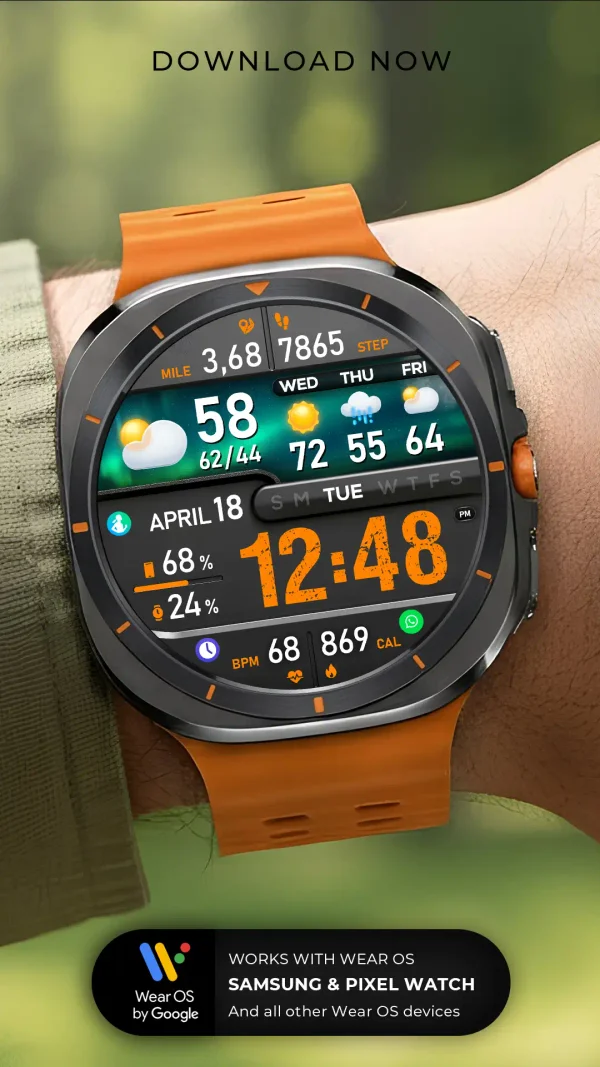
Kompatibel mit allen Wear OS-Geräten (API-Level 35+), einschließlich:
SAMSUNG: Galaxy Watch Ultra 2 - Ultra, Watch 9 - 8 - 7 - 6 - 5 - 4 (Classic & FE)
GOOGLE: Pixel Watch 5 - 4 - 3 - 2 - 1
ONEPLUS / OPPO: OnePlus Watch 4 - 3 - 2R - 2, OPPO Watch X3 - X2 - X
XIAOMI: Xiaomi Watch 5 - 2 Pro - 2
FITBIT: Fitbit Ace LTE
🚀 Hervorragender Support
Benötigen Sie Hilfe? Wir sind für Sie da!
📩 support@persona-wf.com
💜 Werden Sie Teil unserer Community! Erhalten Sie die neuesten Designs und exklusive Angebote.
🌐 https://persona-wf.com
📩 Newsletter
https://persona-wf.com/register
👍 Facebook
https://www.facebook.com/Persona-Watch-Face
📸 Instagram
https://www.instagram.com/persona_watch_face
💬 Telegram
https://t.me/persona_watchface
▶️ YouTube
https://www.youtube.com/c/PersonaWatchFace
💖💖💖 Vielen Dank, dass Sie sich für PERSONA entschieden haben!
Wir hoffen, unser Design verschönert Ihnen den Tag und Ihr Handgelenk. 😊
Mit Liebe entworfen von Ayla Gokmen
Originaltext anzeigen
🚀 PER8 Digital Watch Face is an advanced digital watch face designed for Wear OS smartwatches, offering changeable font styles, dynamic day & night visuals, stunning visuals, and forecast weather data.
Dynamic Day & Night Visuals
🌞 Day Mode: Calm and peaceful sky animation.
🌌 Night Mode: Stunning northern lights animation.
🎨 Customize your PER8 Weather WatchFace
10 font styles for time
10 backgrounds
20 color combinations
Closable/stoppable sky animation
Sky animation for the day display
Northern lights animation for the night display
8 custom complications
3 custom shortcuts
10 AOD Dims
🔹 Key Features of PER8 Weather WatchFace Digital
Weather type and temperature (°F / °C)
High & Low temperature (°F / °C)
Next 3 days' weather type
Next 3 days' temperature (°F / °C)
Steps, daily goal & distance (KM / Miles)
Phone & watch battery level
Active burned calories, floors
Heart rate monitor
UV index, rain possibility
Moon phase, sunset/sunrise
Time zone, barometer
Next appointment reminder
Always-On display with adjustable colors
🛠️ Easy Customization Mode
Simply touch and hold to personalize what data you see — weather, sunrise/sunset, time zone, and more.
🔋 For extra complications and widgets like phone battery, calories, or floors, please check the setup guide here:
👉 https://persona-wf.com/installation/
⚡ Phone Battery Level
You’ll need to install a companion app on both your phone and watch:
Phone Battery Complication
https://play.google.com/store/apps/details?id=com.weartools.phonebattcomp
❓ Troubleshooting Weather Information
This is usually related to how the watch fetches weather data.
Please follow these steps:
1- Install “Simple Weather” on both phone and watch
https://play.google.com/store/apps/details?id=com.thewizrd.simpleweather
2- Set its update interval to 1 hour
3- Wait a few minutes for data to sync
If it still continues, please send me an email.
🌙 Always-On Display (AOD)
The watch face has an always-active display. You can change the brightness level in the customization menu. There are 10 levels in total.
The colors are synchronized with the normal view.
With the new option “AOD Dim” in the customization menu, you can now change the AOD layout.
🌐 More Details:
https://persona-wf.com/portfolios/soho/
📖 Installation Guide
Before leaving a review, make sure to check the installation guide and FAQ for a smooth experience:
👉 https://persona-wf.com/installation/
⌚ Supported Devices
Compatible with all Wear OS devices (API Level 35+), including:
SAMSUNG: Galaxy Watch Ultra 2 - Ultra, Watch 9 - 8 - 7 - 6 - 5 - 4 (Classic & FE)
GOOGLE: Pixel Watch 5 - 4 - 3 - 2 - 1
ONEPLUS / OPPO: OnePlus Watch 4 - 3 - 2R - 2, OPPO Watch X3 - X2 - X
XIAOMI: Xiaomi Watch 5 - 2 Pro - 2
FITBIT: Fitbit Ace LTE
🚀 Exceptional Support
Need assistance? We’re here for you
📩 support@persona-wf.com
💜 Join Our Community
Get the latest designs & exclusive offers
🌐 https://persona-wf.com
📩 Newsletter
https://persona-wf.com/register
👍 Facebook
https://www.facebook.com/Persona-Watch-Face
📸 Instagram
https://www.instagram.com/persona_watch_face
💬 Telegram
https://t.me/persona_watchface
▶️ YouTube
https://www.youtube.com/c/PersonaWatchFace
💖💖💖 Thank You for Choosing PERSONA!
We hope our design brightens your day and your wrist 😊
Designed with love by Ayla GOKMEN
Datensicherheit
Was Persona Watch Face bei Google Play zu den Daten angibt, die diese App erfasst und weitergibt.
- Keine Daten werden mit Drittunternehmen oder -organisationen geteiltWeitere Informationen dazu, wie Entwickler Angaben zur Weitergabe von Daten machen
- Keine Daten erhobenWeitere Informationen dazu, wie Entwickler Angaben zur Datenerhebung machen
Neue Funktionen
17.09.2026
• Major update with smoother performance and enhanced UI
• Improved battery life with ultra-efficient Always-On Display
• Updated to the latest Wear OS standards (Min SDK 36 / WFF)
• Better legibility across all data fields and complications
• Performance optimizations and stability fixes
Kontakt zum Entwickler
- Websitepersona-wf.com
- E-Mailsupport@persona-wf.com
- Datenschutzerklärungiubenda.com
- AdresseALACAATLI MAH. SİNPAŞ KMEV. NO:E1 BLK 15/1 06810 MERKEZ ÇANKAYA/Ankara Türkiye
Informationen
- Angeboten von
- Persona Watch Face
- Kategorie
- Personalisierung
- Aktualisiert
- 17.09.2026
- Veröffentlicht
- 21.02.2022
- Altersfreigabe
- USK ab 0 Jahren
- Preis
- 2,99 €
- Paketname
- com.watchfacestudio.per008_soho
Ähnliche Apps
-
 CFS144 Info-Panel
Personalisierung
-
 VF Weather Inform Watch Face
Personalisierung
-
 ML2U 243 Watch Face
Personalisierung
-
 Watch Face CUE142
Personalisierung
-
 PER43 Digital Watch Face
Personalisierung
-
 ML2U 264 Watch Face
Personalisierung
-
 PRADO 94 Weather Watch Face
Personalisierung
-
 PER33 Ultra Chart Watch Face
Personalisierung
-
 SamWatch Weather Simple 3
Personalisierung
-
 PRADO 72 Weather Watch Face
Personalisierung
-
 Full Weather Forecast NTV601
Personalisierung
-
 ACRO Digital Weather info2 WF
Personalisierung