vStory
VoyagerX- USK ab 0 JahrenAltersfreigabe
- Videoplayer & EditorsKategorie
- 16.11.2026Aktualisiert
- KostenlosPreis
Verlinkt auf den offiziellen Google Play-Eintrag von com.voyagerx.vstory. Zuletzt geprüft am 23.11.2026.

vStory ist bei Google Play derzeit möglicherweise nicht verfügbar
Bei unserer letzten Prüfung war der Store-Eintrag nicht erreichbar. Der Link führt weiterhin zur offiziellen Google Play-Seite.
Screenshots
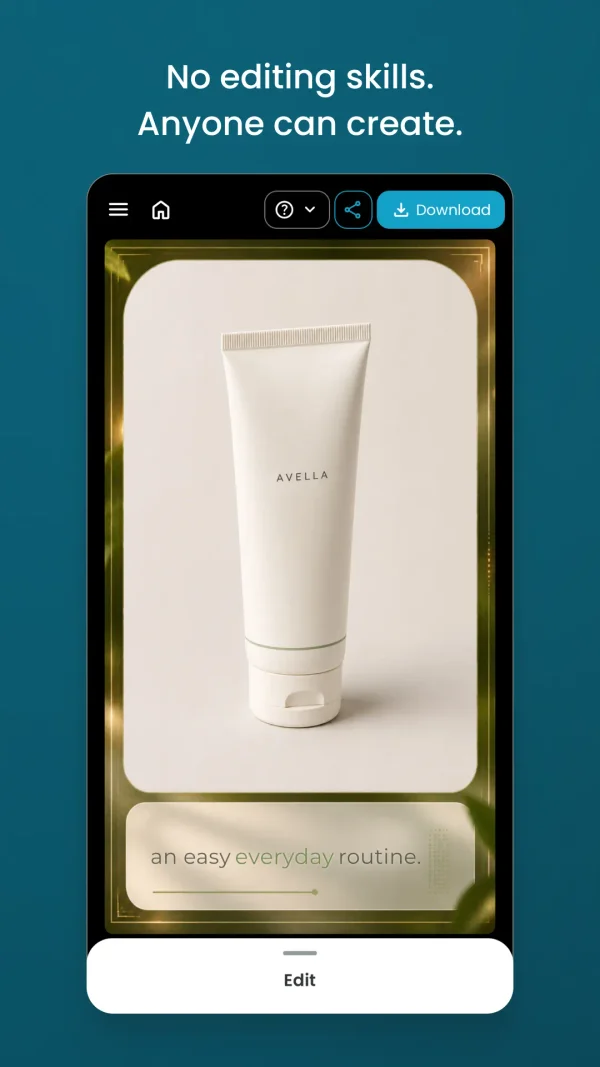

Über diese App
Automatische Übersetzung von Google. Originalsprache: Englisch (Vereinigte Staaten).
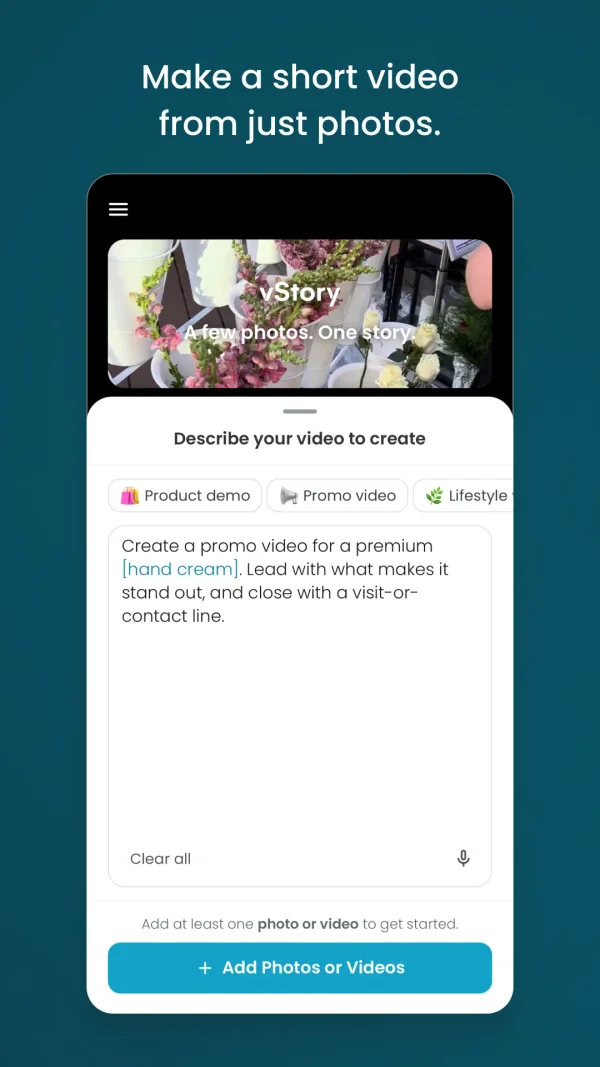
Füge Fotos hinzu. Die KI schreibt das Skript und erstellt ein kurzes Video mit Sprachausgabe und Musik.
Ein paar Fotos. Ein fertiges Video.
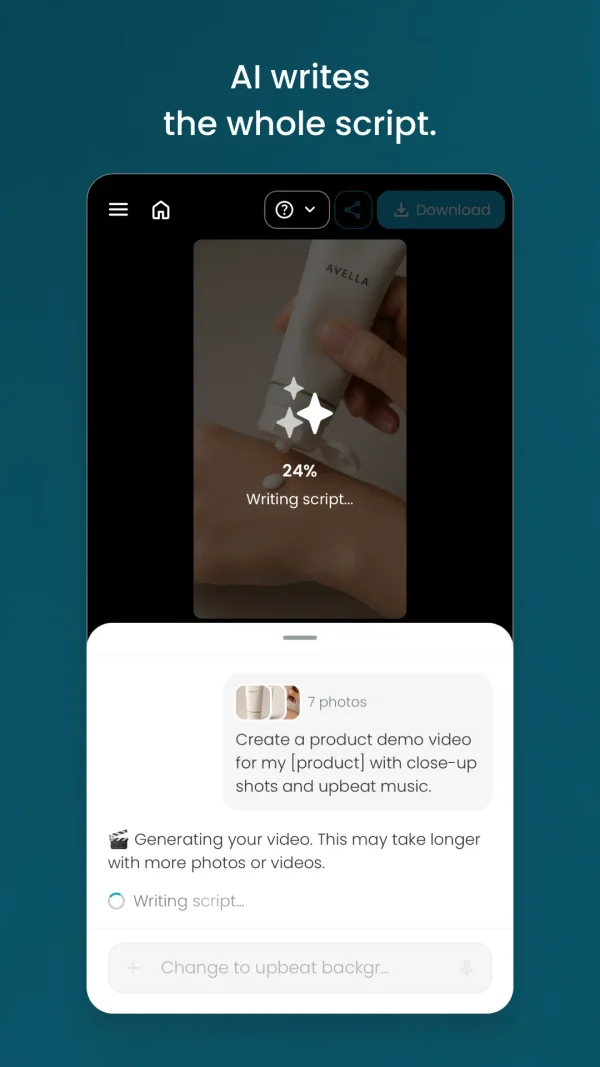
vStory analysiert Ihre Fotos, erstellt ein Skript und produziert daraus ein komplettes Kurzvideo mit Sprechertext, Untertiteln und Musik. Keine Zeitleiste. Keine Bearbeitungskenntnisse. Einfach und unkompliziert.
SO FUNKTIONIERT ES
1. Fotos oder Videos hinzufügen
2. Videotyp auswählen oder beschreiben, was Sie möchten
3. Fertiges Video zum Teilen erhalten
DIE GESCHICHTE STEHT IM MITTELPUNKT
Die meisten Tools animieren lediglich Ihre Bilder. vStory beginnt mit der Geschichte. Es analysiert Ihre hochgeladenen Inhalte, entscheidet über den Inhalt des Videos und schreibt das Skript Szene für Szene. Alles Weitere basiert auf diesem Skript.
Sie haben einen bestimmten Wunsch? Beschreiben Sie ihn in Ihren eigenen Worten, und vStory setzt ihn um. Oder lassen Sie die Beschreibung einfach weg und überlassen Sie vStory die Entscheidung.
VIDEOTYP AUSWÄHLEN
Produktdemo, Promo-Video, Lifestyle-Vlog, Reise-Highlights, Erklärvideo oder etwas Ruhiges und Entspanntes. Jeder Typ beeinflusst Tempo, Tonfall und Sprechertext.
ALLES INKLUSIVE
Erzählung in Ihrer Wunschstimme
Passend gestaltete Untertitel
Stimmungsgerechte Hintergrundmusik
Animierte Fotos
Intro- und Outro-Frames
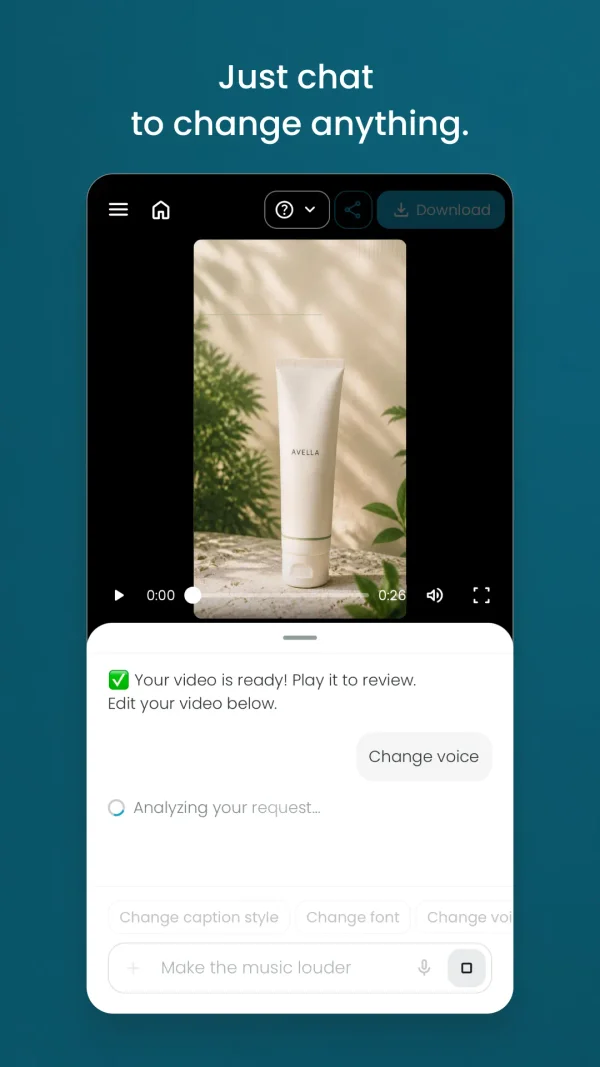
BEARBEITUNG PER CHATT
Gefällt Ihnen etwas nicht? Sagen Sie es uns. „Musik lauter machen.“ „Andere Stimme verwenden.“ „Untertitelstil ändern.“ vStory erkennt das Video und aktualisiert es automatisch. Tippen Sie in der Vorschau auf einen Untertitel, um ihn zu verschieben oder seine Größe anzupassen. Keine komplizierten Menüs.
FÜR KURZVIDEOS ENTWICKELT
Hochformat, quadratisch und horizontal. Exportieren und in jeder App teilen, Link kopieren oder auf Ihrem Gerät speichern.
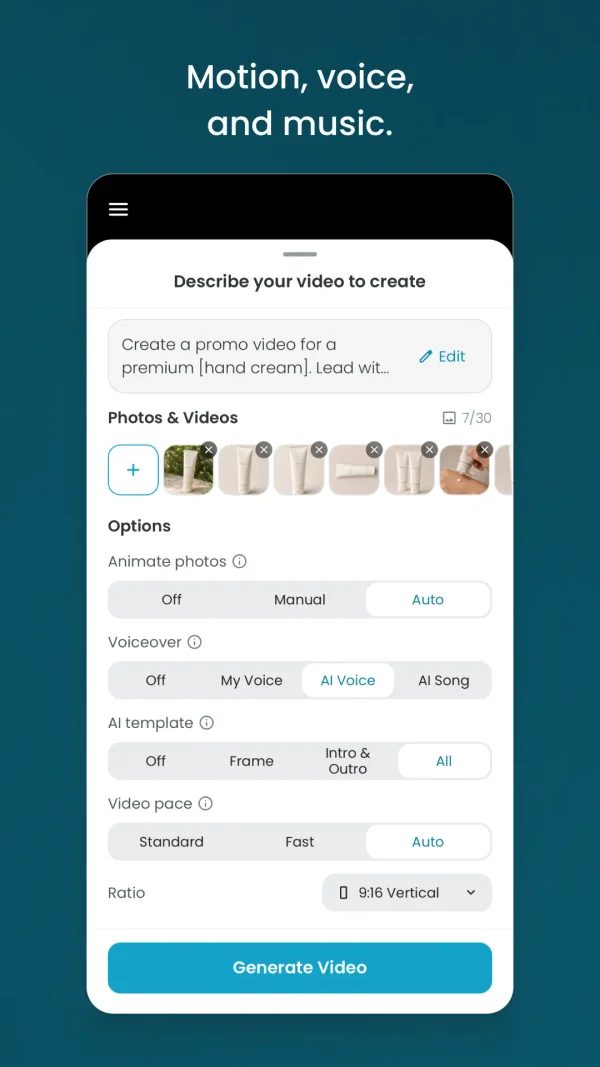
WAS SIE STEUERN KÖNNEN
Fotobewegung: Aus, manuell oder automatisch
Voiceover: Aus, Ihre eigene Stimme, eine KI-Stimme oder ein KI-Song
Vorlagen: Frames, Intro und Outro oder beides
Tempo: Standard, schnell oder automatisch
Seitenverhältnis: Hochformat, quadratisch oder horizontal
FÜR WEN IST ES GEEIGNET?
Für Kleinunternehmer, die Produktvideos benötigen, aber kein Videoteam haben. Für Kreative, die häufiger posten möchten. Für alle, die viele Fotos und Videos haben, aber keine Zeit zum Bearbeiten.
vStory ist kostenlos. Entwickelt von VoyagerX, dem Team hinter Vrew.
Originaltext anzeigen
A few photos. One finished video.
vStory reads your photos, writes a script, and builds a complete short video with narration, captions, and music. No timeline. No editing skills. Nothing to learn.
HOW IT WORKS
1. Add your photos or videos
2. Pick a video type, or describe what you want
3. Get a finished video, ready to share
THE STORY COMES FIRST
Most tools just animate your images. vStory starts with the story. It looks at what you uploaded, decides what the video is about, and writes the script scene by scene. Everything else is built around that script.
Want something specific? Describe it in your own words, and vStory will include it. Or skip the description entirely and let vStory decide.
CHOOSE A VIDEO TYPE
Product demo, promo video, lifestyle vlog, travel highlight, explainer, or something calm and slow. Each type shapes the pacing, tone, and narration.
EVERYTHING INCLUDED
Narration in a voice you pick
Captions styled to match
Background music selected for the mood
Motion added to still photos
Intro and outro frames
EDIT BY CHATTING
Don't like something? Say so. "Make the music louder." "Use a different voice." "Change the caption style." vStory understands and updates the video. Tap a caption in the preview to move or resize it. No menus to learn.
BUILT FOR SHORT-FORM
Vertical, square, and horizontal ratios. Export and share to any app, copy a link, or save to your device.
WHAT YOU CAN CONTROL
Photo motion: off, manual, or automatic
Voiceover: off, your own voice, an AI voice, or an AI song
Templates: frames, intro and outro, or both
Pace: standard, fast, or automatic
Ratio: vertical, square, or horizontal
WHO IT'S FOR
Small business owners who need product videos but don't have a video team. Creators who want to post more often. Anyone with a camera roll full of moments and no time to edit.
vStory is free to start. Made by VoyagerX, the team behind Vrew.
Datensicherheit
Was VoyagerX bei Google Play zu den Daten angibt, die diese App erfasst und weitergibt.
- Diese App kann die folgenden Datentypen an Dritte weitergebenApp-Aktivitäten und Geräte- oder andere IDs
- Diese App kann die folgenden Datentypen erhebenStandort, Personenbezogene Daten und 6 weitere
- Daten werden bei der Übertragung verschlüsselt
- Du kannst das Löschen der Daten beantragen
Neue Funktionen
Version 1.2.1 · 16.11.2026
- Fixed an issue where video creation could stay stuck at 2% on an unstable internet connection.
- Fixed the sheet height shifting when switching between "Add Photos or Videos" and "Create photo with AI".
Kontakt zum Entwickler
- E-Mailsupport@vstory.io
- Datenschutzerklärungvrew-help.notion.site
- Adresse서초구 서초대로38길 12, 10층(서초동, 마제스타시티 타워1) 서초구, 서울특별시 06655 South Korea
Informationen
- Angeboten von
- VoyagerX
- Kategorie
- Videoplayer & Editors
- Version
- 1.2.1
- Aktualisiert
- 16.11.2026
- Veröffentlicht
- 11.09.2026
- Erfordert
- Android 8.0 oder höher
- Altersfreigabe
- USK ab 0 Jahren
- Preis
- Kostenlos
- Paketname
- com.voyagerx.vstory