vStory
VoyagerX- PEGI 3Classification d’âge
- Lecteurs et éditeurs vidéoCatégorie
- 16/11/2026Mis à jour
- GratuitPrix
Renvoie vers la fiche Google Play officielle de com.voyagerx.vstory. Dernière vérification le 23/11/2026.

vStory n’est peut-être pas disponible sur Google Play pour le moment
La fiche de la boutique était inaccessible lors de notre dernière vérification. Le lien mène toujours à la page Google Play officielle.
Captures d’écran
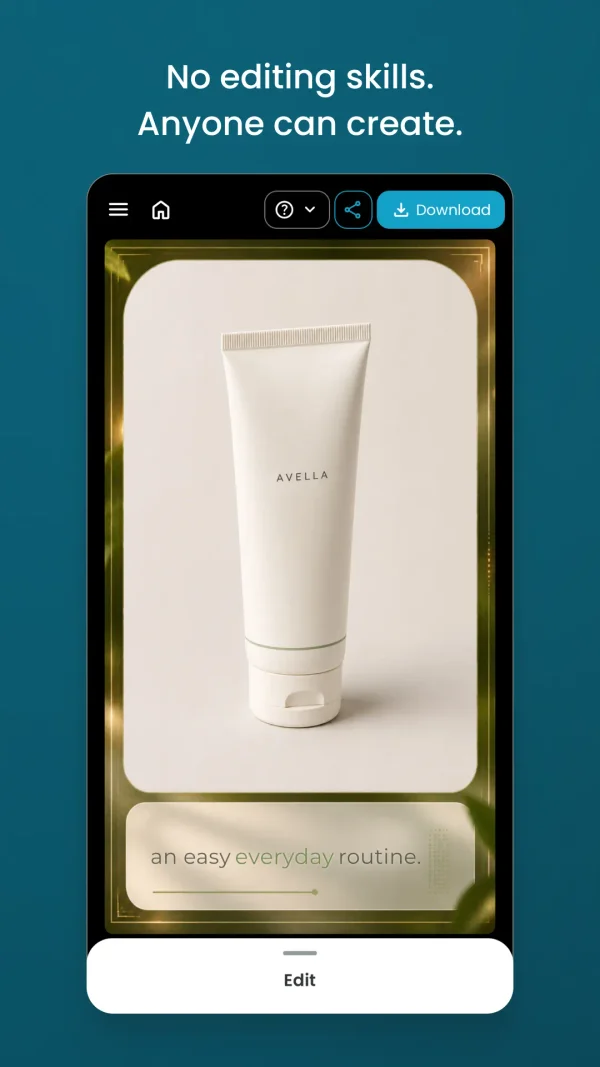

À propos de cette application
Traduction automatique par Google. Langue d’origine : Anglais (États-Unis).
Ajoutez des photos. L'IA écrit le script et crée une courte vidéo avec voix et musique.
Quelques photos. Une vidéo.
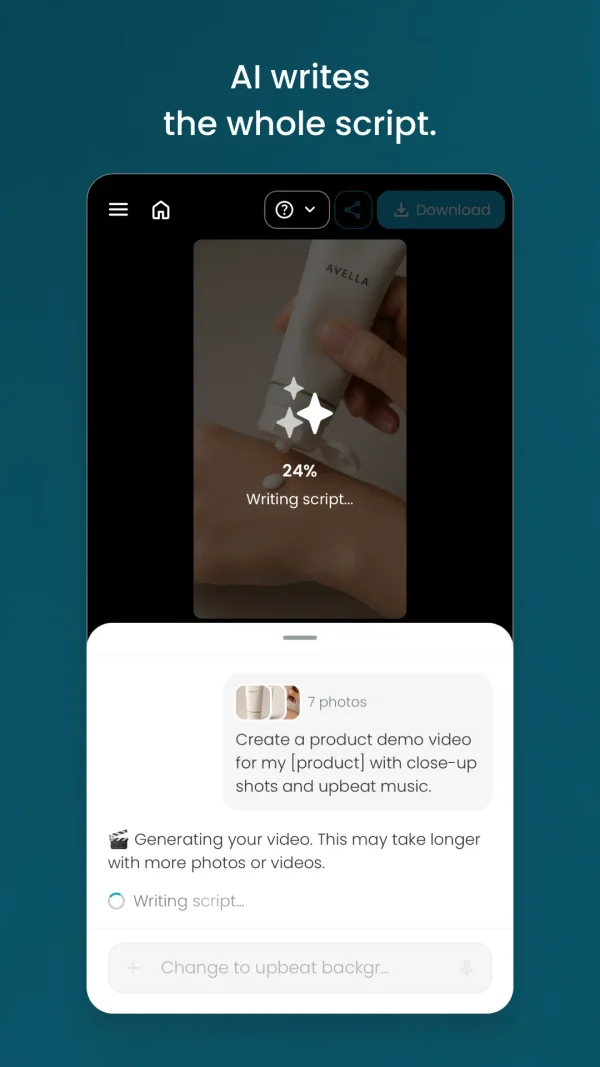
vStory analyse vos photos, rédige un script et crée une courte vidéo complète avec narration, sous-titres et musique. Pas de montage, pas de compétences particulières. Rien à apprendre.
COMMENT ÇA MARCHE
1. Ajoutez vos photos ou vidéos.
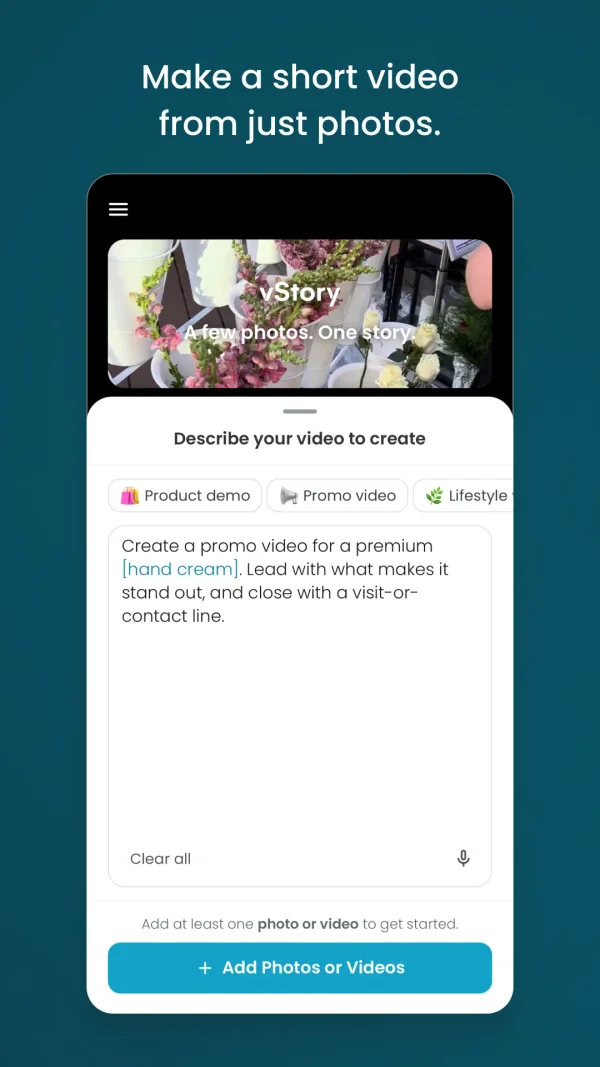
2. Choisissez un type de vidéo ou décrivez votre projet.
3. Obtenez une vidéo prête à partager.
L'HISTOIRE AVANT TOUT
La plupart des outils se contentent d'animer vos images. vStory, lui, part de l'histoire. Il analyse vos fichiers, détermine le sujet de la vidéo et rédige le script scène par scène. Tout le reste est construit autour de ce script.
Vous souhaitez un élément précis ? Décrivez-le avec vos propres mots, et vStory l'intégrera. Vous pouvez aussi laisser vStory choisir.
CHOISISSEZ UN TYPE DE VIDÉO
Démonstration de produit, vidéo promotionnelle, vlog lifestyle, récit de voyage, vidéo explicative ou une vidéo calme et posée. Chaque type influence le rythme, le ton et la narration.
TOUT INCLUS
Narration avec la voix de votre choix
Sous-titres adaptés
Musique de fond sélectionnée selon l'ambiance
Animation des photos fixes
Intro et outro
MODIFICATION PAR CHAT
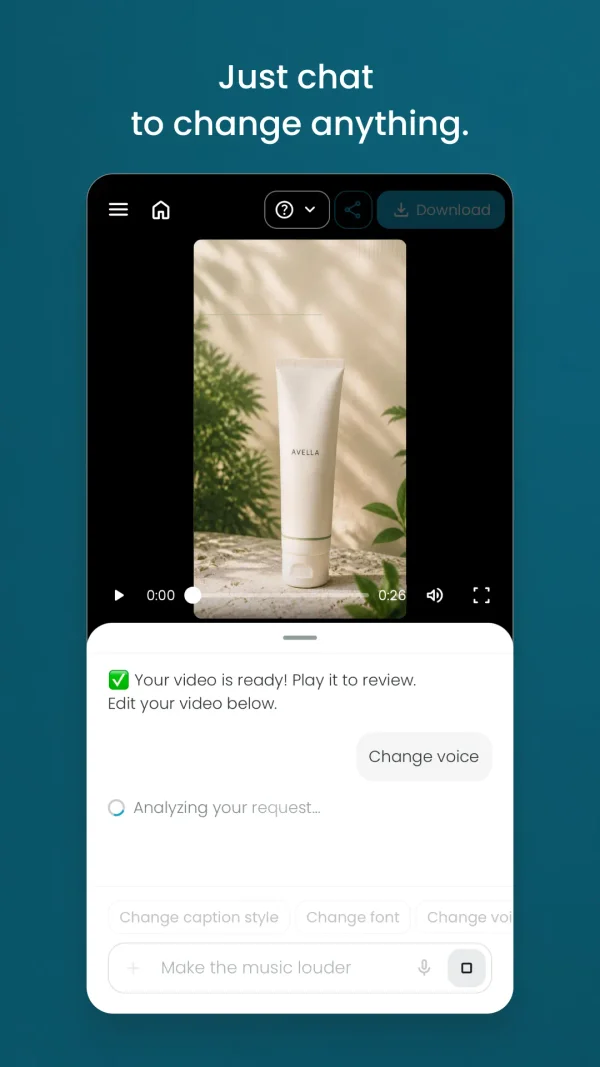
Un détail ne vous convient pas ? Dites-le-nous. « Augmentez le volume. » « Changez de voix. » « Modifiez le style des sous-titres. » vStory comprend et met à jour la vidéo. Touchez un sous-titre dans l'aperçu pour le déplacer ou le redimensionner. Aucune navigation complexe.
CONÇU POUR LES FORMATS COURTS
Formats verticaux, carrés et horizontaux. Exportez et partagez sur n'importe quelle application, copiez un lien ou enregistrez sur votre appareil.
CE QUE VOUS POUVEZ CONTRÔLER
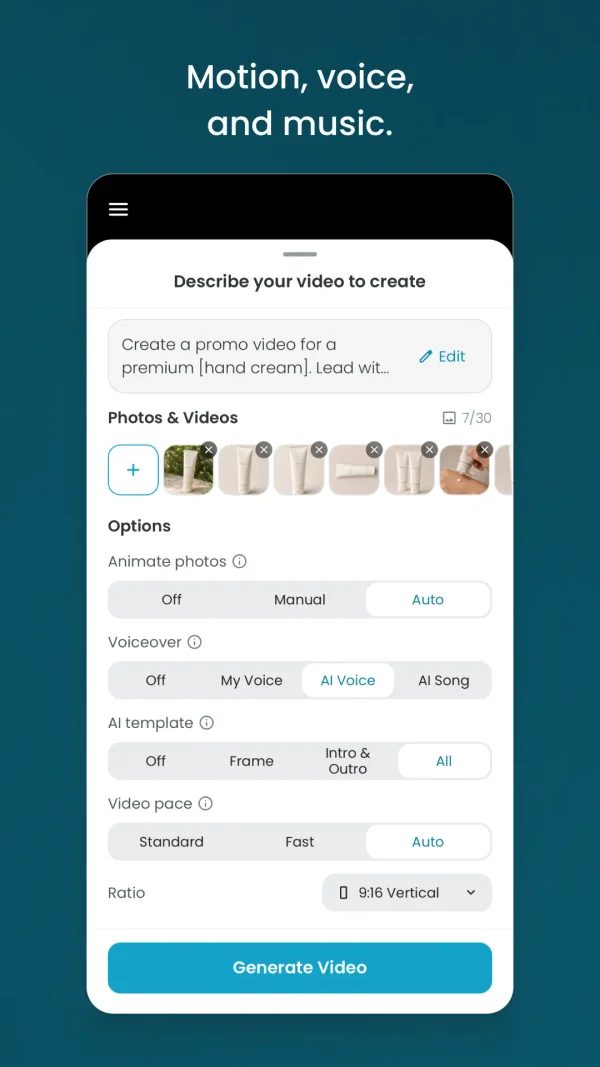
Mouvement des photos : désactivé, manuel ou automatique
Voix off : désactivée, votre propre voix, une voix IA ou une musique IA
Modèles : cadres, intro et outro, ou les deux
Rythme : standard, rapide ou automatique
Format : vertical, carré ou horizontal
À QUI S'ADRESSE VOS VIDÉOS ?
Aux petites entreprises qui ont besoin de vidéos produits mais ne disposent pas d'une équipe vidéo. Aux créateurs qui souhaitent publier plus souvent. À tous ceux qui ont une pellicule pleine de photos et de vidéos, mais pas le temps de les monter.
vStory est gratuit pour commencer. Développé par VoyagerX, l'équipe derrière Vrew.
Afficher le texte d’origine
A few photos. One finished video.
vStory reads your photos, writes a script, and builds a complete short video with narration, captions, and music. No timeline. No editing skills. Nothing to learn.
HOW IT WORKS
1. Add your photos or videos
2. Pick a video type, or describe what you want
3. Get a finished video, ready to share
THE STORY COMES FIRST
Most tools just animate your images. vStory starts with the story. It looks at what you uploaded, decides what the video is about, and writes the script scene by scene. Everything else is built around that script.
Want something specific? Describe it in your own words, and vStory will include it. Or skip the description entirely and let vStory decide.
CHOOSE A VIDEO TYPE
Product demo, promo video, lifestyle vlog, travel highlight, explainer, or something calm and slow. Each type shapes the pacing, tone, and narration.
EVERYTHING INCLUDED
Narration in a voice you pick
Captions styled to match
Background music selected for the mood
Motion added to still photos
Intro and outro frames
EDIT BY CHATTING
Don't like something? Say so. "Make the music louder." "Use a different voice." "Change the caption style." vStory understands and updates the video. Tap a caption in the preview to move or resize it. No menus to learn.
BUILT FOR SHORT-FORM
Vertical, square, and horizontal ratios. Export and share to any app, copy a link, or save to your device.
WHAT YOU CAN CONTROL
Photo motion: off, manual, or automatic
Voiceover: off, your own voice, an AI voice, or an AI song
Templates: frames, intro and outro, or both
Pace: standard, fast, or automatic
Ratio: vertical, square, or horizontal
WHO IT'S FOR
Small business owners who need product videos but don't have a video team. Creators who want to post more often. Anyone with a camera roll full of moments and no time to edit.
vStory is free to start. Made by VoyagerX, the team behind Vrew.
Sécurité des données
Ce que VoyagerX déclare sur Google Play au sujet des données que cette application collecte et partage.
- Cette appli peut partager ces types de données avec des tiersActivité dans l'application et ID de l'appareil ou autres ID
- Cette appli peut recueillir ces types de donnéesPosition, Informations personnelles et 6 autres
- Les données sont chiffrées lors de leur transfert
- Vous pouvez demander la suppression des données
Nouveautés
Version 1.2.1 · 16/11/2026
- Fixed an issue where video creation could stay stuck at 2% on an unstable internet connection.
- Fixed the sheet height shifting when switching between "Add Photos or Videos" and "Create photo with AI".
Coordonnées du développeur
- E-mailsupport@vstory.io
- Politique de confidentialitévrew-help.notion.site
- Adresse서초구 서초대로38길 12, 10층(서초동, 마제스타시티 타워1) 서초구, 서울특별시 06655 South Korea
Informations
- Proposée par
- VoyagerX
- Catégorie
- Lecteurs et éditeurs vidéo
- Version
- 1.2.1
- Mis à jour
- 16/11/2026
- Publié
- 11/09/2026
- Nécessite
- Android 8.0 ou version ultérieure
- Classification d’âge
- PEGI 3
- Prix
- Gratuit
- Nom du package
- com.voyagerx.vstory