WatchGlucose
NdsSoft- USK ab 0 JahrenAltersfreigabe
- MedizinKategorie
- 08.07.2026Aktualisiert
- KostenlosPreis
Verlinkt auf den offiziellen Google Play-Eintrag von se.ndssoft.watchglucose. Zuletzt geprüft am 28.11.2026.
Screenshots

Über diese App
Automatische Übersetzung von Google. Originalsprache: Englisch (Vereinigte Staaten).
Glukosewerte und -trends von FreeStyle Libre 2/3 auf Ihrer Wear OS-Uhr.
Behalten Sie Ihren Blutzucker immer im Blick – direkt am Handgelenk! 🩸⌚
Die Blutzuckermessung sollte nicht bedeuten, ständig Ihr Smartphone zücken zu müssen. Mit WatchGlucose sehen Sie Ihre Werte und Trends in Echtzeit direkt auf Ihrer Wear OS-Smartwatch (z. B. Samsung Galaxy Watch, Google Pixel Watch und viele mehr).
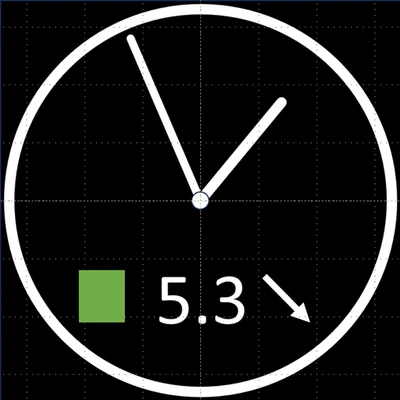
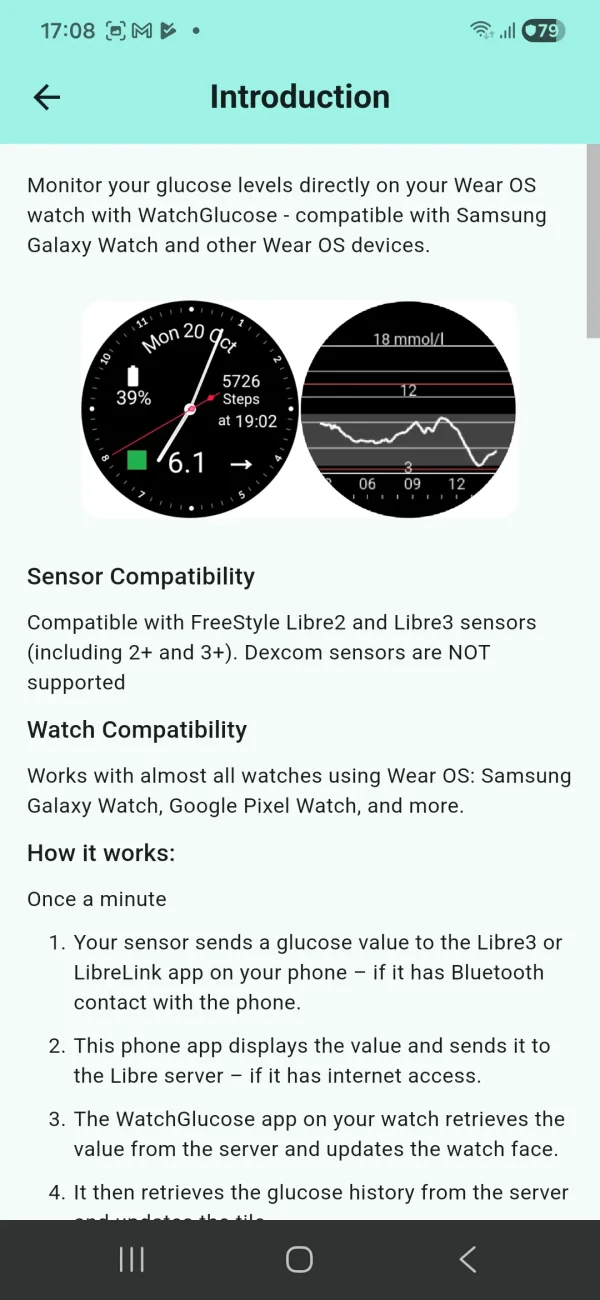
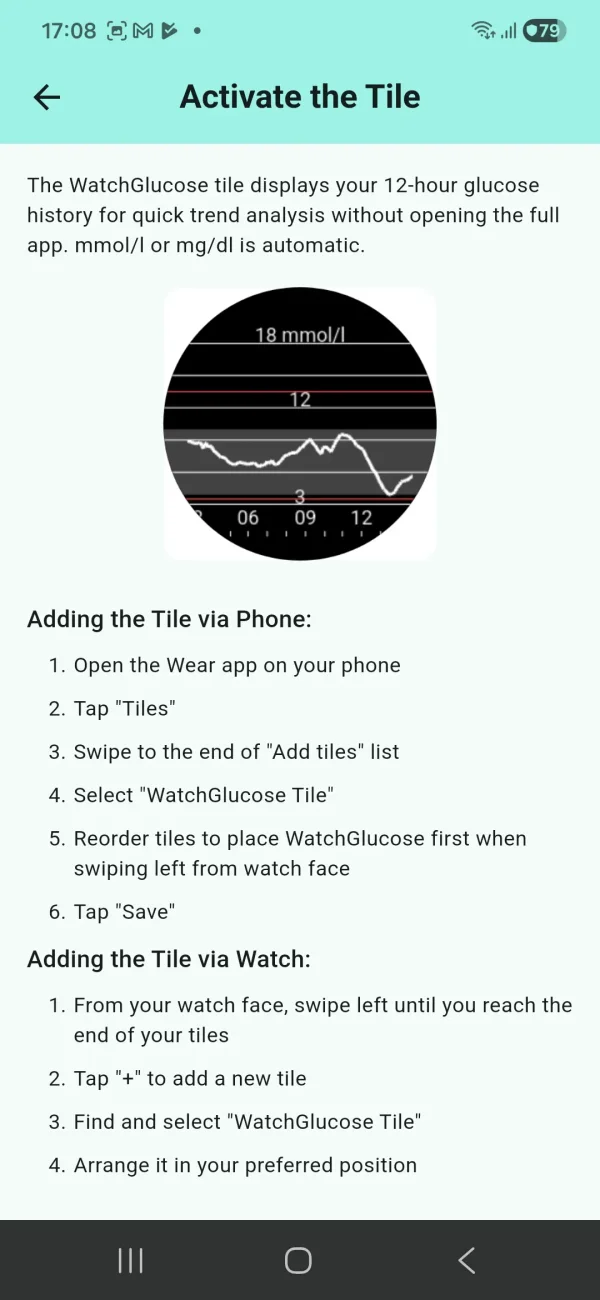
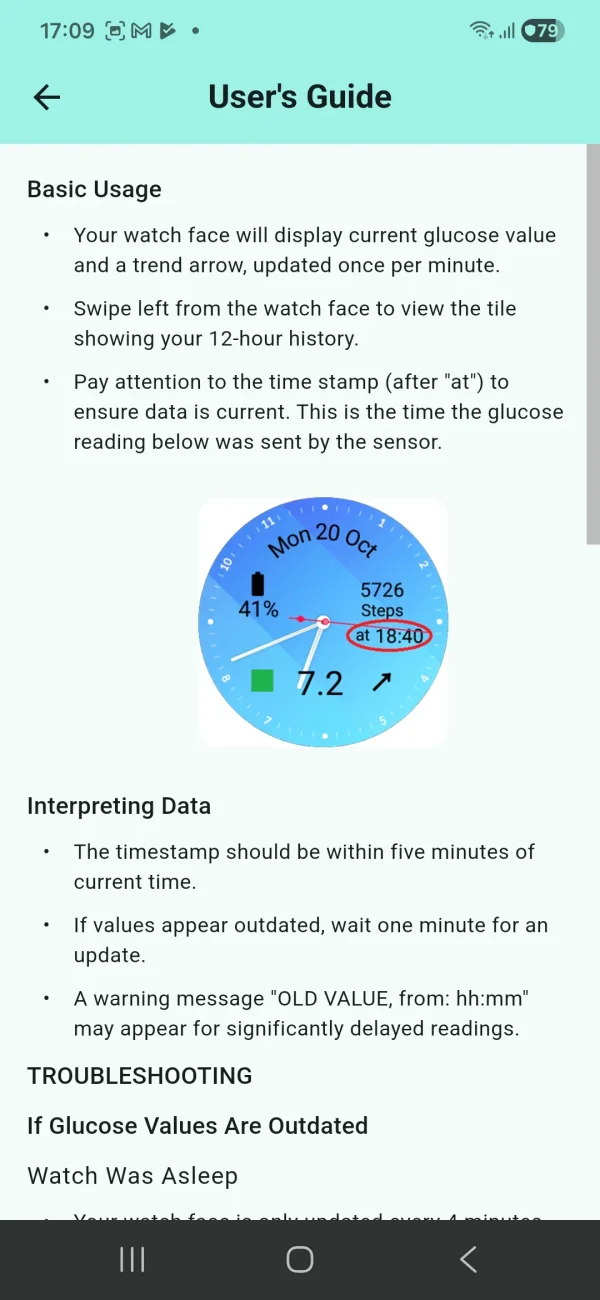
Warum WatchGlucose nutzen? • Daten auf einen Blick: Nutzen Sie unsere Komplikationsanbieter, um Ihren aktuellen Blutzuckerwert, Trendpfeile und Warnwerte auf Ihrem bevorzugten Zifferblatt anzuzeigen. • Individuelle Zifferblätter: Wählen Sie zwischen unseren analogen und digitalen Zifferblättern (verfügbar im Google Play Store) mit anpassbaren Hintergrund- und Textfarben. • 12-Stunden-Verlauf: Wischen Sie einfach nach links, um eine Kachel mit Ihrem Blutzuckerverlauf der letzten 12 Stunden anzuzeigen. • Volle Kompatibilität: Unterstützt nahtlos Daten von FreeStyle Libre 2 und Libre 3 Sensoren.
Kurzanleitung:
Installieren Sie WatchGlucose sowohl auf Ihrer Smartwatch als auch auf Ihrem Smartphone.
Öffnen Sie die App zuerst auf Ihrer Smartwatch.
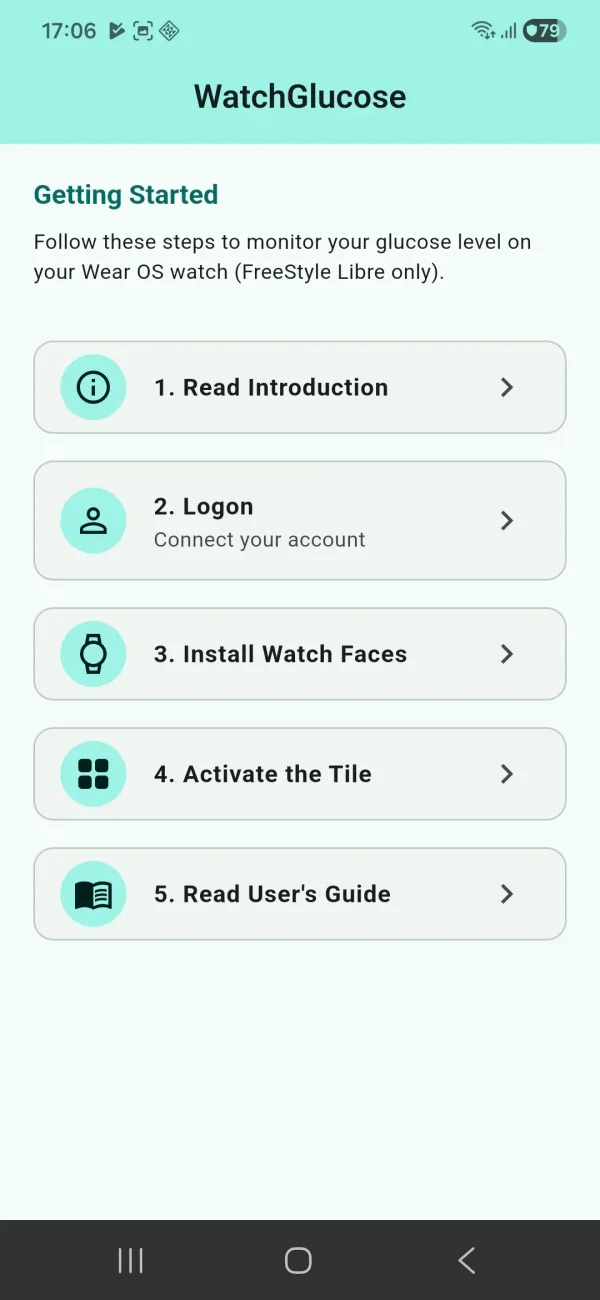
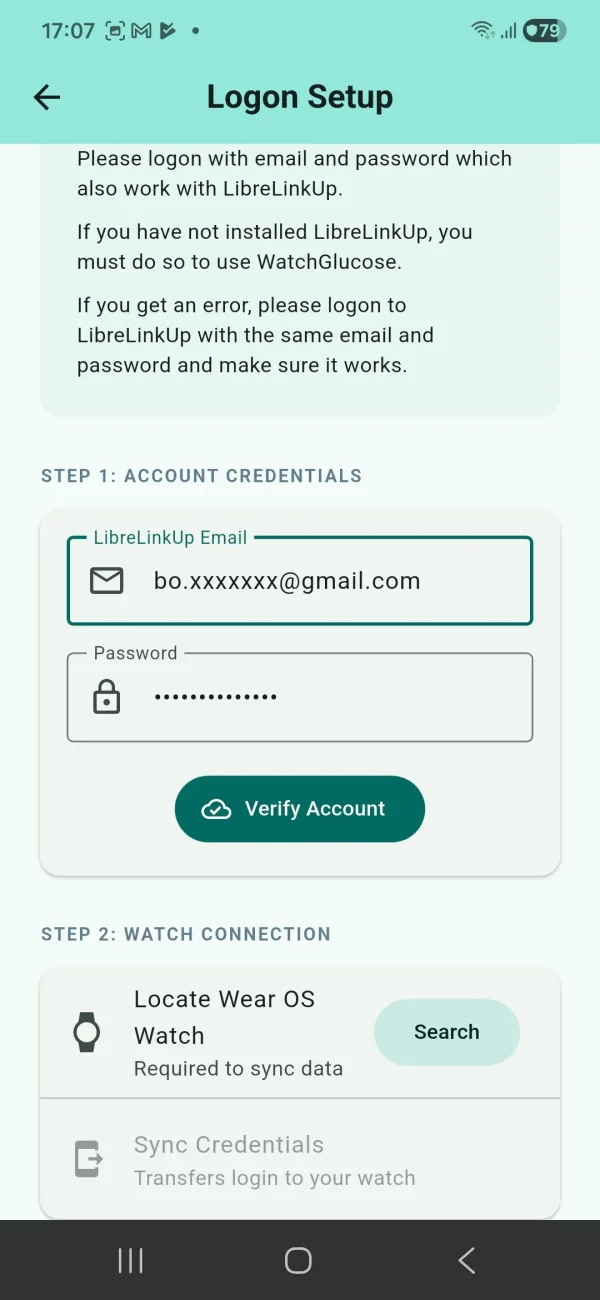
Öffnen Sie anschließend die App auf Ihrem Smartphone und folgen Sie den Anweisungen auf dem Bildschirm, um die Daten zu synchronisieren.
Wichtige technische Details: Die Smartwatch-App ruft die Glukosewerte von einem Server über das Internet ab (sie verbindet sich nicht direkt mit dem Sensor).
Medizinischer Hinweis: WatchGlucose dient ausschließlich Informationszwecken. Diese App sollte NICHT für Behandlungsentscheidungen, medizinische Diagnosen oder Entscheidungen zur Insulindosierung verwendet werden. Konsultieren Sie immer einen Arzt.
Originaltext anzeigen
Keep your glucose levels in sight — right on your wrist! 🩸⌚
Monitoring your blood sugar shouldn't mean constantly pulling out your phone. With WatchGlucose, you can see your real-time levels and trends directly on your Wear OS watch (including Samsung Galaxy Watch, Google Pixel Watch, and more).
Why use WatchGlucose? • Glanceable Data: Use our complication providers to show your current glucose, trend arrows, and warning levels on your favorite watch face. • Custom Watch Faces: Choose between our dedicated Analog or Digital watch faces (available on Google Play) with customizable background and text colors. • 12-Hour History: Simply swipe left to view a dedicated Tile showing your glucose history over the last 12 hours. • Full Compatibility: Seamlessly supports data from FreeStyle Libre 2 and Libre 3 sensors.
Quick Setup Guide:
Install WatchGlucose on both your watch and your phone.
Open the app on your watch first.
Open the app on your phone and follow the on-screen instructions to sync.
Important Technical Details: The watch app fetches glucose readings from a server over the internet (it does not connect directly to the sensor).
Medical Disclaimer: WatchGlucose is for informational purposes only. This app should NOT be used for treatment decisions, medical diagnosis, or insulin dosing decisions. Always consult with a medical professional.
Datensicherheit
Was NdsSoft bei Google Play zu den Daten angibt, die diese App erfasst und weitergibt.
- Diese App kann die folgenden Datentypen an Dritte weitergebenGenauer Standort
- Keine Daten erhobenWeitere Informationen dazu, wie Entwickler Angaben zur Datenerhebung machen
- Daten werden nicht verschlüsselt
- Du kannst das Löschen der Daten beantragen
Neue Funktionen
08.07.2026
Users with multiple watches can now choose their preferred device.
Kontakt zum Entwickler
- Websitefacebook.com
- E-Mailinfo@ndssoft.se
- Datenschutzerklärungdocs.google.com
- AdresseTaxgatan 3, lgh 1602 115 45 Stockholm Sweden
Informationen
- Angeboten von
- NdsSoft
- Kategorie
- Medizin
- Aktualisiert
- 08.07.2026
- Erfordert
- Android 8.0 oder höher
- Altersfreigabe
- USK ab 0 Jahren
- Preis
- Kostenlos
- Paketname
- se.ndssoft.watchglucose
Ähnliche Apps
-
 Sonar - Gesundheit & Leistung
Gesundheit & Fitness
-
 G Band
Gesundheit & Fitness
-
 MoveHealth
Gesundheit & Fitness
-
 Trainingstagebuch GAINSFIRE
Gesundheit & Fitness
-
 Fitdays+
Gesundheit & Fitness
-
 Everfit
Gesundheit & Fitness
-
 beurer HealthManager Pro
Gesundheit & Fitness
-
 Wellness Coach
Gesundheit & Fitness
-
 HeartMath
Gesundheit & Fitness
-
 Screen Time for Focus -Blockin
Gesundheit & Fitness
-
 Personify Health
Gesundheit & Fitness
-
 Fitdays
Gesundheit & Fitness