Wildflower Steps Watch Face
Monkey's Dream- USK ab 0 JahrenAltersfreigabe
- PersonalisierungKategorie
- 02.10.2026Aktualisiert
- 1,29 €Preis
Verlinkt auf den offiziellen Google Play-Eintrag von com.watchfacestudio.wildflowerstepswatchface. Zuletzt geprüft am 23.11.2026.

Screenshots

Über diese App
Automatische Übersetzung von Google. Originalsprache: Englisch (Vereinigte Staaten).
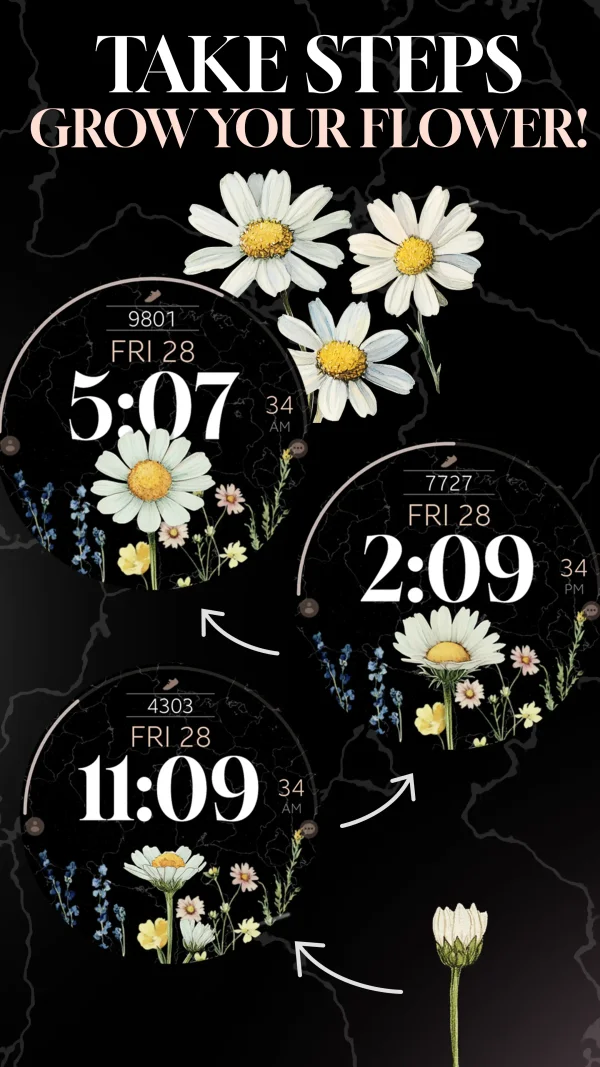
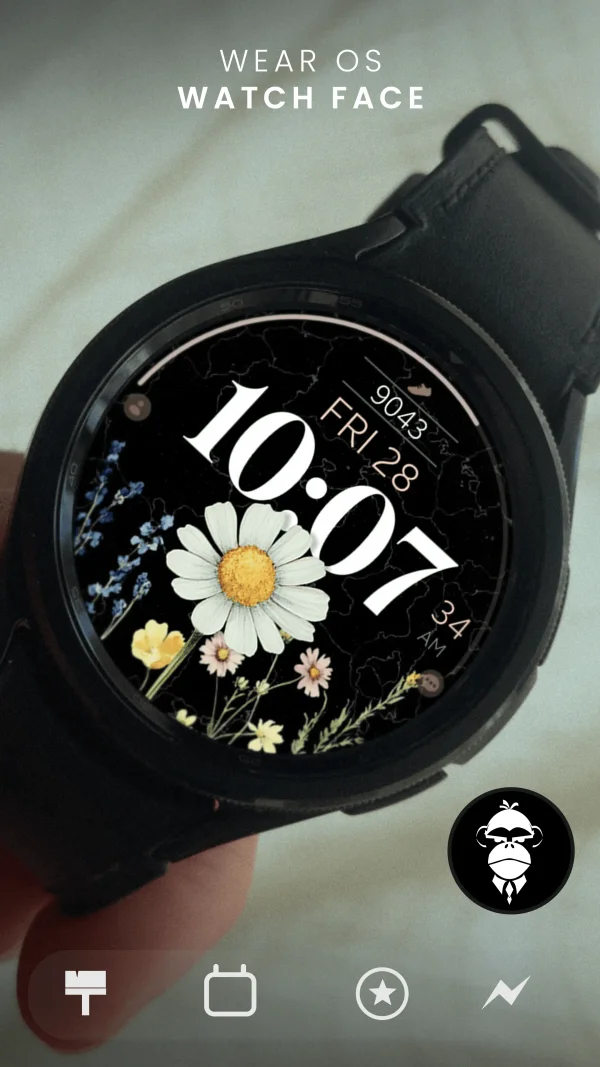
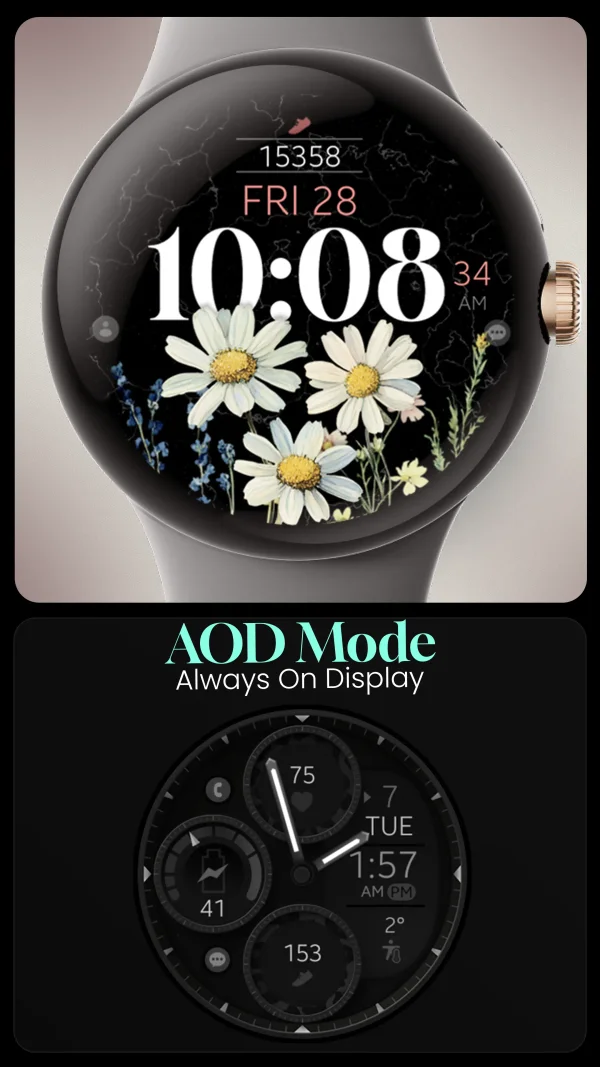
Digitales Wildflower-Zifferblatt für Wear OS: Daisy wächst mit Ihren täglichen Schritten.
Mach Schritte und lass deine Wildblume wachsen!
– Im Zifferblattformat
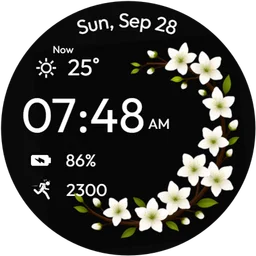
Dieses moderne digitale Zifferblatt für Wear OS kombiniert ein Gänseblümchen-Design mit praktischer Schritterfassung. Das Gänseblümchen blüht, während du deinem täglichen Schrittziel näher kommst, begleitet von einem übersichtlichen Fortschrittsbalken, der dich motiviert.
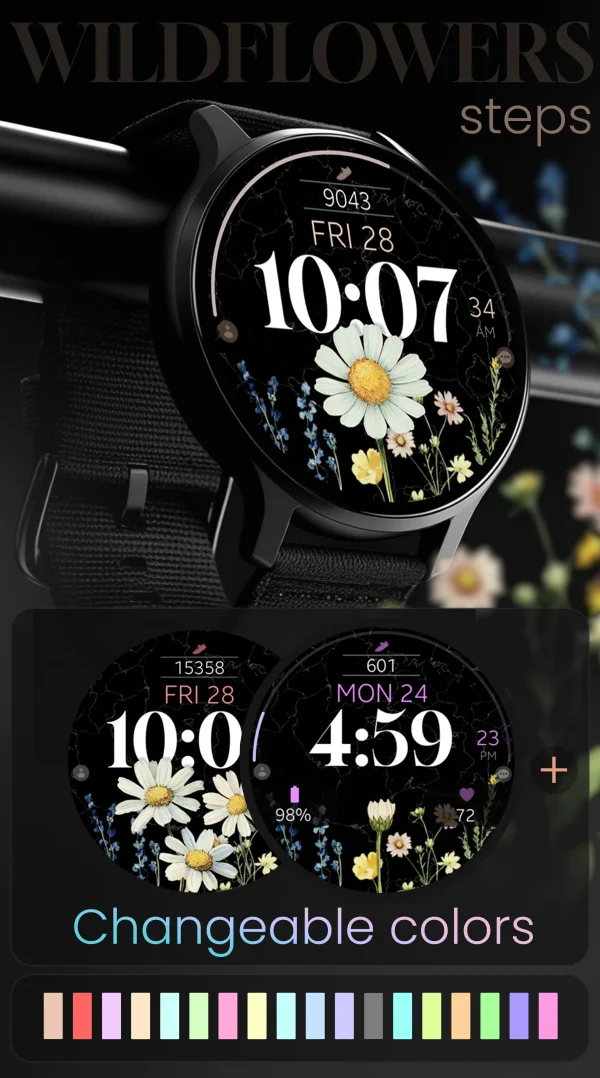
Mit großen Ziffern, anpassbaren Farben, einem dezenten Wildblumen-Hintergrund und einem klaren floralen Stil verleiht es deiner Smartwatch Eleganz und Motivation.
Hauptfunktionen:
– Tag und Datum
– Veränderbare Farben
– Zeitformat 12/24 Stunden
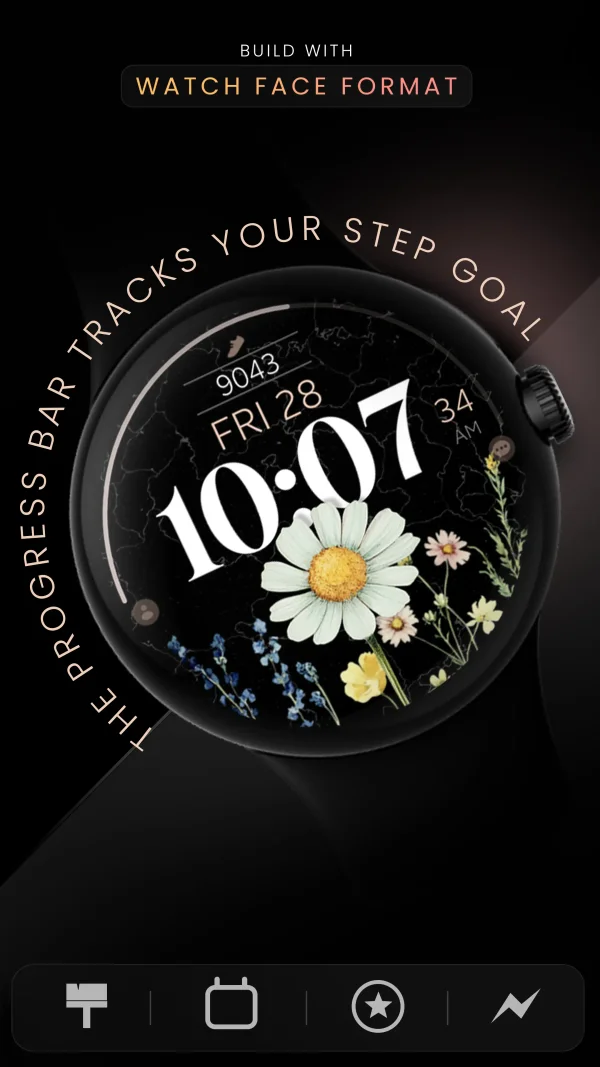
– Fortschrittsbalken: Schrittziel
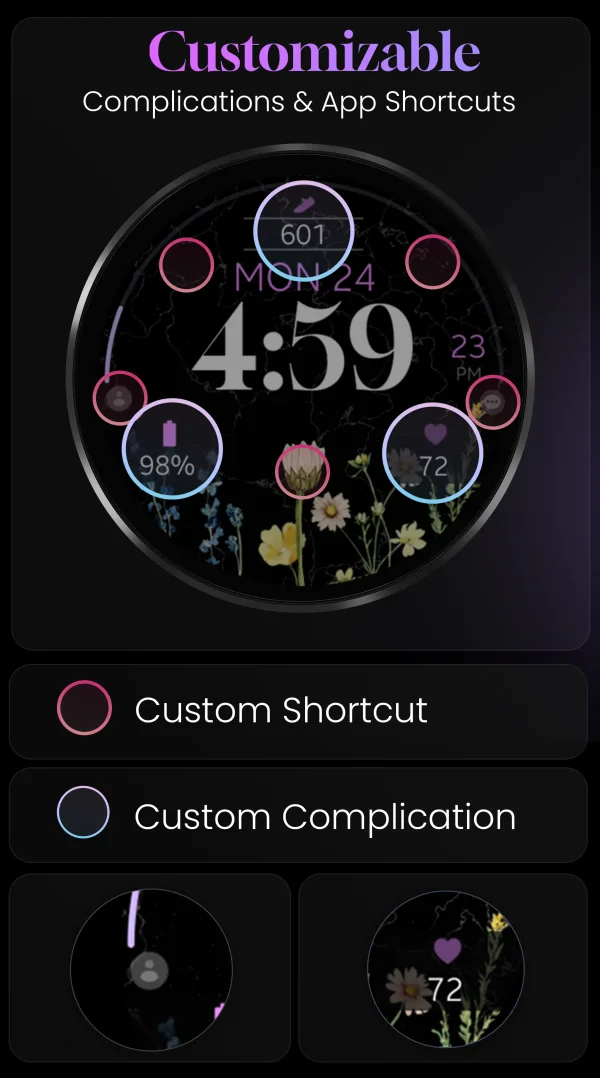
– 5 benutzerdefinierte App-Verknüpfungen für schnellen Zugriff
– 3 anpassbare Komplikationen
– AOD-Modus
Kompatibel mit allen Wear OS-Geräten ab API 33, einschließlich Google Pixel Watch, Samsung Galaxy Watch 7, 6, 5 und mehr.
Nicht geeignet für rechteckige Uhren
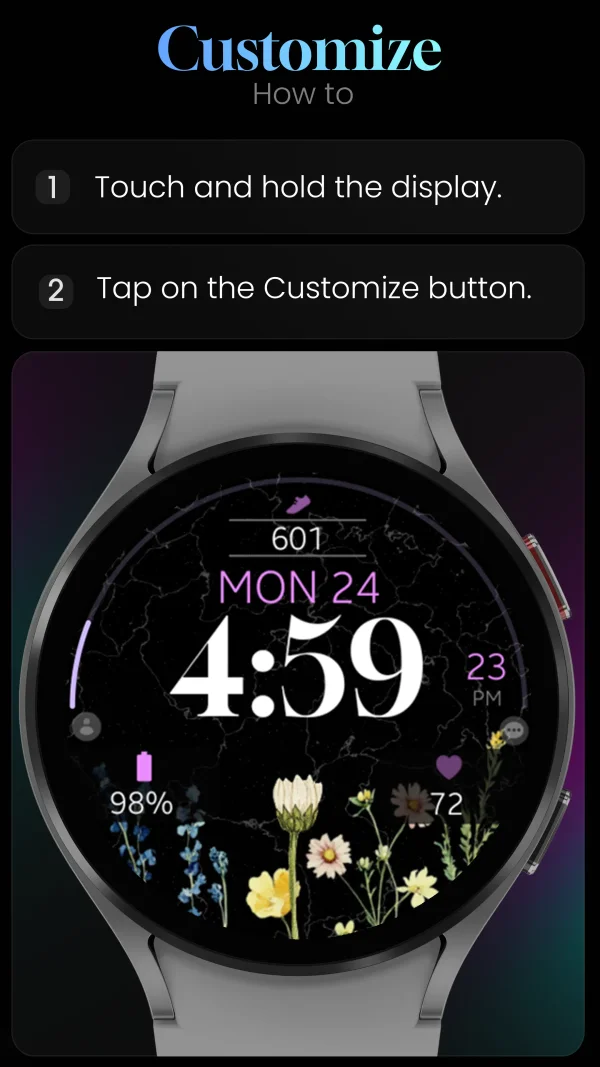
Anpassung
1. Tippe und halte auf das Display deiner Uhr.
2. Wählen Sie „Anpassen“.
Benötigen Sie Hilfe?
- Installationsanleitung: https://www.monkeysdream.com/install-watch-face-wear-os
- Support: info@monkeysdream.com
In Verbindung bleiben:
- Website: https://www.monkeysdream.com
- Instagram: https://www.instagram.com/monkeysdreamofficial
- Newsletter: https://www.monkeysdream.com/newsletter
Originaltext anzeigen
Take steps, grow your wildflower!
- Built with Watch Face Format
This modern digital watch face for Wear OS combines a daisy flower design with practical step tracking. The daisy blooms as you walk closer to your daily step goal, accompanied by a clear progress bar to keep you motivated.
Featuring big numbers, customizable colors, a subtle background of wildflowers, and a clean floral style, it adds both elegance and motivation to your smartwatch.
Key Features:
- Day and date
- Changeable colors
- Time format 12/24h
- Progress bar: Step goal
- x5 App custom shortcuts for quick access
- x3 Customizable complications
- AOD mode
Compatible with all Wear OS devices API 33+ including Google Pixel Watch, Samsung Galaxy Watch 7, 6, 5 and more.
Not Suitable for Rectangular Watches
Customization
1. Tap and hold on your watch display.
2. Select "Customize".
Need Assistance?
- Installation Guide: https://www.monkeysdream.com/install-watch-face-wear-os
- Support: info@monkeysdream.com
Stay Connected:
- Website: https://www.monkeysdream.com
- Instagram: https://www.instagram.com/monkeysdreamofficial
- Newsletter: https://www.monkeysdream.com/newsletter
Datensicherheit
Was Monkey's Dream bei Google Play zu den Daten angibt, die diese App erfasst und weitergibt.
- Keine Daten werden mit Drittunternehmen oder -organisationen geteiltWeitere Informationen dazu, wie Entwickler Angaben zur Weitergabe von Daten machen
- Keine Daten erhobenWeitere Informationen dazu, wie Entwickler Angaben zur Datenerhebung machen
Neue Funktionen
02.10.2026
- Various Bug Fixes and Improvements.
Kontakt zum Entwickler
- Websitemonkeysdream.com
- E-Mailinfo@monkeysdream.com
- Datenschutzerklärungmonkeysdream.com
- AdresseNeuwieser Weg 7 56288 Kastellaun Germany
Informationen
- Angeboten von
- Monkey's Dream
- Kategorie
- Personalisierung
- Aktualisiert
- 02.10.2026
- Veröffentlicht
- 24.03.2025
- Altersfreigabe
- USK ab 0 Jahren
- Preis
- 1,29 €
- Paketname
- com.watchfacestudio.wildflowerstepswatchface
Ähnliche Apps
-
 TVV Spring 2 Watch Face
Personalisierung
-
 TVV Luxury Flowers Watch Face
Personalisierung
-
 Minimalist Blossom Daisy Watch
Personalisierung
-
 Floralis Digitales Zifferblatt
Personalisierung
-
 Flower Animated watch face
Personalisierung
-
 Simple Floral 3 Watch Face
Personalisierung
-
 Floral Bliss Watch Face
Personalisierung
-
 Realistic SpringTime Flowers
Personalisierung
-
 Cute Floral Aesthetic Watch
Personalisierung
-
 Cherry Blossom WatchFace
Personalisierung
-
 Colorful Bloom WatchFace
Personalisierung
-
 Spring Bloom Watch
Personalisierung