
ACEpath: Math Homework Help
Photo Calculator & AI Tutor
Entwickelt für iPhone
In-App-Käufe
- Altersfreigabe12+
- KategorieBildung
- EntwicklerACEPATH PTE. LTD.
- SprachenEnglisch
- Größe55,3 MB
ACEpath: Math Homework Help ist bei App Store derzeit möglicherweise nicht verfügbar
Bei unserer letzten Prüfung war der Store-Eintrag nicht erreichbar. Der Link führt weiterhin zur offiziellen App Store-Seite.
Screenshots
Info
Der Entwickler hat diesen Text nicht in Ihrer Sprache bereitgestellt.
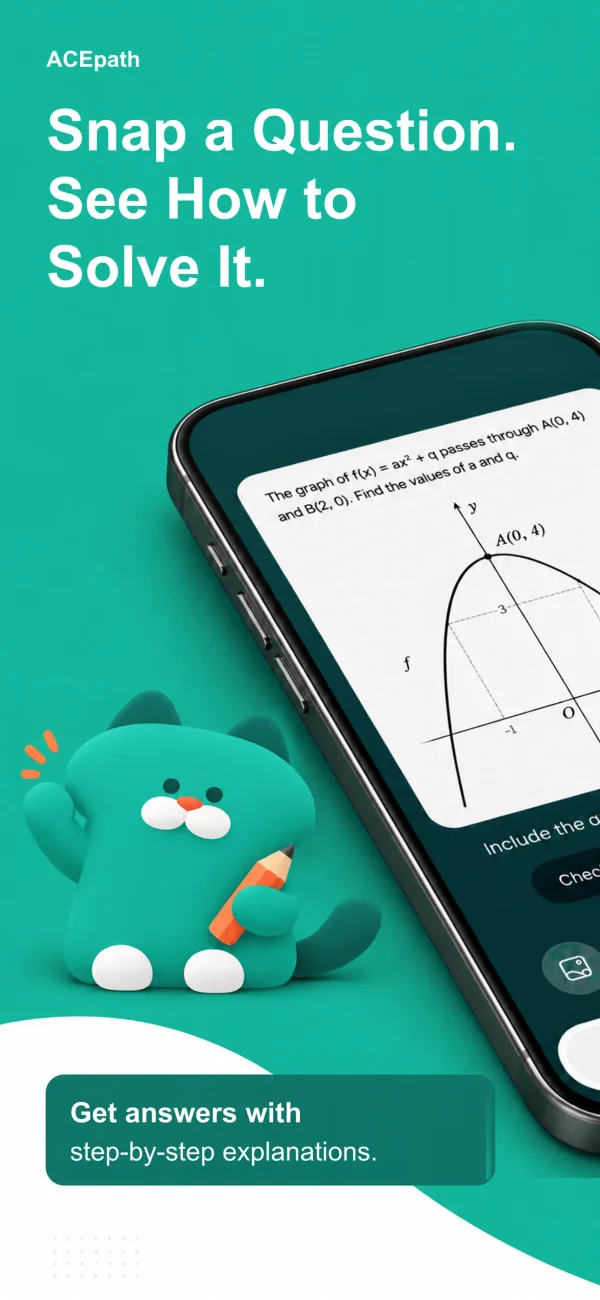
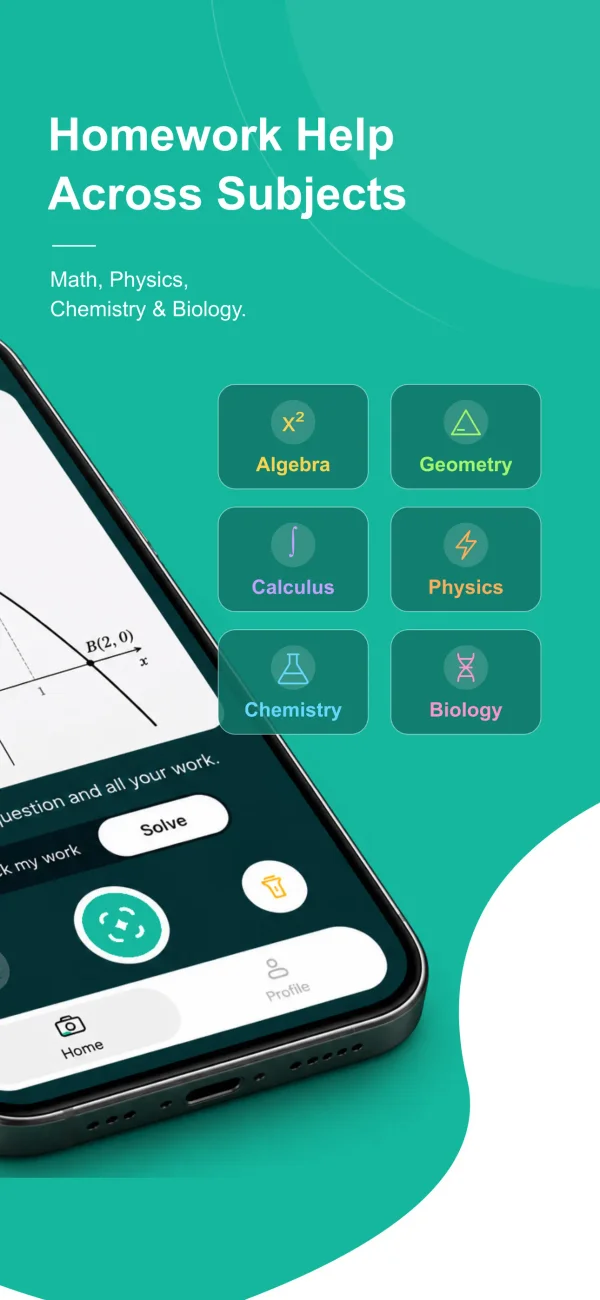
Understand where your math work went wrong, whether you're studying or helping your child. AcePath brings math homework help to the steps on the page: see what you got right, work through mistakes, and practice the skills behind them.
HOW IT WORKS
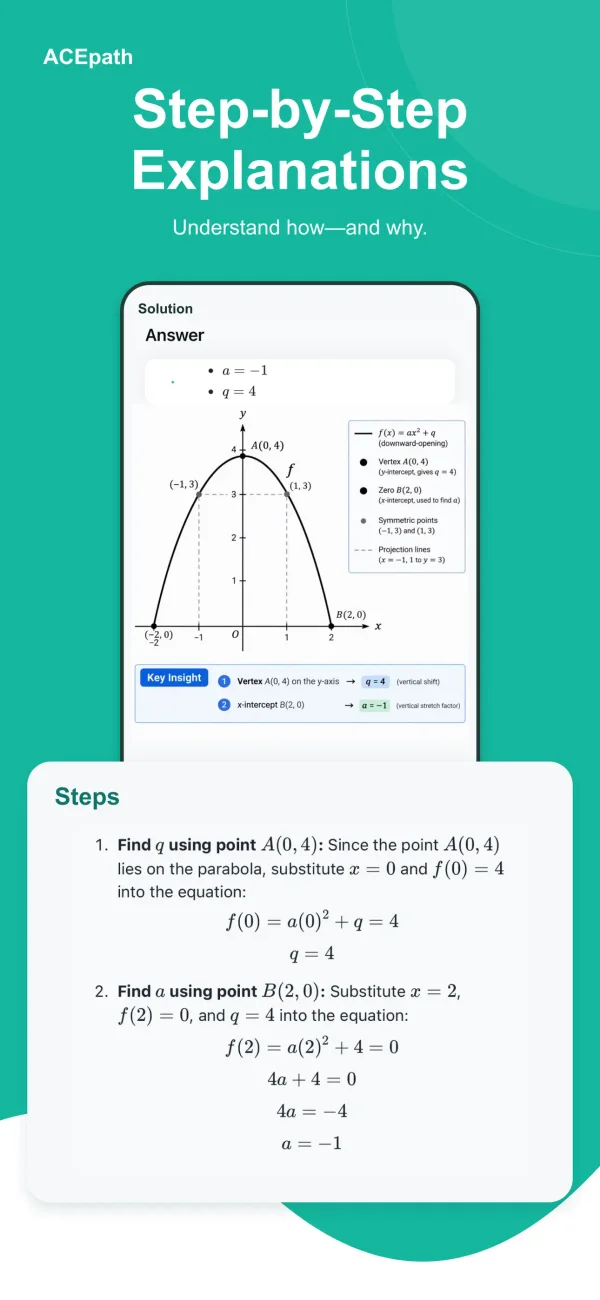
• Photo math solver: Take a clear photo of a complete question to follow a step-by-step solution.
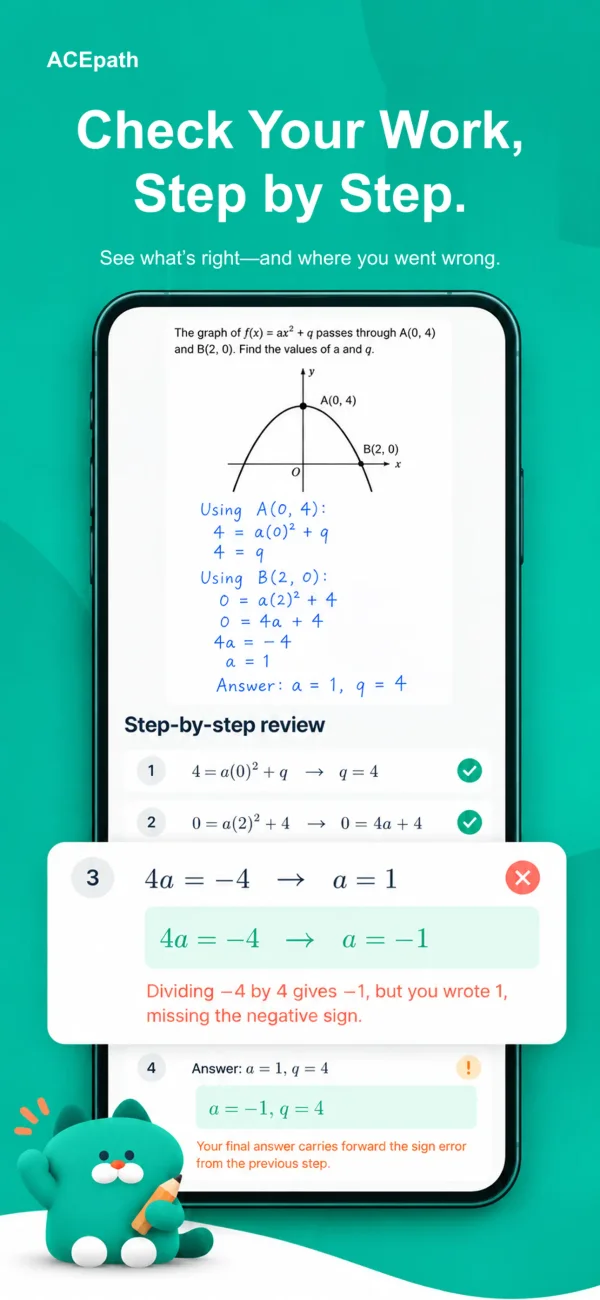
• Check My Work: Check each step of your handwritten answer or scratch work to see where your reasoning is correct and where it needs attention.
• Mistake diagnosis: Pinpoint the step where an error happened and understand how it affects later steps on the path to the correct solution.
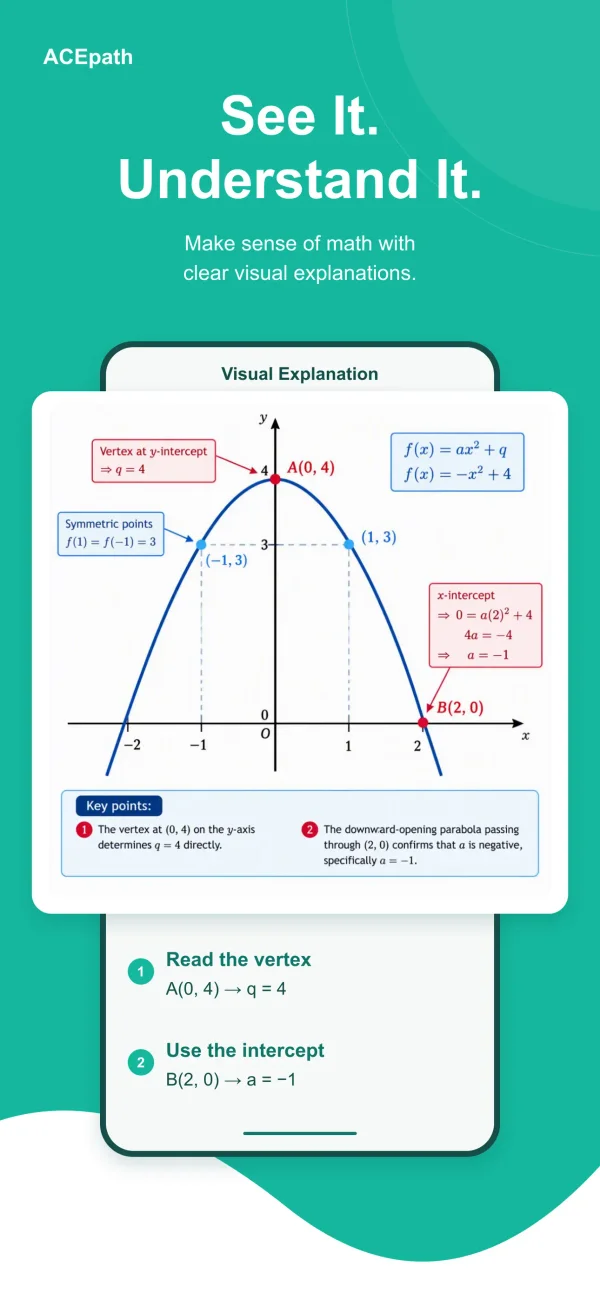
• Visual explanations: Explore difficult concepts through clear visual explanations that help you understand the reasoning.
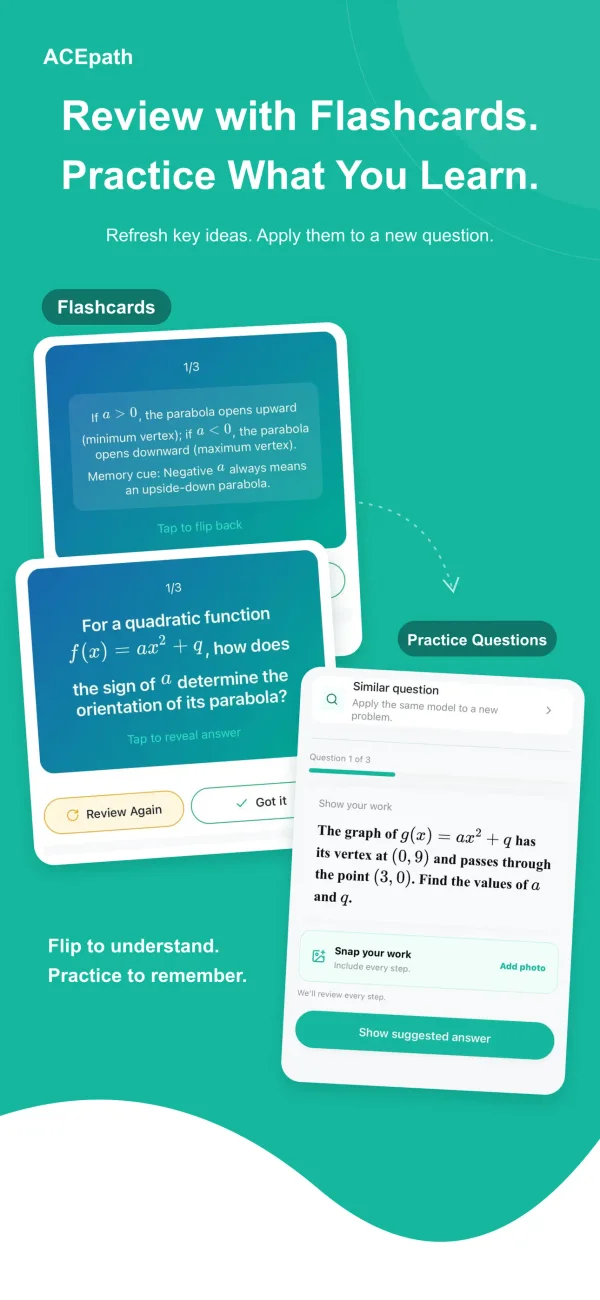
• Targeted practice: Practice skills based on your mistakes to focus on the parts of your work that need attention.
• Learning loop: Follow Check → Understand → Practice → Recheck to connect checking your work with understanding and practice.
WHAT YOU GET WITH ACEpath Plus
• Full step-by-step checks: A subscription unlocks full checks, detailed mistake diagnosis, visual explanations, targeted practice, and enhanced handwriting recognition.
FOR STUDENTS AND FAMILIES
• Family Sharing: The app supports Family Sharing so families can share the app.
• Interface language: The app interface is currently in English.
PHOTO TIPS
Include the complete question in a clear photo. When using Check My Work, include the question and every step of your answer or scratch work so the check covers your written process.
PRIVACY AND SUPPORT
• Privacy policy: Read how your information is handled at https://acepath.ai/privacy-policy.
• Support: Find help at https://acepath.ai/support.
• Terms of Use: Read the standard Apple EULA at https://www.apple.com/legal/internet-services/itunes/dev/stdeula/.
FOR TONIGHT'S HOMEWORK AND YOUR NEXT TEST
When you're thinking, "Can I check my work before I move on?", review the steps you've written and look at how an error affects what follows. Before a test, return to the mistakes you want to understand and use targeted practice to work on those skills. Parents helping with homework can use the explanations to discuss the reasoning with their child.
Download AcePath for free to get started. Full checks and the features listed under ACEpath Plus require a subscription.
Neue Funktionen
Version 1.5.0 · 25.11.2026
Switch modes while cropping: Toggle between Solve and Check right on the crop screen. No need to go back, one photo gets you the result you want.
New membership section: Your Profile page now shows your Plus benefits and subscription options at a glance.
Refreshed camera frame: A more focused frame makes it easier to snap one question at a time for faster answers, and a new cat friend now joins you while you scan.
Refreshed practice completion: The Lock it in completion screen has a cleaner, clearer look.
App-Datenschutz
Was ACEPATH PTE. LTD. im App Store zum Umgang dieser App mit Daten angibt.
-
Daten, die zum Tracking Ihrer Person verwendet werden
Können verwendet werden, um Sie über Apps und Websites anderer Unternehmen hinweg zu verfolgen.
- Kennungen
- Nutzungsdaten
-
Mit Ihnen verknüpfte Daten
Können erfasst und mit Ihrer Identität verknüpft werden.
- Käufe
- Kontaktinformationen
- Benutzerinhalte
- Kennungen
- Nutzungsdaten
Die Datenschutzpraktiken können variieren, zum Beispiel je nach den von Ihnen verwendeten Funktionen oder Ihrem Alter.
Informationen
- Anbieter
- ACEPATH PTE. LTD.
- Kategorie
- Bildung
- Version
- 1.5.0
- Aktualisiert
- 25.11.2026
- Veröffentlicht
- 09.10.2026
- Größe
- 55,3 MB
- Erfordert
- iOS 16.4 oder neuer
- Altersfreigabe
- 12+
- In-App-Käufe
- Ja
- Sprachen
- Englisch
- Copyright
- © 2026 ACEPATH PTE. LTD.
Das könnte Ihnen auch gefallen
-
 WiseMath: Mathe Aufgaben lösenHausaufgaben & Mathe Scanner
-
 Vimi: My Math TutorBildung
-
 MathGPT - AI Math SolverBildung
-
 Want mark!Bildung
-
 StudyX: KI Hausaufgaben-HilfeMathe, KI-Notizen & Quiz
-
 AcellusBildung
-
 Ai Homework Helper: Scan SolveBildung
-
 Socratic AI - Homework HelperBildung
-
 UpStudy - Camera Math Solverphoto math solver
-
 Turbolearn - Learn FasterBildung