
ALIGNED — Carousel Layout
Layout · align · photo & video
Entwickelt für iPhone, iPad
In-App-Käufe
- Altersfreigabe4+
- KategorieFoto und Video
- EntwicklerWEI-MING KAO
- SprachenTradit. Chinesisch+ 4 weitere
- Größe132,4 MB
ALIGNED — Carousel Layout ist bei App Store derzeit möglicherweise nicht verfügbar
Bei unserer letzten Prüfung war der Store-Eintrag nicht erreichbar. Der Link führt weiterhin zur offiziellen App Store-Seite.
Screenshots
Info
Der Entwickler hat diesen Text nicht in Ihrer Sprache bereitgestellt.
ALIGNED — get every page aligned.
ALIGNED is a layout tool built for multi-page Instagram carousels. Place photos, text and video across pages like a magazine spread, align them precisely, preview, and export the whole set at once.
■ An alignment system you rarely see
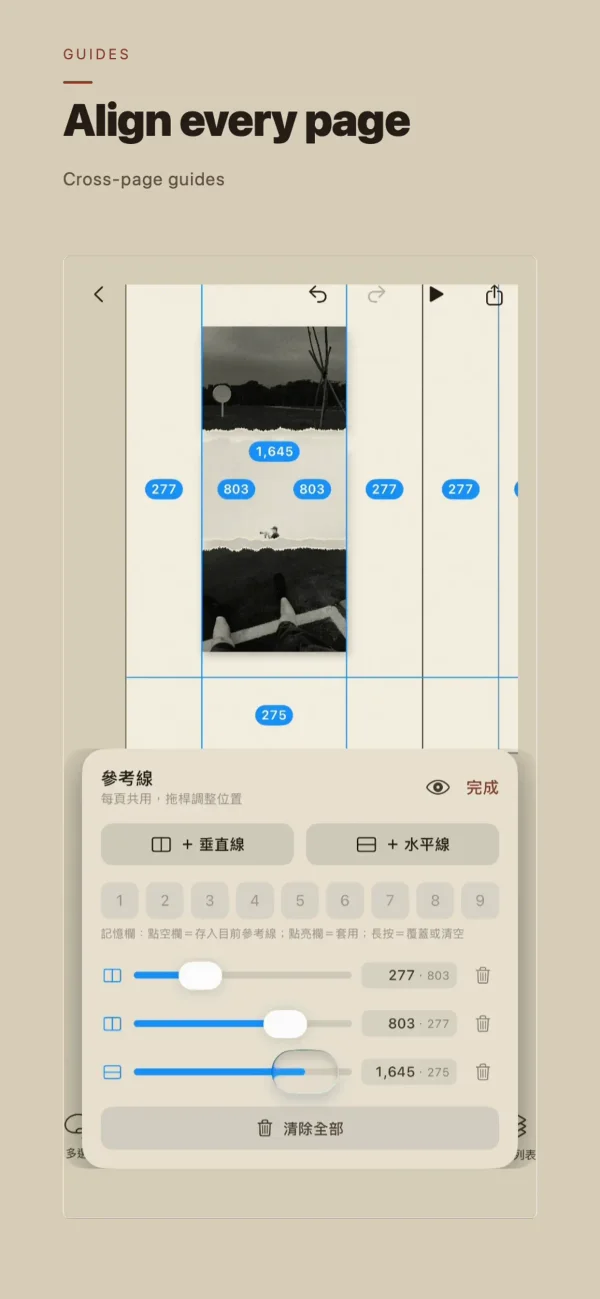
Three-level magnetic snapping, pull-out guides, multi-object align & distribute, and cross-page alignment. Every element lands exactly where it should.
■ Real typography, including CJK
Vertical (top-to-bottom) text with proper punctuation forms, letter spacing, line height and optical centering that behave the same in every direction. Commercial-use fonts built in, and you can import your own.
■ Not just images — video too
Drop video into your workspace and export a whole page (image + text + video) as an mp4.
■ Made for iPhone and iPad
Same app, same projects. On iPad: a sidebar toolbar (switchable for left- or right-handed use), keyboard shortcuts and trackpad pointer support.
Highlights
• Up to 20 pages, edit across page boundaries
• 8-point crop, straighten, shape masks & borders
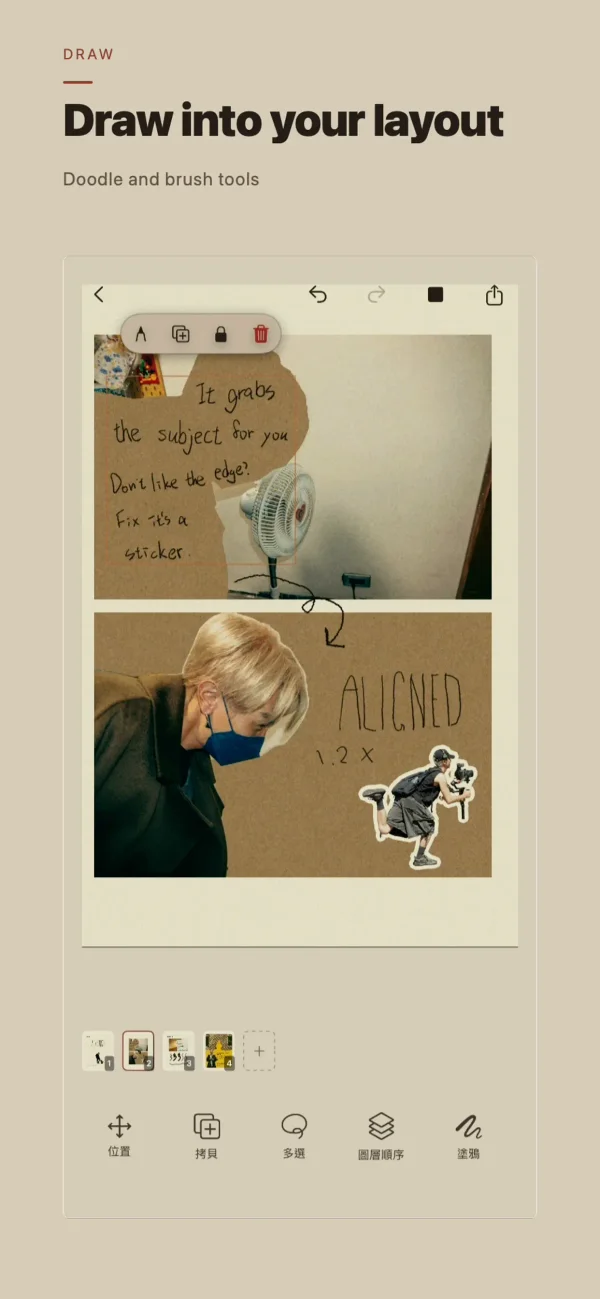
• Shapes, cut-out stickers, grid layouts
• Text shadow, background, style presets
• Carousel / continuous / Threads previews
• Reverse-order save, so your IG upload order is right
• Works fully offline — your work stays on your device
Free, and genuinely usable
The core is free forever with no watermark: multi-page editing, the alignment engine, guides, cropping, fonts and image export.
ALIGNED Pro (subscription)
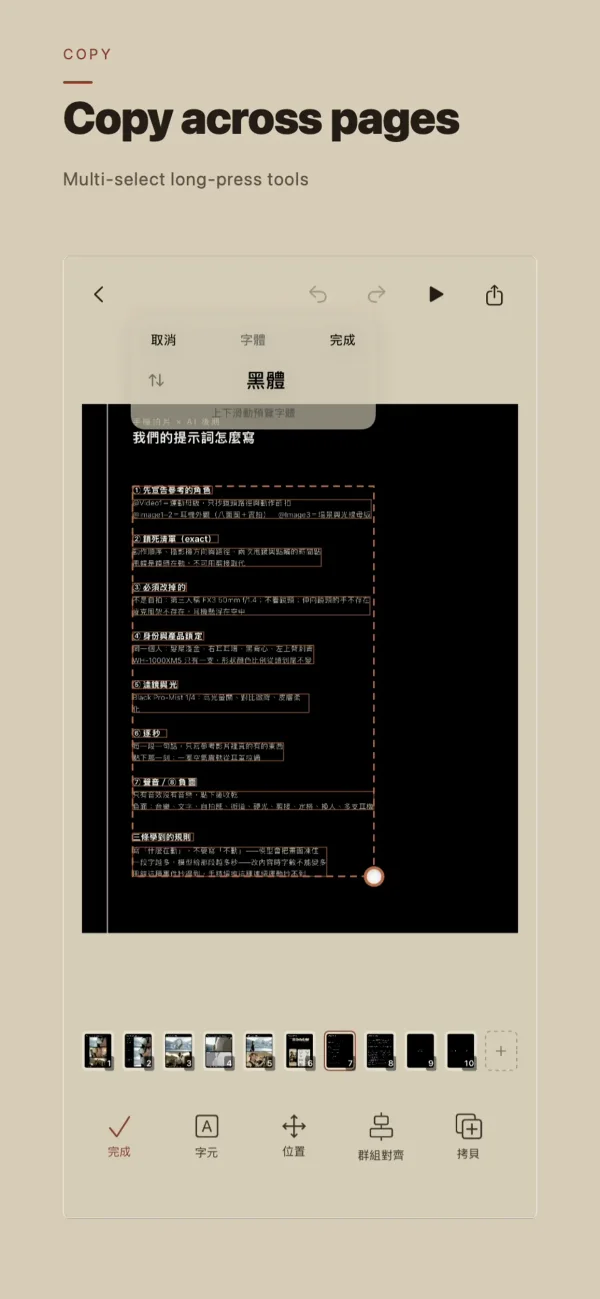
Unlocks video export (including full-page mp4 compositing) and cross-project copy. Monthly or yearly (yearly ≈ 40% off), each with a 7-day free trial. Cancel anytime in your App Store account settings; Pro stays active until the end of the paid period.
Subscriptions auto-renew unless cancelled at least 24 hours before the end of the current period. Payment is charged to your Apple Account at confirmation of purchase.
Terms of Use: https://www.apple.com/legal/internet-services/itunes/dev/stdeula/
Privacy Policy: https://hilarious-aftershave-5aa.notion.site/ALIGN-3951b5c06b9a81b69736e9c7845fef0e
Neue Funktionen
Version 1.3.6 · 12.10.2026
New designed gradients: fill page backgrounds, shapes and text with a gradient, starting from six built-in presets. Adjust overall hue, depth and saturation at once (turn saturation all the way down for a grayscale gradient) or change single color stops; your last gradient is remembered for the next object.
Pro image export can now be 2× size. Guide visibility is remembered per project.
Fixed Zhuyin/Pinyin input getting stuck before converting to Chinese, and the cursor jumping in front of the first typed character. Removed the dark frame around the canvas in Night theme.
App-Datenschutz
Was WEI-MING KAO im App Store zum Umgang dieser App mit Daten angibt.
-
Keine Daten erfasst
Der Entwickler erfasst keine Daten von dieser App.
Die Datenschutzpraktiken können variieren, zum Beispiel je nach den von Ihnen verwendeten Funktionen oder Ihrem Alter.
Informationen
- Anbieter
- WEI-MING KAO
- Kategorie
- Foto und Video
- Version
- 1.3.6
- Aktualisiert
- 12.10.2026
- Veröffentlicht
- 20.08.2026
- Größe
- 132,4 MB
- Erfordert
- iOS 17.0 oder neuer
- Altersfreigabe
- 4+
- In-App-Käufe
- Ja
- Sprachen
- Tradit. Chinesisch, Japanisch, Vereinf. Chinesisch, Englisch, Koreanisch
- Copyright
- © 2026 Armin Kao
Das könnte Ihnen auch gefallen
-
 Gooditor - IG Story EditorTextdesign-Tool für IG Stories
-
 deja: Erlebe deine Fotos neuAufräumen & Speicher freigeben
-
 Cleaner: Foto & Video löschenDoppelte & ähnliche Fotos
-
 GridFixStürzende Linien begradigen
-
 PastCam: Real Codec CameraFoto und Video
-
 RoamotionFoto und Video
-
 tincaseFoto und Video
-
 ScrapaperFoto und Video
-
 PACam: Disposable CameraFoto und Video
-
 SView – Swipe Carousel MakerFoto und Video