
ALIGNED — Carousel Layout
Layout · align · photo & video
Designed for iPhone, iPad
In-app purchases
- Age rating4+
- CategoryPhoto & Video
- DeveloperWEI-MING KAO
- LanguagesTraditional Chinese+ 4 more
- Size132.4 MB
Links to the official App Store page
Download.org hosts no file of ALIGNED — Carousel Layout. The button opens its official App Store page, published by WEI-MING KAO. Listing last checked on Nov 12, 2026.
Screenshots
About
ALIGNED — get every page aligned.
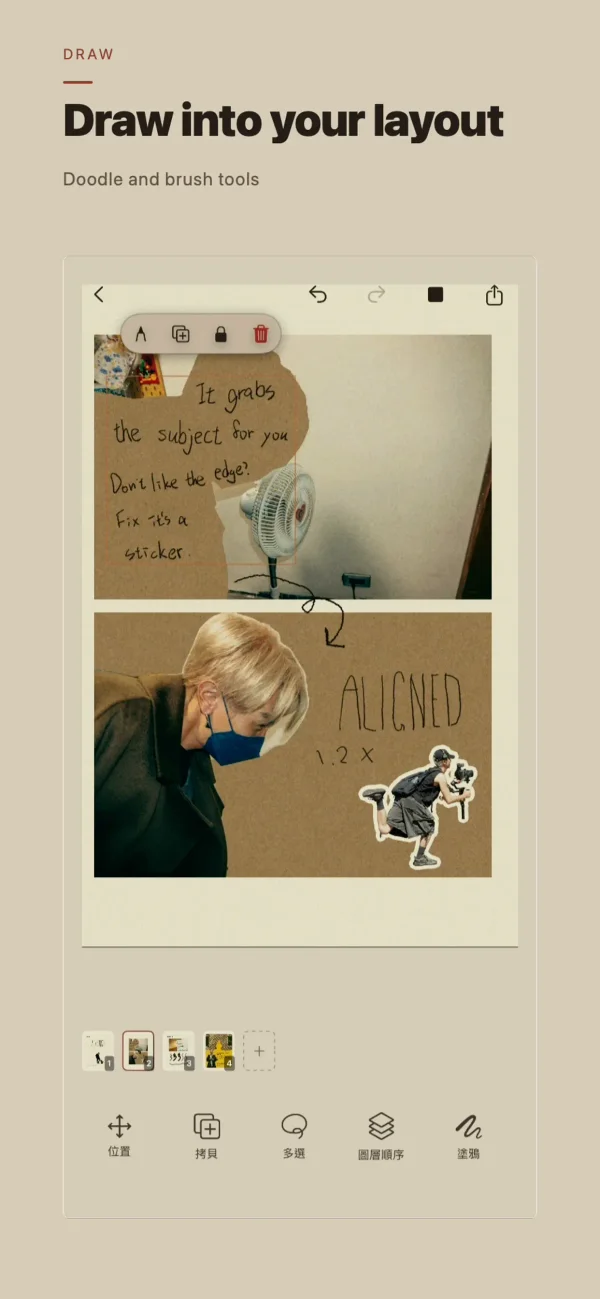
ALIGNED is a layout tool built for multi-page Instagram carousels. Place photos, text and video across pages like a magazine spread, align them precisely, preview, and export the whole set at once.
■ An alignment system you rarely see
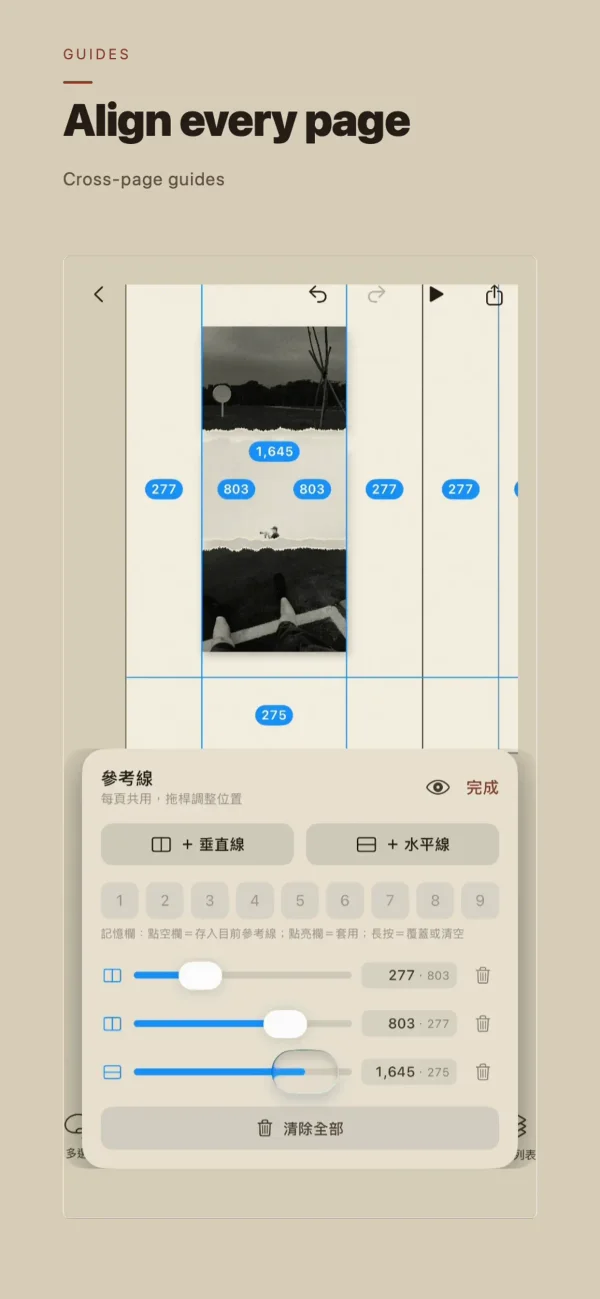
Three-level magnetic snapping, pull-out guides, multi-object align & distribute, and cross-page alignment. Every element lands exactly where it should.
■ Real typography, including CJK
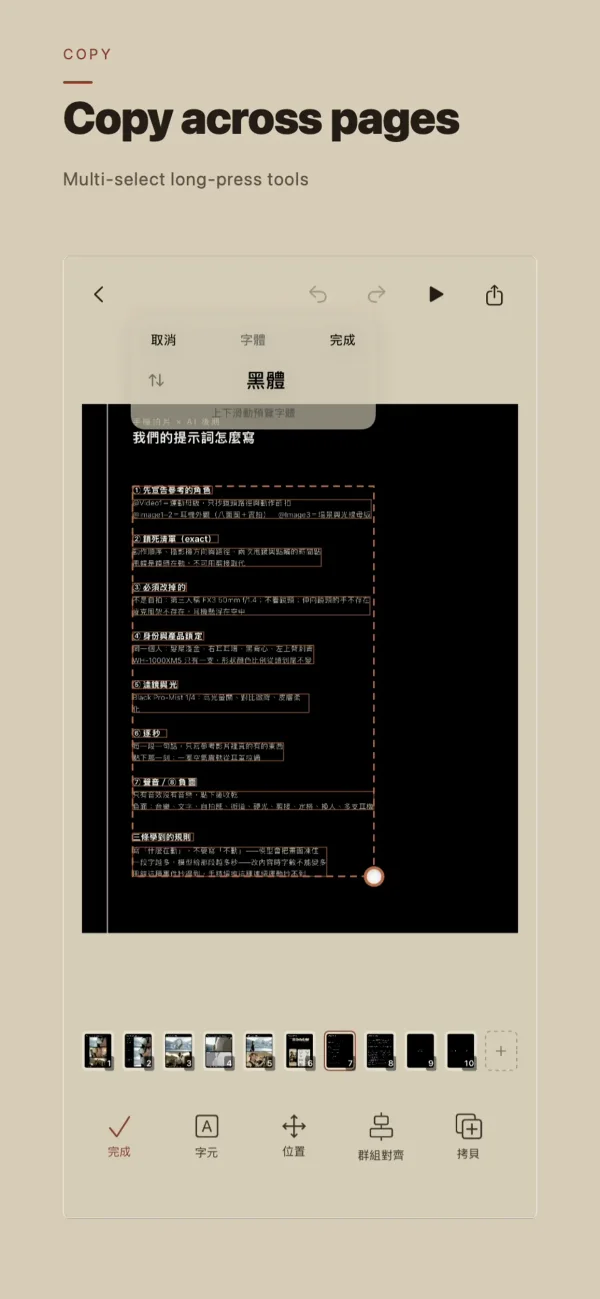
Vertical (top-to-bottom) text with proper punctuation forms, letter spacing, line height and optical centering that behave the same in every direction. Commercial-use fonts built in, and you can import your own.
■ Not just images — video too
Drop video into your workspace and export a whole page (image + text + video) as an mp4.
■ Made for iPhone and iPad
Same app, same projects. On iPad: a sidebar toolbar (switchable for left- or right-handed use), keyboard shortcuts and trackpad pointer support.
Highlights
• Up to 20 pages, edit across page boundaries
• 8-point crop, straighten, shape masks & borders
• Shapes, cut-out stickers, grid layouts
• Text shadow, background, style presets
• Carousel / continuous / Threads previews
• Reverse-order save, so your IG upload order is right
• Works fully offline — your work stays on your device
Free, and genuinely usable
The core is free forever with no watermark: multi-page editing, the alignment engine, guides, cropping, fonts and image export.
ALIGNED Pro (subscription)
Unlocks video export (including full-page mp4 compositing) and cross-project copy. Monthly or yearly (yearly ≈ 40% off), each with a 7-day free trial. Cancel anytime in your App Store account settings; Pro stays active until the end of the paid period.
Subscriptions auto-renew unless cancelled at least 24 hours before the end of the current period. Payment is charged to your Apple Account at confirmation of purchase.
Terms of Use: https://www.apple.com/legal/internet-services/itunes/dev/stdeula/
Privacy Policy: https://hilarious-aftershave-5aa.notion.site/ALIGN-3951b5c06b9a81b69736e9c7845fef0e
What’s new
Version 1.3.6 · Oct 12, 2026
New designed gradients: fill page backgrounds, shapes and text with a gradient, starting from six built-in presets. Adjust overall hue, depth and saturation at once (turn saturation all the way down for a grayscale gradient) or change single color stops; your last gradient is remembered for the next object.
Pro image export can now be 2× size. Guide visibility is remembered per project.
Fixed Zhuyin/Pinyin input getting stuck before converting to Chinese, and the cursor jumping in front of the first typed character. Removed the dark frame around the canvas in Night theme.
App privacy
What WEI-MING KAO declares on the App Store about how this app handles data.
-
Data not collected
The developer does not collect any data from this app.
Privacy practices may vary, for example with the features you use or your age.
Information
- Seller
- WEI-MING KAO
- Category
- Photo & Video
- Version
- 1.3.6
- Updated
- Oct 12, 2026
- Released
- Aug 20, 2026
- Size
- 132.4 MB
- Requires
- iOS 17.0 or later
- Age rating
- 4+
- In-app purchases
- Yes
- Languages
- Traditional Chinese, Japanese, Simplified Chinese, English, Korean
- Copyright
- © 2026 Armin Kao
You might also like
-
 Gooditor - IG Story EditorIG Story text design tool
-
 deja: Relive your camera rollClean up photos, free storage
-
 Cleaner: Free Up Photo StorageDelete Duplicate Pics & Videos
-
 GridFix: Perspective FixPerspective & Lines Correction
-
 PastCam: Real Codec CameraRetro Camera with Real Codecs
-
 RoamotionTurn trips into map films
-
 tincaseTin Case Collage & Deco Maker
-
 ScrapaperTear Photos. Build Stories.
-
 PACam: Disposable Camera35mm Film Camera & Photo Booth
-
 SView – Swipe Carousel MakerPhoto Collage, Frames & Grid