
나와의 채팅 - 나에게 메모장·할 일·예약 알림
Notes to self, PDF & scanner
Entwickelt für iPhone, iPod touch
Kostenlos
- Altersfreigabe4+
- KategorieProduktivität
- EntwicklerSUNPIL HWANG
- SprachenEnglisch+ 1 weitere
- Größe85,0 MB
Verlinkt auf die offizielle App Store-Seite
Download.org hostet keine Datei von 나와의 채팅 - 나에게 메모장·할 일·예약 알림. Die Schaltfläche öffnet die App-Seite bei App Store, wo SUNPIL HWANG die App veröffentlicht. Eintrag zuletzt geprüft am 26.11.2026.
Screenshots



Info
Der Entwickler hat diesen Text nicht in Ihrer Sprache bereitgestellt.
Used to jot things down by texting yourself? Do it here.
Write like you are messaging yourself, and that is your note. Make a chat for each topic.
■ Bring your notes over
· Pick the file you exported from KakaoTalk's "Chat with myself"
· Dates stay as they were, into a new chat or one you choose
· Export as a zip to bring photos too
■ Block Shorts & apps
· App Block: the apps you pick show a block screen, with a random line or your own words
· Always, or at set times only (several days and time ranges)
· Block Shorts & Reels in Safari: YouTube Shorts and Instagram Reels are blocked in Safari
· Chosen apps stay in Screen Time on this iPhone and are never sent off it
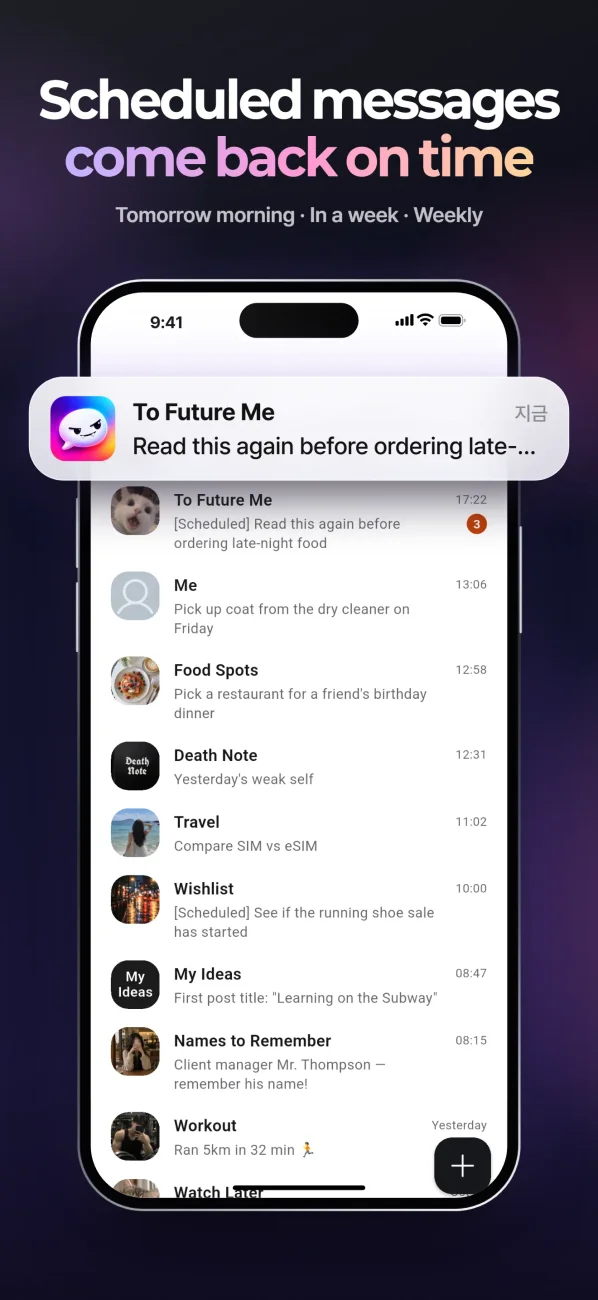
■ Scheduled messages
· Get a message back at the time you pick
· In 1 hour · Tonight · Tomorrow morning · In a week · Pick a time
· Repeat daily, weekly or monthly
■ One notes app, a whole toolbox
· Tax refund calculator: estimated refund by country, discount coupons, card fees and the price in your currency. Save the result as a note
· LED Banner: dot-style text in full screen. Save it to a chat and tap to play it again
· Finger Picker: everyone puts a finger on the screen, then pick one or more, or split into teams
· Screen time: today, yesterday and the last 7 days, per app
· Gestures: draw a shape to open a chat, or call, text or open a website ("Open by gesture")
· Time capsule: a message to future you that stays sealed until its day
■ From PDF editing to document scanning
· Edit PDF: fix the original text right where it is with Edit Text, plus pen, highlighter, text, images and your signature
· Merge, reorder, rotate, extract or delete pages, and shrink the file
· Edits are saved as a new copy, so the original stays as it was
· Scan: finds the four corners of the page and straightens it, flattens curves and removes shadows
· Save as photos or a PDF. Long-press a photo you already sent to make a scan
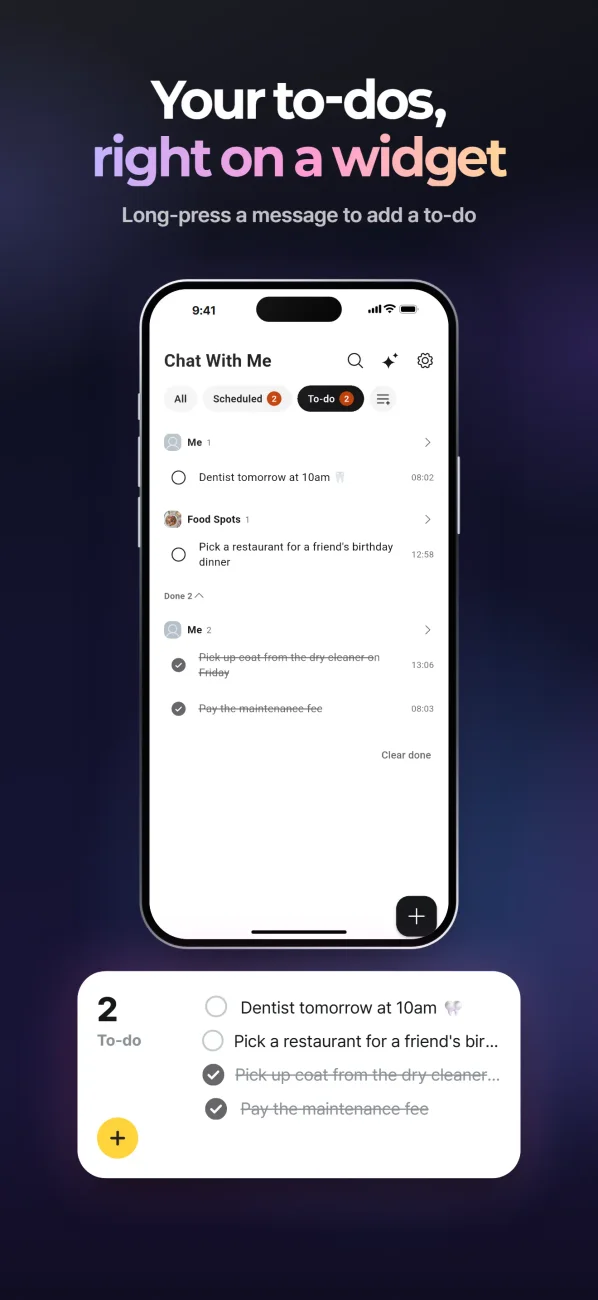
■ To-dos and widgets
· Long-press a message and mark it as a to-do
· See to-dos from every chat in one place
· Check them off and write notes right from your home screen
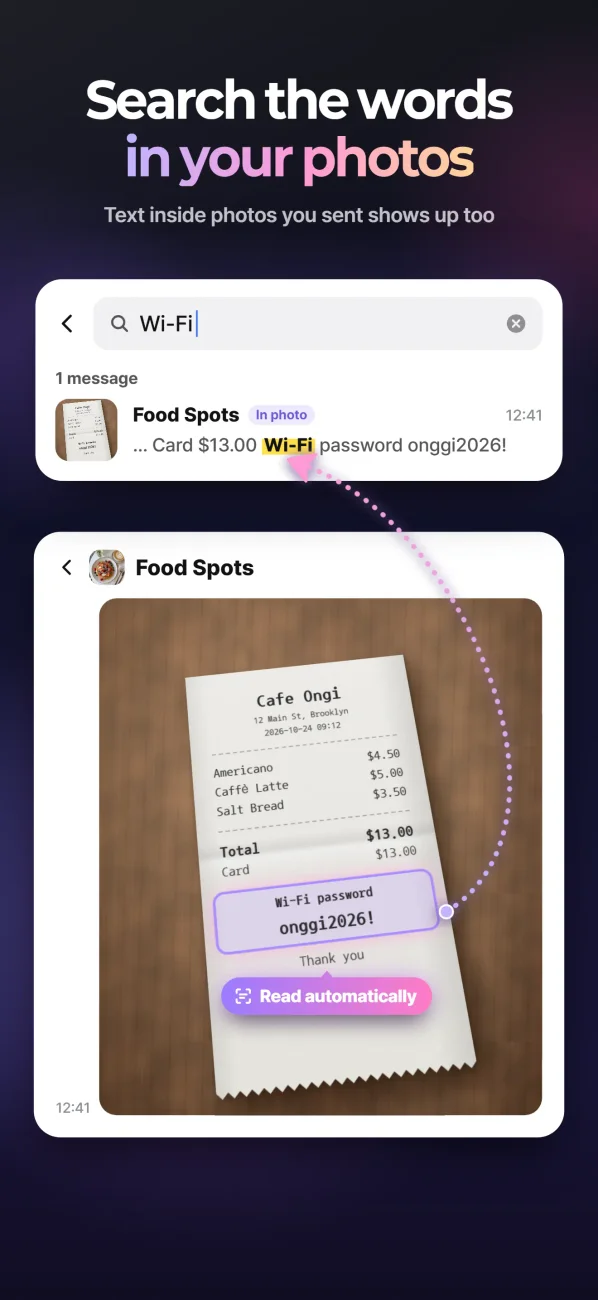
■ Search the text in your photos
· Words inside photos you sent show up in search (receipts, Wi-Fi passwords)
· Long-press a photo to view and copy its text
· In search, browse Photos & Videos, Docs and Links by type
■ Make it yours
· Themes: Yellow, Black, White, Mint, Lavender, Midnight
· Build your own theme: button color, bubbles, background, input bar, top bar, date and time
· A background for each chat: a color or a photo, with dimming
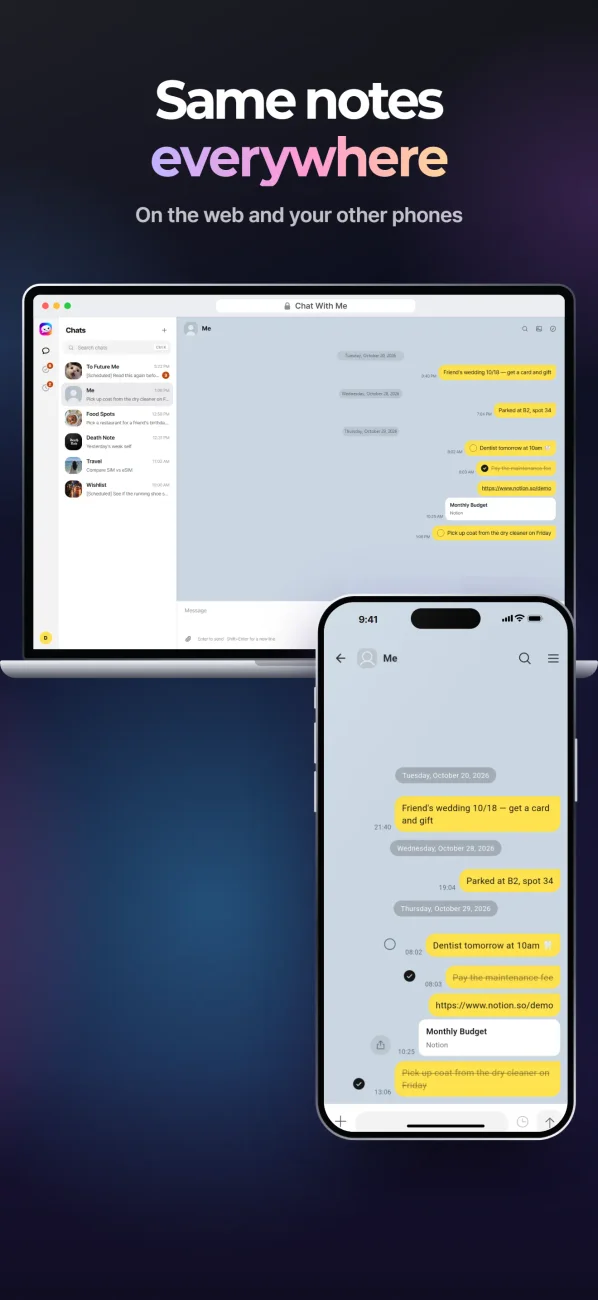
■ Same notes everywhere
· The same notes on the web (PC) and your other phones
· Switch phones and your notes come along
· Two-pane view on iPhone Duo: chats on the left, the conversation on the right
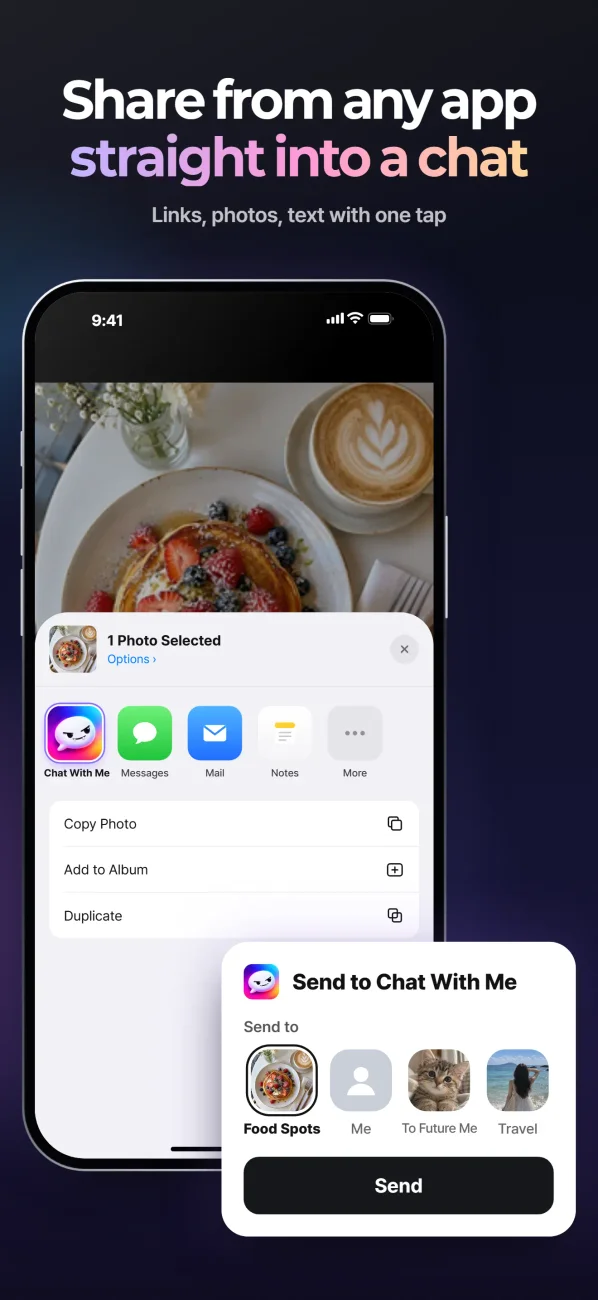
■ Share from any app
· Links, photos and text go to the chat you pick in one tap
■ Also
· Photo edit: crop, adjust, draw, hide and text
· App lock and secret rooms
· Write from the notification shade, pin to top, comments, emoji reactions
· Trash: restore deleted notes and chats for 30 days
· Chat export
· English / 한국어 / 日本語
(Tax refund amounts are estimates. Actual refunds follow the store, refund agent and customs.)
Neue Funktionen
Version 2.40.0 · 25.11.2026
· Add many to-dos at once: hold a message, tap Mark as to-do, pick more, then tap Add
· Choose a chat style: Default, Green bubbles, Blue bubbles, or Notes (Settings > Display > Style)
· Scan without the shutter sound (speaker icon at the top)
· The guide now arrives like a chat, one message at a time
· Press and hold the date handle and the date slides aside
· Tap ‹ at the top of Tools, Settings, and Search to go straight back to your chats
App-Datenschutz
Was SUNPIL HWANG im App Store zum Umgang dieser App mit Daten angibt.
-
Mit Ihnen verknüpfte Daten
Können erfasst und mit Ihrer Identität verknüpft werden.
- Käufe
- Kontaktinformationen
- Benutzerinhalte
- Kennungen
-
Nicht mit Ihnen verknüpfte Daten
Können erfasst werden, sind aber nicht mit Ihrer Identität verknüpft.
- Kennungen
- Nutzungsdaten
Die Datenschutzpraktiken können variieren, zum Beispiel je nach den von Ihnen verwendeten Funktionen oder Ihrem Alter.
Informationen
- Anbieter
- SUNPIL HWANG
- Kategorie
- Produktivität
- Version
- 2.40.0
- Aktualisiert
- 25.11.2026
- Veröffentlicht
- 08.10.2026
- Größe
- 85,0 MB
- Erfordert
- iOS 15.0 oder neuer
- Altersfreigabe
- 4+
- Preis
- Kostenlos
- Sprachen
- Englisch, Koreanisch
- Copyright
- © 2026 LIPNUS
Das könnte Ihnen auch gefallen
-
 ShotAction: Gutschein & TicketScreenshots mit Frist
-
 Minutae: KI-Protokoll & DiktatMeeting aufnehmen und lesen
-
 채록Produktivität
-
 폴라리스Produktivität
-
 talkdam - Capture daily chatsProduktivität
-
 Float - Brain Dump & FocusEinfache To-do-Liste & Planer
-
 Prioritäten: Eisenhower-MatrixAufgaben in vier Quadranten
-
 Forwardy ConnectProduktivität
-
 Gridpaper: To-Do & DiaryProduktivität
-
 TodayCheck: To-Do & HabitsProduktivität