
나와의 채팅 - 나에게 메모장·할 일·예약 알림
Notes to self, PDF & scanner
iPhone, iPod touch için tasarlandı
Ücretsiz
- Yaş sınırı4+
- KategoriÜretkenlik
- GeliştiriciSUNPIL HWANG
- Dillerİngilizce+ 1 dil daha
- Boyut85,0 MB
Resmi App Store sayfasına bağlanır
Download.org, 나와의 채팅 - 나에게 메모장·할 일·예약 알림 için hiçbir dosya barındırmaz. Düğme, uygulamanın App Store üzerindeki sayfasını açar; uygulamayı orada SUNPIL HWANG yayınlar. Sayfanın son kontrolü: 26.11.2026.
Ekran görüntüleri



Hakkında
Geliştirici bu metni dilinizde sunmamış.
Used to jot things down by texting yourself? Do it here.
Write like you are messaging yourself, and that is your note. Make a chat for each topic.
■ Bring your notes over
· Pick the file you exported from KakaoTalk's "Chat with myself"
· Dates stay as they were, into a new chat or one you choose
· Export as a zip to bring photos too
■ Block Shorts & apps
· App Block: the apps you pick show a block screen, with a random line or your own words
· Always, or at set times only (several days and time ranges)
· Block Shorts & Reels in Safari: YouTube Shorts and Instagram Reels are blocked in Safari
· Chosen apps stay in Screen Time on this iPhone and are never sent off it
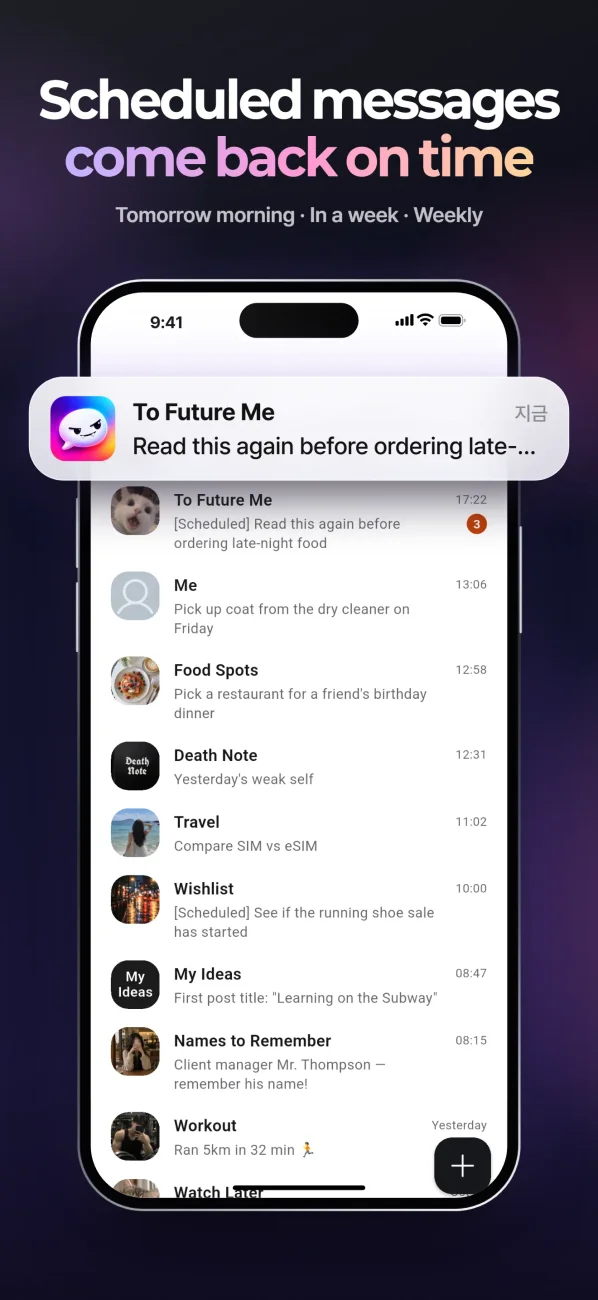
■ Scheduled messages
· Get a message back at the time you pick
· In 1 hour · Tonight · Tomorrow morning · In a week · Pick a time
· Repeat daily, weekly or monthly
■ One notes app, a whole toolbox
· Tax refund calculator: estimated refund by country, discount coupons, card fees and the price in your currency. Save the result as a note
· LED Banner: dot-style text in full screen. Save it to a chat and tap to play it again
· Finger Picker: everyone puts a finger on the screen, then pick one or more, or split into teams
· Screen time: today, yesterday and the last 7 days, per app
· Gestures: draw a shape to open a chat, or call, text or open a website ("Open by gesture")
· Time capsule: a message to future you that stays sealed until its day
■ From PDF editing to document scanning
· Edit PDF: fix the original text right where it is with Edit Text, plus pen, highlighter, text, images and your signature
· Merge, reorder, rotate, extract or delete pages, and shrink the file
· Edits are saved as a new copy, so the original stays as it was
· Scan: finds the four corners of the page and straightens it, flattens curves and removes shadows
· Save as photos or a PDF. Long-press a photo you already sent to make a scan
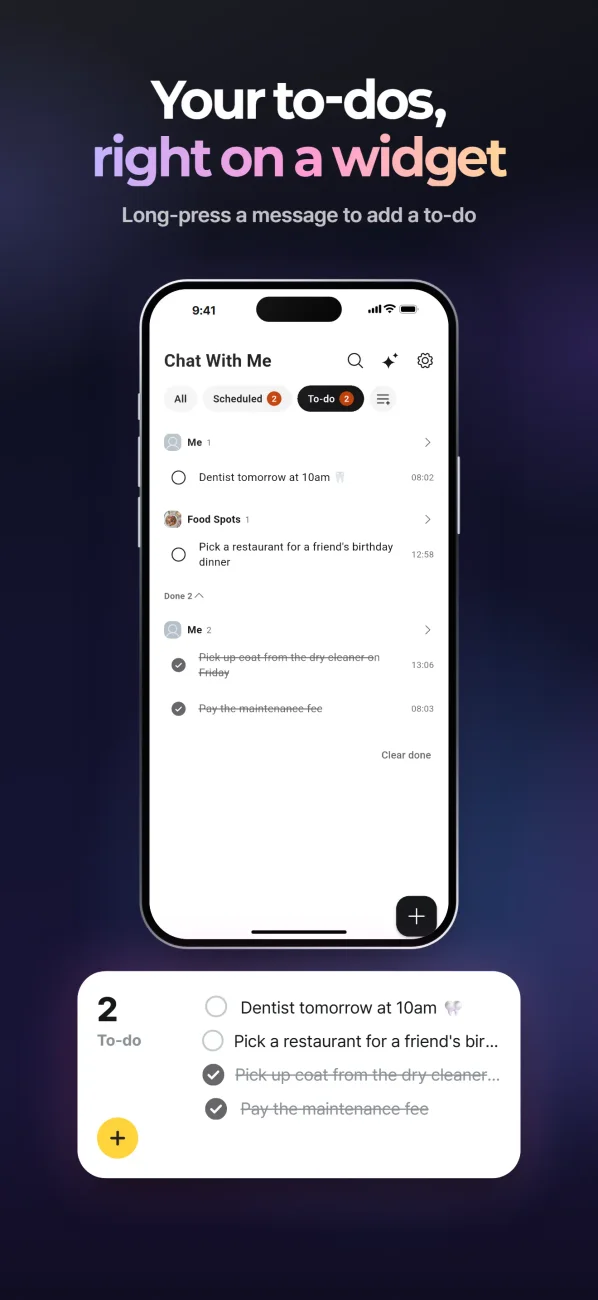
■ To-dos and widgets
· Long-press a message and mark it as a to-do
· See to-dos from every chat in one place
· Check them off and write notes right from your home screen
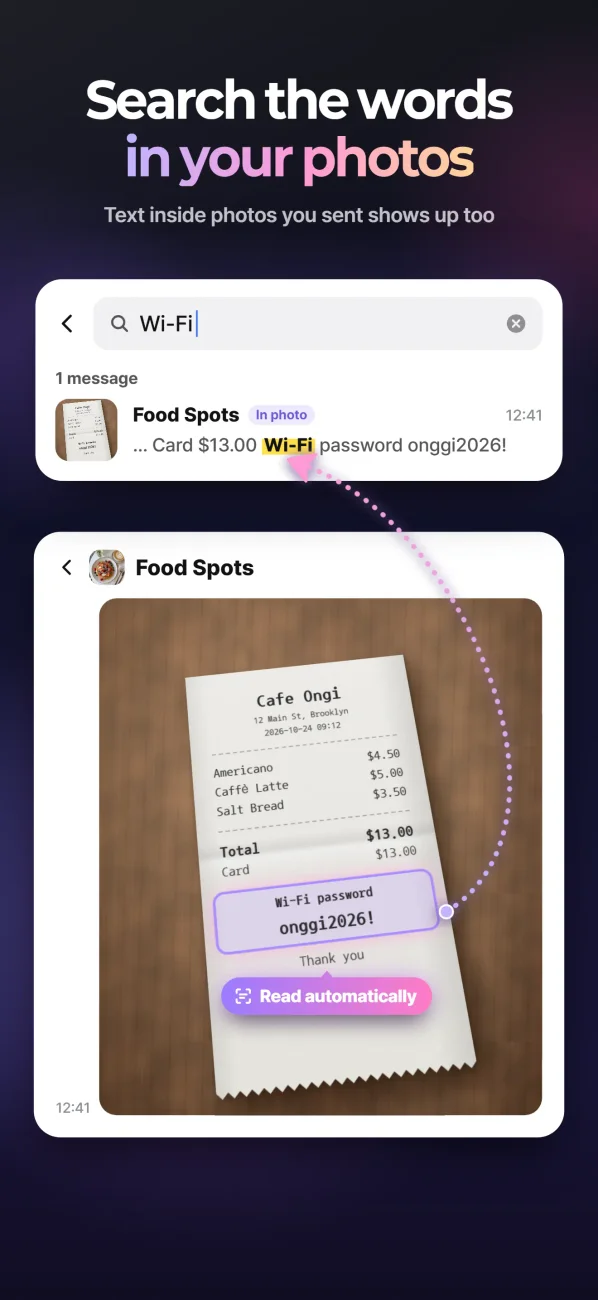
■ Search the text in your photos
· Words inside photos you sent show up in search (receipts, Wi-Fi passwords)
· Long-press a photo to view and copy its text
· In search, browse Photos & Videos, Docs and Links by type
■ Make it yours
· Themes: Yellow, Black, White, Mint, Lavender, Midnight
· Build your own theme: button color, bubbles, background, input bar, top bar, date and time
· A background for each chat: a color or a photo, with dimming
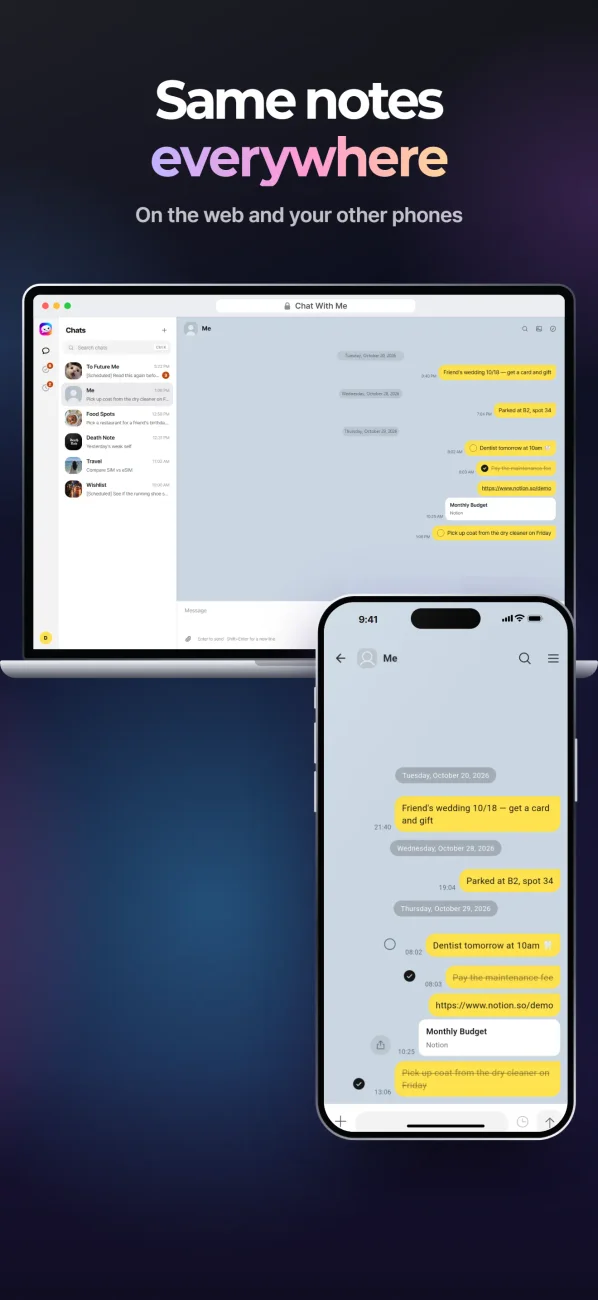
■ Same notes everywhere
· The same notes on the web (PC) and your other phones
· Switch phones and your notes come along
· Two-pane view on iPhone Duo: chats on the left, the conversation on the right
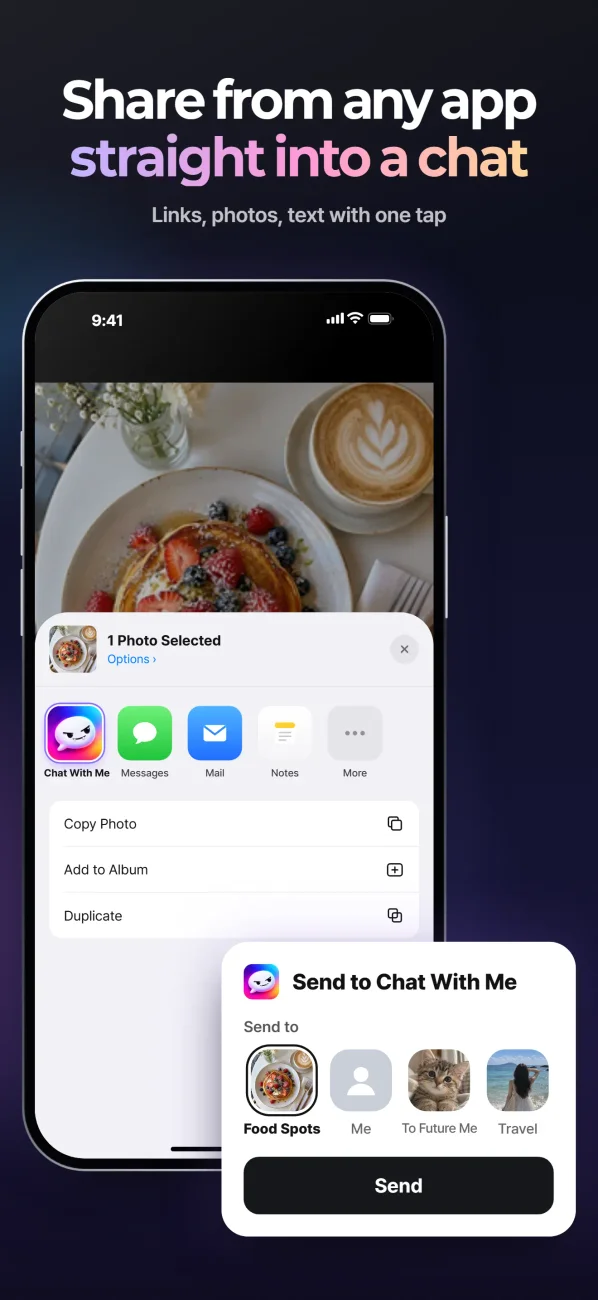
■ Share from any app
· Links, photos and text go to the chat you pick in one tap
■ Also
· Photo edit: crop, adjust, draw, hide and text
· App lock and secret rooms
· Write from the notification shade, pin to top, comments, emoji reactions
· Trash: restore deleted notes and chats for 30 days
· Chat export
· English / 한국어 / 日本語
(Tax refund amounts are estimates. Actual refunds follow the store, refund agent and customs.)
Yenilikler
Sürüm 2.40.0 · 25.11.2026
· Add many to-dos at once: hold a message, tap Mark as to-do, pick more, then tap Add
· Choose a chat style: Default, Green bubbles, Blue bubbles, or Notes (Settings > Display > Style)
· Scan without the shutter sound (speaker icon at the top)
· The guide now arrives like a chat, one message at a time
· Press and hold the date handle and the date slides aside
· Tap ‹ at the top of Tools, Settings, and Search to go straight back to your chats
Uygulama gizliliği
Bu uygulamanın verileri nasıl işlediği hakkında SUNPIL HWANG tarafından App Store üzerinde yapılan beyan.
-
Sizinle ilişkilendirilen veriler
Toplanabilir ve kimliğinizle ilişkilendirilebilir.
- Satın alımlar
- İletişim bilgileri
- Kullanıcı içeriği
- Tanımlayıcılar
-
Sizinle ilişkilendirilmeyen veriler
Toplanabilir ancak kimliğinizle ilişkilendirilmez.
- Tanımlayıcılar
- Kullanım verileri
Gizlilik uygulamaları, örneğin kullandığınız özelliklere veya yaşınıza göre değişiklik gösterebilir.
Bilgiler
- Satıcı
- SUNPIL HWANG
- Kategori
- Üretkenlik
- Sürüm
- 2.40.0
- Güncellendi
- 25.11.2026
- Yayın tarihi
- 08.10.2026
- Boyut
- 85,0 MB
- Gereksinim
- iOS 15.0 veya sonrası
- Yaş sınırı
- 4+
- Fiyat
- Ücretsiz
- Diller
- İngilizce, Korece
- Telif hakkı
- © 2026 LIPNUS
Bunları da beğenebilirsiniz
-
 ShotAction: Kupon ve BiletEkran görüntüsünden son tarih
-
 Minutae: Tutanak ve DikteToplantı kaydı ve deşifre
-
 채록Üretkenlik
-
 폴라리스Üretkenlik
-
 talkdam - Capture daily chatsÜretkenlik
-
 Float - Brain Dump & FocusÜretkenlik
-
 Urgent or Important - MatrixÜretkenlik
-
 Forwardy ConnectÜretkenlik
-
 Gridpaper: To-Do & DiaryÜretkenlik
-
 TodayCheck: To-Do & HabitsÜretkenlik