Aria – Music Notation Editor
Score Editor with MSCZ Support
Entwickelt für iPhone, iPad
Kostenlos · In-App-Käufe
- Altersfreigabe4+
- KategorieMusik
- EntwicklerJack Gruber
- SprachenEnglisch
- Größe367,4 MB
Verlinkt auf die offizielle App Store-Seite
Download.org hostet keine Datei von Aria – Music Notation Editor. Die Schaltfläche öffnet die App-Seite bei App Store, wo Jack Gruber die App veröffentlicht. Eintrag zuletzt geprüft am 27.11.2026.
Screenshots

Info
Der Entwickler hat diesen Text nicht in Ihrer Sprache bereitgestellt.
Aria is a notation editor for iPhone and iPad that lets you create, edit, and play back MuseScore files on the go.
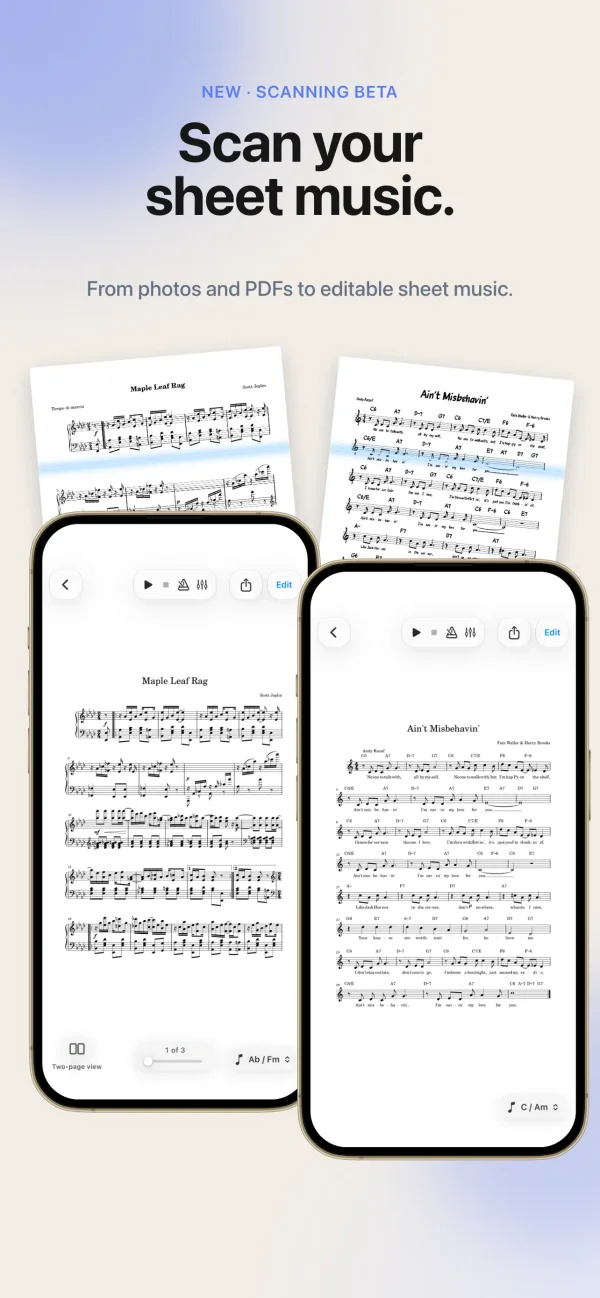
Scan printed sheet music from a PDF, image, photo, or your camera into a score you can play, transpose, and edit. Multi-page PDFs become one score. Scanning is in beta and runs entirely on your device, with no upload or account required. Review and fine-tune the result in the editor after scanning.
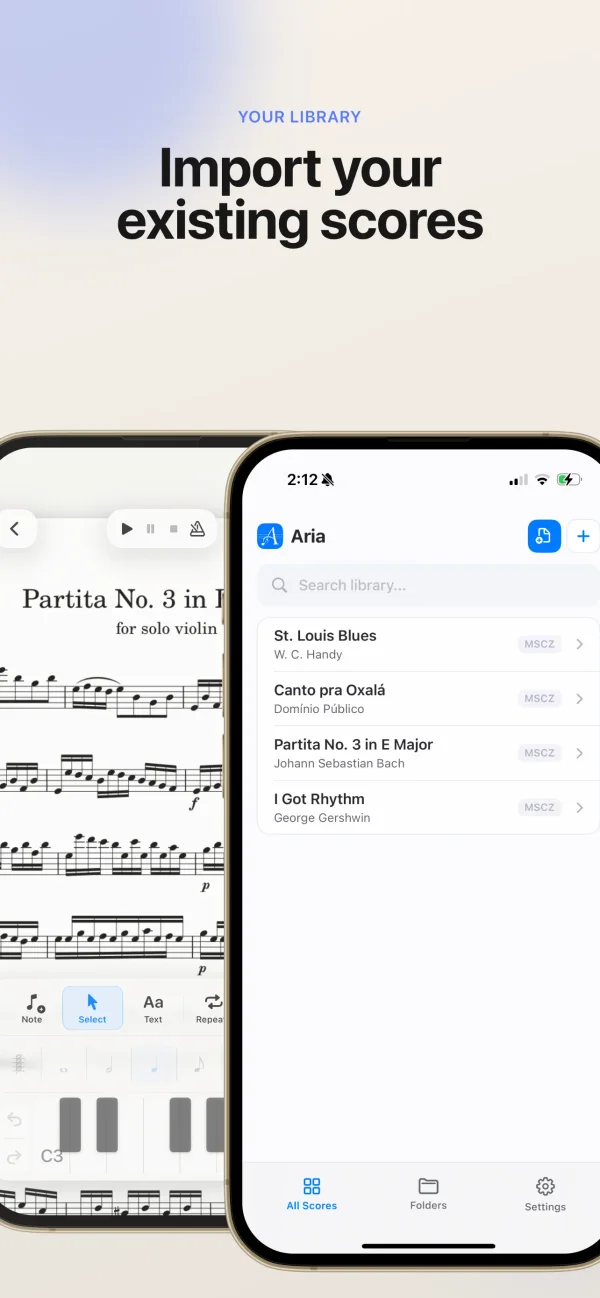
Open existing MuseScore and MusicXML files, make changes with intuitive touch-based notation controls, play back your score, organize your library, manage individual parts, and export your music when you’re ready to share.
Built for musicians who want a lightweight, mobile-friendly way to review, create, and revise scores wherever they are.
Features:
* Scan sheet music PDFs, images, and photos into editable scores (beta)
* Scan multi-page PDFs into one score, keeping the printed line breaks
* Open MSCZ and MusicXML score files
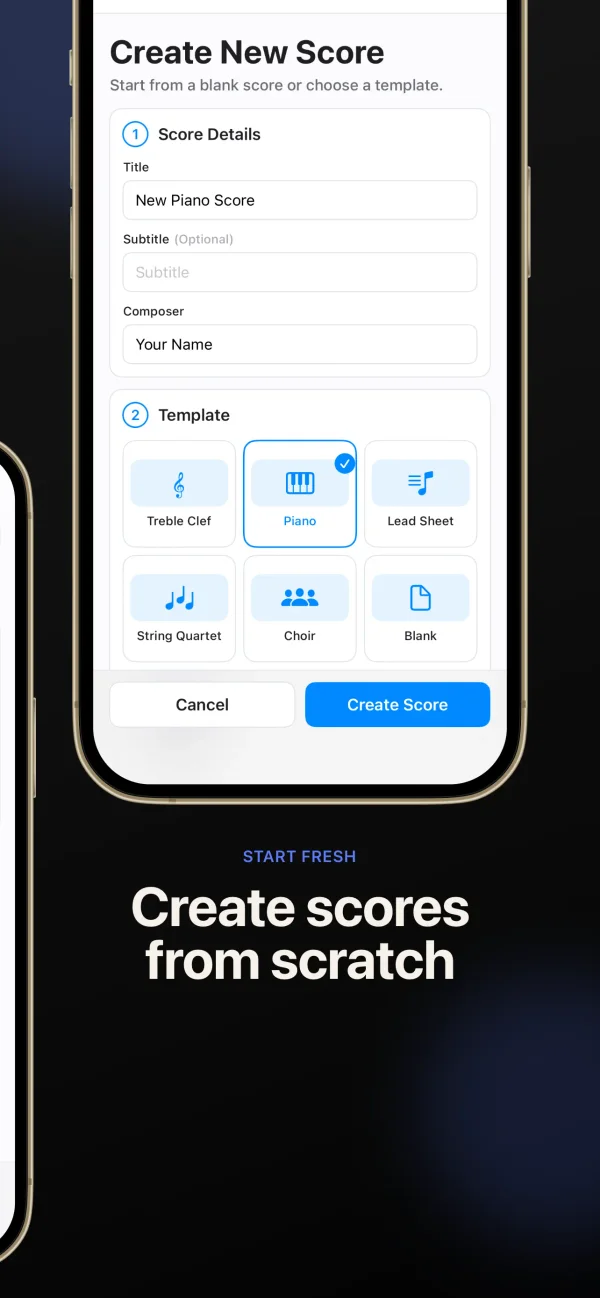
* Create new scores from templates
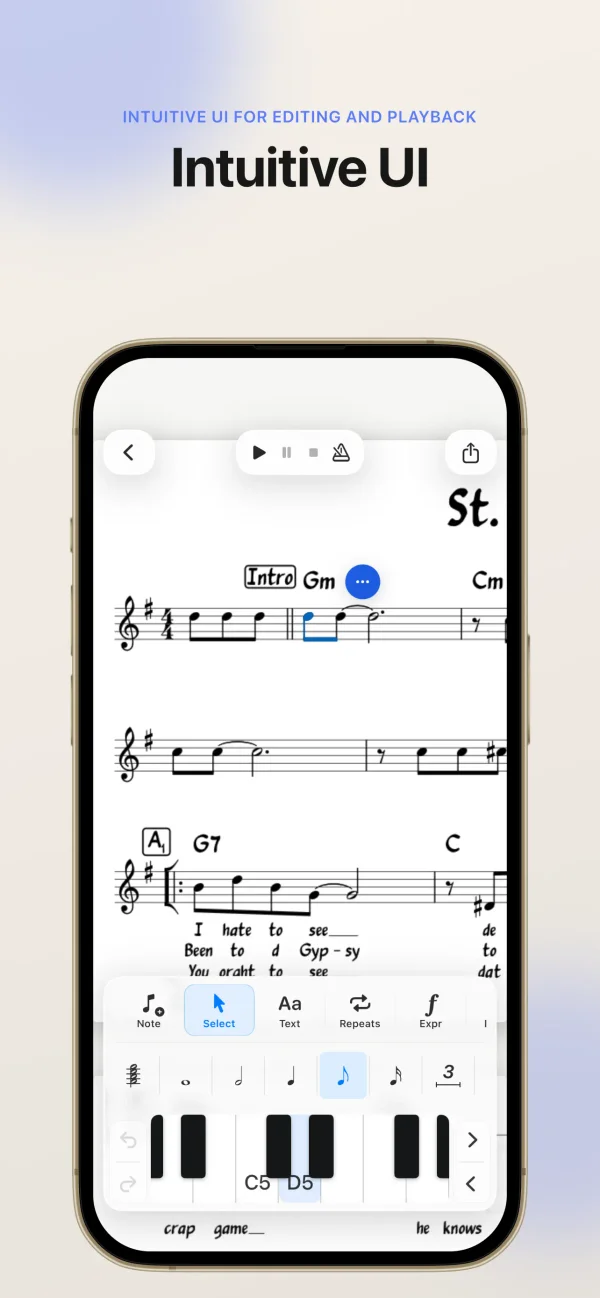
* Edit and enter notes with touch controls, Apple Pencil, or a MIDI controller
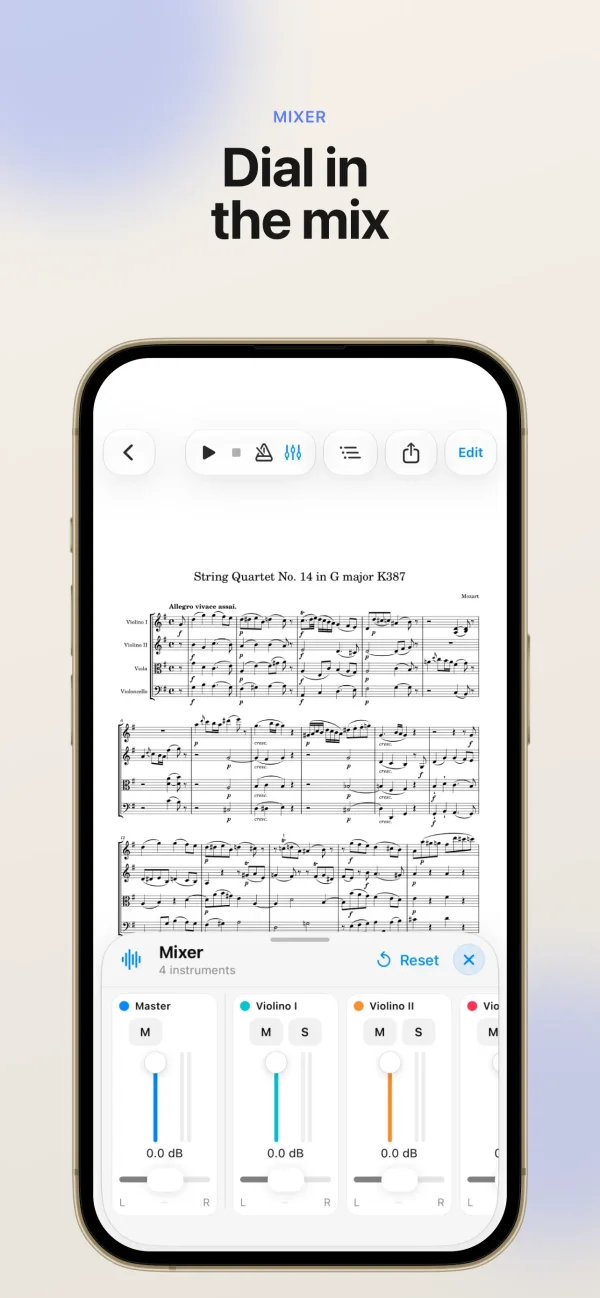
* Play back scores locally
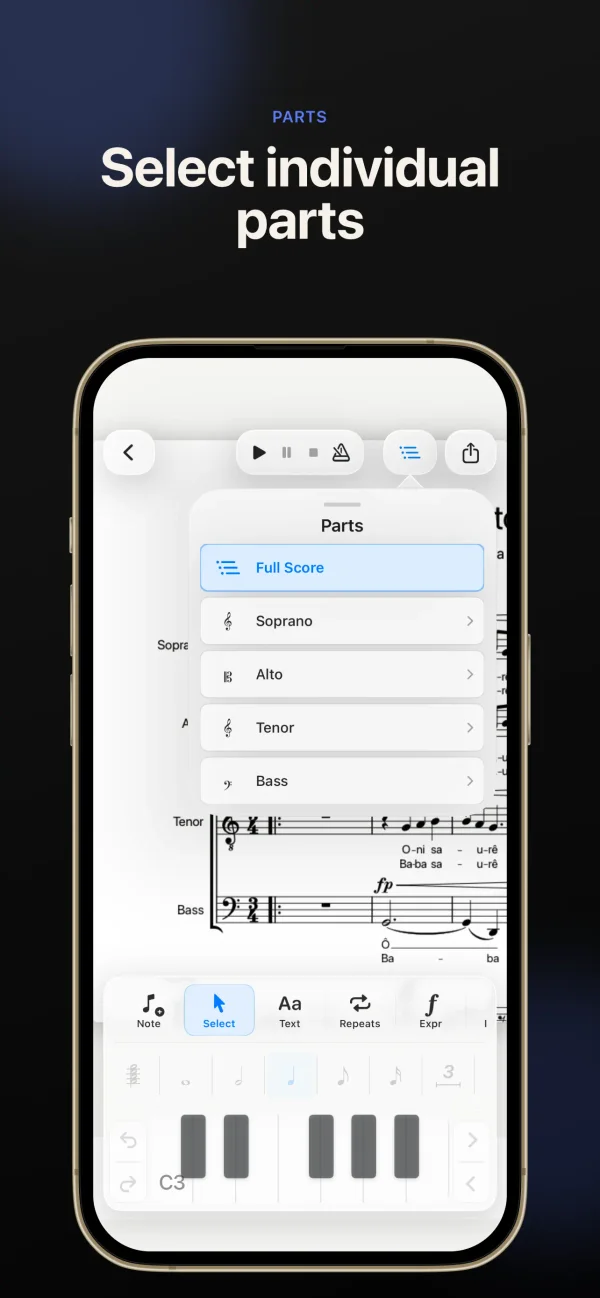
* View and manage individual parts
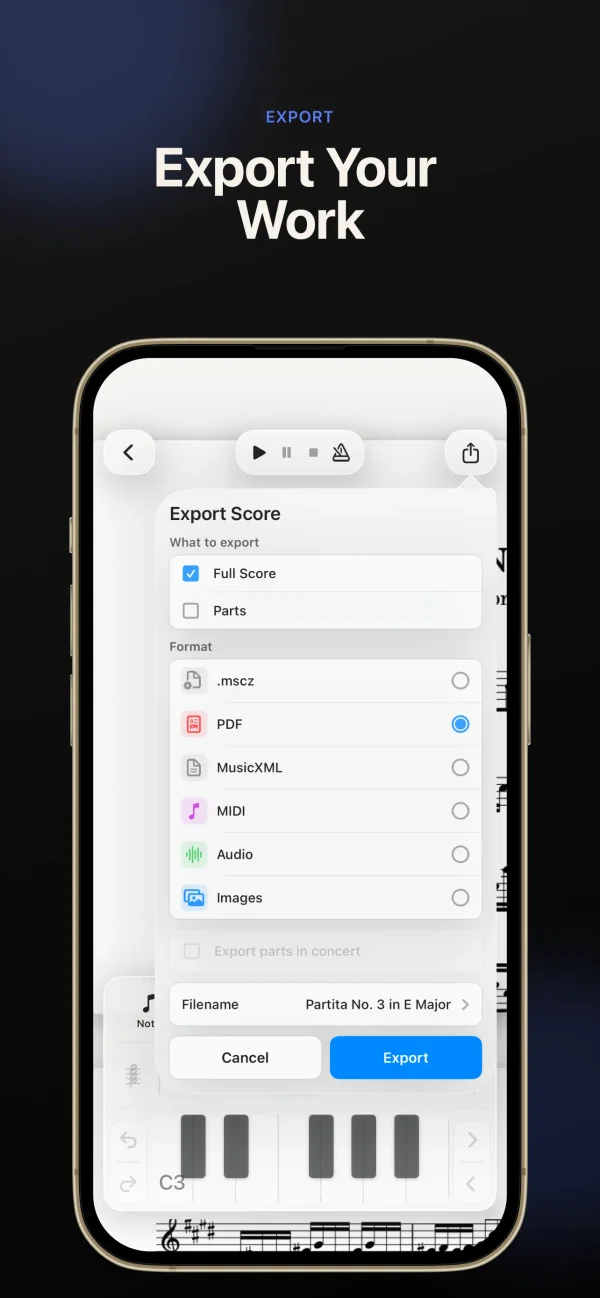
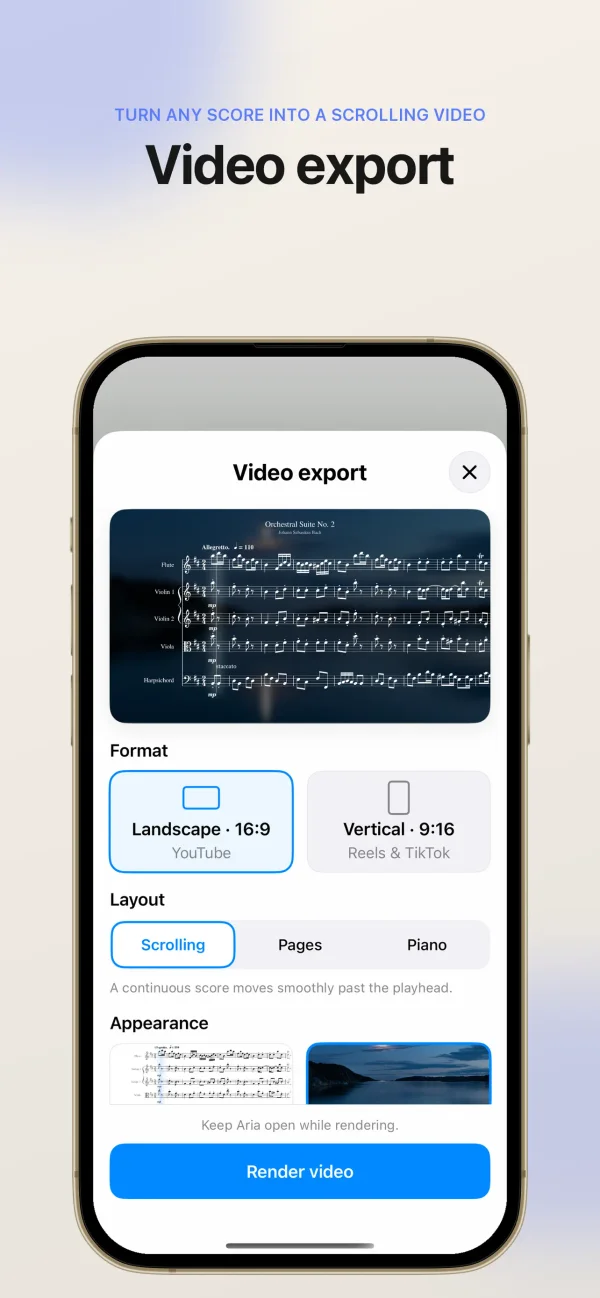
* Export and share your work as MSCZ, PDF, MusicXML, audio, and more.
For the best scanning results, use printed sheet music or clear PDFs. For photos, lay the page flat in good light. Scanning results may need corrections.
Aria is an independent app and is not affiliated with or endorsed by MuseScore, Muse Group, or any related project.
Aria is open-source software licensed under the GNU GPLv3. Source code, license notices, and build instructions are available here:
https://github.com/hdi200/aria
Neue Funktionen
Version 7.7.2 · 26.11.2026
Percussion Editing!
You can now enter percussion the way you'd play it. On a percussion staff, the keyboard turns into a set of pads for that instrument, so you can tap in a drum groove, a snare part or a concert percussion line.
New
- Percussion pads: Every percussion staff gets pads built from its own instrument, including drum kit, snare drum, marching tenors and concert percussion. Each pad shows the notehead as it appears on the staff and plays its sound when you tap it.
- Drum kits, essentials first: Standard kits start with the hi-hats, crash, ride, bass drum, snare and toms. To see the rest of the kit, tap More (Show more on iPad). Each drum goes on its own line and in its own voice, and the bass drum and pedal hi-hat get stems down.
- Add to beat: To put another drum on the same beat, tap Add to beat and then a pad. Double-tap Add to beat to keep adding, or hold a pad to stack it.
- Change a drum: Select a note and tap a pad to swap it. Tapping a drum from the other voice adds it on the same beat.
- Keyboard shortcuts: On iPad, each pad shows its shortcut letter, the same as in desktop MuseScore.
Improved
- Fonts: Scores set in Arial, Times New Roman, Calibri and other common fonts now keep their spacing and line breaks, even if your device doesn't have the font installed.
- Editing while zoomed in: After an edit, the selection stays on its note. The page also no longer shows doubled notes while it redraws.
Fixed
- Fixed a crash on iPad when turning on editing or annotations with Apple Pencil.
- Fixed crashes when editing tuplets, changing time signatures, deleting bars, setting score details, and undoing after opening a part.
- A hyphen in a lyric no longer opens Review Score Fixes, and fixes you've skipped won't be suggested again.
- A renamed setlist now keeps its new name.
- Other bug fixes and improvements.
App-Datenschutz
Was Jack Gruber im App Store zum Umgang dieser App mit Daten angibt.
-
Keine Daten erfasst
Der Entwickler erfasst keine Daten von dieser App.
Die Datenschutzpraktiken können variieren, zum Beispiel je nach den von Ihnen verwendeten Funktionen oder Ihrem Alter.
Informationen
- Anbieter
- Jack Gruber
- Kategorie
- Musik
- Version
- 7.7.2
- Aktualisiert
- 26.11.2026
- Veröffentlicht
- 17.06.2026
- Größe
- 367,4 MB
- Erfordert
- iOS 17 oder neuer
- Altersfreigabe
- 4+
- Preis
- Kostenlos
- In-App-Käufe
- Ja
- Sprachen
- Englisch
- Copyright
- © 2026 Jack Gruber