
Bastion SSH - SSH/SFTP Client
SSH/SFTP, multi-session client
Entwickelt für iPhone, iPad, iPod touch
Kostenlos
- Altersfreigabe4+
- KategorieDienstprogramme
- EntwicklerYuan-Yi Chang
- SprachenEnglisch
- Größe41,7 MB
Verlinkt auf die offizielle App Store-Seite
Download.org hostet keine Datei von Bastion SSH - SSH/SFTP Client. Die Schaltfläche öffnet die App-Seite bei App Store, wo Yuan-Yi Chang die App veröffentlicht. Eintrag zuletzt geprüft am 14.11.2026.
Screenshots
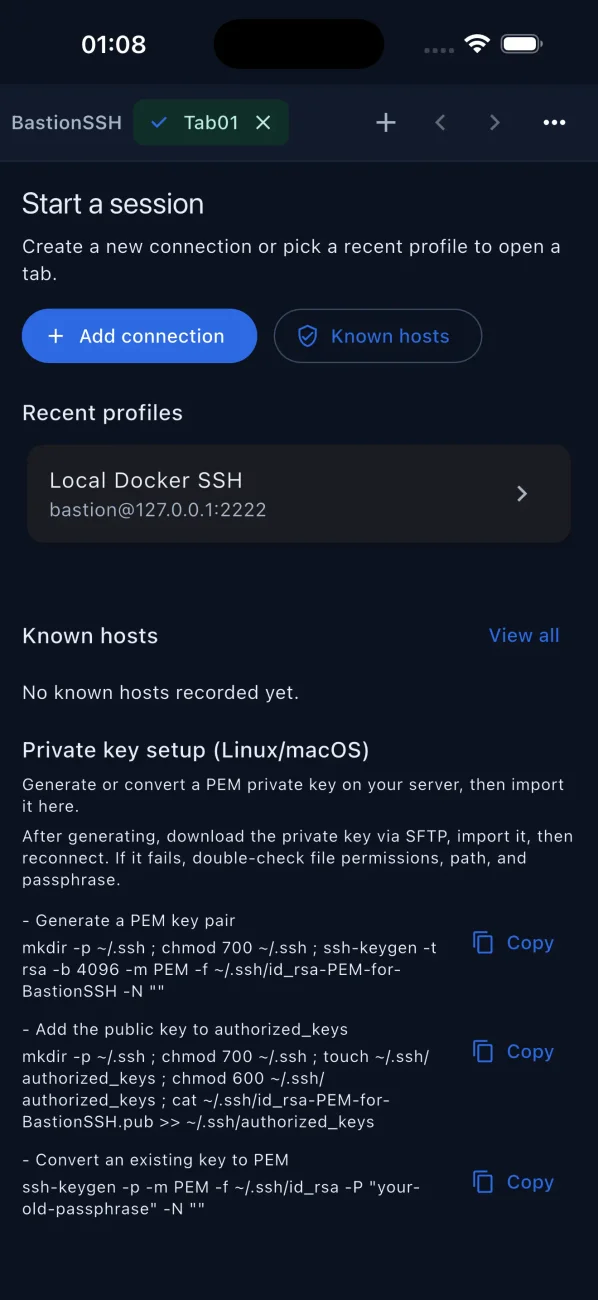
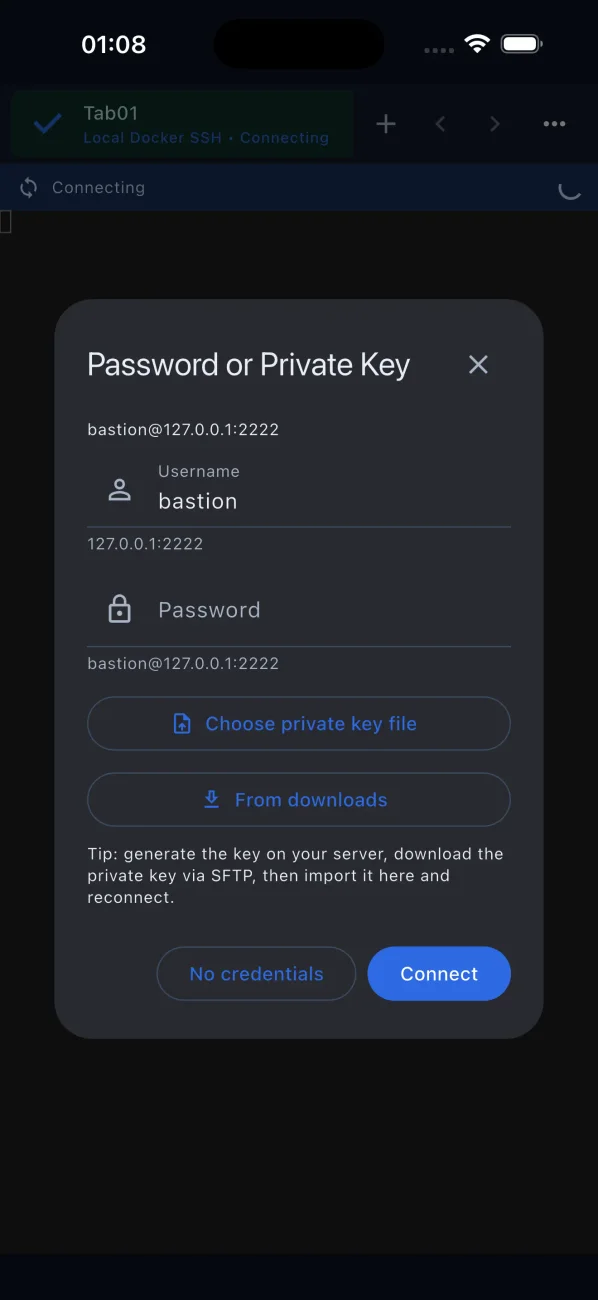
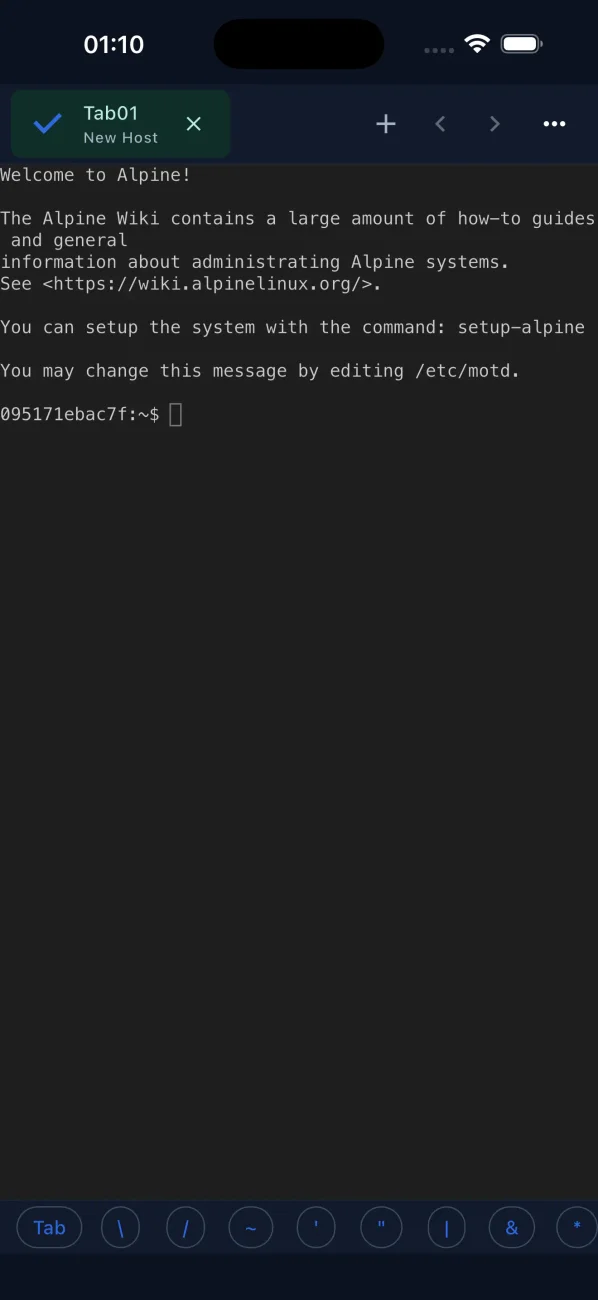
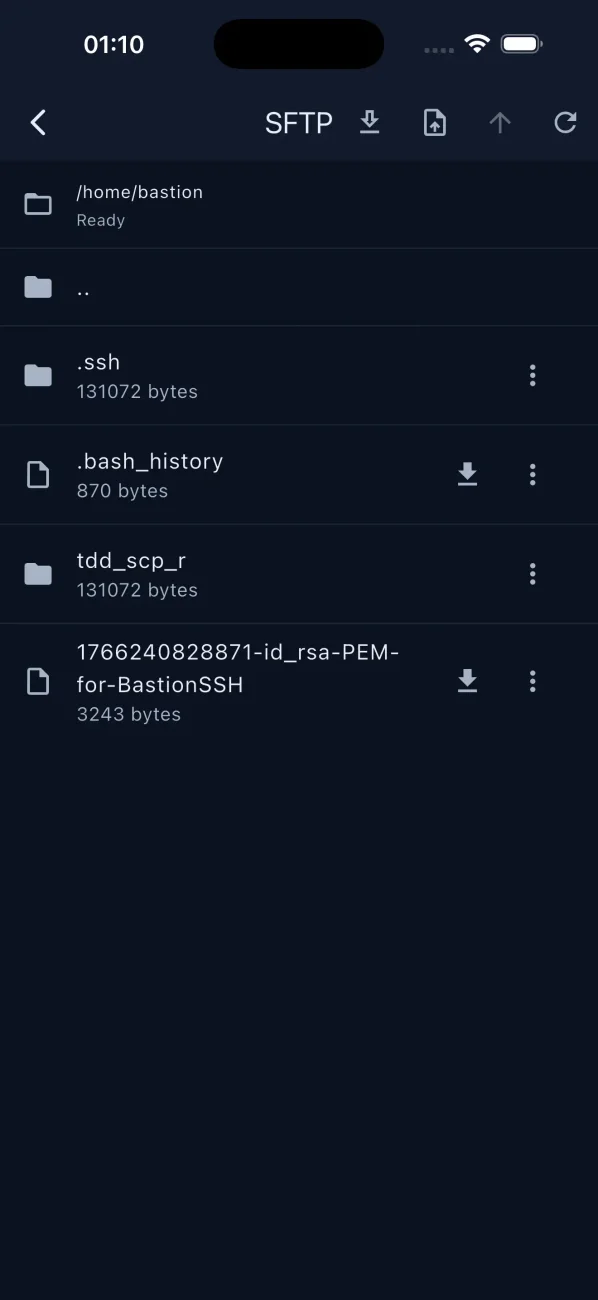
Info
Der Entwickler hat diesen Text nicht in Ihrer Sprache bereitgestellt.
Bastion SSH is an SSH and SFTP client built for the way real infrastructure is laid out: not one server you can dial directly, but a bastion, then a machine behind it, then the box you actually wanted.
Chains, not just connections:
- Reach a host through any number of jump hosts, the way `ssh -J` does
- Every hop is a real SSH session, so every machine in the chain is authenticated and its host key checked — not just the first one
- Routes are named by where they go: "office-A → mac-mini". Past the first hop addresses stop being unique — a reverse tunnel puts every machine on its jump's localhost — so the path is what tells two otherwise identical routes apart
- Add a new jump host inline while you set one up, at any depth
- When a chain fails it names the hop, the stage it got to, and the jump it came through, so you can tell a dead tunnel from a machine that is switched off
Know what will happen before you connect:
- Open a route and see it hop by hop, with what each step will use: a stored key, a stored password, or a prompt
- It answers the question up front — "1 of 3 hops will ask for credentials"
- Install a public key onto any hop from the same screen
Keys that stay on the device:
- Generate a key on your phone: the private half goes straight into the system key store and never exists as a file, and only the public key ever leaves
- Import the key you already own: OpenSSH format (what ssh-keygen writes by default) or PEM, encrypted or not, with no conversion step
- "This device" lists every key with its type, fingerprint, which hosts use it, and whether it was generated here or imported
- Use one key across several hosts, and delete a key only after being told how many hosts depend on it
Host keys you can verify:
- Fingerprints are the OpenSSH SHA256 form, exactly what `ssh-keygen -lf` prints, so you can compare them with the server instead of taking them on trust
- A changed host key asks you, every time
- Records are kept per route, so two machines that both answer on their bastion's localhost are never confused
Multi-session terminal:
- Session tabs that live independently — switch, close or retry one without disturbing the rest
- xterm-compatible terminal with selection, copy and paste, and resize
- Quick keys for the commands and control sequences you keep reaching for
- Per-host keep-alive, and reconnection that backs off instead of hammering the server
Files:
- Browse, download, upload, rename and delete over SFTP
- Downloads keep running when you leave the screen, with progress and cancel
- Save through the system file picker, or keep them in the app
Credentials, on your terms:
- A hop's password can be kept in the device key store, per host, and using it needs the device's own check — your face, a fingerprint, or your passcode
- One check covers a few minutes of use, then it locks itself again — a found phone is not an open door
- Each stored password says which protection it has
- A stored password the server rejects is dropped and you are asked again, instead of failing the same way on every attempt
- Review and revoke everything that is stored from one screen
Yours, and only on your device:
- Hosts, keys and known-host records stay on the device. No account, no sync, nothing to sign up for
- Private keys live only in the system key store, never as plaintext files
- Privacy policy and terms are available from within the app
Great for:
- Anyone whose servers sit behind a bastion or a reverse tunnel
- Sysadmins and developers checking on machines away from a desk
- Keeping several sessions open at once — logs in one tab, work in another
- Setting up key authentication from a phone, without moving a private key around
Open the route. See the hops. Connect.
Neue Funktionen
Version 1.3.5 · 07.11.2026
- Improved layouts for iPhone Duo and iPad
App-Datenschutz
Was Yuan-Yi Chang im App Store zum Umgang dieser App mit Daten angibt.
-
Daten, die zum Tracking Ihrer Person verwendet werden
Können verwendet werden, um Sie über Apps und Websites anderer Unternehmen hinweg zu verfolgen.
- Nutzungsdaten
-
Mit Ihnen verknüpfte Daten
Können erfasst und mit Ihrer Identität verknüpft werden.
- Kennungen
-
Nicht mit Ihnen verknüpfte Daten
Können erfasst werden, sind aber nicht mit Ihrer Identität verknüpft.
- Nutzungsdaten
Die Datenschutzpraktiken können variieren, zum Beispiel je nach den von Ihnen verwendeten Funktionen oder Ihrem Alter.
Informationen
- Anbieter
- Yuan-Yi Chang
- Kategorie
- Dienstprogramme
- Version
- 1.3.5
- Aktualisiert
- 07.11.2026
- Veröffentlicht
- 31.12.2025
- Größe
- 41,7 MB
- Erfordert
- iOS 15.0 oder neuer
- Altersfreigabe
- 4+
- Preis
- Kostenlos
- Sprachen
- Englisch
- Copyright
- © 2026 AINFO.APP
Das könnte Ihnen auch gefallen
-
 Ash — SSH ClientDienstprogramme
-
 SSHakerDienstprogramme
-
 NexusSSH - AI SSH ClientDienstprogramme
-
 RouteBoss: Network ControlDienstprogramme
-
 Termz - SSH & SFTP ClientDienstprogramme
-
 DR-TerminalSSH, Telnet, SCP & SFTP-Client
-
 MagicFTP: SFTP & FTP ClientProfessioneller FTP Client
-
 SysOpsKitDienstprogramme
-
 Swavan SSH StudioDienstprogramme
-
 404 NetworkDienstprogramme