Bills Tracker
Due dates, budgets, reminders
Entwickelt für iPhone, iPad, Mac
Kostenlos · In-App-Käufe
- Altersfreigabe4+
- KategorieFinanzen
- EntwicklerMaster Global Tech Pty Ltd
- SprachenEnglisch
- Größe6,4 MB
Verlinkt auf die offizielle App Store-Seite
Download.org hostet keine Datei von Bills Tracker. Die Schaltfläche öffnet die App-Seite bei App Store, wo Master Global Tech Pty Ltd die App veröffentlicht. Eintrag zuletzt geprüft am 25.11.2026.
Screenshots

Info
Der Entwickler hat diesen Text nicht in Ihrer Sprache bereitgestellt.
Know what's due before it's late.
Bills Tracker is a bill tracker and reminder in one place for recurring bills, due dates, budgets, and month-to-month spending — on iPhone, iPad, and Mac.
Whether you're managing rent, utilities, subscriptions, or other recurring expenses, you get a clear picture of what's due, what's paid, and what's left this month.
DASHBOARD
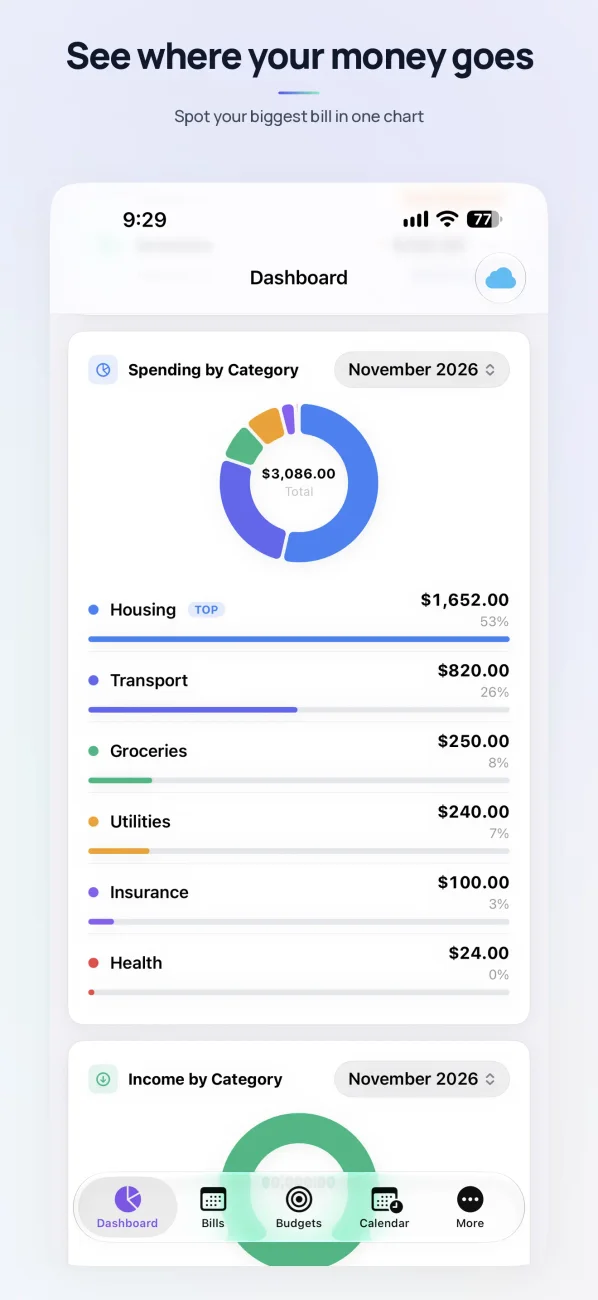
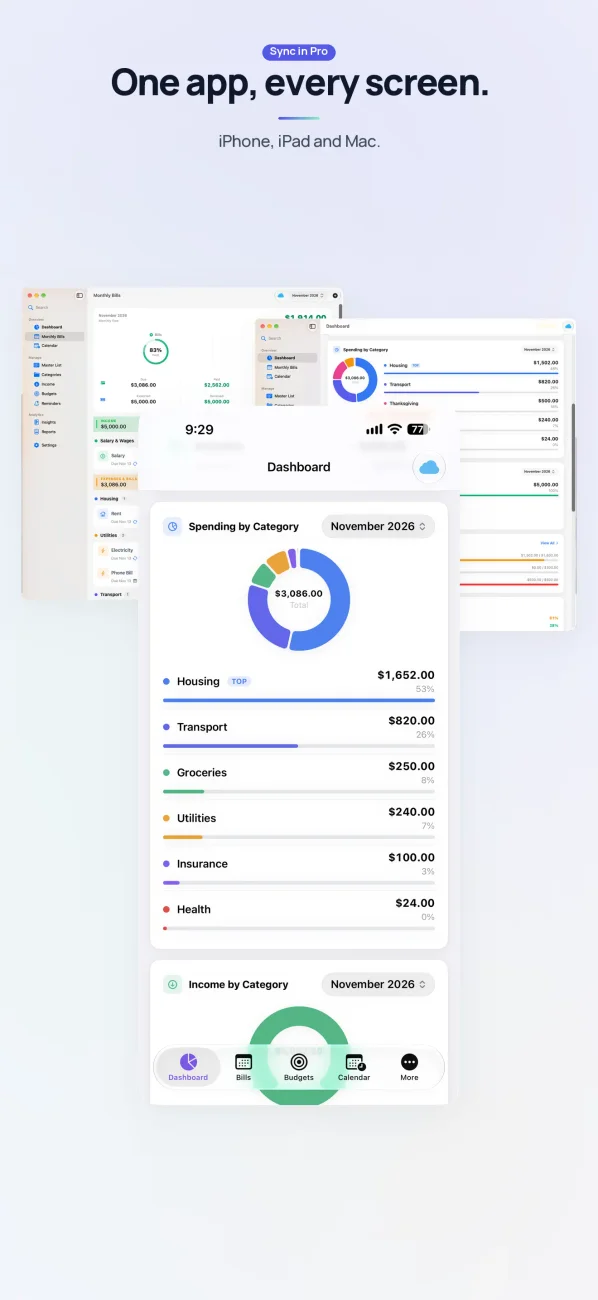
See income, expenses, net, bills paid, and what is still left this month the moment you open the app. Bills that need attention stay in view.
MONTHLY BILLS
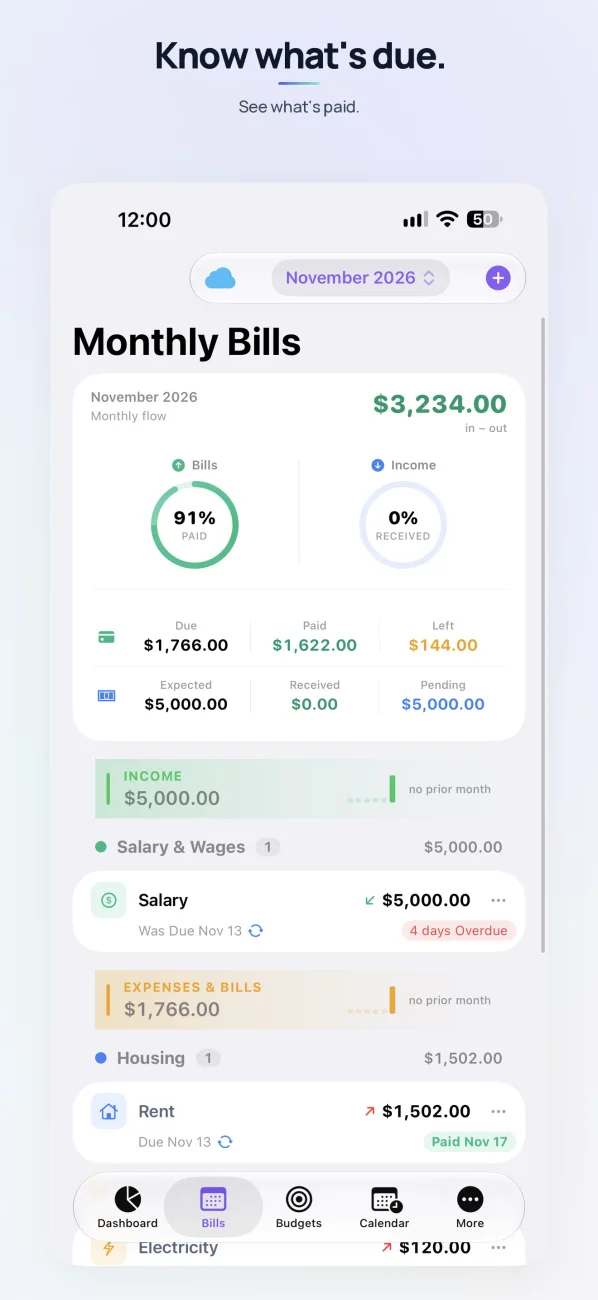
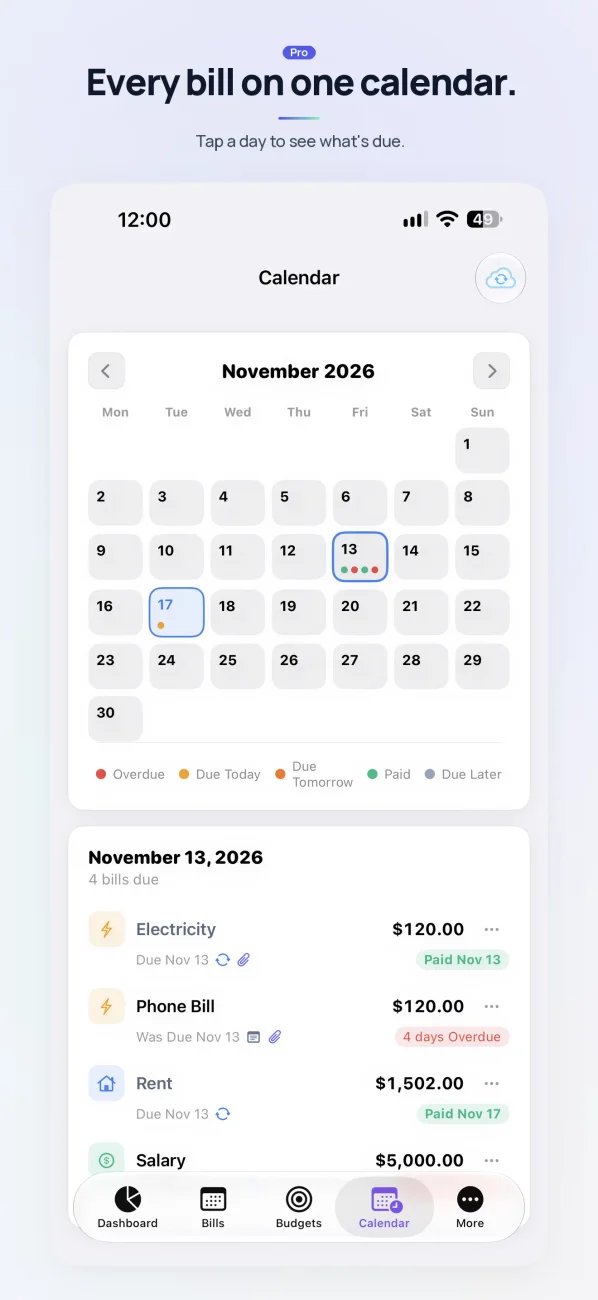
Organize the month by category and status so a due date does not sneak up. Bills can show as overdue, due today, due tomorrow, or upcoming. Set up recurring bills once in your Master List and Bills Tracker generates them each month. Mark full or partial payments as you go, and attach a receipt if you want.
BUDGETS AND INCOME
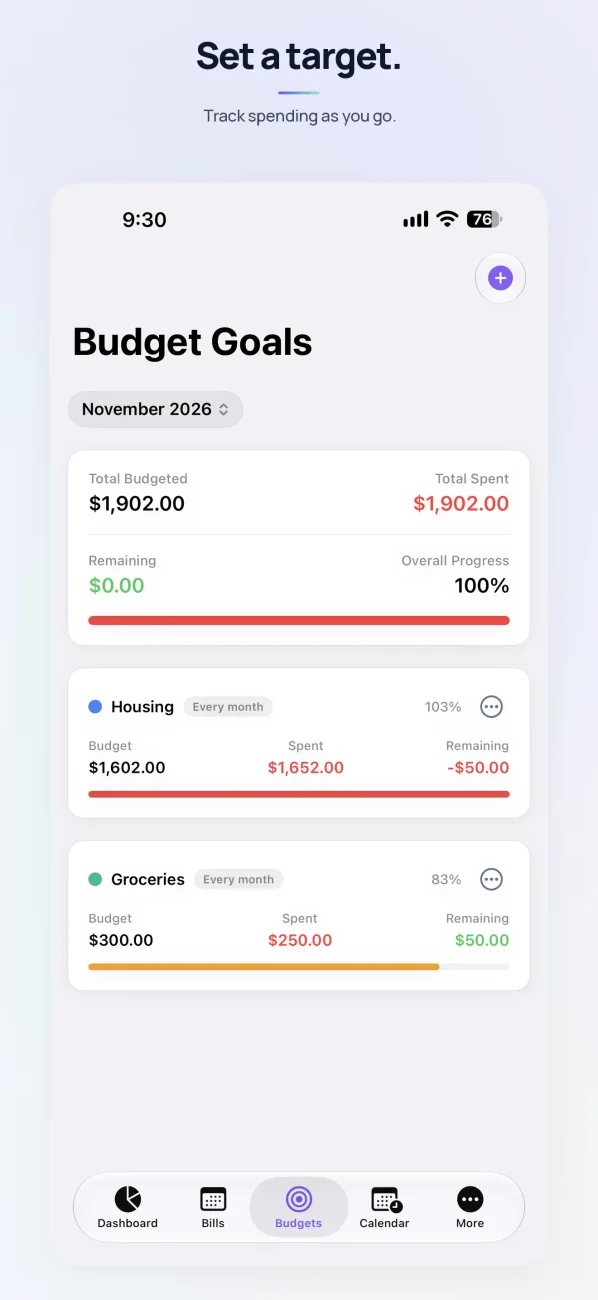
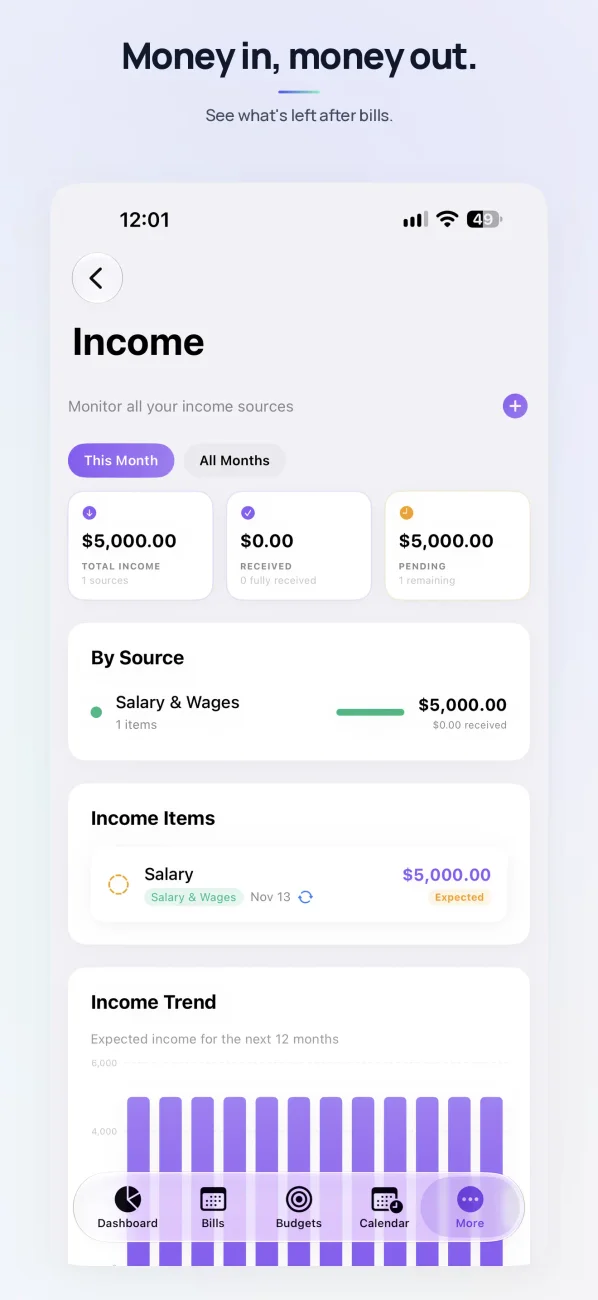
Set budget targets and track money coming in next to bills going out. The free app includes up to 50 budget goals; Bills Tracker Pro removes that limit.
CASH FLOW (PRO)
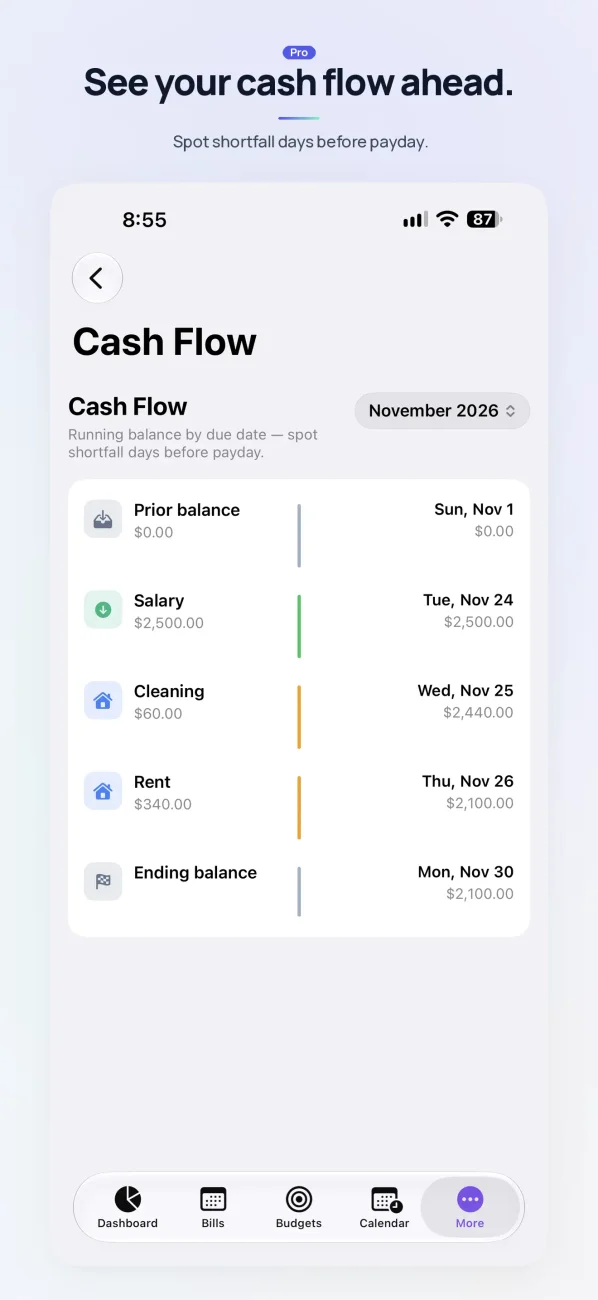
See a month timeline of your running balance, with last month's balance carried forward and each day tallied as money comes in and bills go out. Shortfall days — when you'd go negative — are highlighted in red, so you can plan ahead. Cash Flow lives under Analytics in Bills Tracker Pro.
REMINDERS
Keep upcoming bills in view and get notified before they're overdue. Choose when to be reminded so you can pay on time.
ONE APP ON EVERY SCREEN
On iPhone, use tabs for Dashboard, Bills, Budgets, Calendar, and More while you're away from your desk. On iPad and Mac, a sidebar layout gives you a wider view of the month — the same bills and budgets, in a desktop-sized window.
YOUR DATA, YOUR DEVICE
Bill details you enter stay on your device by default. An account is optional and stores only your profile (name, email, country, photo) — not your bills. You can use the app fully without an account. With Bills Tracker Pro, you can turn on iCloud Sync so data syncs through your Apple ID.
BILLS TRACKER PRO
An optional auto-renewable subscription unlocks:
• Cash Flow — a month timeline of your running balance, with last month's balance carried forward and shortfall days highlighted in red (under Analytics)
• iCloud Sync — keep bills, income, payments, budgets, reminders, categories, and receipts in sync across iPhone, iPad, and Mac signed into the same Apple ID (turn Sync on in Settings)
• Insights — category spending views and related analytics
• Calendar — a month calendar of due dates with day-by-day detail
• Month PDF Reports you generate in the app
• Budget goals beyond the free limit of 50
On the US App Store, Pro is US$2.99 per month or US$29.99 per year. Apple processes the purchase and shows the price in your local currency. Manage or cancel anytime in your Apple ID subscription settings.
Download Bills Tracker and know what's due before it's late.
Terms of Use (EULA): https://www.apple.com/legal/internet-services/itunes/dev/stdeula/
Privacy Policy: https://billstrack.com/privacy
Neue Funktionen
Version 1.9.27 · 24.11.2026
• Cash Flow (Pro) — see your running balance day by day, with last month's balance carried forward and shortfall days highlighted in red
• More reliable iCloud Sync — safer Reset this device only, clearer Uploading and Synced status, and updates on iPhone, iPad, and Mac while the app stays open (Mac can import in the background without interrupting your work)
• Monthly Bills — totals and sparkline that follow your real month-to-month spending
• Master List — recurring items stay aligned with your Calendar
• Onboarding — a clearer Create an account prompt after you get started, on iPhone, iPad, and Mac
App-Datenschutz
Was Master Global Tech Pty Ltd im App Store zum Umgang dieser App mit Daten angibt.
-
Mit Ihnen verknüpfte Daten
Können erfasst und mit Ihrer Identität verknüpft werden.
- Käufe
- Finanzinformationen
- Kontaktinformationen
- Benutzerinhalte
- Kennungen
-
Nicht mit Ihnen verknüpfte Daten
Können erfasst werden, sind aber nicht mit Ihrer Identität verknüpft.
- Kennungen
- Nutzungsdaten
Die Datenschutzpraktiken können variieren, zum Beispiel je nach den von Ihnen verwendeten Funktionen oder Ihrem Alter.
Informationen
- Anbieter
- Master Global Tech Pty Ltd
- Kategorie
- Finanzen
- Version
- 1.9.27
- Aktualisiert
- 24.11.2026
- Veröffentlicht
- 20.07.2026
- Größe
- 6,4 MB
- Erfordert
- iOS 26.4 oder neuer
- Altersfreigabe
- 4+
- Preis
- Kostenlos
- In-App-Käufe
- Ja
- Sprachen
- Englisch
- Copyright
- © 2026 Master Global Tech - All rights reserved.
Das könnte Ihnen auch gefallen
-
 Rechnungs-TrackerAbos und Erinnerungen
-
 Bills Due - Payment TrackerMiete, Nebenkosten & Abo-Abos
-
 Bill Sorted: Bill TrackerFinanzen
-
 Bill Tracker and ReminderFinanzen
-
 Ausgaben Tracker: Bill TrackerAbonnements Verwalten Bills
-
 Expensaver: Expense TrackerFinanzen
-
 Kiara –Money, Budget & ExpenseFinanzen
-
 Mês Leve: Budget & Cash FlowFinanzen
-
 Haushaltsbuch: KlarKontoKI-Belegscan & Spracheingabe
-
 Temper: Geld & HaushaltsbuchKI Budget & Ausgaben Tracker