- 対象年齢4+
- カテゴリファイナンス
- 開発元Master Global Tech Pty Ltd
- 言語英語
- サイズ6.4 MB
App Storeの公式ページにリンクしています
Download.orgはBills Trackerのファイルを一切ホストしていません。ボタンを押すと、Master Global Tech Pty Ltdが公開しているApp Storeのアプリページが開きます。ページの最終確認:2026/11/25。
スクリーンショット

概要
開発元はこのテキストをお使いの言語で提供していません。
Know what's due before it's late.
Bills Tracker is a bill tracker and reminder in one place for recurring bills, due dates, budgets, and month-to-month spending — on iPhone, iPad, and Mac.
Whether you're managing rent, utilities, subscriptions, or other recurring expenses, you get a clear picture of what's due, what's paid, and what's left this month.
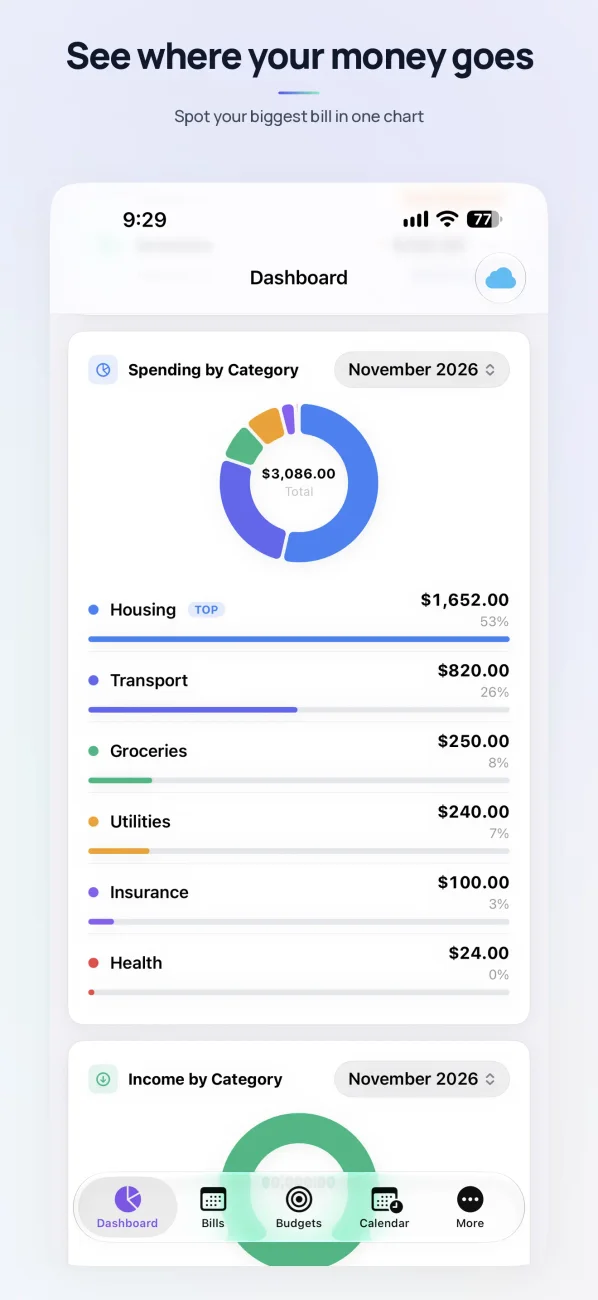
DASHBOARD
See income, expenses, net, bills paid, and what is still left this month the moment you open the app. Bills that need attention stay in view.
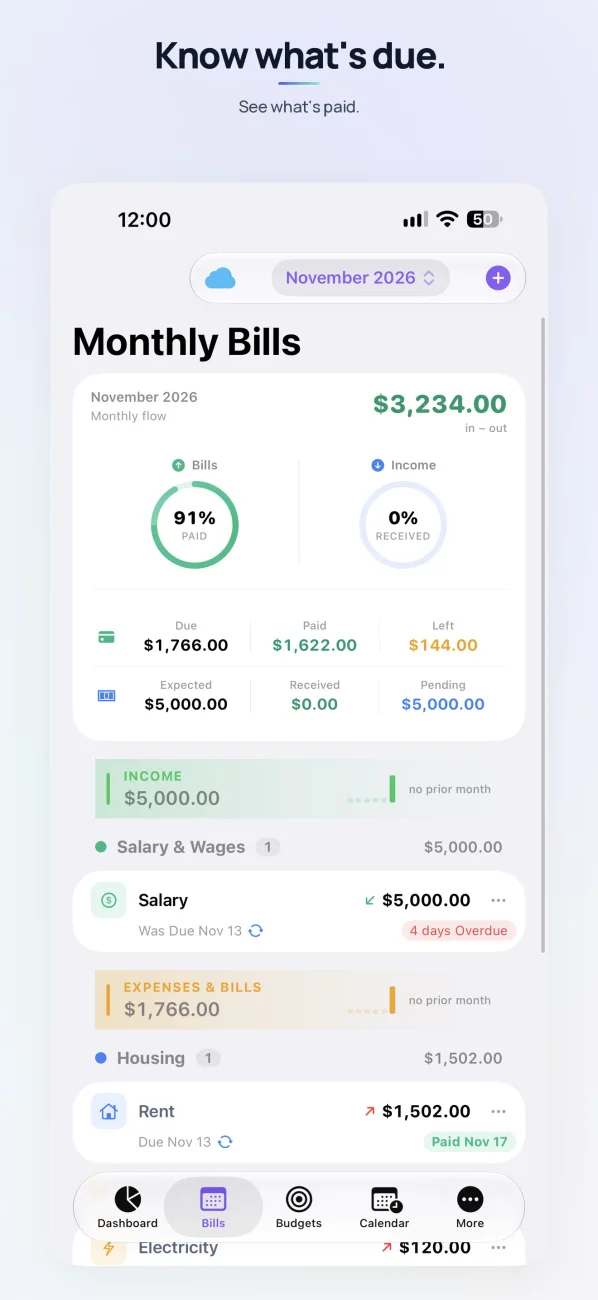
MONTHLY BILLS
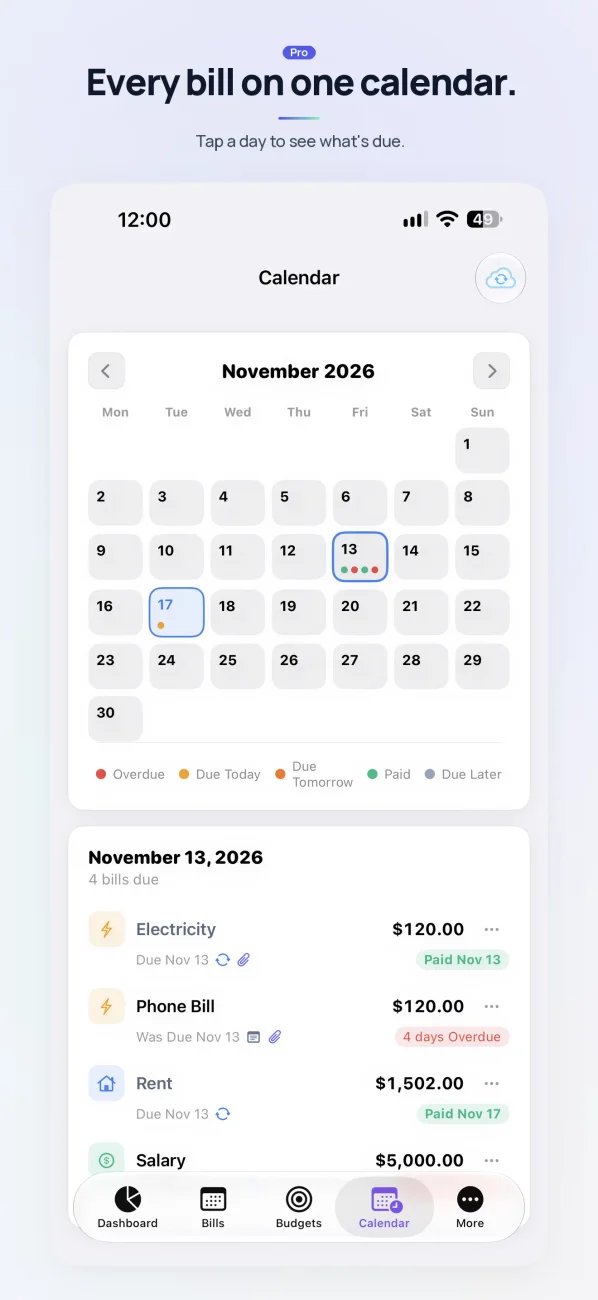
Organize the month by category and status so a due date does not sneak up. Bills can show as overdue, due today, due tomorrow, or upcoming. Set up recurring bills once in your Master List and Bills Tracker generates them each month. Mark full or partial payments as you go, and attach a receipt if you want.
BUDGETS AND INCOME
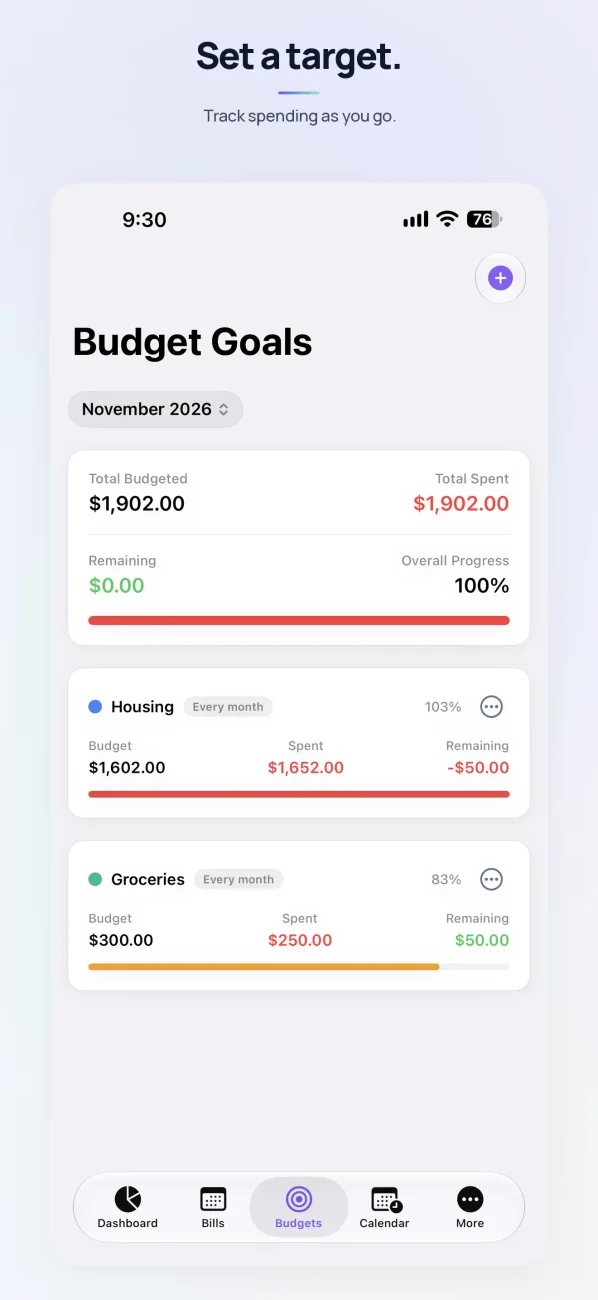
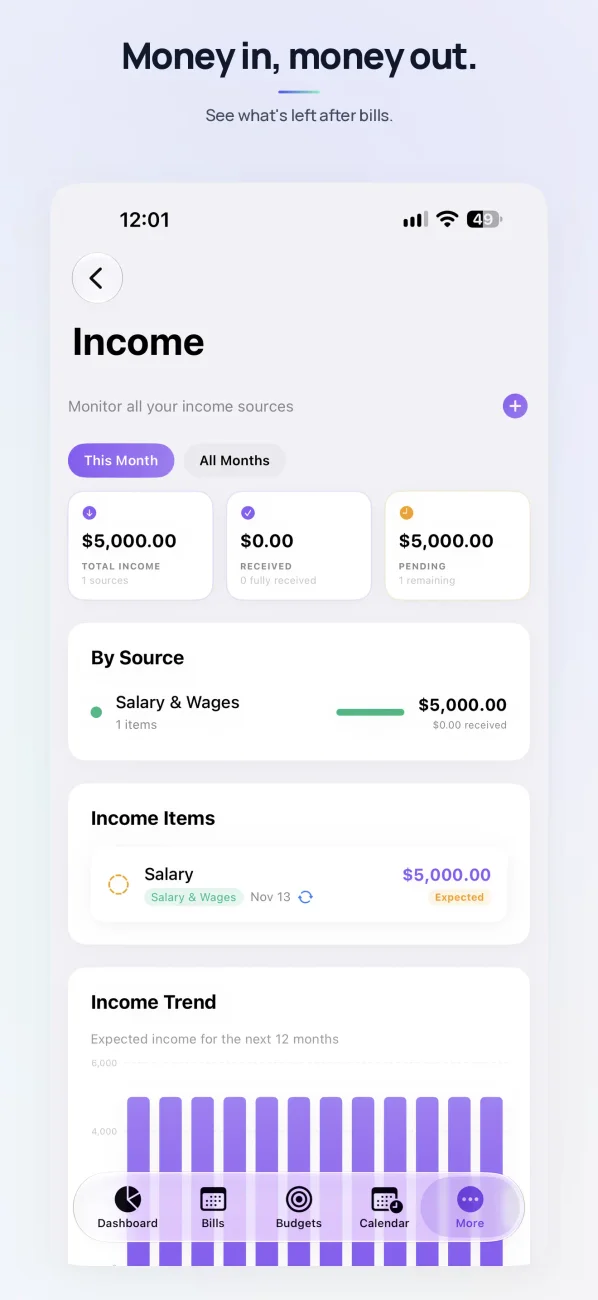
Set budget targets and track money coming in next to bills going out. The free app includes up to 50 budget goals; Bills Tracker Pro removes that limit.
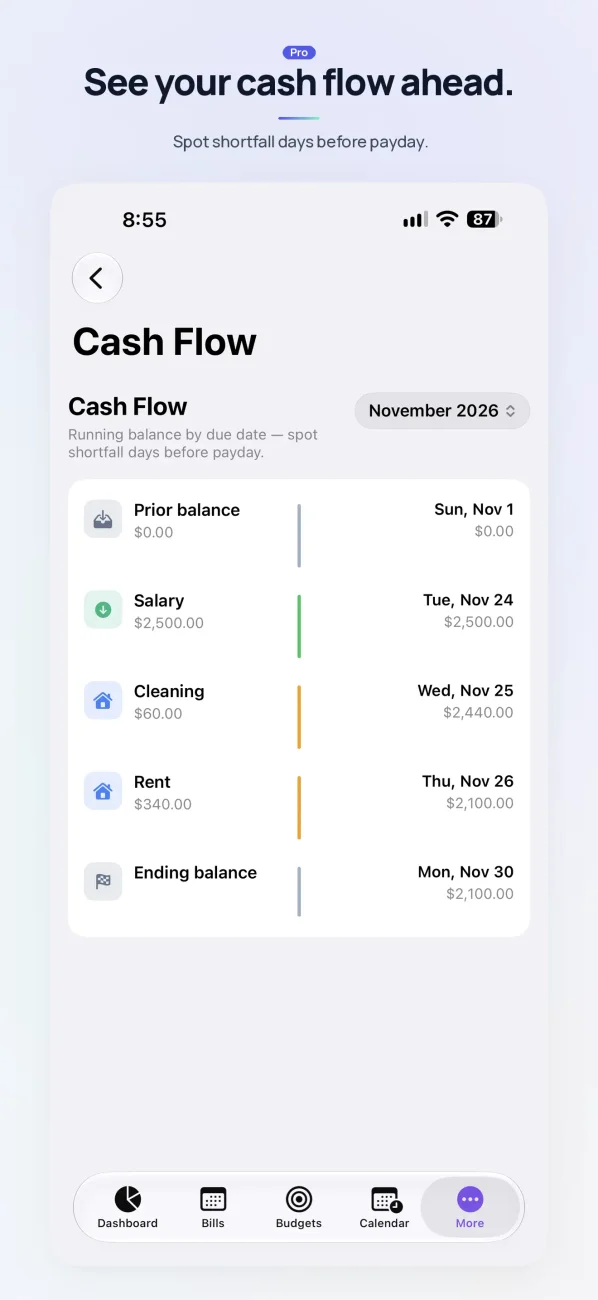
CASH FLOW (PRO)
See a month timeline of your running balance, with last month's balance carried forward and each day tallied as money comes in and bills go out. Shortfall days — when you'd go negative — are highlighted in red, so you can plan ahead. Cash Flow lives under Analytics in Bills Tracker Pro.
REMINDERS
Keep upcoming bills in view and get notified before they're overdue. Choose when to be reminded so you can pay on time.
ONE APP ON EVERY SCREEN
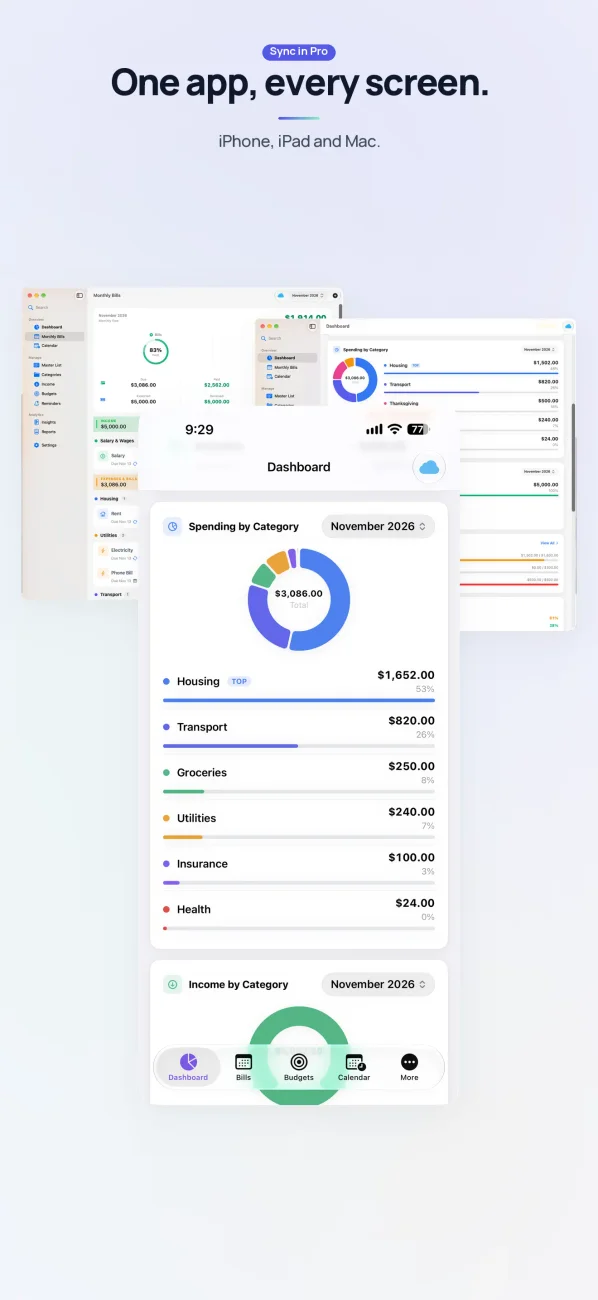
On iPhone, use tabs for Dashboard, Bills, Budgets, Calendar, and More while you're away from your desk. On iPad and Mac, a sidebar layout gives you a wider view of the month — the same bills and budgets, in a desktop-sized window.
YOUR DATA, YOUR DEVICE
Bill details you enter stay on your device by default. An account is optional and stores only your profile (name, email, country, photo) — not your bills. You can use the app fully without an account. With Bills Tracker Pro, you can turn on iCloud Sync so data syncs through your Apple ID.
BILLS TRACKER PRO
An optional auto-renewable subscription unlocks:
• Cash Flow — a month timeline of your running balance, with last month's balance carried forward and shortfall days highlighted in red (under Analytics)
• iCloud Sync — keep bills, income, payments, budgets, reminders, categories, and receipts in sync across iPhone, iPad, and Mac signed into the same Apple ID (turn Sync on in Settings)
• Insights — category spending views and related analytics
• Calendar — a month calendar of due dates with day-by-day detail
• Month PDF Reports you generate in the app
• Budget goals beyond the free limit of 50
On the US App Store, Pro is US$2.99 per month or US$29.99 per year. Apple processes the purchase and shows the price in your local currency. Manage or cancel anytime in your Apple ID subscription settings.
Download Bills Tracker and know what's due before it's late.
Terms of Use (EULA): https://www.apple.com/legal/internet-services/itunes/dev/stdeula/
Privacy Policy: https://billstrack.com/privacy
新機能
バージョン 1.9.27 · 2026/11/24
• Cash Flow (Pro) — see your running balance day by day, with last month's balance carried forward and shortfall days highlighted in red
• More reliable iCloud Sync — safer Reset this device only, clearer Uploading and Synced status, and updates on iPhone, iPad, and Mac while the app stays open (Mac can import in the background without interrupting your work)
• Monthly Bills — totals and sparkline that follow your real month-to-month spending
• Master List — recurring items stay aligned with your Calendar
• Onboarding — a clearer Create an account prompt after you get started, on iPhone, iPad, and Mac
アプリのプライバシー
このアプリのデータの取り扱いについて、Master Global Tech Pty LtdがApp Storeで申告している内容です。
-
ユーザーに関連付けられたデータ
収集され、ユーザーの識別情報に関連付けられる場合があります。
- 購入
- 財務情報
- 連絡先情報
- ユーザーコンテンツ
- ID
-
ユーザーに関連付けられないデータ
収集される場合がありますが、ユーザーの識別情報には関連付けられません。
- ID
- 使用状況データ
プライバシーの取り扱いは、ご利用の機能やお客様の年齢などに応じて異なる場合があります。
情報
- 販売元
- Master Global Tech Pty Ltd
- カテゴリ
- ファイナンス
- バージョン
- 1.9.27
- 更新日
- 2026/11/24
- リリース
- 2026/7/20
- サイズ
- 6.4 MB
- 必要条件
- iOS 26.4以降
- 対象年齢
- 4+
- 価格
- 無料
- アプリ内課金
- あり
- 言語
- 英語
- 著作権
- © 2026 Master Global Tech - All rights reserved.
こちらもおすすめ
-
 請求書トラッカーサブスクと支払い管理
-
 Bills Due - 請求管理家賃・光熱費・サブスクを管理
-
 Bill Sorted: Bill Trackerファイナンス
-
 Bill Tracker and Reminderファイナンス
-
 支払い管理 Bill Tracker請求書 Bills Manager
-
 Expensaver: Expense Trackerファイナンス
-
 Kiara –Money, Budget & Expenseファイナンス
-
 Mês Leve: Budget & Cash Flowファイナンス
-
 音声入力の家計簿・支出管理:家計メモレシート読み取り・予算管理・支払いリマインダー
-
 Temper: AI家計簿・予算管理簡単な支出記録で節約・貯金、お金が貯まる