
Bloop — Screenshot Actions
Local Screenshot Organizer
Entwickelt für iPhone, iPad
Kostenlos · In-App-Käufe
- Altersfreigabe4+
- KategorieProduktivität
- EntwicklerBill Ryan Cabral
- SprachenEnglisch
- Größe12,9 MB
Verlinkt auf die offizielle App Store-Seite
Download.org hostet keine Datei von Bloop — Screenshot Actions. Die Schaltfläche öffnet die App-Seite bei App Store, wo Bill Ryan Cabral die App veröffentlicht. Eintrag zuletzt geprüft am 20.11.2026.
Screenshots
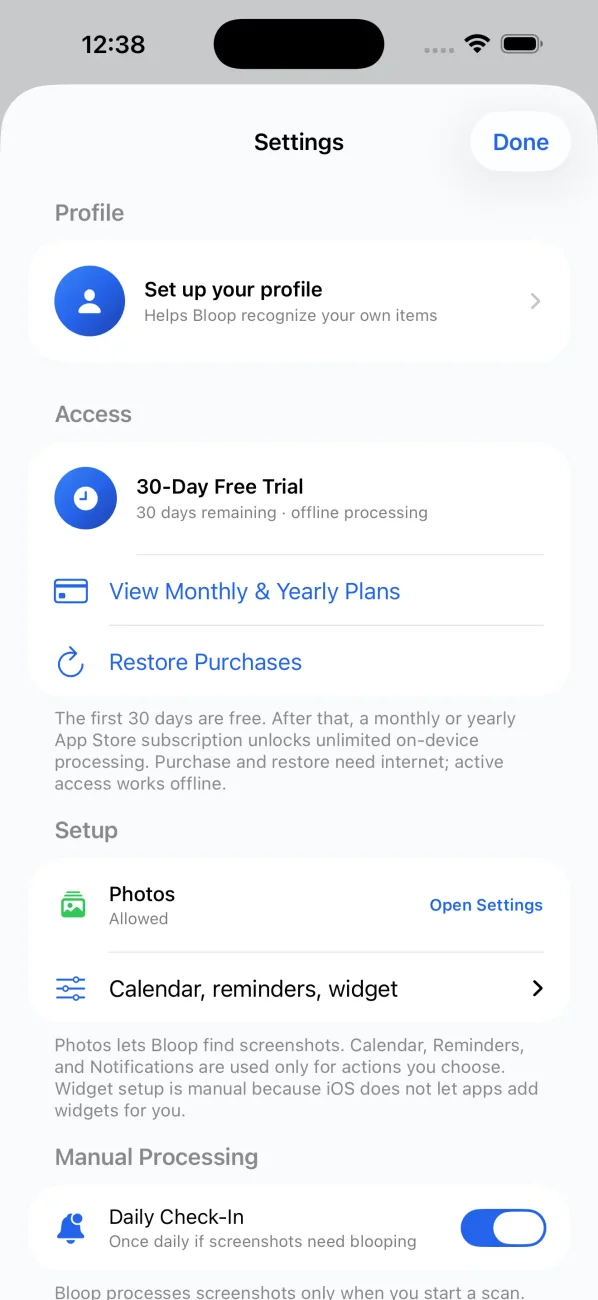

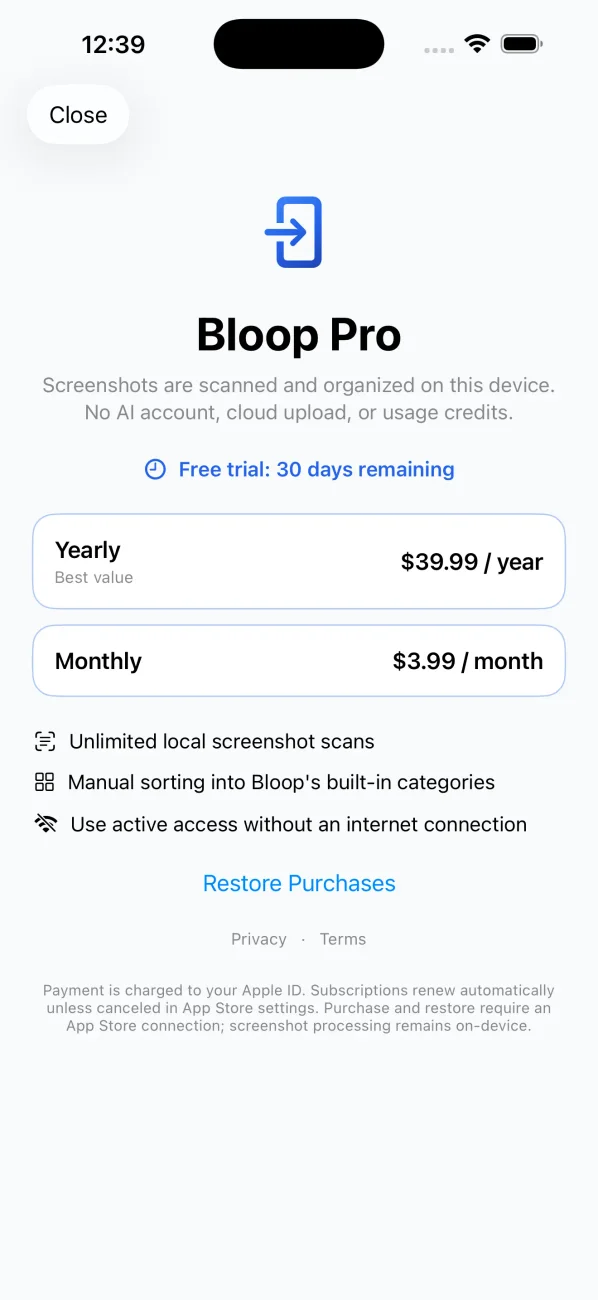
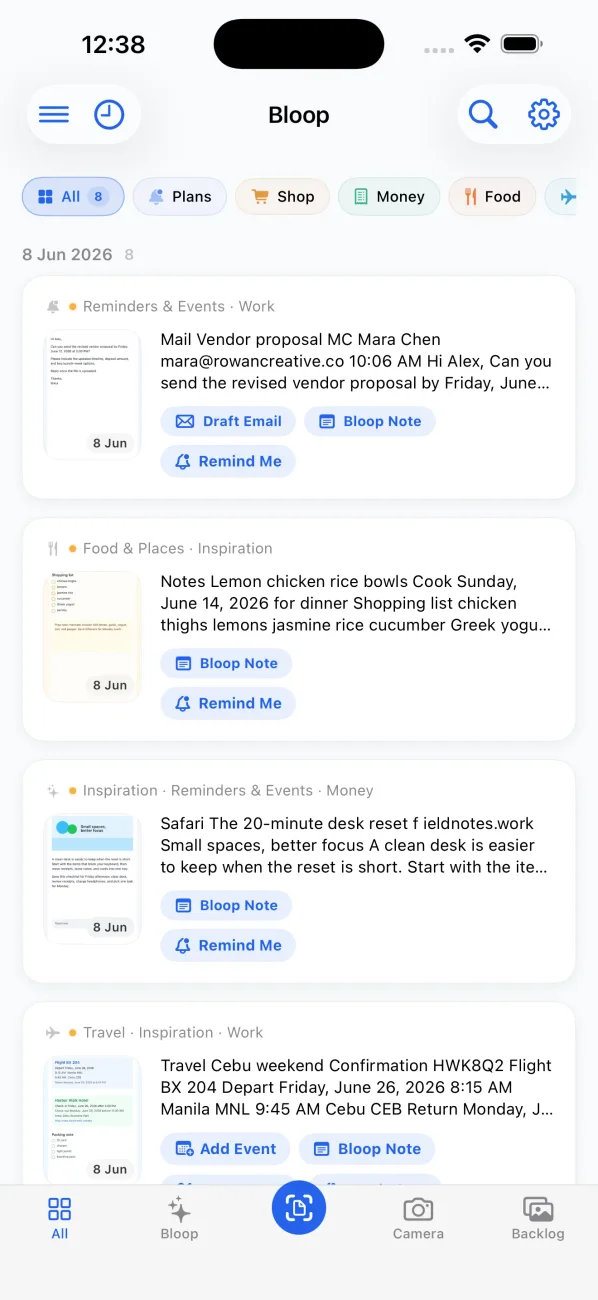
Info
Der Entwickler hat diesen Text nicht in Ihrer Sprache bereitgestellt.
Bloop helps you act on screenshots instead of losing them in Photos.
Choose screenshots to scan and Bloop will:
- Read their text on your device
- Organize them into a fixed set of useful built-in tags
- Suggest calendar events and reminders from visible dates
- Draft replies from email and message screenshots
- Open links, copy text, save notes, contacts, and lists
- Keep screenshot images and extracted text on your device
New screenshots can be scanned automatically when you open Bloop. Older screenshots are processed only after you choose them and tap Scan Selected. Try every local feature free for 30 days, then continue with a monthly or yearly subscription for unlimited local screenshot processing. Active access works offline; purchasing or restoring requires an App Store connection. No account, AI provider, processing credits, or cloud analysis is required.
Subscriptions renew automatically unless canceled at least 24 hours before the end of the current period. Payment is charged to your Apple ID, and plans can be managed in App Store account settings.
Always review dates, recipients, links, and other important details before using a suggested action.
Privacy Policy: https://bloop.getrepeatbit.com/privacy/
Terms of Use: https://bloop.getrepeatbit.com/terms/
Neue Funktionen
Version 1.0.7 · 28.08.2026
New screenshots now start scanning when you open Bloop, so useful reminders, dates, links, and tags appear sooner.
This update also makes scanning status easier to understand, improves on-device processing, and keeps older screenshots under your control—you choose which older images to scan.
App-Datenschutz
Was Bill Ryan Cabral im App Store zum Umgang dieser App mit Daten angibt.
-
Keine Daten erfasst
Der Entwickler erfasst keine Daten von dieser App.
Die Datenschutzpraktiken können variieren, zum Beispiel je nach den von Ihnen verwendeten Funktionen oder Ihrem Alter.
Informationen
- Anbieter
- Bill Ryan Cabral
- Kategorie
- Produktivität
- Version
- 1.0.7
- Aktualisiert
- 28.08.2026
- Veröffentlicht
- 24.06.2026
- Größe
- 12,9 MB
- Erfordert
- iOS 17.0 oder neuer
- Altersfreigabe
- 4+
- Preis
- Kostenlos
- In-App-Käufe
- Ja
- Sprachen
- Englisch
- Copyright
- © 2026 Bill Ryan Cabral
Das könnte Ihnen auch gefallen
-
 Kipp AI: Screenshots ordnenSuche, Erinnerungen & Kalender
-
 Chista: Screenshot InboxProduktivität
-
 Uuumi: Screen Time PetProduktivität
-
 Screenary - Screenshot AlbumProduktivität
-
 Daymo CalendarProduktivität
-
 SkreenlyScreenshots werden zu Aktionen
-
 TagTimes – One Tap Time LogProduktivität
-
 Notes to RemindersProduktivität
-
 Bookmarks: Verwalten & SpäterOrdner, Tags & iCloud-Sync
-
 Panik Sauber: Dopamin-ReinigunEntrümpeln Sie Ihr chaotisches