
Bloop — Screenshot Actions
Local Screenshot Organizer
Designed for iPhone, iPad
Free · In-app purchases
- Age rating4+
- CategoryProductivity
- DeveloperBill Ryan Cabral
- LanguagesEnglish
- Size12.9 MB
Links to the official App Store page
Download.org hosts no file of Bloop — Screenshot Actions. The button opens its official App Store page, published by Bill Ryan Cabral. Listing last checked on Nov 20, 2026.
Screenshots

About
Bloop helps you act on screenshots instead of losing them in Photos.
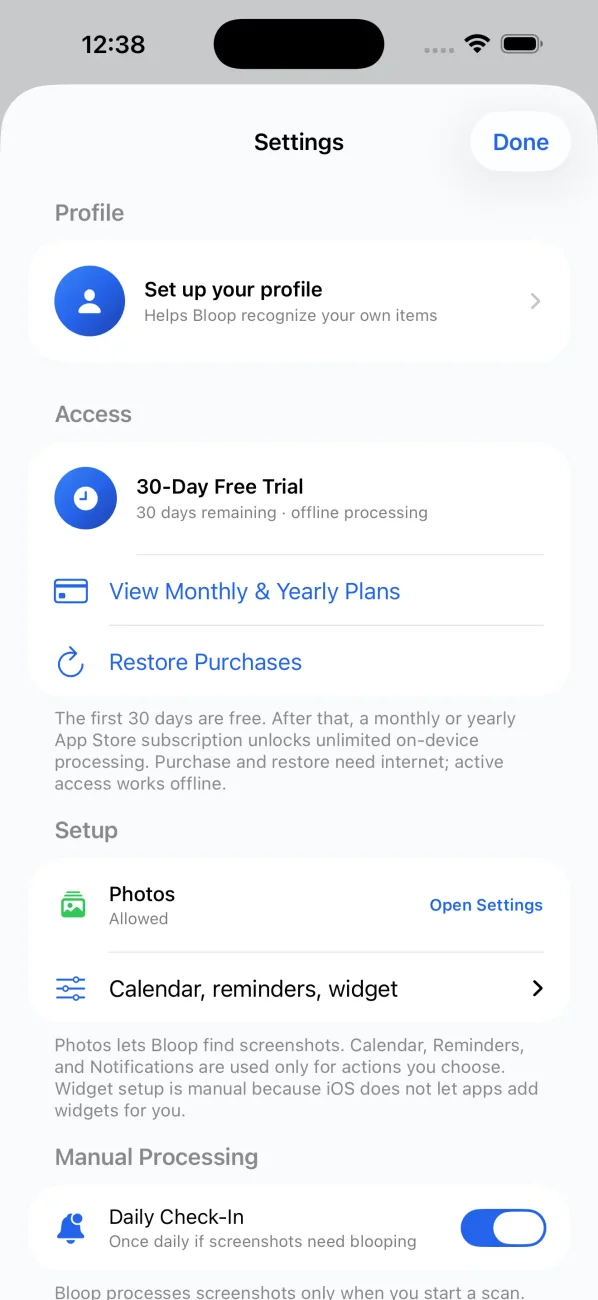
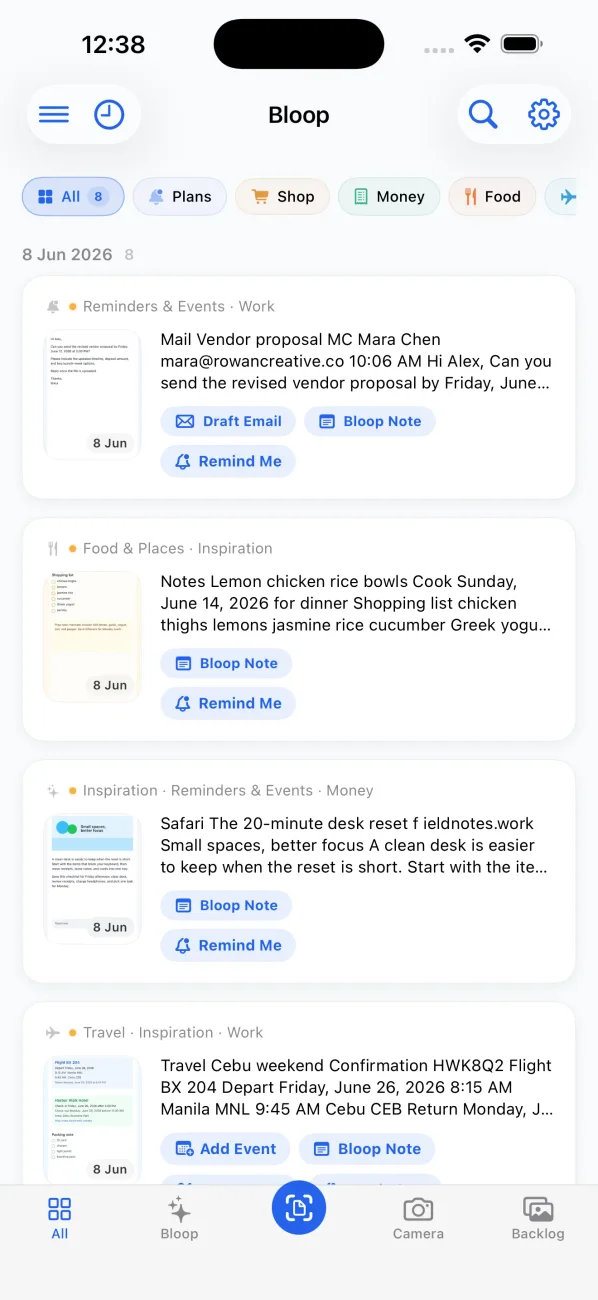
Choose screenshots to scan and Bloop will:
- Read their text on your device
- Organize them into a fixed set of useful built-in tags
- Suggest calendar events and reminders from visible dates
- Draft replies from email and message screenshots
- Open links, copy text, save notes, contacts, and lists
- Keep screenshot images and extracted text on your device
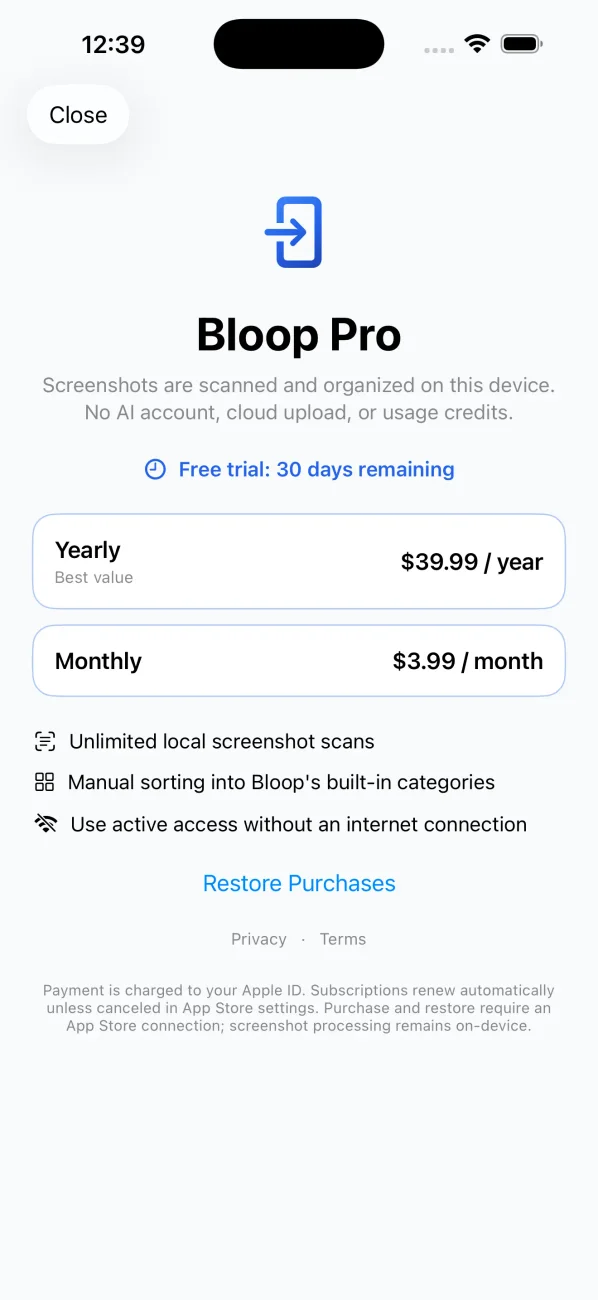
New screenshots can be scanned automatically when you open Bloop. Older screenshots are processed only after you choose them and tap Scan Selected. Try every local feature free for 30 days, then continue with a monthly or yearly subscription for unlimited local screenshot processing. Active access works offline; purchasing or restoring requires an App Store connection. No account, AI provider, processing credits, or cloud analysis is required.
Subscriptions renew automatically unless canceled at least 24 hours before the end of the current period. Payment is charged to your Apple ID, and plans can be managed in App Store account settings.
Always review dates, recipients, links, and other important details before using a suggested action.
Privacy Policy: https://bloop.getrepeatbit.com/privacy/
Terms of Use: https://bloop.getrepeatbit.com/terms/
What’s new
Version 1.0.7 · Aug 28, 2026
New screenshots now start scanning when you open Bloop, so useful reminders, dates, links, and tags appear sooner.
This update also makes scanning status easier to understand, improves on-device processing, and keeps older screenshots under your control—you choose which older images to scan.
App privacy
What Bill Ryan Cabral declares on the App Store about how this app handles data.
-
Data not collected
The developer does not collect any data from this app.
Privacy practices may vary, for example with the features you use or your age.
Information
- Seller
- Bill Ryan Cabral
- Category
- Productivity
- Version
- 1.0.7
- Updated
- Aug 28, 2026
- Released
- Jun 24, 2026
- Size
- 12.9 MB
- Requires
- iOS 17.0 or later
- Age rating
- 4+
- Price
- Free
- In-app purchases
- Yes
- Languages
- English
- Copyright
- © 2026 Bill Ryan Cabral
You might also like
-
 Kipp AI: Screenshot OrganizerSearch, Reminders & Calendar
-
 Chista: Screenshot InboxYour screenshots, sorted.
-
 Uuumi: Screen Time PetApp Blocker, Focus & Habits
-
 Screenary - Screenshot AlbumAI Image Album for Screenshots
-
 Daymo CalendarYour week at a glance
-
 SkreenlyTurn screenshots into action
-
 TagTimes – One Tap Time LogQuick timestamp log with tags
-
 Notes to RemindersImport checklists instantly
-
 Bookmarks: Manage & Read LaterFolders, tags & iCloud sync
-
 Panic Clean: Dopamine CleaningDeclutter Your Messy ADHD Room